


- Products
- Catalogs
- News & Trends
- Exhibitions
TRIOS Share frequently asked questions
TRIOS Share frequently asked questions
Catalog excerpts
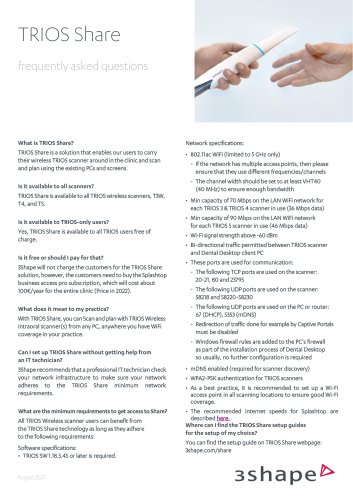
TRIOS Sharefrequently asked questions What is TRIOS Share? TRIOS Share is a solution that enables our users to carry their wireless TRIOS scanner around in the clinic and scan and plan using the existing PCs and screens. TRIOS Share is available to all TRIOS wireless scanners, T3W, T4, and T5. Is it available to TRIOS-only users? Yes, TRIOS Share is available to all TRIOS users free of charge. Is it free or should I pay for that? 3Shape will not charge the customers for the TRIOS Share solution, however, the customers need to buy the Splashtop business access pro subscription, which will cost about 100€/year for the entire clinic (Price in 2022). What does it mean to my practice? With TRIOS Share, you can Scan and plan with TRIOS Wireless intraoral scanner(s) from any PC, anywhere you have WiFi coverage in your practice. Can I set up TRIOS Share without getting help from an IT technician? 3Shape recommends that a professional IT technician check your network infrastructure to make sure your network adheres to the TRIOS Share minimum network requirements. What are the minimum requirements to get access to Share? All TRIOS Wireless scanner users can benefit from the TRIOS Share technology as long as they adhere to the following requirements: Software specifications: • TRIOS SW 1.18.5.45 or later is required. Network specifications: • 802.11ac WiFi (limited to 5 GHz only) - If the network has multiple access points, then please ensure that they use different frequencies/channels - The channel width should be set to at least VHT40 (40 MHz) to ensure enough bandwidth • Min capacity of 70 Mbps on the LAN WiFi network for each TRIOS 3 & TRIOS 4 scanner in use (36 Mbps data) • Min capacity of 90 Mbps on the LAN WiFi network for each TRIOS 5 scanner in use (46 Mbps data) • Wi-Fi signal strength above -60 dBm • Bi-directional traffic permitted between TRIOS scanner and Dental Desktop client PC • These ports are used for communication: - The following TCP ports are used on the scanner: - The following UDP ports are used on the scanner: - The following UDP ports are used on the PC or router: - Redirection of traffic done for example by Captive Portals must be disabled - Windows firewall rules are added to the PC's firewall as part of the installation process of Dental Desktop so usually, no further configuration is required • mDNS enabled (required for scanner discovery) • WPA2-PSK authentication for TRIOS scanners • As a best practice, it is recommended to set up a Wi-Fi access point in all scanning locations to ensure good Wi-Fi coverage. • The recommended internet speeds for Splashtop are described here. Where can I find the TRIOS Share setup guides for the setup of my choice? You can find the setup guide on TRIOS Share webpage: 3shape.com/share
Open the catalog to page 1
TRIOS Share frequently asked questions What is the difference between TP-link Wireless Dongle and TRIOS Share? With TP-link you connect your scanner via the TP-link dongle to a scanning PC and scan from one computer at a time. With Share, you connect your scanner to the scanning PC via the clinic’s WiFi and you can scan from any PC in your practice. What is Splashtop? Splashtop is a family of remote-desktop software and remote support software, developed by Splashtop Inc. Splashtop enables users to remotely access computers from desktop and mobile devices. What is Scanning via screen mirroring?...
Open the catalog to page 2
TRIOS Sharefrequently asked questions Does TRIOS remote option work with Share? Yes, you can use TRIOS remote option when using TRIOS Share, you just need to enable the "Show remote cursor" from the view options tab in the Splashtop session. For more information, please visit the Splashtop guide on 3shape.com/share. Can I install Unite on the PMS* PCs and benefit from the TRIOS Share solution? We don't recommend installing Unite on the PMS PCs, as the PC is an important part of the overall 3Shape system. It is the engine on which the software is run, and consequently, the software puts some requirements...
Open the catalog to page 3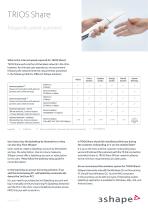
TRIOS Sharefrequently asked questions User has to buy the Splashtop by themselves or they can also buy from 3Shape? Users need to create a Splashtop account by themselves and pay the subscription. Due to privacy measures, 3Shape cannot offer a Splashtop account or subscription to the users. Please follow the Splashtop setup guide for more information. In the Scanning via screen mirroring solution, if we add the 2nd scanning PC, will Splashtop automatically detect the 2nd Scan PC? No, you need to purchase the 2nd Splashtop account and log in manually on the 2nd scanning PC (Splashtop Streamer)...
Open the catalog to page 4
TRIOS Share frequently asked questions Can we use Microsoft remote desktop instead of Splashtop? No, Microsoft remote desktop does not work with our TRIOS Software and it will not show the 3D rendering footage via the remote session. Can I connect the scanner to the access point that supports only 2.4 GHz? No, the scanner works only at the 5GHz band. Please consult your IT support to upgrade your access point or to enable the 5GHz band in the access point setting if available. Is there any HIPPA concern when the scanning PC is in a room with other patients? There is a setting in Splashtop that...
Open the catalog to page 5All 3shape catalogs and technical brochures
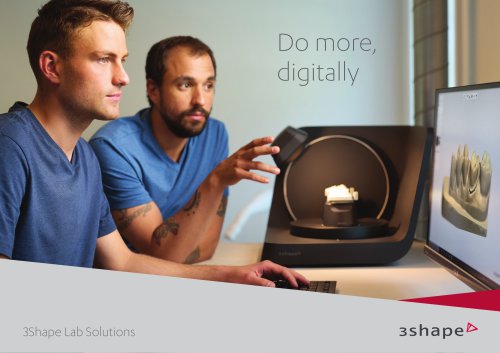 3Shape Lab Solutions
13 Pages
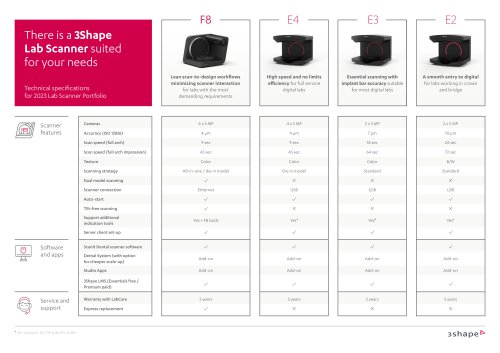 Lab Scanner
1 Page
 TRIOS Workflows
24 Pages
 3Shape TRIOS
13 Pages
Archived catalogs
 3Shape X1
12 Pages
 TRIOS®
1 Page
 3Shape TRIOS
12 Pages
 3Shape TRIOS 2019
31 Pages
 3Shape TRIOS Orthodontics
16 Pages
 TRIOS Treatment Simulator
2 Pages
 3Shape Lab Solutions
9 Pages
 3Shape TRIOS 2021
34 Pages
 Orthodontics
57 Pages
 Dental System? Brochure
120 Pages
 TRIOS®_2013
10 Pages
 LABcare
7 Pages
 CAMbridge
2 Pages
 CAD/CAM
29 Pages


- Analysis software
- Radiology software
- Visualization software
- Computing cart
- 3shape tablet computer software
- 3shape tablet PC software
- Control software
- Reporting software
- Laboratory software
- Monitoring software
- Diagnostic software
- Planning software
- Cloud-based software
- Height-adjustable laptop cart
- 3shape dental software
- Automated software
- Acquisition software
- 3shape design software
- 3shape treatment software
- Traceability software