


VISIX

VISIX
Visix Imaging Network requires a minimum CPU speed of 2 GHz Pentium Class or higher. It supports Windows XP Professional with Service Pack 3 or later, Windows Vista Business, Enterprise, or Ultimate with Service Pack 1 or later, and Windows 7 Professional, Enterprise, or Ultimate. The system should have at least 1 GB RAM, a 48x speed CD ROM drive, and a hard drive with 100 MB of free space on each workstation and 120 GB or higher on the server for image storage. A monitor with SVGA 17” and 1024 x 768 resolution or higher is required. Standard keyboard and mouse, a backup device, and an external surge protector are recommended. A printer with 720 DPI or higher is needed, but LaserJet printers are not recommended. USB 1.1 is the minimum requirement, with USB 2.0 recommended. The network should have a speed of 100 mbps or higher, with a client/server network topology recommended. Microsoft 2000 or 2003 Server is recommended for the server OS.
Visix offers customizable image mounting and display options, allowing users to create mounts that match the sequence of captured images or present different image formats together. The software includes enhanced viewing capabilities and diagnostic tools, along with VISIX Link®, which bridges to over 35 Practice Management software titles.
Visix is designed for ease of use with a simple Set-Up 1-2-3 process. It allows users to grab, mount, view, customize, and store images with minimal effort. It complements hardware like ScanX, Polaris, and Spectra, providing a unified hardware and software package.
The Stop Light Exposure System provides a clear 3-light indicator for data capture: Green Light indicates correct exposure, Yellow Light signals underexposure, and Red Light warns of overexposure.
Visix is a registered trademark of Air Techniques, Inc. The corporate headquarters are located at 1295 Walt Whitman Road, Melville, New York, with a western facility at 291 Bonnie Lane, Suite 101, Corona, CA.
Catalog excerpts
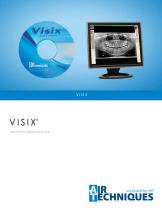
v i s IX' Dental Imaging Software
Open the catalog to page 1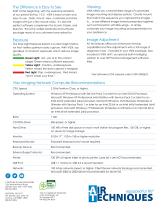
The Difference is Easy to See Start at the beginning, with the welcome simplicity of our special Set-Up 1-2-3. VISIX is easy to learn and easy to use. Grab, mount, view, customize and store images with just a few mouse clicks. It's also the perfect software complement for ScanX, Polaris, and Spectra. This is the unified hardware and software package many of our customers have asked for. Exposure Our Stop Light Exposure System is a clear 3-light indicator that verifies optimum data capture. With VISIX, say goodbye to incorrect exposures which reduce image quality. Green Light: Go, you're in the...
Open the catalog to page 2All Air Techniques catalogs and technical brochures
 Mojave
6 Pages
 Compressors For CAD / CAM
4 Pages
 VAC STAR VIPER®
2 Pages
 Lines Cleaner
4 Pages
 surface disinfectant spray
4 Pages
 Air Star Aero
4 Pages
 CamX Elara & Spectra
6 Pages
 CamX Triton HD
6 Pages
 ScanX International
6 Pages
 ScanX Duo
2 Pages
 film Processor Brochure
4 Pages
 DBSWIN
6 Pages
 Monarch Instruments
4 Pages
 VacStarSystems Brochure
6 Pages
 2017YearEndSpecials
4 Pages
 Film Processor
4 Pages
 CamX Spectra & Polaris
6 Pages
 NEO Pulse Brochure
4 Pages
 ProVecta HD Brochure
4 Pages
 Cam-X Luna HD Brochure
4 Pages
 VacStar Wet Vacuum Systems
4 Pages
 AirStar Compressors
4 Pages
 ScanX PSP Cleaning Wipes
1 Page
 Visix Imaging Software
2 Pages
 ScanX Swift Brochure
6 Pages
 ProVecta S-Pan Brochure
5 Pages
 Mojave Dry Vacuum Systems
6 Pages
 Acadia Amalgam Separator
2 Pages
 ScanX Brochure
2 Pages
 STS 3
STS 32 Pages
 Mojave V3
4 Pages
 VacStar 40
2 Pages
 CleanStream Sell Sheet
2 Pages
 AirStar 10
4 Pages


Archived catalogs
 Film Processor Brochure Old
4 Pages
- Container
- Dry compressor
- Radiology software
- Hospital compressor
- Control software
- Dental compressor
- Oil-free vacuum pump
- Diagnostic software
- Dental radiography system
- Reciprocating air compressor
- 1-workstation compressor
- LED camera
- Digital dental radiography system
- HD camera
- Recording software
- Compressor with air dryer
- Dental vacuum pump
- Intraoral X-ray system
- Dental camera
- Panoramic X-ray system