
- Catalogs
- AMD Global Telemedicine
- Telehealth Consult

Telehealth Consult

Telehealth Consult
- Import patient records into the database or manually create new records.
- Automatically save medical data from AGNES sessions into patient records via HL7.
- Use a custom forms manager to upload or create customizable forms for workflows, such as Patient Consent and Chief Complaint.
- Add comments and files specific to each patient’s case.
- Assign consulting physicians to specific resources and refer cases for second opinions.
- Secure email notifications are sent when cases are referred.
- Remote users can securely access each patient’s medical history with minimal bandwidth requirements.
- Mark cases as “sensitive” for access by authorized personnel only.
- Generate reports on the number of patient cases by site, doctor, or specialist over any period.
- Launch AGNES InteractiveTM sessions directly from Telehealth Consult.
- Capture and share information from live patient assessments, saving it directly into the patient’s case file via HL7.
Catalog excerpts
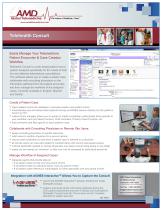
Telehealth Consult Easily Manage Your Telemedicine Patient Encounter & Case Creation Workflow Telehealth Consult is a web-based patient record system designed specifically for the needs of both live and deferred telemedicine consultations. This software allows you to create a patient case, collaborate with consulting physicians on the information gathered from the patient encounter, and then manage the workflow of the assigned cases. Currently available in English, Spanish and Danish. Create a Patient Case: • import patient record into database or manually create a new patient record • automatically save all medical data captured during an AGNES session directly into the patient’s record via HL7 • custom forms manager allows you to upload or create completely customizable forms specific to your workflow, such as Patient Consent, Chief complaint, Primary Case Physician, etc • add comments and files specific to each patient’s case Collaborate with Consulting Physicians or Remote Site Users: • assign consulting physicians to specific resources • refer cases to another physician for a second opinion • secure email notification is sent when a patient case is referred to a physician • all remote users can view each patient’s medical history with secure web-based access • minimal bandwidth needed so remote physicians can easily consult using laptop or any tablet • cases can be marked as “sensitive” so they can only be accessed by authorized personnel Manage Workflow of Assigned Cases • Generate reports that provide data on: w # of patient cases by site over any period of time w # of patient cases by individual doctor over any period of time w # of patient cases referred to cardiologists (or other specialist) over any period of time Integration with AGNES InteractiveTM Allows You to Capture the Consult • Launch the AGNES Interactive Telehealth Consult. session directly from inside • Capture and share all the information gathered during the LIVE patient assessment and save it directly into that patient’s Telehealth Consult case file. This is done via HL7 (medical standard for patient security). AMD Global Telemedicine 321 Billerica Road Chelmsford, MA 01824 Toll-Free: 1-866-449-8210 [email protected] www.am
Open the catalog to page 1All AMD Global Telemedicine catalogs and technical brochures
 AMD-3750
2 Pages
 Connect N'Care
2 Pages
 AMD-2000
1 Page
 AGNES ConnectTM
2 Pages
 AMD_Multipurpose_CameraScope
2 Pages
 AMD-7130
1 Page
 AMD-2013
2 Pages
 OnDemand VisitTM
2 Pages
 ExamFlow
2 Pages
 AGNES Interactive
2 Pages


- Ultrasound system
- B/W ultrasound system
- Portable ultrasound system
- CMOS camera
- Camera with USB port
- EKG
- Digital electrocardiograph
- Multi-parameter monitor
- Stethoscope
- Hand-held ultrasound system
- Cloud-based software
- Multi-parameter O2 monitor
- Pulse oximetry multi-parameter monitor
- Blood pressure multi-parameter monitor
- Endoscope camera
- Compact multi-parameter monitor
- Medical camera
- 12-channel electrocardiograph
- Capture software
- TEMP multiparameter monitor