
- Catalogs
- BAUM Retec
- COBRA 11

COBRA 11

COBRA 11
Overview: COBRA 11 is an advanced screen reader designed to assist blind and visually impaired users in navigating Windows 7, 8, and 10. It provides information through speech, braille, or magnification, enhancing accessibility and user experience.
Key Features:
- Compatibility: Supports Windows 8 and 10, and MS Office 2016.
- Navigation: Enhanced table navigation and faster web page access with COBRA-Explorer.
- Text-to-Speech: Utilizes Nuance Vocalizer TTS for clear and natural-sounding speech.
- Updates: Free updates for four years, including major versions and compatibility with new Windows versions.
- Customization: User profiles allow personalized settings, which remain unchanged after updates.
- Flexibility: Multi-scripting and user profiles enable tailored configurations for different applications and users.
Additional Features:
- Braille Support: Offers Grade I and II braille, supports multiple displays, and allows braille input via PC keyboard.
- Screen Magnification: COBRA Zoom provides magnification from 1x to 32x, with options for full screen, split screen, and magnifying glass views.
- Remote Access: Seamless integration with Terminal Server, Citrix, and remote desktop environments.
- Training Aid: Braille display output can be shown on the monitor in text form for training purposes.
New Enhancements:
- Table Navigation: New commands for navigating tables, including in PDF files.
- Magnification Positioning: Improved positioning of magnified areas to avoid hiding windows or labels.
- Safe Mode Support: Magnification functionality is accessible even in Windows Safe Mode.
- Program Optimization: Adjustments for Microsoft Office applications and improved support for JAVA applications.
Product Variants:
- COBRA Braille: Supports speech output and braille.
- COBRA Zoom: Supports speech output and screen magnification.
- COBRA Pro: Supports speech output, braille, and screen magnification.
Contact Information: BAUM Retec AG, In der Au 22, 69257 Wiesenbach, Germany. Tel: +49 (0) 6223 4909-0, Email: [email protected], Website: www.baum.de
Catalog excerpts
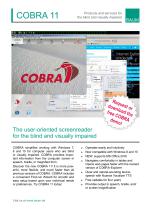
the blind and visually impaired "i WlHtkwiT Internet (.upline wueste Version (Of linen PC. m.jfi - hboo)on Outlook for the blind and visually impaired COBRA simplifies working with Windows 7, 8 and 10 for computer users who are blind or visually impaired. COBRA provides impor- tant information from the computer screen in speech, braille, or magnified form. Discover the new COBRA 11! It is more pow- erful, more flexible, and much faster than all previous versions of COBRA. COBRA includes a convenient First-run Wizard for smooth and easy setup based upon your individual needs or preferences. Try COBRA 11 today! ■ Operates easily and intuitively ■ Now compatible with Windows 8 and 10 ■ Navigates comfortably in tables and Opens web pages faster with the revised ■ Clear and natural-sounding text-to- speech with Nuance Vocalizer TTS ■ Free updates for four years ■ Provides output in speech, braille, and/
Open the catalog to page 1
Modify your desktop according to your needs and combine the functions you require to create your own productive environment. COBRA simplifies the use of Windows 7, 8 and 10 for blind and visually impaired computer users. User-oriented functions can be personalized for an individual user to guarantee a professional and efficient workflow. When access to less common applications is required, we offer scripting expertise to help configure COBRA for use with these programs. Multi Scripts allow multiple scripts for the same application and/or different users on the same After installation of COBRA...
Open the catalog to page 2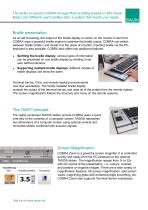
The ability to expand COBRA through Multi-scripting (based on MS Visual Basic) and different user's profiles tailor a system that meets your needs... Braille presentation: As an aid to training, the output of the braille display is shown on the monitor in text form. COBRA uses a powerful braille engine to optimise the braille output. COBRA can switch between braille Grade I and Grade II at the press of a button. Inputting braille via the PCkeyboard is also possible. COBRA also offers two additional features: ■■ Splitting the braille display: various types of information can be presented on one...
Open the catalog to page 3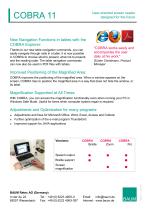
User-oriented screen reader designed for the future New Navigation Functions in tables with the COBRA Explorer: "COBRA works easily and accompanies the user daily at his work." Thanks to our new table navigation commands, you can easily navigate through cells in a table. It is now possible in COBRA to choose what to present, what not to present, and the reading order. The table navigation commands can now also be used in PDF files with tables. Günter Christmann, Product Manager Improved Positioning of the Magnified Area: COBRA improves the positioning of the magnified area. When a window appears...
Open the catalog to page 4All BAUM Retec catalogs and technical brochures
 VarioPro 80
4 Pages
 Vario 340
2 Pages
 VarioUltra
2 Pages
Archived catalogs
 VarioPro
4 Pages
 VisioDesk
2 Pages
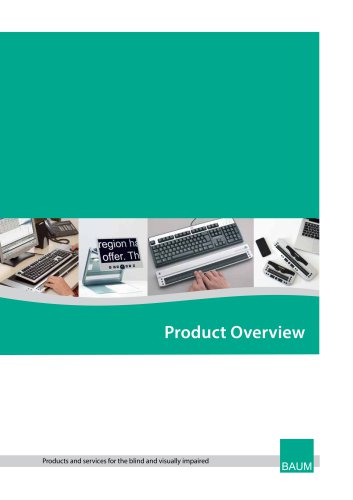 catalog
16 Pages
 Poet Compact 2
2 Pages
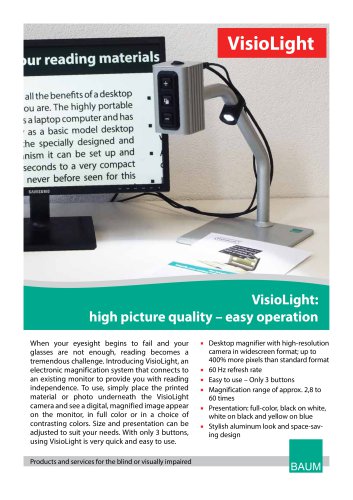 VisioLight
2 Pages
 SuperVario2
2 Pages