
- Catalogs
- Beckman Coulter
- UniCel DxH Series with System Manager ReadMe

UniCel DxH Series with System Manager ReadMe

UniCel DxH Series with System Manager ReadMe
The document is a ReadMe file for the UniCel DxH Series, specifically covering the DxH 900, DxH Slidemaker Stainer II, and DxH 690T systems with software version 1 (1.2.0). It highlights differences in system behavior not covered in the System HELP.
- Alerts: Instrument icons or alert indicators may change color without corresponding changes in the instrument beacon. Users should verify all visual indicators for proper system operation.
- Beacon: The instrument beacon may continue blinking if slides are not removed from the I/O Drawer before diagnostics.
- Body Fluid Analysis: A 'P' flag during diluent blank runs may indicate aspiration errors, which are acceptable unless accompanied by other hardware parameter warnings.
- Diagnostics Cycles: Ensure transport shields are in place during cycles to avoid errors. Avoid performing Prime Diluent with empty containers to prevent air aspiration errors.
- HGB Blank Shift: If this message appears, users should run Daily Checks and repeat tests.
- Export: Exporting QC files should be done from the System Manager in connected configurations.
- IQAP: When using multiple DxH900 analyzers, transmit BCI Control files to IQAP one instrument at a time.
- Peripheral Setup: Connect analyzers to an uninterruptible power supply (UPS) to prevent downtime from power interruptions.
- Refresh Issues: Various refresh issues are noted, including screen overlaps and unrefreshed configurations. Solutions include using a mouse or refreshing screens manually.
- Quality Control Setup: Instructions for exporting CSV files for 6C Plus Cell control and recommendations for setting Targets and Limits.
- Single-Tube Presentation: Issues with real-time result refresh and tube height requirements are addressed.
- System Status: The Status screen may not update correctly after control run deletions.
- Virtual Keyboard: Use a mouse or virtual keyboard shortcut if the touchscreen does not respond.
- Worklist: Advanced search results may be incomplete; alternative search methods are suggested.
The document outlines procedures for ensuring the instrument is online and functioning correctly. It highlights that the signal lamp may blink blue until the instrument is online and trays are removed. A 'P' flag may appear during blank diluent runs, which is acceptable unless accompanied by other system event messages indicating hardware parameters are out of range.
Transport and background cycles must be completed with the transport screen in place. Removing the screen during these cycles causes errors, requiring a system restart. Priming should not occur with empty diluent containers to avoid air aspiration errors.
If the 'Hgb Blank Shift' message appears, daily controls should be run, and the test repeated.
CSV or INF/DAT files should be exported from the system administrator, not the review station, to ensure data integrity.
Connecting the analyzer to an uninterruptible power supply (UPS) is recommended to prevent downtime during power outages.
Occasional issues with screen updates and interface elements are noted, with solutions such as using a mouse instead of a touchscreen or refreshing the screen.
Instructions for setting up and exporting quality control files are provided, including steps for handling 6C Plus cell control files.
Real-time updates may not occur, and specific steps are outlined for handling errors related to tube detection.
Issues with status updates and virtual keyboard functionality are addressed, with recommended actions for resolution.
Advanced search results may be incomplete, and a specific search method is recommended for comprehensive results.
This document pertains to the UniCel DxH Slidemaker Stainer II, software version 1 (1.2.0), and the UniCel DxH 690T, software version 1 (1.2.0). It provides updated system information that may not align with or be recorded in the system descriptions.
Instrument icons or warning indicators may change color without corresponding signal changes. Always check visual indicators to ensure the system is operating correctly. If a slide rack with specimens is not removed from the I/O drawer before starting diagnostics, the instrument signal may remain flashing blue until the rack is removed.
During fluid analysis, a "P" mark may appear with diluent blank results, which is acceptable unless accompanied by hardware parameter warnings.
Ensure transport barriers are fixed during transport and background cycles to avoid errors. Do not perform diluent infusion if the container is empty to prevent air intake errors. If STM adjustments fail, place the instrument offline and reconnect before processing.
If "Hgb Blank Shift" messages appear, perform routine checks and retests.
Export QC files from System Manager in CSV or INF/DAT format. Avoid exporting from review stations.
For IQAP, select one instrument at a time from the dropdown list. For QC setup, ensure proper configuration for COULTER 6C Plus reagents.
Connect instruments to an uninterruptible power supply to prevent downtime. Refresh issues may occur with overlapping windows or unrefreshed configurations.
Results may not refresh immediately; use the "Hide" button to refresh. Ensure tubes meet minimum height requirements to avoid detection errors.
Deleting the last QC run may not update the status screen. Use a mouse or virtual keyboard shortcuts to exit screens.
Advanced searches in the worklist may be incomplete; use specific search criteria for complete results.
Catalog excerpts

UniCel DxH Series with System Manager ReadMe DxH 900, DxH Slidemaker Stainer II, DxH 690T v 1 UniCel DxH Series with System Manager ReadMe DxH 900 and DxH Slidemaker Stainer II – Published Version: v1 DxH 690T – Published Version: v1 Read Me – English (English) Przeczytaj – Polski (Polish) Pročitajte – Hrvatski (Croatian) Lisez-moi – Français (French) Beni Oku – Türkçe (Turkish) De citit – Română (Romanian) Leggimi – Italiano (Italian) Прочтите – Русский (Russian) Прочетете – Български (Bulgarian) Infodatei – Deutsch (German) Prečítajte si – Slovensky (Slovak) Pročitaj me - srpski (Serbian) Léame – Español (Spanish) Read Me – Ελληνικά (Greek) Leia-me – Português (Portuguese) Svarbiausia informacija – lietuvių k. (Lithuanian) 自述文件 - 简体中文 (Chinese (Simplified)) Leiame – Português (Brasil) (Portuguese (Brazil)) Viktig – Norsk (Norwegian) Viktigt – Svenska (Swedish) Read Me – Nederlands (Dutch) Read Me – Čeština (Czech) Preberite – Slovenščina (Slovenian) Olvassa el – Magyar (Hungarian)
Open the catalog to page 1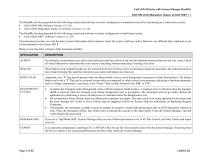
UniCel DxH Series with System Manager ReadMe DxH 900, DxH Slidemaker Stainer II, DxH 690T v 1 This ReadMe has been prepared for the following systems and software revisions configured as a connected workcell or functioning as a stand-alone system: • UniCel DxH 900, Software Version 1 (1.2.0) • UniCel DxH Slidemaker Stainer II, Software Version 1 (1.2.0) This ReadMe has been prepared for the following system and software revisions configured as a stand-alone system: • UniCel DxH 690T, Software Version 1 (1.2.0) This document provides you with the latest system information about instances where...
Open the catalog to page 2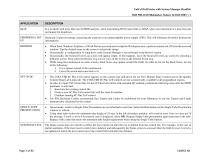
UniCel DxH Series with System Manager ReadMe DxH 900, DxH Slidemaker Stainer II, DxH 690T v 1 APPLICATION In a workcell with more than one DxH900 analyzer, when transmitting BCI Control files to IQAP, select one instrument at a time from the instrument list dropdown. Beckman Coulter encourage connecting the analyzer to an uninterruptible power supply (UPS). This will eliminate downtime from power interruptions. • SINGLE-TUBE PRESENTATION SYSTEM STATUS When Paint, Windows Explorer, or Word Pad are accessed and overlap the Workspace area, a portion remains cut off from the accessed window. Tap...
Open the catalog to page 3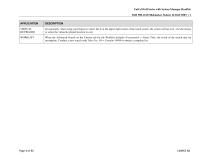
UniCel DxH Series with System Manager ReadMe DxH 900, DxH Slidemaker Stainer II, DxH 690T v 1 APPLICATION VIRTUAL KEYBOARD Occasionally, when using your fingers to select the X at the upper right corner of the touch screen, the screen will not exit. Use the mouse or select the virtual keyboard shortcut to exit. When the Advanced Search on the Custom tab for the Worklist includes Presentation = Single Tube, the result of the search may be incomplete. Conduct a new search with Tube Pos. ID = Contains 99999 to obtain a complete list.
Open the catalog to page 4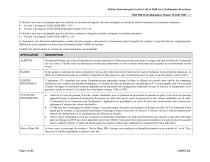
Fichier Lisez-moi pour la série UniCel DxH avec Gestionnaire de système DxH 900, DxH Slidemaker Stainer II, DxH 690T v 1 Ce fichier Lisez-moi a été préparé pour les systèmes et révisions de logiciel suivants configurés en cellule de travail connectée ou en système autonome : • Version 1 du logiciel UniCel DxH 900 (1.2.0) • Version 1 du logiciel UniCel DxH Slidemaker Stainer II (1.2.0) Ce fichier Lisez-moi a été préparé pour les révisions systèmes et logiciels suivants configurés en système autonome : • Version 1 du logiciel UniCel DxH 690T (1.2.0) Ce document vous fournit les informations système...
Open the catalog to page 5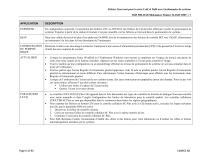
Fichier Lisez-moi pour la série UniCel DxH avec Gestionnaire de système DxH 900, DxH Slidemaker Stainer II, DxH 690T v 1 APPLICATION En configuration connectée, l’exportation des fichiers CSV ou INF/DAT des fichiers de CQ doit être effectuée à partir du gestionnaire de système. Exporter à partir de la station d’examen n’est pas conseillé, car les fichiers se trouvent dans le gestionnaire de système. Dans une cellule de travail de plus d’un analyseur DxH900, lors de la transmission des fichiers de contrôle BCI vers l’IQAP, sélectionnez un instrument à la fois dans la liste déroulante de l’instrument....
Open the catalog to page 6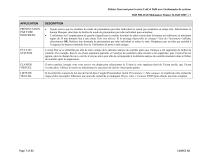
Fichier Lisez-moi pour la série UniCel DxH avec Gestionnaire de système DxH 900, DxH Slidemaker Stainer II, DxH 690T v 1 APPLICATION PRÉSENTATION PAR TUBE INDIVIDUEL L’écran État ne se rafraîchit pas afin de tenir compte de la dernière analyse de contrôle après que l’analyse a été supprimée du fichier de contrôle. Par exemple, dans le cas d’une aspiration partielle, si l’analyse de contrôle la plus récente a été supprimée, puis l’écran État est apparu, alors le champ Dernier contrôle n’est pas mis à jour afin de correspondre à la dernière analyse de contrôle énumérée dans le fichier de contrôle...
Open the catalog to page 7
File Leggimi per unità della serie UniCel DxH con gestore del sistema DxH 900, DxH Slidemaker Stainer II, DxH 690T v. 1 Questo file Leggimi è stato preparato per i seguenti sistemi e versioni software configurati come una workcell collegata o funzionanti come un sistema indipendente: • UniCel DxH 900, versione software 1 (1.2.0) • UniCel DxH Slidemaker Stainer II, versione software 1 (1.2.0) Questo file Leggimi è stato preparato per le seguenti revisioni del sistema e del software configurati come un sistema indipendente: • UniCel DxH 690T, versione software 1 (1.2.0) Il presente documento contiene...
Open the catalog to page 8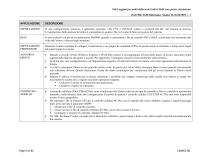
File Leggimi per unità della serie UniCel DxH con gestore del sistema DxH 900, DxH Slidemaker Stainer II, DxH 690T v. 1 APPLICAZIONE In una configurazione connessa, è opportuno esportare i file CSV o INF/DAT relativi a eventuali file QC, dal Gestore di sistema. L’esportazione dalla stazione di lettura è sconsigliata in quanto i file si trovano di fatto nel gestore del sistema. In una workcell con più di un analizzatore DxH900, quando si trasmettono i file di controllo BCI a IQAP, selezionare uno strumento alla volta dall’elenco a discesa degli strumenti. IMPOSTAZIONE • PERIFERICHE Beckman Coulter...
Open the catalog to page 9All Beckman Coulter catalogs and technical brochures
 SAFETY DATA SHEET
13 Pages
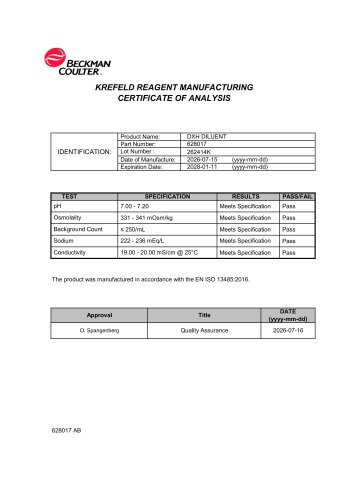 CERTIFICATE OF ANALYSIS
1 Page
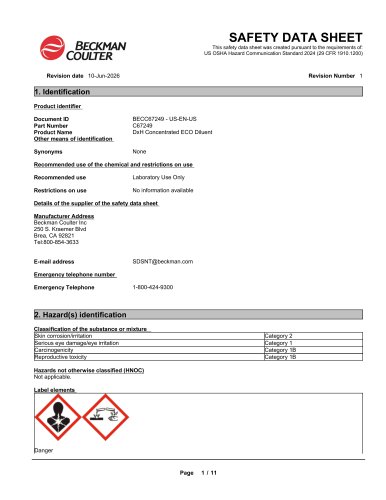 SAFETY DATA SHEET
11 Pages
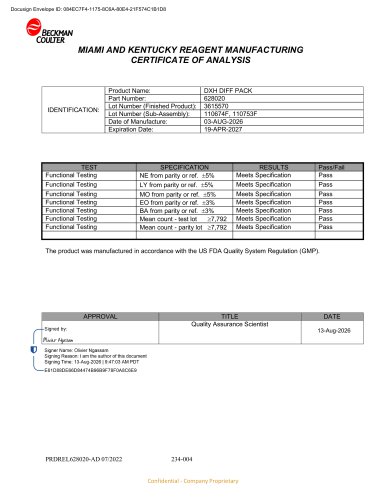
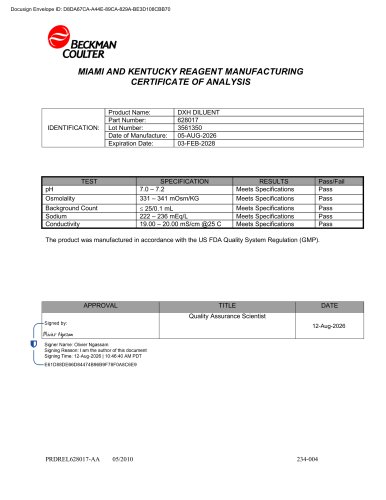
Archived catalogs
 DxH 500 Series Hematology Analyzers
142 Pages
 DxH 560
256 Pages


- Detection kit
- Infectious disease detection kit
- Clinical detection kit
- Sample preparation system
- Automatic sample processor
- Clinical chemistry analyzer
- Microtiter plate
- Automated biochemistry analyzer
- BECKMAN COULTER hematology analyzer
- Automatic hematology analyzer
- Benchtop hematology analyzer
- Laboratory microplate
- Immunoassay analyzer
- Laboratory assay kit
- Clinical diagnostic immunoassay analyzer
- Automated immunoassay analyzer
- Hematology analyzer with touchscreen
- Blood biochemistry analyzer
- Benchtop immunoassay analyzer
- Biochemical assay kit