- Catalogs
- Beta Bionics
- Bionic Circle App User Guide

Bionic Circle App User Guide
Bionic Circle App User Guide
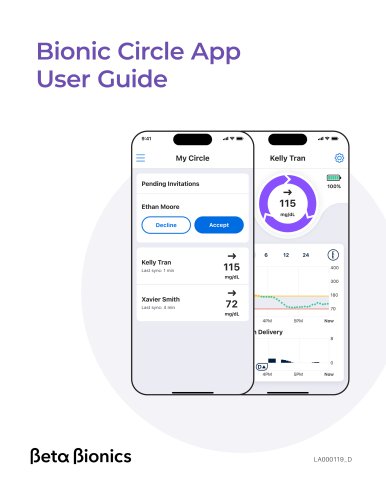
Welcome to the Beta Bionics family! This user guide provides essential steps to start using the Bionic Circle App, a secure mobile application for remotely monitoring glucose levels of family or friends. It includes features like current glucose trends, CGM and insulin data graphs, and various glucose notifications.
Important User Information
The app requires a compatible phone and internet connection for cloud communication, which may not be real-time. It should not replace self-monitoring practices. Users are advised to install apps only from trusted sources to avoid malware, and to set up a passcode for device security.
Getting Started
1. Download the app using the QR code for your smartphone's OS.
2. Create and verify a Bionic Circle App account.
3. Log in with your email and password.
4. Accept invitations to follow iLet users.
Home Screen
Once invitations are accepted, users can view real-time data from the iLet device, including insulin remaining, battery life, current glucose, and trends. Users can also view CGM and insulin dosing charts for different time frames.
Customize Alerts
Users can personalize notification settings for glucose alerts by accessing the settings via the Gear icon. Notifications can be toggled on or off, sounds can be modified, and alerts can be set as Critical Alerts to bypass phone settings.
Tips and Troubleshooting
Compatibility information is available online. Common issues include login problems, connectivity issues, and other errors, which can often be resolved by restarting the app or contacting customer support.
Policies
Data integrity is ensured through multiple checks and algorithms. The document's content is protected and cannot be reproduced without permission from Beta Bionics.
Contact Information
For assistance, contact Beta Bionics Customer Service at +1-855-745-3800 or [email protected].
Catalog excerpts
Bionic Circle App User Guide (Beta (Bionics
Open the catalog to page 1
Welcome to the Beta Bionics family! This user guide provides the basic steps to get you started using the Bionic Circle App. The Bionic Circle App is a secure, user-friendly mobile app that allows you to monitor family or friend’s glucose remotely with shared information including: • Current glucose and trend. • Graph of CGM and insulin data. • Notifications such as Urgent Low, Urgent Low Soon, Low, and High Glucose. Read and follow the instructions in this user guide before you start to use the Bionic Circle App. This device is not intended to replace self-monitoring practices as advised by...
Open the catalog to page 2
important User information 4 Bionic Circle App User Guide 3
Open the catalog to page 3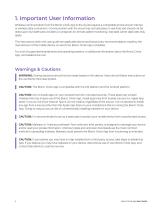
1. Important User Information Wireless communication from the Bionic Circle App to the cloud requires a compatible phone and an internet or wireless data connection. Communication with the cloud may not take place in real time and should not be relied upon by healthcare providers or caregivers for remote patient monitoring. Standard carrier data rates may apply. The instructions within this user guide are applicable above and beyond any recommendations made by the manufacturer of the mobile device on which the Bionic Circle App is installed. For a list of supported smartphones and operating systems,...
Open the catalog to page 4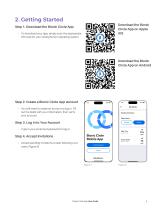
• To download your app, simply scan the appropriate QR code for your smartphone's operating system. Download the Bionic Circle App on Apple iOS Download the Bionic Circle App on Android Step 2. Create a Bionic Circle App account • You will need to create an account to log in. Fill out the fields with your information, then verify your account. • Type in your email and password to log in. • Accept pending invitations to start following iLet users (Figure B). Bionic Circle Mobile App (Beta (Bionics Xavier Smith Bionic Circle App User Guide 5
Open the catalog to page 5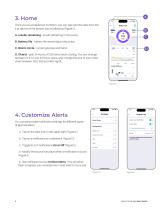
Once you've accepted an invitation, you can see real time data from the iLet device of the person you're following (Figure C). A. Insulin remaining - insulin remaining in the pump B. Battery life - battery life remaining on the pump C. Bionic circle - current glucose and trend. D. Charts - past 24 hours of CGM and insulin dosing. You can change between 3, 6 12 and 24 hours views, and change the axis of your CGM chart between 300, 350 and 400 mg/dL. 4. Customize Alerts You can personalize notification settings for different types of glucose alerts. a. Tap on the Gear icon in the upper right (Figure...
Open the catalog to page 6
do not disturb settings to generate an audible notification (Figure E). • Have you created an account? - You will need to have an account in order to log in. • Forgot your password? - Tap on the Forgot password button to troubleshoot. - Check to make sure that your phone has an internet connection. - The person you are following may have paused sharing of data with you. • Many issues can be resolved by quitting and restarting the Bionic Circle App. You can always contact Beta Bionics customer support for assistance. Data Integrity Multiple steps and precautions are taken to ensure that the Bionic...
Open the catalog to page 7
The information, text and/or images within this document, or any portion thereof, may not be copied, displayed, downloaded, distributed, modified, reproduced, republished, or retransmitted in any electronic medium or in hard copy, or derivative work created based on such images, text, or documents, without express written consent of Beta Bionics. © 2024 Beta Bionics, Inc. Beta Bionics® and iLet® are registered trademarks of Beta Bionics, Inc. All rights reserved. All other trademarks are the property of their respective owners. The use of thirdparty trademarks does not constitute an endorsement...
Open the catalog to page 8All Beta Bionics catalogs and technical brochures
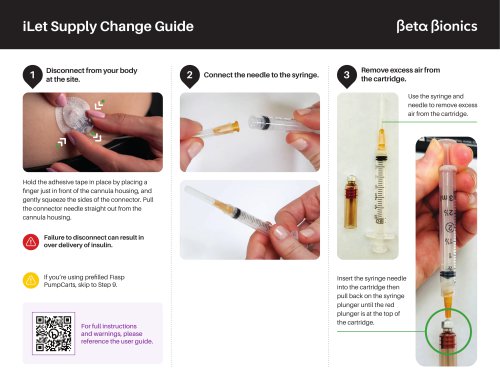 iLet Supply Change Guide
8 Pages
 iLet Mobile App User Guide
10 Pages
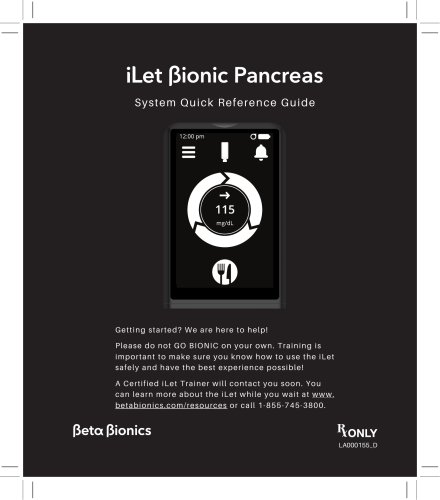 System Quick Reference Guide
108 Pages