- Catalogs
- Beta Bionics
- iLet Mobile App User Guide

iLet Mobile App User Guide
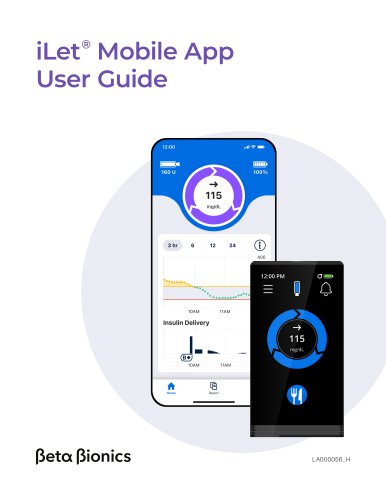
iLet Mobile App User Guide
This user guide introduces the iLet Mobile App, a secure and user-friendly application designed to enhance the use of the iLet Bionic Pancreas System. Key features include real-time glucose monitoring, data uploads to the cloud, software updates, and data sharing capabilities.
Important User Information
The app requires a compatible phone and internet connection for cloud uploads, which may not occur in real-time. It is compatible with iOS and Android platforms, and users are cautioned against installing apps from untrusted sources to avoid malware risks. The app checks for rooted or jailbroken devices and blocks usage if detected.
Getting Started
1. Download the app from the Apple App Store or Google Play Store.
2. Create an account and log in.
3. Allow necessary permissions for notifications.
4. Pair the iLet device with the app using Bluetooth.
Home Screen
The home screen displays real-time data including insulin levels, battery status, glucose trends, and charts for past 24 hours of CGM and insulin dosing.
Report
Users can view and share summaries of insulin doses and glucose outcomes. Reports can be customized for different date ranges.
More and My Circle
Manage app accounts, paired devices, and invite friends or family to view glucose levels and alerts through the My Circle feature.
Abbott FreeStyle Libre 3 Plus Sensor
Instructions for starting a sensor session and activating a new sensor are provided.
Software Updates and Restarting
Instructions for downloading software updates and restarting the iLet device via the app are included.
Tips and Troubleshooting
Guidance on resolving common issues such as login problems, connectivity, and data uploads is provided. Users are encouraged to contact customer support for further assistance.
Policies
Data integrity is ensured through various checks and algorithms to maintain accurate reporting.
Catalog excerpts
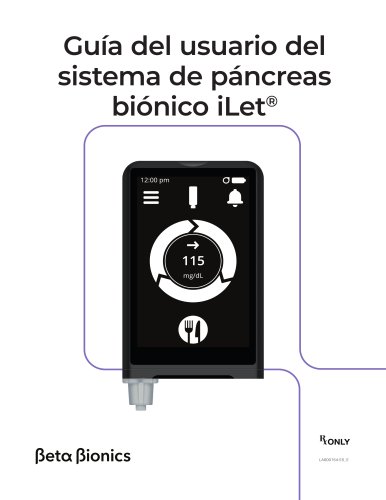
iLet Mobile App User Guide ®
Open the catalog to page 1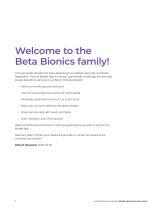
This user guide provides the basic steps to get you started using the iLet Mobile Application. The iLet Mobile App is a secure, user-friendly mobile app that provides several benefits to using your iLet Bionic Pancreas System: • View your current glucose and trend • View 24-hours of glucose trends and insulin doses • Wirelessly upload data from your iLet to the cloud • Keep your iLet up-to-date with the latest software • Share real-time data with friends and family • Scan FreeStyle Libre 3 Plus sensors Read and follow the instructions in this user guide before you start to use the iLet Mobile...
Open the catalog to page 2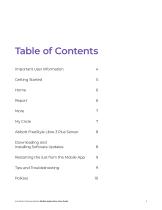
Important User Information 4 Abbott FreeStyle Libre 3 Plus Sensor 8 Installing Software Updates 8 Restarting the iLet from the Mobile App 9 iLet Bionic Pancreas System Mobile Application User Guide 3
Open the catalog to page 3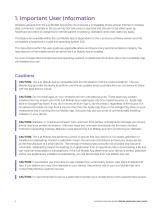
1. Important User Information Wireless uploads from the iLet Mobile App to the cloud require a compatible phone and an internet or wireless data connection. Uploads to the cloud may not take place in real time and should not be relied upon by healthcare providers or caregivers for remote patient monitoring. Standard carrier data rates may apply. The feature set available within the iLet Mobile App is dependent on the iLet device software version and the compatible smartphone’s model and operating system (OS). The instructions within this user guide are applicable above and beyond any recommendations...
Open the catalog to page 4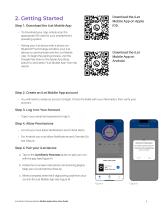
Download the iLet Mobile App on Apple iOS. Download the iLet Mobile App on Android. 2. Getting StartedStep 1. Download the iLet Mobile App • To download your App, simply scan the appropriate QR code for your smartphone's operating system. • Pairing your iLet device with a phone via Bluetooth® technology will allow your iLet device to communicate with the iLet Mobile App. To begin the pairing process, visit the Google Play store or the Apple App Store, search for and select "iLet Mobile App" from the results. • You will need to create an account to login. Fill out the fields with your information,...
Open the catalog to page 5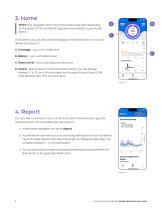
3. Home NOTE Your navigation tab on the Home Screen may differ depending on the version of the iLet Mobile App you have installed on your mobile device. Once paired, you can see a real time display of the home screen of your iLet device (see Figure C). A. Cartridge - your iLet's insulin level B. Battery - your iLet's battery level C. Bionic circle - your current glucose and trend. D. Charts - past 24 hours of CGM and insulin dosing. You can change between 3, 6, 12, and 24 hours views, and change the axis of your CGM chart between 300, 350, and 400 mg/dL. 4. Report You can view a summary of your...
Open the catalog to page 6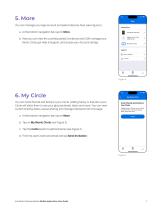
You can manage your app account and paired devices here (see Figure E). a. At the bottom navigation bar, tap on More. b. Here you can view the currently paired iLet device and CGM, manage your Bionic Circle, get Help & Support, and access your Account settngs. You can invite friends and family to your Circle. Adding family or friends to your Circle will allow them to see your glucose levels, alerts and more. You can view current sharing status, pause sharing and manage followers from this page. a. At the bottom navigation bar, tap on More. b. Tap on My Bionic Circle (see Figure E). c. Tap the...
Open the catalog to page 7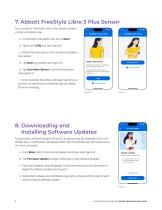
You can start a FreeStyle Libre 3 Plus Sensor session via the iLet Mobile App. a. At the bottom navigation bar, tap on More. c. Follow the instructions on the screen and apply a new sensor. d. Tap Next to proceed (see Figure G). e. Tap Scan New Sensor to activate the sensor (see Figure H). f. Once scanned, the sensor will begin warming up and the iLet device and iLet Mobile App will display the time remaining. 8. Downloading andInstalling Software Updates Occasionally, software updates for your iLet device may be available via the iLet Mobile App. A notification will appear within the iLet Mobile...
Open the catalog to page 8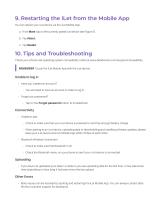
You can reboot your iLet device via the iLet Mobile App. a. From More, tap on the currently paired iLet device (see Figure E). Check your phone and operating system compatibility online at www.betabionics.com/support/compatibility. | REMEMBER To pair the iLet Mobile App with the iLet device. • Have you created an account? - You will need to have an account in order to log in. • Forgot your password? - Tap on the Forgot password button to troubleshoot. - Check to make sure that your iLet device is powered on and has enough battery charge. - When pairing to an iLet device, uploading data or downloading...
Open the catalog to page 9
11. Policies Data Integrity Multiple steps and precautions are taken to ensure that the iLet Mobile App only reports data that is accurate. Cyclic redundancy checks are done at various points in transferring data. The use of checksums and other algorithms help ensure data is reported accurately. The information, text and/or images within this document, or any portion thereof, may not be copied, displayed, downloaded, distributed, modified, reproduced, republished, or retransmitted in any electronic medium or in hard copy, or derivative work created based on such images, text, or documents, without...
Open the catalog to page 10All Beta Bionics catalogs and technical brochures
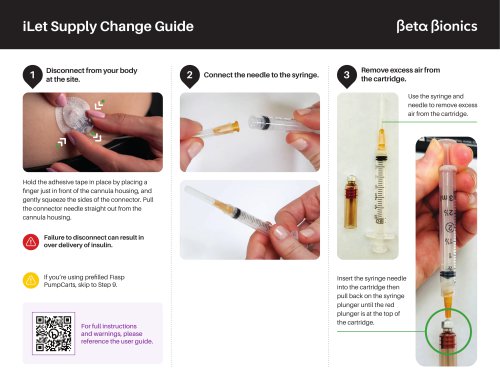 iLet Supply Change Guide
8 Pages
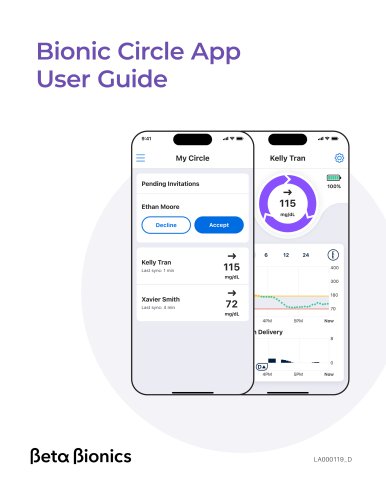 Bionic Circle App User Guide
8 Pages
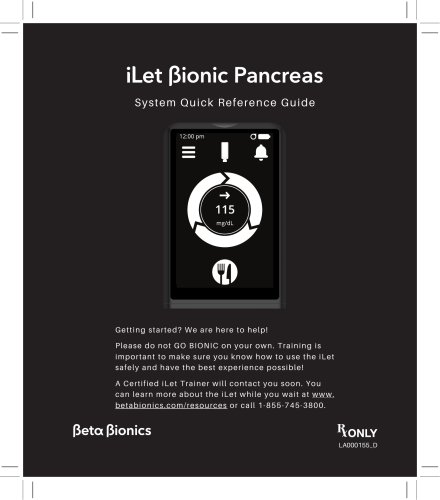 System Quick Reference Guide
108 Pages