- Catalogs
- Beta Bionics
- System Quick Reference Guide

System Quick Reference Guide
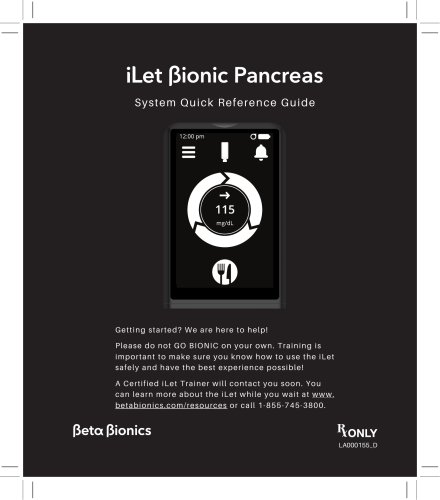
System Quick Reference Guide
The iLet Bionic Pancreas System is an advanced insulin delivery device designed for individuals with type 1 diabetes. It autonomously adjusts insulin doses using continuous glucose monitoring (CGM) data to regulate blood glucose levels.
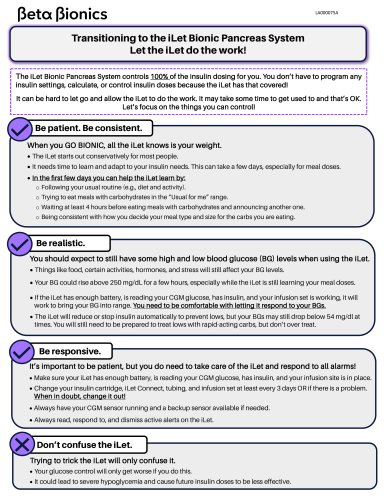
Users must ensure the device is charged and equipped with necessary supplies like insulin, cartridges, and CGM sensors. Training with a certified iLet trainer is required before use.
This section highlights the importance of reading the guide and receiving proper training to prevent incorrect insulin delivery, which could pose serious health risks.
The iLet system is intended for home use by individuals aged 6 and older with type 1 diabetes. It requires a prescription and is compatible with specific CGM systems.
The guide explains the components of the iLet system and how to navigate its touchscreen interface.
Instructions for charging the device, replacing CGM sensors, and managing insulin cartridges are provided to ensure proper device function.
Guidance is provided on announcing meals, entering blood glucose levels, and pausing insulin delivery.
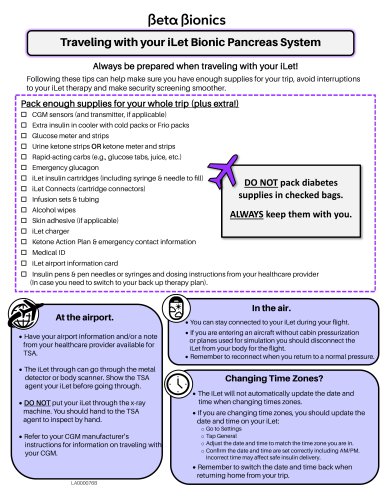
The system issues alerts for various issues, and users are advised to keep an emergency kit and regularly verify device functionality.
Guidelines for handling and cleaning the device, along with technical specifications and safety information, are included.
This section covers insulin compatibility, potential risks, and clinical performance data from trials, along with warnings for pediatric and caregiver users.
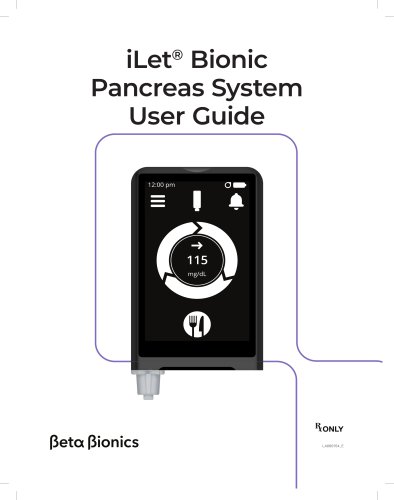
The iLet device requires activation via the Sleep/Wake button. The Home Screen displays status information and notifications.
The Status Bar shows icons for CGM, paired devices, alerts, and battery status. Notifications must be addressed promptly.
CGM glucose values and trend arrows are displayed, providing a summary of recent patterns and insulin dosing.
The Menu Screen allows access to various features, with Limited Access mode restricting certain functions.
Settings include device information and therapy adjustments, which should be made with healthcare provider guidance.
Regular charging and proper handling of components are crucial to avoid device shutdown and ensure accurate dosing.
Steps for filling the insulin cartridge are provided to prevent air bubbles and ensure accurate dosing.
Instructions for replacing the insulin cartridge and tubing are included.
Warnings are provided to prevent insulin leakage and ensure proper connection.
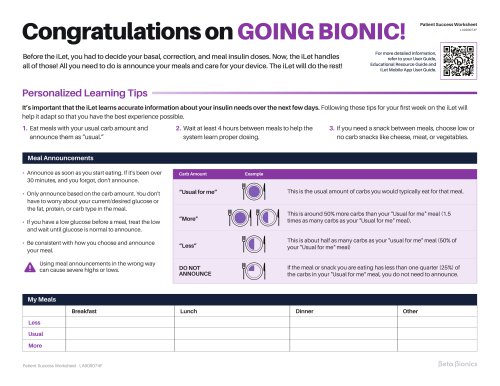
Guidance on timing and adjusting meal size announcements is provided to avoid hypoglycemia.
Instructions for proper placement and hygiene of infusion sets are included.
The device relies on CGM data, with a temporary BG-run mode available if needed.
Insulin delivery can be paused when disconnected from the infusion set.
The device issues alerts with different priority levels, requiring appropriate action.
Alerts for glucose levels and sensor issues are provided, with recommended actions.
Guidance on addressing sensor issues and replacing sensors is included.
Alerts for insulin levels and occlusions are provided, with troubleshooting steps.
Users are advised to charge the device to avoid shutdown.
Regular checks and updates are recommended for effective device use.
Guidance on emergency kits, device checks, and cleaning is provided.
The system uses algorithms for insulin delivery and includes safety measures.
The document evaluates insulin delivery performance, showing precise delivery within specified ranges.
Symbols used in the system are explained, referencing relevant standards.
The system complies with electromagnetic standards, ensuring safe operation.
The system uses Bluetooth for communication, with measures for data integrity and interference mitigation.
The device complies with FCC rules, with guidance on avoiding interference.
The system is compatible with specific rapid-acting insulin analogs.
Compatible CGMs include Dexcom G6, G7, and Abbott FreeStyle Libre 3 Plus Sensor.
Warnings for sensor use and placement are provided to ensure accurate readings.
Warnings for specific CGM models are included to prevent issues.
Certain substances can affect glucose readings, impacting insulin delivery.
Caregivers should ensure the system's suitability and secure components.
The system is not suitable for certain individuals and should be used with compatible insulins and CGMs.
The iLet Cartridge and infusion set should be checked for damage and handled properly.
Correct settings and caution with nearby devices are advised to prevent issues.
The iLet Mobile App is compatible with iOS and Android, with security measures in place.
Risks include hypoglycemia, hyperglycemia, and device failure, with precautions advised.
The Bionic Pancreas Pivotal Trial showed the system's efficacy in insulin delivery.
The study involved participants with diabetes, showing improvements in HbA1c and glucose management.
The primary endpoint was a reduction in HbA1c levels after 13 weeks.
Improvements in CGM glucose levels and time in range were observed.
Adverse events were reported, primarily related to infusion set failures.
The extension study showed improvements in HbA1c and glucose management without increased adverse events.
Significant reductions in HbA1c and improvements in CGM outcomes were noted.
Improvements in CGM metrics were observed in different age cohorts.
The study highlights the system's safety and efficacy in managing type 1 diabetes in youth.
Multiple studies support the findings and conclusions presented.
The iLet Bionic Pancreas is manufactured by Beta Bionics, Inc., with contact details for support.
Catalog excerpts
System Quick Reference Guide G e t t i n g s tarte d? W e are he re to he lp ! P l e a s e do not GO BIO NIC on your own. Training is i m p or t ant to mak e s ure you k now how to use t he iL et s a f e l y and have the b e s t e x p e ri e nce p ossible! A C e r ti fi e d i Le t T rai ne r wi ll contact you so o n. Yo u c a n l e arn more ab out the i Le t whi le you wait at www. b e t a b i oni cs . com/re s ource s or call 1-855 -745-3800. iLet Bionic Pancreas System Quick Reference Guide
Open the catalog to page 1
i Let Bionic Pancreas Pre-Training Checklist 4 Welcome to the Beta Bionics family! 6 1. Important User Information 7 1.1 About this Quick Reference Guide 7 1.4 Working With Your Healthcare Provider 10 2. Home Screen and Device Navigation 10 2.1 Parts of your iLet System 10 2.7 Glucose Trend Arrows 16 2.8 Graph and Therapy Summary Screens 16 3. Maintaining Your iLet System 20 3.1 Charging Your iLet Device 20 3.2 Replacing Your CGM Sensor 21 3.3 Switching CGM Sensor Types 22 3.4 Replacing Your Insulin Cartridge, Tubing and Infusion Set 22 3.5 Preparing the Insulin Cartridge 23 3.6 Preparing the...
Open the catalog to page 2
7.1 i Let System Alerts Overview 33 7.3 Insulin Delivery Alert 44 8.1 Always Have an Emergency Kit 48 8.2 Verify Proper Functionality 49 9.2 Cleaning Your iLet Device 51 10.1 iLet Dosing Decision Software 51 10.2 iLet System Specifications (iLet Device, CGM Sensor, and CGM Transmitter) 55 10.3 iLet Device Specifications 56 10.4 iLet System Delivery Accuracy 59 11.3 Quality of Wireless Service and Data Security 74 11.4 FCC Notice Concerning Interference 75 12.4 Important Pediatric and Caregiver User Information 79 12.5 General Warnings and Precautions 80 13.2 The Bionic Pancreas Pivotal Trial...
Open the catalog to page 3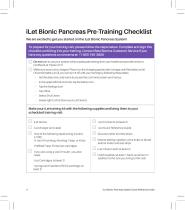
have any questions or concerns at: +1-855-745-3800 0 Do not start to use your system without adequate training from your healthcare provider and/or a Certified iLet Trainer (CiT). CD Make sure your iLet is charged. Place it on the charging pad and let it charge until the battery is full. Once the battery is full, you can turn it off until your training by following these steps: - Set the date, time, and name to access the iLet home screen and menus. - In the upper left-hand corner, tap the Menu icon. - Select Shut Down. - Swipe right to shut down your iLet Device. □ iLet charger and cable □ One...
Open the catalog to page 4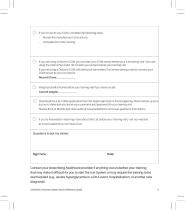
If you’re new to your CGM, complete the following steps: – Review the manufacturer’s instructions. If you are using a Dexcom CGM, you can start your CGM sensor before your iLet training visit. If you are using the Libre 3 Plus CGM, do not start your sensor before your training visit. If you are using a Dexcom CGM, will need your transmitter ID or sensor pairing code to connect your CGM sensor to your iLet Device. Record it here: _____________ Weigh yourself at home before your training visit if you have a scale. Current weight: _____________ Download the iLet mobile application from the Apple...
Open the catalog to page 5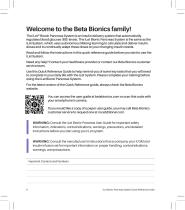
Welcome to the Beta Bionics family! The iLet® Bionic Pancreas System is an insulin delivery system that automatically regulates blood glucose (BG) levels. The iLet Bionic Pancreas System is the same as the iLet System, which uses autonomous lifelong learning to calculate and deliver insulin doses and to continually adapt these doses to your changing insulin needs. Read and follow the instructions in this quick reference guide before you start to use the iLet System. Need any help? Contact your healthcare provider or contact our Beta Bionics customer service team. Use this Quick Reference Guide...
Open the catalog to page 6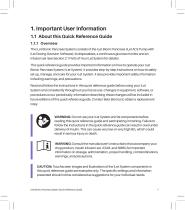
1. Important User Information 1.1 About this Quick Reference Guide 1.1.1 Overview The iLet Bionic Pancreas System consists of the iLet Bionic Pancreas (iLet ACE Pump with iLet Dosing Decision Software), its disposables, a continuous glucose monitor and an infusion set (see Section 2.1 Parts of Your iLet System for details). This quick reference guide provides important information on how to operate your iLet Bionic Pancreas System (iLet System). It provides step-by-step instructions on how to safely set up, manage, and care for your iLet System. It also provides important safety information including...
Open the catalog to page 7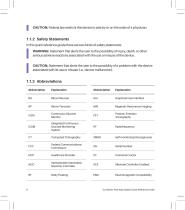
| CAUTION: Federal law restricts this device to sale by or on the order of a physician. In this quick reference guide there are two kinds of safety statements: IWARNING: Statement that alerts the user to the possibility of injury, death, or other serious adverse reactions associated with the use or misuse of the device. I CAUTION: Statement that alerts the user to the possibility of a problem with the device associated with its use or misuse (i.e., device malfunction). Abbreviation Explanation Abbreviation Explanation GUI Graphical User Interface MRI Magnetic Resonance Imaging Continuous Glucose...
Open the catalog to page 8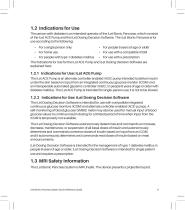
The person with diabetes is an intended operator of the iLet Bionic Pancreas, which consists of the iLet ACE Pump and the iLet Dosing Decision Software. The iLet Bionic Pancreas is for use according to the following: For people 6 years of age or older For use with a compatible iCGM For use with a prescription iLet Dosing Decision Software are • For a single person only • • For people with type 1 diabetes mellitus • The Indications for Use for the iLet ACE Pump and explained here: The iLet ACE Pump is an alternate controller enabled (ACE) pump intended to deliver insulin under the skin based on...
Open the catalog to page 9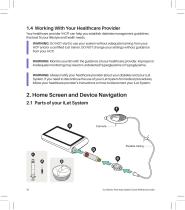
1.4 Working With Your Healthcare Provider Your healthcare provider (HCP) can help you establish diabetes management guidelines that best fit your lifestyle and health needs. WARNING: DO NOT start to use your system without adequate training from your HCP and/or a certified iLet trainer. DO NOT change your settings without guidance from your HCP. WARNING: Monitor your BG with the guidance of your healthcare provider. Improper or inadequate monitoring may result in undetected hyperglycemia or hypoglycemia. WARNING: Always notify your healthcare provider about your diabetes and your iLet System....
Open the catalog to page 10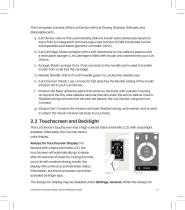
The iLet system consists of the iLet Device with iLet Dosing Decision Software, and disposable parts. a. iLet Device: Device that automatically delivers insulin subcutaneously based on input from an integrated continuous glucose monitor (iCGM) transmitter and an interoperable automated glycemic controller (iAGC). b. iLet Cartridge: Glass container with a soft membrane on top called a septum and a red rubber plunger. iLet Cartridge is filled with insulin and inserted into your iLet Device. c. Syringe: Plastic syringe (3 mL) that connects to the needle and is used to transfer insulin from a vial...
Open the catalog to page 11All Beta Bionics catalogs and technical brochures
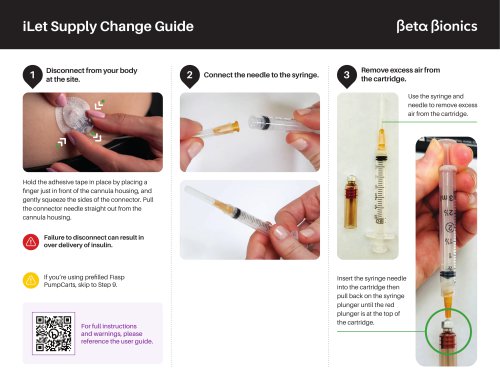 iLet Supply Change Guide
8 Pages
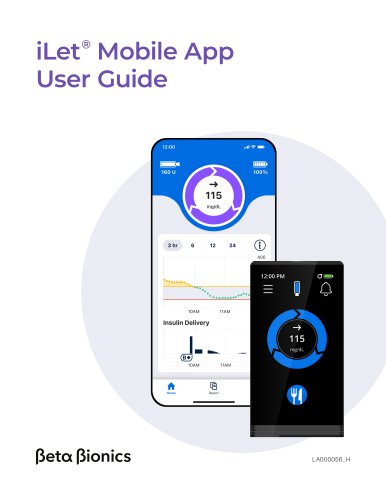 iLet Mobile App User Guide
10 Pages
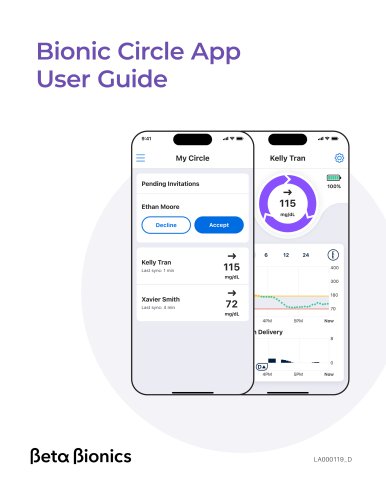 Bionic Circle App User Guide
8 Pages