

- Company
- Products
- Catalogs
- News & Trends
- Exhibitions
CalproSmart Office
CalproSmart Office
CalproSmart Office™ is a rapid diagnostic test designed for use in laboratories, clinics, and doctors’ offices to measure Calprotectin levels in human stool samples. It aids in differentiating between inflammatory bowel diseases (IBD) and Irritable Bowel Syndrome (IBS), predicting relapses, and assessing treatment efficacy in IBD patients. The test is intended for in vitro use and is single-use only.
Calprotectin is a protein found in the cytoplasm of polymorphonuclear neutrophilic granulocytes and serves as a marker for inflammation in the gastrointestinal tract. Elevated levels in stool samples indicate intestinal inflammation, common in organic bowel diseases. Monitoring Calprotectin levels can help assess mucosal healing in IBD patients, reducing relapse risk and the need for intensive treatment.
The test employs a lateral flow immunoassay with a fecal extraction buffer applied to a test cassette. The cassette contains antibodies that bind to Calprotectin, forming visible lines that indicate the protein's concentration. The CalproSmart™ smartphone app measures the color intensity to calculate Calprotectin levels.
- Supplied: Faecal extraction device, rapid test cassettes, support frames.
- Required but not supplied: Paper tissue, stool sample container.
- IT Components: CalproSmart™ app and web portal for test reading and data management.
The kits can be transported at ambient temperature for several weeks but should be stored at 2 – 8°C for long-term stability. Avoid high temperatures and direct sunlight.
Clinics must register on the CalproSmart™ web portal to use the system. The portal allows for the creation of virtual clinics, user management, and patient account setup. It also facilitates result management and user rights assignment.
The test involves preparing the sample, applying it to the test cassette, and measuring Calprotectin levels using the smartphone app. Results are reviewed and approved via the web portal.
Results assist in differential diagnosis and monitoring IBD patients. Elevated Calprotectin levels indicate inflammation, while normalization suggests mucosal healing.
The procedure has limitations and requires adherence to precautions and warnings to ensure accurate results.
Proper disposal of test components is necessary to maintain safety and hygiene standards.
To review test results, navigate to the results page, select the desired test, and click "details." Ensure the test is assigned to the correct patient, reassign if necessary, and decide to accept or reject the test based on its validity.
Preparations: Store test cassettes and extraction devices at 2-8°C. Register the patient and ensure you have Lab_User rights. Required equipment includes a smartphone with the CalproSmart™ app, a timer, tissue paper, and a 10µL pipette for liquid samples.
Sample Collection and Extraction: Unpack the test cassette, collect stool samples using the extraction device, and shake the tube for 3 minutes to dissolve the sample.
Applying the Sample: Apply two drops of the sample to the test cassette and incubate for 15 minutes.
Measuring Calprotectin Levels: Use the CalproSmart™ app to read the cassette within 2 minutes after incubation.
The test measures calprotectin levels between 77-1500 mg/kg. Results help differentiate between inflammatory bowel disease (IBD) and irritable bowel syndrome (IBS).
Interpretation: <77 mg/kg indicates no active IBD, 77-100 mg/kg is a grey zone, and >100 mg/kg suggests possible IBD.
Follow the procedure strictly to avoid incorrect results. The test is aligned with CalproLab™ ELISA, and results are not interchangeable with other suppliers' kits. Only use reagents from the same production lot and do not use expired reagents.
Treat fecal extracts as hazardous waste. Ensure the extraction device is closed after use and dispose of all components properly.
A comprehensive list of references is provided, detailing studies and articles related to calprotectin and its clinical implications.
- References: The document lists several studies and articles that discuss mucosal healing in IBD, the use of fecal calprotectin as a marker for colonic inflammation, and the role of endoscopy in predicting disease course. These references provide a scientific basis for the use of calprotectin in clinical settings.
- Product Information: The document provides ordering information for the CalproSmart Office™ kit, including the product code (CAL220) and details about the kit's use for measuring calprotectin levels in fecal samples.
- Symbols Key: A section explaining various symbols used in the product packaging, such as in vitro diagnostic medical device, lot number, expiration date, storage temperature, CE mark, and instructions for use.
- Manufacturer Details: Information about the manufacturer, CALPRO AS, including contact details and the company's association with Svar Life Science.
- Calprotectin as a Marker: Calprotectin is highlighted as a quantitative marker for colonic inflammation, with normalization of values indicating mucosal healing.
- Product Usage: The kit is intended for in vitro diagnostic use, with specific instructions for storage and handling to ensure accurate results.
Catalog excerpts

Instruction For Use: CalproSmart Office Package Insert
Open the catalog to page 1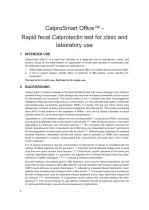
CalproSmart Office™ Rapid fecal Calprotectin test for clinic and laboratory use 1 INTENDED USE CalproSmart office™ is a rapid test intended as a diagnostic tool at laboratories, clinics, and doctors’ offices for the determination of Calprotectin in human stool samples in combination with the dedicated CalprosmartTM smartphone application to: 1. Differentiate between inflammatory bowel diseases (IBD) and Irritable Bowel Syndrome (IBS) 2. A tool to predict relapse, identify effect of treatment of IBD-patients, and/or identify nonresponders The test is for in vitro use. Each test is for single use...
Open the catalog to page 4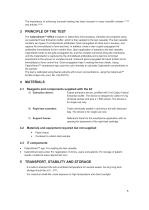
The importance of achieving mucosal healing has been focused in many scientific reviews 21'29) and articles 30-35). The CalproSmart™ Office is based on lateral flow immunoassay. Samples are prepared using our patented Fecal Extraction buffer, which is then applied to the test cassette. The test cassette contains two types of a-Calprotectin antibodies: Gold-conjugated Ab (free and in excess), and capture Ab (immobilized to form test line). In addition, there is also a-gold-conjugated Ab antibodies (immobilized to form control line). Upon application of sample to the test cassette, Calprotectin...
Open the catalog to page 5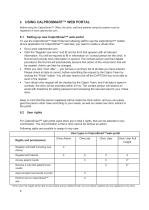
Before using the CalproSmart™ Office, the clinic, staff and patients using the system must be registered in www.calprosmart.com. 6.1 Setting up new CalproSmart™ web portal To use the CalproSmart™ Web Portal and allowing staff to use the CalproSmart™ mobile phone application for CalproSmart™ rapid test, you need to create a virtual clinic. • Click the “Register new clinic” and fill out the form that appears with all relevant information. You will be required to fill in information on “contact person for the clinic” in first list and provide clinic information in second. The contact person and...
Open the catalog to page 6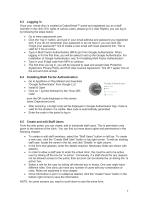
Once your virtual clinic is created at CalproSmart™ portal and registered you as a staff member in the clinic (For rights of various users, please go 6.2 User Rights), you can log in by following the steps below: • Click the “log in” button, and type in your email address and password you registered with. If you do not remember your password or do not have it, you can click the “forgot your password?” link to create a new email with reset password link. This is valid for 2 hrs at a time. • Type in Multi Factor Authentication (MFA) pin from Google Authenticator. When logging in for the first time,...
Open the catalog to page 7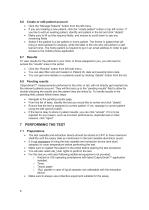
6.6 Create or edit patient account • Click the “Manage Patients” button from the left menu • If you are creating a new patient, click the “create patient” button in top left corner. If you like to edit an existing patient, identify and patient in the list and click “details” • Make sure to fill out the required fields, and ensure to scroll down to see any remaining fields • Select if the patient is a lab patient or home patient. The former is patient that will bring in stool sample for analysis, while the latter is the one who will perform a selftest at home. The home patient is required to put...
Open the catalog to page 8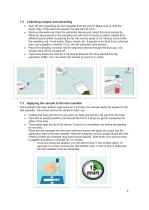
• Start off with unpacking the test cassette from the pouch. Make sure to note the expiry date. If the date has passed, the test will not work. • Remove the white cap from the extraction device and collect the stool sample by filling the two grooves in the sampling rod with stool. Ensure to collect sample from different spots (either by placing the tip into various spots or by “stirring” around with the sampling rod. Avoid solids, fibers, seeds, etc. If sample is too fluid to be collected, then use a pipette to transfer 10 pL into the extraction tube instead. • Place the sampling rod back into...
Open the catalog to page 9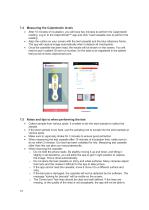
• After 15 minutes of incubation, you will have two minutes to perform the Calprotectin reading. Log in to the CalproSmart™ app and click “read cassette now to perform the reading • Align the outline on your screen with the test cassette and the blue reference frame. The app will capture image automatically when it detects all checkpoints. • Once the cassette has been read, the results will be shown on the screen. You will need to put in patient ID and run number, for the data to be registered in the patient test journal at www.calprosmart.com. • Collect sample from various spots. It is better...
Open the catalog to page 10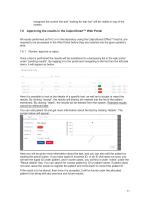
recognize the control line and “looking for test line” will be visible on top of the screen. Approving the results in the CalproSmart™ Web Portal All results performed as PoC or in the laboratory using the CalproSmart Office™ test kit, are required to be processed in the Web Portal before they are inserted into the given patient’s area. 7.6.1 Review, approve or reject Once a test is performed the results will be transferred to a temporary list in the web portal under “pending results”. By logging in to the portal and navigating to the list from the left-side menu, it will appear as below: Here...
Open the catalog to page 11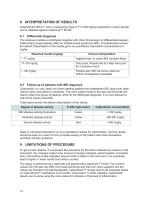
CalproSmart Office™ have a measuring range of 77-1500 mg/kg Calprotectin in stool sample and is validated against CalproLab™ ELISA. The analysis provides a contribution together with other clinical signs to differentiate between inflammatory bowel disease (IBD) an irritable bowel syndrome (IBS). The table below shows the default interpretation of the results given as quantitative calprotectin concentrations in mg/kg: Keep in mind that Calprotectin is not a standalone marker for inflammation, and the results should be seen as a part of more complete workup of the patient with other biomarkers...
Open the catalog to page 12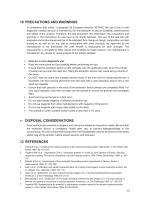
In compliance with article 1 paragraph 2b European directive 98/79/EC the use of the in vitro diagnostic medical devices is intended by the manufacturer to secure suitability, performances and safety of the product. Therefore, the test procedure, the information, the precautions and warnings in the instructions for use have to be strictly followed. The use of the test kits with analysers and similar equipment has to be validated. Any change in design, composition and test procedure as well as for any use in combination with other products not approved by the manufacturer is not authorized; the...
Open the catalog to page 13All Calpro AS catalogs and technical brochures
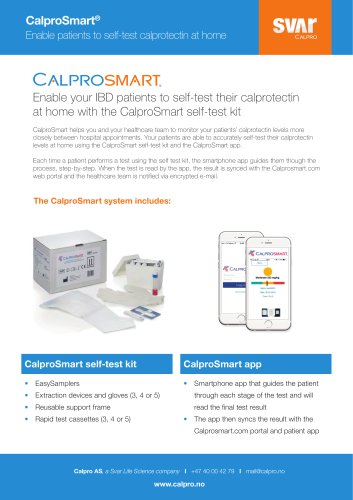 CALPROSMART
2 Pages
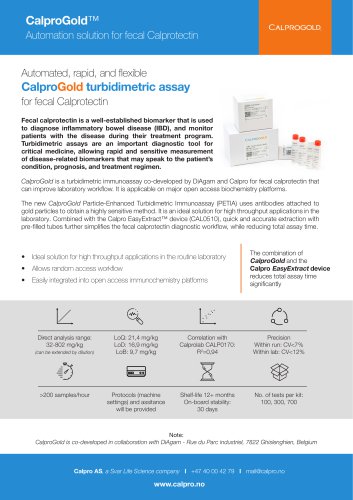 CalproGold
2 Pages
 Calprotectin ELISA (HRP)
15 Pages
 Calprotectin ELISA (ALP)
15 Pages
 EASY EXTRACT™
12 Pages
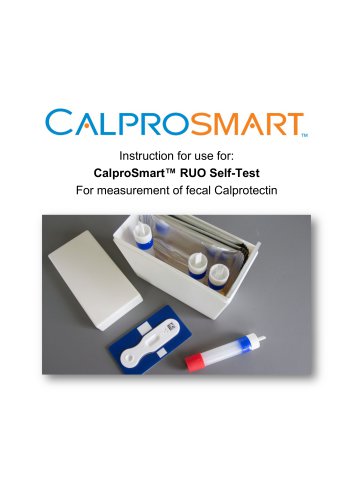 CalproSmart™ RUO Self-Test
10 Pages