
- Catalogs
- Cisco Systems
- Cisco Desk Camera 1080p

Cisco Desk Camera 1080p
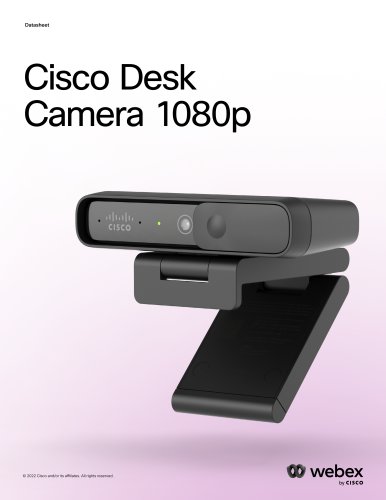
Cisco Desk Camera 1080p
Catalog excerpts
Cisco Desk Camera 1080p © 2022 Cisco and/or its affiliates. All rights reserved.
Open the catalog to page 1
11 Cisco and Partner Services © 2022 Cisco and/or its affiliates. All rights reserved. webex by CISCO
Open the catalog to page 2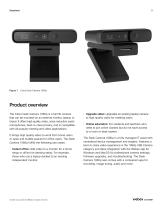
Cisco Desk Camera 1080p Product overview The Cisco Desk Camera 1080p is a full HD camera that can be mounted on an external monitor, laptop, or tripod. It offers high quality video, noise reduction audio microphones, best-in-class privacy, and is compatible with all popular meeting and video applications. It brings high quality video to work from home users or open and huddle spaces for office users. The Desk Camera 1080p fulfills the following use cases: • Instant office: Add video to a monitor for a home setup or office hot desking setup. For example, those who use a laptop docked to an existing...
Open the catalog to page 3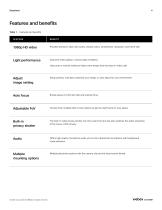
Features and benefits Table 1. Features and benefits FEATURE Provides premium video with clarity, vibrant colors, smoothness, resolution, and frame rate Light performance Improves video quality in various light conditions Uses auto or manual setting to helps users always look the best on video calls Adjust image setting Setup presets, manually customize your image, or auto adjust for your environment Auto focus Brings peace of mind with fast and precise focus Choose from multiple field of view options to get the right frame for your space Built-in privacy shutter The built-in video privacy shutter...
Open the catalog to page 4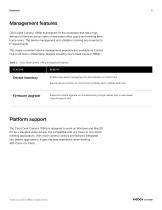
Management features Cisco Desk Camera 1080p is designed for the workplace that has a high demand of devices across open or dedicated office space and working from home users. The device management and utilization tracking are essential to IT departments. This single consistent device management experience is available on Control Hub to all Cisco collaboration devices including Cisco Desk Camera 1080p. Table 2. Cisco Desk Camera 1080p management features Device inventory Enables easy device management for administrators on Control Hub Reports device inventory to Control Hub via Webex App or Webex...
Open the catalog to page 5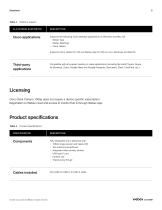
Table 3. Platform support CiSCO applications Supports the following Cisco desktop applications on Windows and Mac OS: • Webex Meetings • Cisco Jabber Supports Cisco Jabber for VDI and Webex App for VDI on Linux, Windows and MacOS Compatible with all popular meeting or video applications (including Microsoft Teams, Skype for Business, Zoom, Google Meet and Google Hangouts, BlueJeans, Slack, FaceTime, etc.) Cisco Desk Camera 1080p does not require a device specific subscription. Registration to Webex cloud and access to Control Hub is through Webex App. Table 4. Product specifications Fully integrated...
Open the catalog to page 6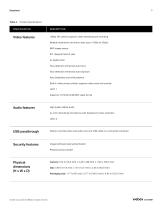
Table 4. Product specifications SPECIFICATION DESCRIPTION Video features 1080p HD camera supports video streaming and recording Multiple resolutions and frame rates (up to 1080p at 30fps) 8MP image sensor 83° diagonal field ofview 4x digital zoom Face detection enhanced auto focus Face detection enhanced auto exposure Auto brightness and white balance Built-in video privacy shutter supports video mute and unmute UVC1.1 Supports YUY2/NV12/MJPEG video format Audio features High quality 48kHz audio 2x omni-directional microphone with background noise reduction UAC1.0 USB passthrough Ability to provide...
Open the catalog to page 7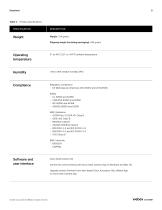
Table 4. Product specifications SPECIFICATION DESCRIPTION Weight: 104 grams Humidity 10% to 90% relative humidity (RH) Compliance Regulatory compliance Software and user interface Cisco Desk Camera OS Control the camera directly with Cisco Desk Camera App on Windows and Mac OS Upgrade camera firmware from web-based Cisco Accessory Hub, Webex App, or Cisco Desk Camera App © 2022 Cisco and/or its affiliates. All rights reserved.
Open the catalog to page 8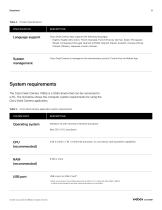
Table 4. Product specifications SPECIFICATION DESCRIPTION Language support Cisco Desk Camera App supports the following languages: • English, English (UK), Dutch, French (Canada), French (France), German, Italian, Portuguese (Brazil), Portuguese (Portugal), Spanish (LATAM), Spanish (Spain), Swedish, Chinese (China), Chinese (Taiwan), Japanese, Korean, Russian Cisco Desk Camera is managed in the administrator portal in Control Hub via Webex App System requirements The Cisco Desk Camera 1080p is a USB camera that can be connected to a PC. The list below shows the computer system requirements for...
Open the catalog to page 9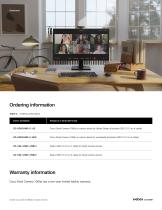
Ordering information Table 6. Ordering information CD-DSKCAMD-C-US Cisco Desk Camera 1080p in carbon black for United States (includes USB 2.0 C-to-A cable) CD-DSKCAMD-C-WW Cisco Desk Camera 1080p in carbon black for worldwide (includes USB 2.0 C-to-A cable) CD-CBL-USBC-USBC= Spare USB 3.0 C-to-C cable for Desk Camera series CD-CBL-USBC-USBA= Spare USB 3.0 C-to-A cable for Desk Camera series Cisco Desk Camera 1080p has a one-year limited liability warranty. © 2022 Cisco and/or its affiliates. All rights reserved.
Open the catalog to page 10
Cisco and Partner Services Cisco Capital Cisco and our partners provide a broad portfolio of smart, personalized services and support that can help you realize the full business value of your Cisco collaboration investment by increasing business agility and operational efficiency. This portfolio of services can help you accelerate business innovation by harnessing the network as a powerful business platform. Flexible payment solutions to help you achieve your objectives For more information about these services, visit cisco.com/go/collaborationservices. Cisco Capital makes it easier to get the...
Open the catalog to page 11All Cisco Systems catalogs and technical brochures
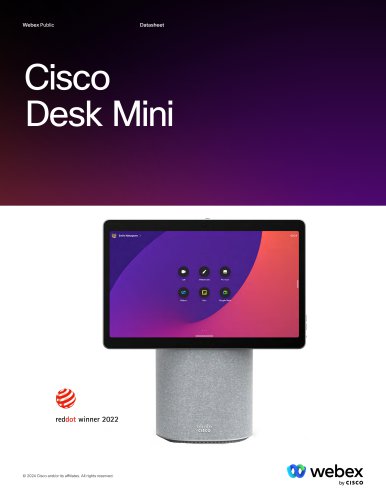 Cisco Desk Mini
13 Pages
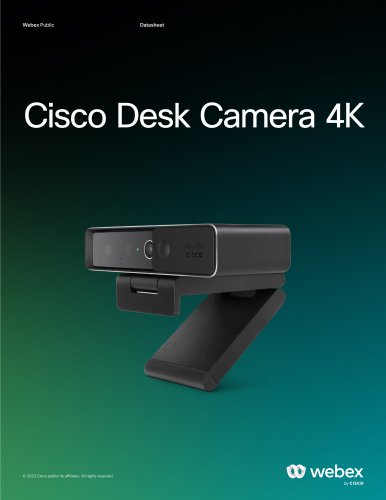 Cisco Desk Camera 4K
10 Pages
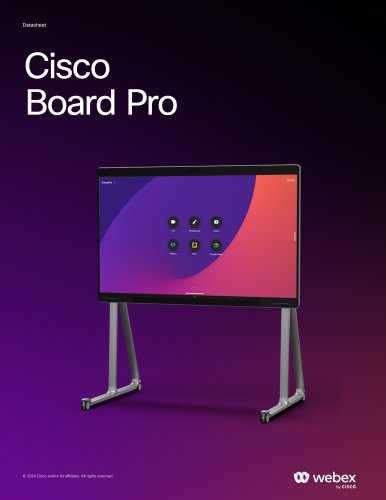 Cisco Board Pro
33 Pages
Archived catalogs
 Webex® Board 55S
14 Pages
 Webex® Board
14 Pages
 Webex® Desk Pro
14 Pages
 Webex Desk Camera
9 Pages
 Webex® Desk
14 Pages
 Cisco Spark Board 70
7 Pages
 Cisco Spark Board 55
7 Pages
 Cisco HyperFlex HX220c M4
5 Pages
 Virtual Patient Observation
2 Pages
 Healthcare Contact Center
2 Pages
 Cisco HyperFlex HX240c M4
5 Pages


- Analysis software
- Visualization software
- Control software
- Reporting software
- Windows software
- HDMI display
- DisplayPort display
- Monitoring software
- Planning software
- Cloud-based software
- Data management software
- AI-assisted software
- Artificial intelligence software
- 4K UHD display
- Web-based software
- Sharing software
- Server-based software
- Real-time software
- Data analysis software
- Security software