
- Catalogs
- EHD imaging
- EHD ICM-Series

EHD ICM-Series
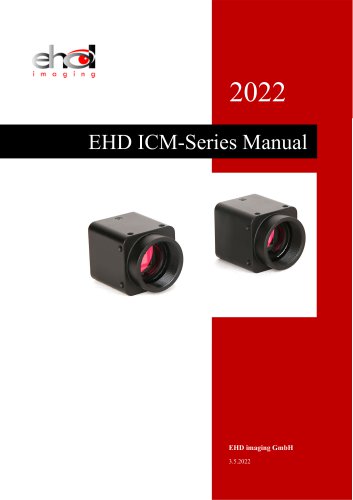
EHD ICM-Series
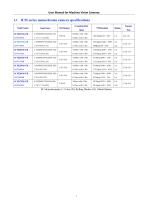
The document details specifications for ICM series monochrome cameras, highlighting sensor type, pixel size, sensitivity, frame rate, and exposure time. Key models include ICM433M-TR, ICM273M-TR, and others, each with unique features like different sensor sizes and frame rates.
Each camera model is described with specifications such as sensor model, pixel size, frame rate, dynamic range, signal-to-noise ratio, sensitivity, dark current, gain range, exposure time, shutter type, binning options, data interface, digital I/O, power supply, power consumption, temperature and humidity range, size, weight, lens mount, software compatibility, operating system support, and certifications.
The document includes mechanical housing dimensions and interface details, with diagrams of the camera housing and circuit board, and back panel schematic showing USB3.0 output, I/O port, and power supply connections. Pin signal definitions for different hardware versions are provided.
The SDK section details supported platforms including Windows, macOS, Linux, and Android, and describes API support for languages like C/C++, .NET, DirectShow, and LabView. It includes necessary files and resources for development with instructions for different operating systems.
Cameras produced after January 1, 2017, support WinUSB, eliminating the need for driver installation on Windows 8 and above. Kernel mode drivers are provided for x86 and x64 systems, with DPInst.exe recommended for automatic installation. NSIS can be used for creating installation files.
Sample programs are provided for languages like C++, C#, and VB.NET, demonstrating device enumeration, video preview, image capture, and resolution settings. Guidance is also provided for Linux, Android, macOS, Python, and Java platforms.
EHDView software offers control over camera features, supporting high-speed video streaming and advanced image processing capabilities, including automatic and manual exposure, white balance, color adjustment, frame rate control, and image processing enhancements.
The installation process involves fixing the camera, connecting it to a computer, and ensuring proper driver installation. Manual driver installation is necessary for Windows 7 and below, while Windows 8 and above handle it automatically.
The document details the use of the democpp interface for camera operation, including resolution settings, image capture, and frame rate adjustments. It explains the setup of the area of interest (ROI) to optimize data transmission and frame rate.
Global and rolling shutter mechanisms are described, explaining their exposure principles and differences.
Two modes are discussed: free run mode for continuous image acquisition and trigger mode for capturing images based on trigger signals, with API codes for switching between these modes.
- Trigger Mode: The camera enters a waiting state and begins exposure upon receiving a trigger signal. Modes include single frame, multi-frame, counter, and PWM trigger.
- Trigger Signal Source: Can be software or external, with external signals from opto-coupler isolated or non-isolated pins.
- Allows multiple images from a single trigger signal, with a burst count ranging from 1 to 1023.
- Requires a set number of trigger signals before exposure begins, with a configurable counter value.
- Controls exposure time via pulse width, not supported by cameras with rolling shutter sensors.
- Configurable GPIO ports for input/output direction.
- Signal Debouncer: Prevents false triggers by requiring pulse width greater than debouncer time.
- Includes Frame Trigger Wait, Exposure Active, Strobe, and User Output.
- Strobe: Can control flash and external devices with configurable delay and duration.
- Exposure Time: Supports manual and automatic control, disabled in trigger mode.
- Gain Control: Adjusts image noise levels.
- White Balance: Adjusts color under different light sources.
- Color Adjustment: Modifies hue, saturation, brightness, contrast, and gamma.
- Image Flip: Allows vertical and horizontal flipping.
- Test Pattern: Provides various test patterns for image testing.
Catalog excerpts
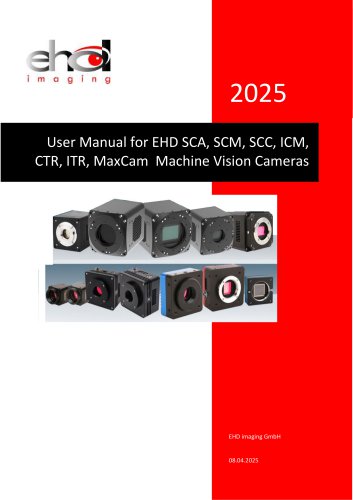
User Manual for Machine Vision Cameras
Open the catalog to page 2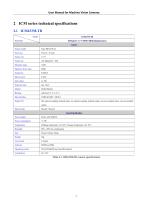
User Manual for Machine Vision Cameras Table 2-1 ICM433M-TR camera specifications
Open the catalog to page 3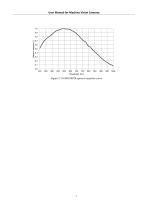
User Manual for Machine Vision Cameras Figure 2-1 ICM433M-TR spectral response curve
Open the catalog to page 4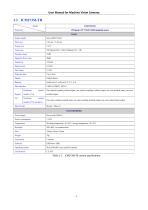
User Manual for Machine Vision Cameras Table 2-2 ICM273M-TR camera specifications
Open the catalog to page 5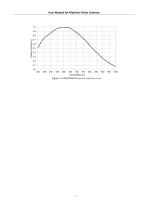
User Manual for Machine Vision Cameras Figure 2-2 ICM273M‐TR spectral response curve
Open the catalog to page 6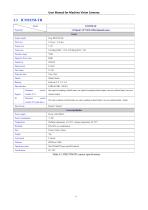
User Manual for Machine Vision Cameras Table 2-3 ICM273M-TR camera specifications
Open the catalog to page 7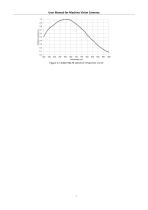
User Manual for Machine Vision Cameras Figure 2-3 ICM273M‐TR spectral response curve
Open the catalog to page 8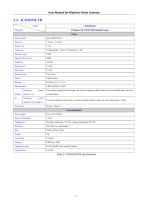
User Manual for Machine Vision Cameras
Open the catalog to page 9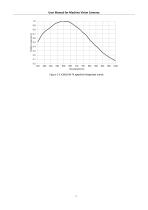
User Manual for Machine Vision Cameras Figure 2-4 ICM265M‐TR spectral response curve
Open the catalog to page 10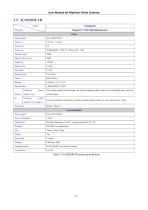
User Manual for Machine Vision Cameras Table 2-5 ICM250M-TR camera specification
Open the catalog to page 11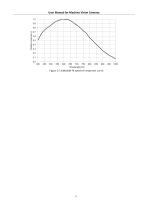
User Manual for Machine Vision Cameras Figure 2-5 ICM250M‐TR spectral response curve
Open the catalog to page 12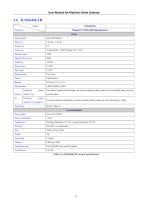
User Manual for Machine Vision Cameras Table 2-6 ICM264M-TR camera specifications
Open the catalog to page 13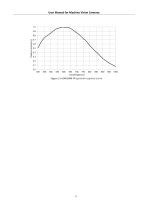
User Manual for Machine Vision Cameras Figure 2-6 ICM264M‐TR spectral response curve
Open the catalog to page 14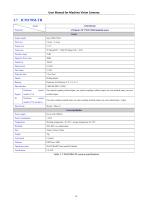
User Manual for Machine Vision Cameras Table 2-7 ICM178M-TR camera specifications
Open the catalog to page 15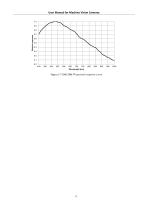
User Manual for Machine Vision Cameras Figure 2-7 ICM178M‐TR spectral response curve
Open the catalog to page 16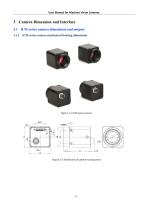
User Manual for Machine Vision Cameras 3 Camera Dimension and Interface 3.1 ICM series camera dimensions and outputs 3.1.1 ICM series camera mechanical housing dimensions Figure 3-1 ICM series camera Figure 3-2 Dimensions of camera housing (mm)
Open the catalog to page 17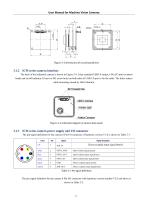
The back of the industrial camera is shown in Figure 3-4. It has standard USB3.0 output, 6 Pin I/O port (aviation head) and on/off indicator. It has two M2 screw holes on both sides of USB 3.0 port to fix the cable. The holes reduce cable loosening caused by field vibration. The pin signal definition for the camera 6 Pin I/O connector of hardware version V1.0 is shown in Table 3-1. Table 3-1 Pin signal definition The pin signal definition for the camera 6 Pin I/O connector with hardware version number V2.0 and above is
Open the catalog to page 18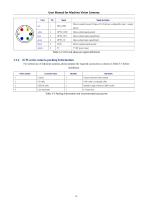
Table 3-3 Packing information and recommended accessories
Open the catalog to page 19
User Manual for Machine Vision Cameras x86: XP SP3 and above versions; CPU needs to support the SSE2 instruction set at least x64: Win7 and above versions arm: Win10 and above versions arm64: Win10 and above versions • WinRT: x86, x64, arm, arm64DWindows 10 or above versions • macOS: x86 and x64 bundleDmacOS 10.10 or above versions • Linux: core 2.6.27 and above versions x86: CPU needs to support at least SSE3 instruction sets; GLIBC 2.8 and above • x64: GLIBC 2.14 and above versions • armel: GLIBC 2.17 and above versions. Compiled by toolchain arm-linux-gnueabi (version 4.9.2) armhf: GLIBC 2.17...
Open the catalog to page 20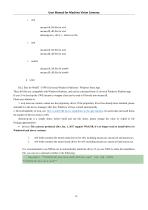
User Manual for Machine Vision Cameras o x64 nncam.lib, lib file for x64 nncam.dll, dll file for x64 democpp.exe, x64 C++ demo exe file arm nncam.lib, lib file for arm nncam.dll, dll file for arm arm64 nncam.lib, lib file for arm64 nncam.dll, dll file for arm64 winrt DLL files for WinRT / UWP (Universal Windows Platform) / Windows Store App. These dll files are compatible with Windows Runtime, and can be consumed from a Universal Windows Platform app. If use C# to develop the UWP, nncam.cs wrapper class can be used to P/Invoke into nncam.dll. Please pay attation to: 1. uwp must use winusb,...
Open the catalog to page 21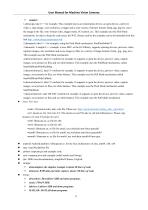
1. democpp, take C++ for example. This example shows an enumeration device, an open device, a preview video, a snap image, a set resolution, a trigger and a wide variety of picture formats (bmp, jpg, png etc.) save the image to the file, wmv format video, trigger mode, I/O control, etc. This example uses the Pull Mode mechanism. In order to keep the code clean, the WTL library used by the example can be downloaded from this link http: //sourceforge.net/projects/wtl/ 2. demopush, take C++ for example, using the Push Mode mechanism, StartPushModeV3 3. demomfc, A simple C++ example. it uses MFC...
Open the catalog to page 22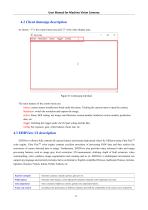
User Manual for Machine Vision Cameras As shown, “1” is the control menu area and "2" is the video display area. The main features of the control menu are: Device: camera names installed are listed under this menu. Clicking the camera name to open the camera; Resolution: switch the resolution and capture the image; Action: Pause, ROI setting, test image, read firmware version number, hardware version number, production date, etc. Trigger: Defining the trigger mode, the I/O port setting and the like; Config: Set exposure, gain, white balance, frame rate, etc. EHDView software fully controls all...
Open the catalog to page 23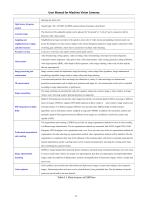
Table 0-1 Main features of EHDView
Open the catalog to page 24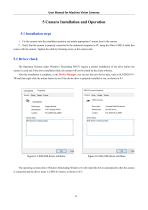
User Manual for Machine Vision Cameras 5 Camera Installation and Operation 5.1 Installation steps 1.Fix the camera onto the installation position and attach appropriate C-mount lens to the camera. 2.Verify that the camera is properly connected to the industrial computer or PC using the Micro USB3.0 cable that comes with the camera. Tighten the cable by fastening screw at the camera side. 5.2 Driver check The Operation Systems under Windows 7(Including WIN7) require a normal installation of the drive before the camera is used and if the drive installation fails, the camera will not be found by...
Open the catalog to page 25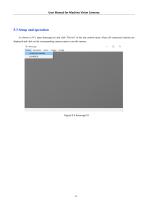
User Manual for Machine Vision Cameras 5.3 Setup and operation As shown in 0-3, open democpp.exe and click "Device" in the top control menu, where all connected cameras are displayed and click on the corresponding camera name to run the camera.
Open the catalog to page 26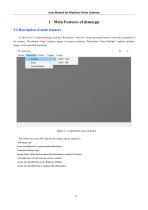
User Manual for Machine Vision Cameras 1 Main Features of democpp 5.4 Description of main features As shown in1-1, in the democpp, click the "Resolution-> Preview" in the top control menu to select the resolution of the camera; "Resolution->Snap" captures image at current resolution; "Resolution->Snap Multiple" captures multiple images at the specified resolution. Figure 1-1 Acquisition and resolution The following is the API code for the image capture operation: //still image snap nnam_Snap(HnnCam h, unsigned nResolutionIndex); //multiple still image snap nncam_SnapN (HnnCam h, unsigned nResolutionIndex,...
Open the catalog to page 27
User Manual for Machine Vision Cameras The camera supports a variety of image file formats and the setup of image region of interest. The smaller image ROI will have higher frame rate. 5.6.1 Camera data format The list of pixel formats supported by the ICM series cameras are shown in. (“Y” for supported; “-” for not supported) The list of pixel formats supported by the IUX series cameras are shown in 1-1 (“Y” for supported; “-” for not supported) Table 1-1 ICM series camera image data format
Open the catalog to page 28All EHD imaging catalogs and technical brochures
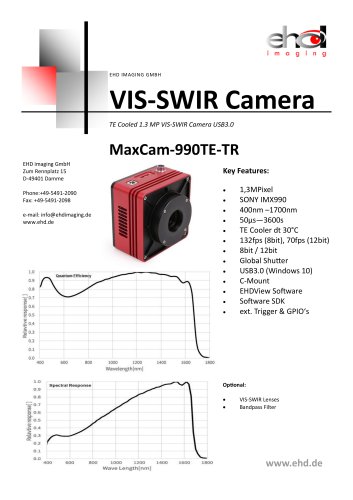 MaxCam‐990TE‐TR
2 Pages
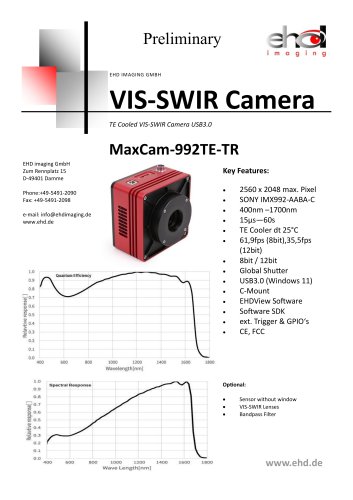 MaxCam-992TE-TR
2 Pages
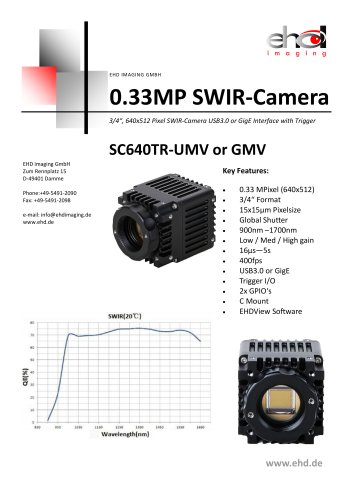 SC640TR-UMV or -GMV
2 Pages
 SC‐2020UV‐ITR
46 Pages
 MaxCam‐400UV‐TE
38 Pages
 EHD SC-CTR Series Cooled Cameras
39 Pages
 EHD Vis-SWIR Series
172 Pages
 EHDView Software
137 Pages
 EHD SCM-SCA-SCC-TR series
308 Pages
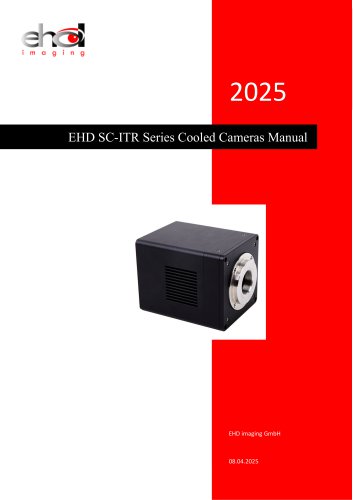 EHD SC-ITR Series
48 Pages
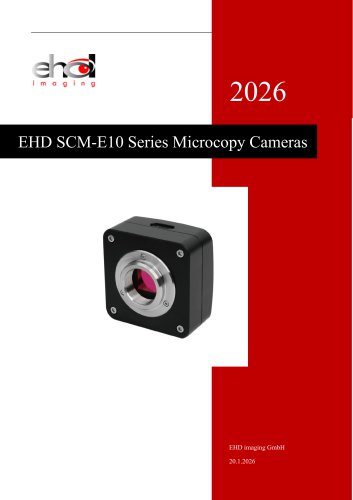 SCM-E10 Series Microcopy Cameras
4 Pages
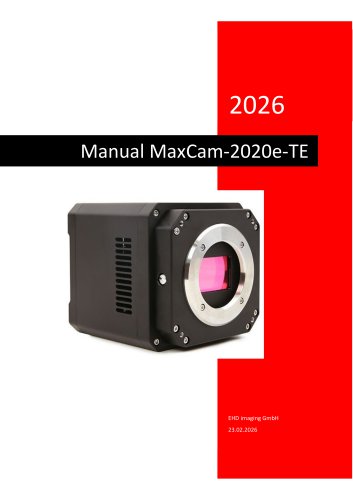 MaxCam‐2020e‐TE
39 Pages
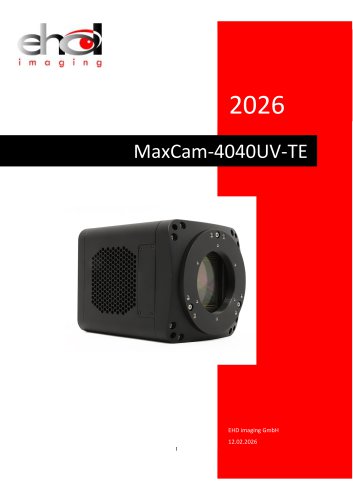 MaxCam‐4040UV‐TE
44 Pages
- Microscopy
- Compound microscope
- Laboratory microscope
- Desktop microscope
- Laboratory software
- CMOS camera
- Camera with USB port
- LED microscope
- Acquisition software
- Medical camera
- Measurement software
- Full HD camera
- HD camera
- Recording software
- Microscope camera
- Fluorescence microscope
- Real-time software
- Digital microscope
- Ultra-high resolution camera
- Monocular microscope