
- Catalogs
- EHD imaging
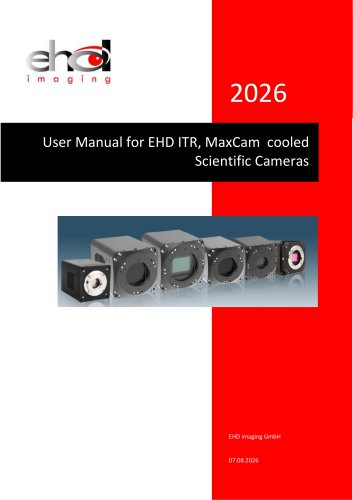
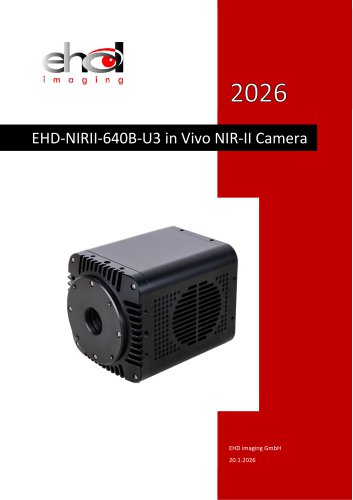
- MaxCam‐400UV‐TE

MaxCam‐400UV‐TE
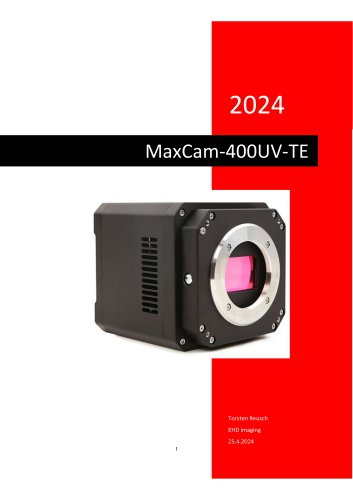
MaxCam‐400UV‐TE
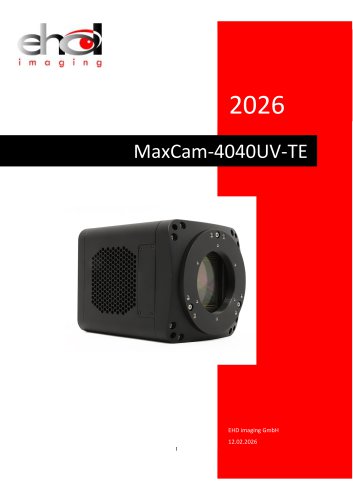
The MAXCAM-400UV-TE camera features a GSENSE400BSI 2-inch image sensor with an efficient cooling module to minimize thermal noise, maintaining the sensor temperature 35-40 degrees below ambient. It includes an anti-fogging mechanism and supports a spectral response range from 200nm to 1000nm, covering UV, visible, and near-infrared wavelengths. Key specifications include a resolution of 2048 x 2048, 11 um pixel size, USB3 interface, and support for HCG/LCG/HDR modes.
The camera operates in video or trigger mode, with a 512MB DDR3 buffer for stable data transmission. It supports digital and hardware binning, with conversion gain modes affecting readout noise, full well capacity, and dynamic range. The cooling system uses TEC and PID algorithms for precise temperature control, powered by a DC19V supply.
The camera measures 110x110x121.5mm and weighs 1.7kg. It features an M42x0.75 lens mount and includes USB 3.0/2.0 ports and a DC 19V power port. LED indicators display power, system, TEC, and fan status.
The camera includes opto-isolated and non-isolated input/output circuits, supporting various trigger functions with configurable modes and I/O signal settings. Detailed pin signal definitions and electrical characteristics are provided.
The cooling system ensures low dark current levels, with the TEC maintaining temperature deviations within 0.1°C. The fan has five speed settings linked to the TEC to prevent overheating.
The camera is compatible with EHDView software, offering camera control and image processing functions. It supports Windows, OSx, and Linux, and includes a complete SDK for software development.
Optional accessories include micrometers with various models offering different measurement capabilities, such as TS-M1, TS-M2, and TS-M7.
The camera supports software and external hardware triggers, with modes including single-frame, multi-frame, and counter trigger. Instructions for configuring GPIO for input or output are provided.
Includes strobe for controlling external devices, exposure active for sensor exposure indication, frame trigger wait, and user-defined output settings.
Plan trigger supports soft triggers for scheduled exposure times, while sequence trigger supports both soft and external triggers for sequential exposure.
Software triggering is enabled through the advanced interface, allowing both "Software" and "External IO signal" as trigger sources.
The advanced interface includes a serial port function for communication with external devices, supporting baud rates from 9600 to 115200.
Software can be downloaded from the EHD website, compatible with ASCOM and DirectShow SDKs. EHDView supports multiple languages and image processing functions.
The SDK is available for Windows, macOS, Linux, and Android, supporting APIs like C/C++, .NET, Python, and Java. Third-party interfaces include DirectShow, TWAIN, Labview, and Matlab.
Catalog excerpts
Torsten Reusch EHD imaging 25.4.2024
Open the catalog to page 1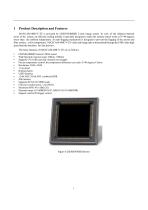
Product Description and Features MAXCAM-400UV-TE is powered by GSENSE400BSI 2-inch image sensor. In view of the inherent thermal noise of the sensor, an efficient cooling module is specially designed to make the camera sensor work at 35-40 degrees lower than the ambient temperature. An anti-fogging mechanism is designed to prevent the fogging of the sensor and filter surface at low temperature. MAXCAM-400UV-TE video and image data is transmitted through the USB3 ultra high speed transfer interface for fast preview. The basic features of MAXCAM-400UV-TE are as follows: • • • • • • • • • • • •...
Open the catalog to page 4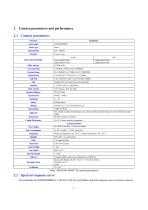
Table 1 MAXCAM-400UV-TE camera parameters The sensitivity of GSENSE400BSI is 3.25x10⁸e-/((W/m2).s)@560nm. Spectral response curve of sensor is shown
Open the catalog to page 5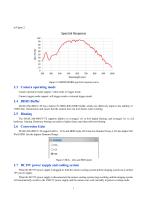
Figure 2 GSENSE400BSI spectral response curve 2.3 Camera operating mode Camera operation mode support: video mode or trigger mode. Camera trigger mode support: soft trigger mode or external trigger mode. 2.4 DDR3 Buffer MAXCAM-400UV-TE has a built-in 512MB (4Gb) DDR3 buffer, which can effectively improve the stability of USB3 data transmission and ensure that the camera does not lose frames when working. 2.5 Binning The MAXCAM-400UV-TE supports additive or averaged 1x1 to 8x8 digital binning, and averaged 1x1 to 2x2 hardware binning. Hardware binning can achieve higher frame rates than software...
Open the catalog to page 6
The camera's cooling system is cooled by TEC. It uses an external heat dissipation structure and a fan to assist heat dissipation. The working temperature can be adjusted to a specific value, and the effective cooling temperature can be lower than the ambient temperature by 30-35 C. The efficient cooling system guarantees extremely low dark current levels. The TEC system is controlled by PID algorithm, so that the TEC can be accurately adjusted to the target temperature, and the temperature deviation is 0.1 C.
Open the catalog to page 7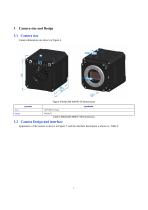
Camera size and Design 3.1 Camera size Camera dimensions are shown in Figure 4. Figure 4 MAXCAM-400UV-TE Dimensions parameter 3.2 Camera Design and interface Appearance of the camera is shown in Figure 5, and the interface description is shown in Table 3.
Open the catalog to page 8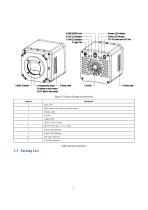
Figure 5 Camera Design and interface Sequence Filter window,AR window for mono camera Thermo outlet
Open the catalog to page 9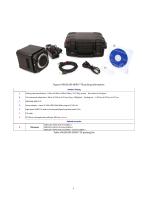
Figure 6 MAXCAM-400UV-TE packing information Standard Packing A Packing case specifications L:50cm W:30cm H:30cm (20pcs, 12~17Kg/ carton),Not shown in the figure Power adapter : input: AC 100~240V 50Hz/60Hz,output: DC 19V 4A High‐speed USB3.0 A male to B male gold‐plated head data cable/1.5m CD (Driver and application software, Ø12cm) optional Optional accessories
Open the catalog to page 10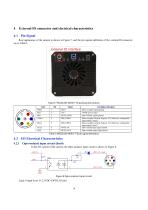
Rear appearance of the camera is shown in Figure 7, and the pin signals definition of the external IO connector are in Table 5. Table 5 MAXCAM-400UV-TE pin signal definition In the I/O control of the camera, the Opto-isolated input circuit is shown in Figure 8. Logic 0 input level: 0~2.2VDC (OPTO_IN pin)
Open the catalog to page 11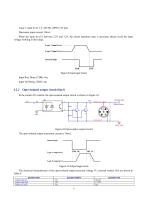
Logic 1 input level: 3.3~24VDC (OPTO_IN pin) Maximum input current: 30mA When the input level is between 2.2V and 3.2V, the circuit operation state is uncertain, please avoid the input voltage working in this range. Logic 1 input level Logic 0 input level Internal logic Figure 9 Input logic levels Input Rise Delay (TDR): 6us Input Fall Delay (TDF): 6us The opto-isolated output maximum current is 30mA. Internal logic Logic 0 output level The electrical characteristics of the opto-isolated output (external voltage 5V, external resistor 1K) are shown in Table 6.
Open the catalog to page 12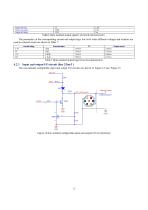
output fall time Output rise delay Output fall delay Table 6 Opto-isolated output signal's electrical characteristics The parameters of the corresponding current and output logic low level when different voltages and resistors are used in external circuit are shown in Table 7. external voltage 3.3V 5V 12V 24V External resistor Table 7 Opto-isolated output logic's low level parameters Input and output I/O circuit (line 2/line3 ) The non-isolated configurable input and output I/O circuits are shown in Figure 12 and Figure 13. Figure 12 Non-isolated configurable input and output I/O circuit (line2)...
Open the catalog to page 13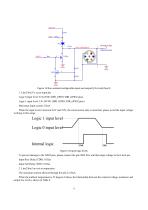
Figure 13 Non-isolated configurable input and output I/O circuit (line3) 1. Line2/line3 is set as input pin Logic 0 input level: 0~0.6VDC (DIR_GPIO1/DIR_GPIO2 pins) Logic 1 input level: 2.0~24VDC (DIR_GPIO1/DIR_GPIO2 pins) Maximum input current: 25mA When the input level is between 0.6V and 2.0V, the circuit action state is uncertain, please avoid the input voltage working in this range. Figure 14 Input logic levels To prevent damage to the GPIO pins, please connect the pin GND first, and then input voltage to the Line2 pin. Input Rise Delay (TDR): 0.02us Input Fall Delay (TDF): 0.02us 2. Line2/line3...
Open the catalog to page 14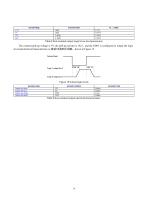
Table 9 Non-isolated output electrical characteristics
Open the catalog to page 15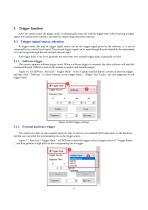
Trigger function After the camera enters the trigger mode, it automatically enters the wait-for-trigger state. After receiving a trigger signal, the camera starts exposure, and starts to output image data after exposure. 5.1 Trigger signal source selection In trigger mode, the type of trigger signal source can be the trigger signal given by the software, or it can be connected by an external level signal. The external trigger signal can be input through the pin isolated by the optocoupler, or it can be input through the non-isolated tube pin input. Soft trigger delay is ms level, generally not...
Open the catalog to page 16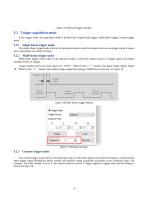
Figure 17 External trigger settings In the trigger mode, the acquisition mode is divided into: single-frame trigger, multi-frame trigger, counter trigger mode. The single-frame trigger mode refers to the operation mode in which the camera receives one trigger signal, exposes once, and outputs one frame of image. Multi-frame trigger mode refers to the operation mode in which the camera receives a trigger signal and outputs multiple frames of images. Trigger number can be set in the range of 1~ 65535 . "Burst Count = 1 ” means a one-frame image output, Figure 18, "Burst Count = 3 ” means a three-frame...
Open the catalog to page 17All EHD imaging catalogs and technical brochures
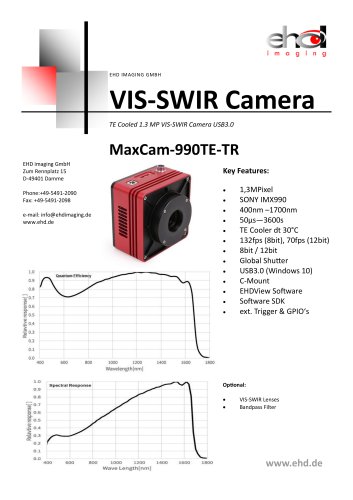 MaxCam‐990TE‐TR
2 Pages
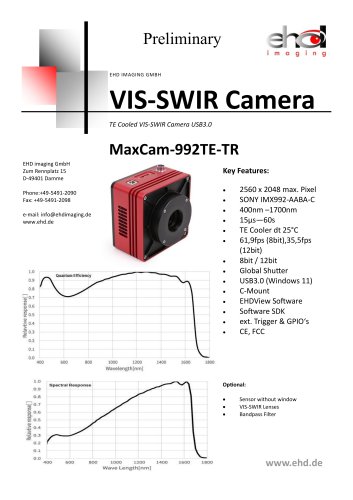 MaxCam-992TE-TR
2 Pages
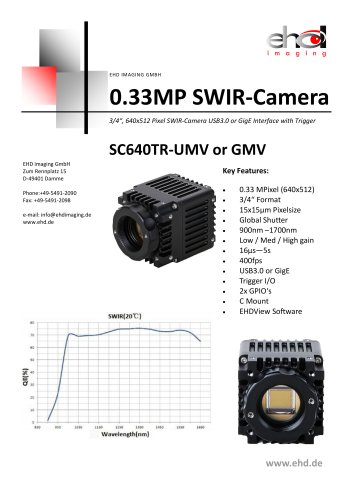 SC640TR-UMV or -GMV
2 Pages
 SC‐2020UV‐ITR
46 Pages
 EHD ICM-Series
51 Pages
 EHD SC-CTR Series Cooled Cameras
39 Pages
 EHD Vis-SWIR Series
172 Pages
 EHDView Software
137 Pages
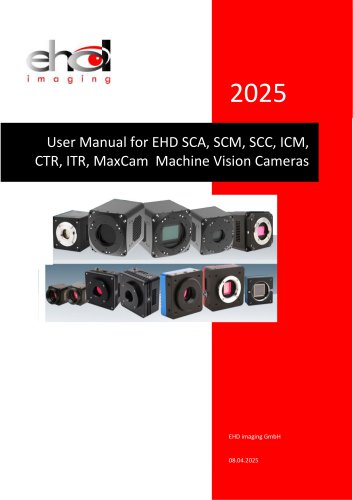 EHD SCM-SCA-SCC-TR series
308 Pages
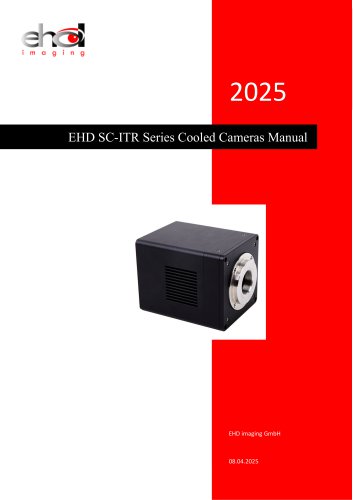 EHD SC-ITR Series
48 Pages
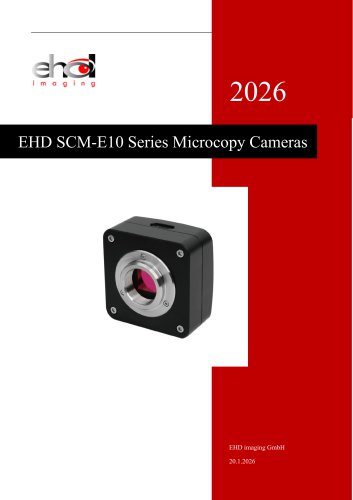 SCM-E10 Series Microcopy Cameras
4 Pages
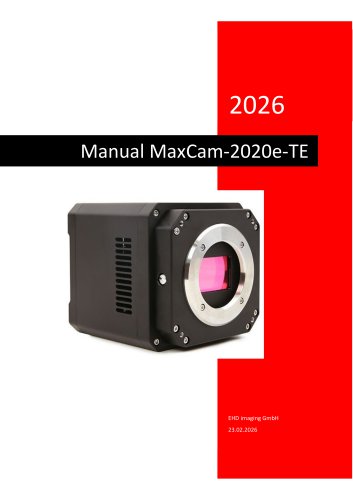 MaxCam‐2020e‐TE
39 Pages
 MaxCam‐4040UV‐TE
44 Pages
- Microscopy
- Compound microscope
- Laboratory microscope
- Desktop microscope
- Laboratory software
- CMOS camera
- Camera with USB port
- LED microscope
- Acquisition software
- Medical camera
- Measurement software
- Full HD camera
- HD camera
- Recording software
- Microscope camera
- Fluorescence microscope
- Real-time software
- Digital microscope
- Ultra-high resolution camera
- Monocular microscope