
- Catalogs
- eoSurgical
- eoMicro Assembly instructions

eoMicro Assembly instructions

1 / 3 PagesView full catalog
eoMicro Assembly instructions
Product catalog summary
Assembly Instructions for eoMicro Simulator
Overview: This document provides step-by-step instructions for assembling the eoMicro simulator. The assembly involves positioning a phone on the eoSurgical logo sticker at the top of the frame.
Contact Information: For any inquiries, contact [email protected].
Assembly Steps:
- Step 1: Bend the support piece in the middle.
- Step 2: Insert the curved bottom of the support piece into the frame.
- Step 3: Fold the frame over the top of the support piece and click it into place.
- Step 4: Insert one of the phone tabs into one of the three slots on the top of the frame.
- Step 5: Place your phone on the top of the frame, aligning the rear camera with the hole.
See more
Catalog excerpts
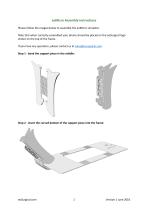
eoMicro Assembly instructions Please follow the images below to assemble the eoMicro simulator. Note that when correctly assembled your phone should be placed on the eoSurgical logo sticker on the top of the frame. If you have any questions, please contact us at [email protected]. Step 1 - bend the support piece in the middle: Step 2 - insert the curved bottom of the support piece into the frame:
Open the catalog to page 1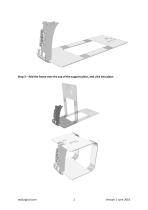
Step 3 – fold the frame over the top of the support piece, and click into place:
Open the catalog to page 2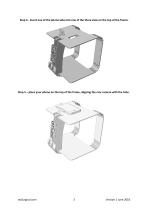
Step 4 - insert one of the phone tabs into one of the three slots on the top of the frame: Step 5 – place your phone on the top of the frame, aligning the rear camera with the hole:
Open the catalog to page 3All EoSurgical catalogs and technical brochures
 eoSurgical
18 Pages
 eoMicro
3 Pages
 eoSurgical Product Brochure 2016
23 Pages
 eoSurgical flyer
2 Pages
Archived catalogs
 eoSurgical
1 Page
Related Searches
- Training phantom
- Grasping forceps
- General care phantom
- Human scissors
- Straight forceps
- Surgical scissors
- Endoscopy forceps
- Needle holder
- Surgical needle holder
- Surgical phantom
- Suture thread
- Laparoscopy forceps
- Pad simulator
- Portable simulation unit
- General surgery suture thread
- Non-absorbable suture thread
- Suture simulator
- Mobile simulator
- Computerized simulator
- Gynecological simulator
*Prices are pre-tax. They exclude delivery charges and customs duties and do not include additional charges for installation or activation options. Prices are indicative only and may vary by country, with changes to the cost of raw materials and exchange rates.
About MedicalExpo
MedicalExpo is a marketplace that offers B2B players a complete experience, from product sourcing to purchase. MedicalExpo is an entity of VirtualExpo Group.
Are you a buyer?
Are you a supplier?