

- Company
- Products
- Catalogs
- News & Trends
- Exhibitions
EYERAD the SOLUTION for RADIOLOGICAL REPORTING
EYERAD the SOLUTION for RADIOLOGICAL REPORTING
For detailed information on DICOM services, refer to the 'EyeRad Dicom Conformance Statement.pdf' and 'EyeRad IHE Integration Statement.pdf'.
Setup involves downloading the software from the reserved area on the official G-Squared website.
Usage of the program requires activation of a license provided through the G-Squared portal to authorized users.
- Receives digital DICOM images from diagnostics and PACS via the network.
- Automatic retrieval of previous exams from PACS (prefetch).
- Image manipulation features include contrast/brightness adjustment, LUT inversion, zoom, pan, flip, rotations, measurement tools, annotations, and comparison with previous exams.
- Supports multislice, cine, MIP, and ThickSlab visualization, and synchronization of 3D series on volumetric and mammographic exams.
- Interactive browsing of patient images with navigation shortcuts.
- Customizable flow and image display modes based on image/series/study/patient (hanging protocols).
- Importing and exporting images in various formats and printing on DICOM or Windows printers.
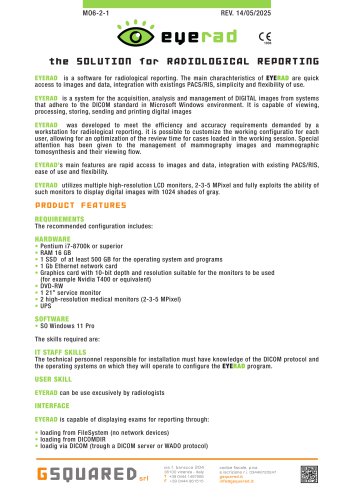
EYERAD is designed for radiological reporting, offering quick access to images and data, integration with existing PACS/RIS, and ease of use. It supports high-resolution displays and is optimized for mammography images.
- Hardware: Pentium i7-8700k or superior, 16 GB RAM, 500 GB SSD, 1 Gb Ethernet card, suitable graphics card, DVD-RW, service monitor, high-resolution medical monitors, and UPS.
- Software: Windows 11 Pro.
- IT Staff: Knowledge of DICOM protocol and operating systems for configuration.
- User: Exclusively for radiologists.
EYERAD can display exams for reporting through loading from FileSystem, DICOMDIR, or via DICOM server/WADO protocol.
Catalog excerpts
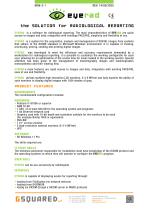
EYERAD is a software for radiological reporting. The main charachteristics of EYERAD are quick access to images and data, integration with existings PACS/RIS, simplicity and flexibility of use. EYERAD is a system for the acquisition, analysis and management of DIGITAL images from systems that adhere to the DICOM standard in Microsoft Windows environment. It is capable of viewing, processing, storing, sending and printing digital images EYERAD was developed to meet the efficiency and accuracy requirements demanded by a workstation for radiological reporting. it is possible to customize the working configuratio for each user, allowing for an optimization of the review time for cases loaded in the working session. Special attention has been given to the management of mammography images and mammographic tomosynthesis and their viewing flow. EYERAD’s main features are rapid access to images and data, integration with existing PACS/RIS, ease of use and flexibility. EYERAD utilizes multiple high-resolution LCD monitors, 2-3-5 MPixel and fully exploits the ability of such monitors to display digital images with 1024 shades of gray. PRODUCT FEATURES REQUIREMENTS The recommended configuration includes: HARDWARE • Pentium i7-8700k or superior • 1 SSD of at least 500 GB for the operating system and programs • 1 Gb Ethernet network card • Graphics card with 10-bit depth and resolution suitable for the monitors to be used (for example Nvidia T400 or equivalent) • 2 high-resolution medical monitors (2-3-5 MPixel) IT STAFF SKILLS The technical personnel responsible for installation must have knowledge of the DICOM protocol and the operating systems on which they will operate to configure the EYERAE program. USER SKILL EYERAD can be use excusively by radiologists INTERFACE EYERAD is capable of displaying exams for reporting through: • loading from FileSystem (no network devices) • loading from DICOMDIR • loadig via DICOM (trough a DICOM server or WADO protocol) codice fiscale, p.iva e iscrizione r.i. 03448720247
Open the catalog to page 1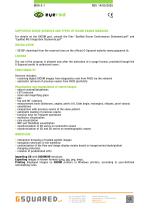
<§> bub r SUPPORTED DICOM SERVICES AND TYPES OF DICOM EXAMS MANAGED For details on the DICOM part, consult the files “EyeRad Dicom Conformance Statement.pdf” and “EyeRad IHE Integration Statmente.pdf” • SETUP: download from the reserved area on the official G-Squared website (www.gsquared.it). The use of the program is allowed only after the activation of a usage license, provided through the G-Squared portal to authorized users. Services includes: • receiving digital DICOM images from diagnostics and from PACS via the network • automatic retrieval of previous exams from PACS (prefetch) Visualization...
Open the catalog to page 2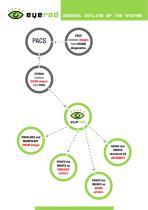
GENERAL OUTLINE OF THE SYSTEM PACS receives images from DICOM diagnostics EYERAD receives DICOM objects from PACS VISUALIZES and MANIPULATE DICOM images READS and WRITES structured CD (DICOMDIR) PRINTS the IMAGES on WINDOWS printers PRINTS the IMAGES on DICOM printers
Open the catalog to page 3All G-Squared catalogs and technical brochures
 DOXME
DOXME2 Pages
 EYEDICOMIZER
2 Pages
 RESked
2 Pages
 MWLService
2 Pages
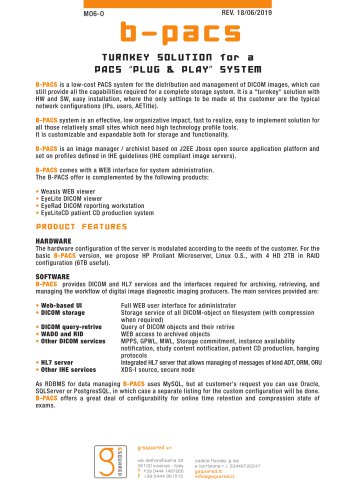 b-pacs
2 Pages
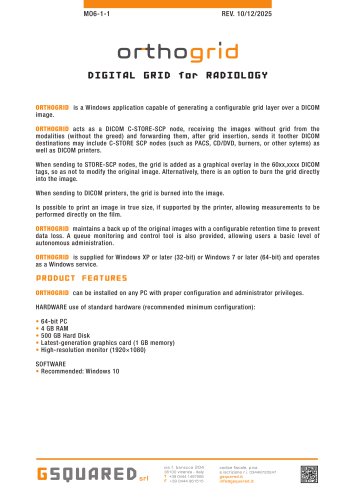
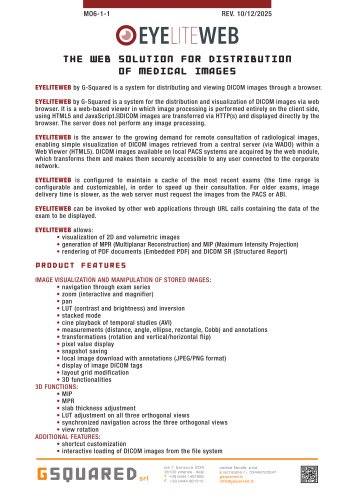
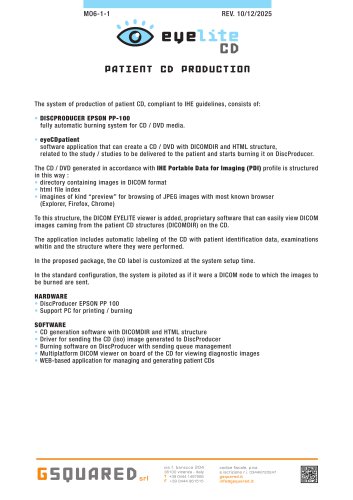
- Radiology software
- Visualization software
- Reporting software
- Windows software
- Diagnostic software
- Planning software
- Software module
- Sharing software
- 3D software
- Analysis software module
- Medical software module
- Medical imaging software module
- Medical imaging PACS
- 2D software
- Telehealth software
- Radiography software
- Visualization software module
- PACS software
- Tablet PC software module