
- Catalogs
- Guilin Veirun Medical Technology
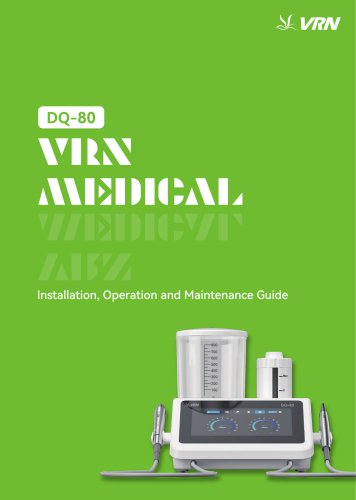
- VRN DQ-80 Main Components

- Company
- Products
- Catalogs
- News & Trends
- Exhibitions
VRN DQ-80 Main Components
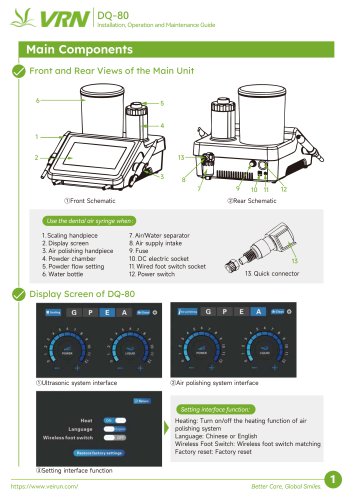
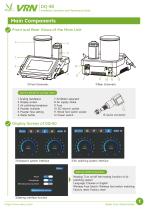
VRN DQ-80 Main Components
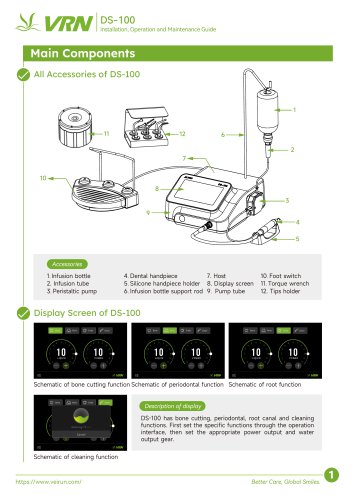
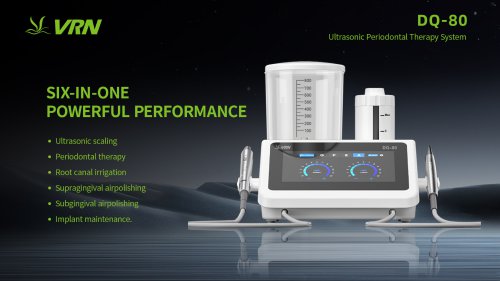
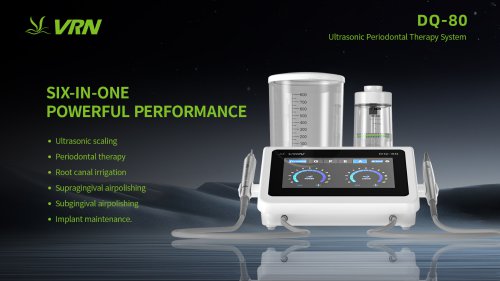
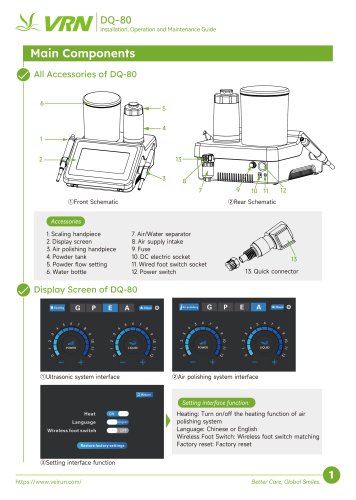
The DQ-80 unit includes a scaling handpiece, display screen, air polishing handpiece, powder chamber, powder flow setting, water bottle, air/water separator, air supply intake, fuse, DC electric socket, wired foot switch socket, and power switch. The front and rear schematics provide a visual layout of these components.
Installation involves connecting the water bottle, powder chamber, air supply hose, power adapter, and handpieces. Ensure secure connections and follow the sequence for proper setup.
The device automatically switches modes based on the handpiece used. It offers 12 power settings for each mode, including scaling, periodontal treatment, endodontic irrigation, and air polishing. Adjustments can be made to power levels, water volume, and air pressure.
Regular cleaning of the handpieces, powder chamber, and air/water separator is essential. The device features an auto-cleaning function for both ultrasonic and powder handpieces. Ensure thorough drying of components after cleaning.
Common issues include blockages in the handpiece or nozzle, lack of air or water, and foot switch failures. Solutions involve checking connections, cleaning blockages, and re-pairing the wireless foot switch.
Instructions are provided for replacing handpieces, tips, files, and nozzles. Proper handling and installation techniques are emphasized.
Manual cleaning and steam sterilization are recommended. The guide outlines specific steps for cleaning and sterilizing components, emphasizing the use of approved methods to avoid damage.
The product comes with a warranty, and maintenance should be performed by authorized personnel. Unauthorized disassembly voids the warranty.
Catalog excerpts
DQ-80 installation, Operation and Maintenance Guide Use the dental air syringe when: 5. Powder flow setting 11. Wired foot switch socket Display Screen of DQ-80 UQOID ©Ultrasonic system interface Heat Language Wireless (Out switch Setting interface function: Heating: Turn on/off the heating function of air polishing system Language: Chinese or English Wireless Foot Switch: Wireless foot switch matching Factory reset: Factory reset ©Setting interface function Better Care, Global Smiles.
Open the catalog to page 1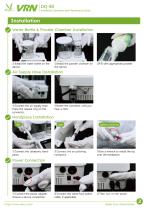
Installation, Operation and Maintenance Guide Installation Water Bottle & Powder Chamber Installation ①Install the water bottle on the device. ②Install the powder chamber on the device. ③Fill with appropriate powder. Air Supply Hose Installation ①Connect the air supply hose. Press the release ring on the connector. ②Insert the connector until you hear a click. Handpiece Installation left ①Connect the ultrasonic handpiece. tighten clockwise ②Connect the air polishing handpiece. ③Use a wrench to install the tip onto the handpiece. ②Connect the wired foot switch cable, if applicable. ③Then turn...
Open the catalog to page 2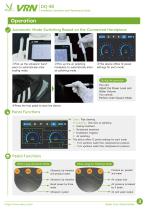
Installation, Operation and Maintenance Guide Operation Automatic Mode Switching Based on the Connected Handpiece ①Pick up the ultrasonic handpiece to automatically enter scaling mode. ②Pick up the air polishing handpiece to automatically enter air polishing mode. ③This device offers 12 power settings for each mode. During the operation You can: Adjust the Power Level and Water Volume You cannot: Perform Auto-Cleanin Mode. ④Press the foot pedal to start the device. Penal Functions Clean:Pipe cleaning Air polishing:One-click air polishing G:Scaling treatment P:Periodontal treatment E:Endodontic...
Open the catalog to page 3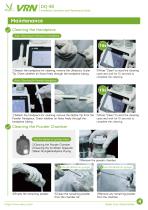
Installation, Operation and Maintenance Guide Maintenance Cleaning the Handpiece Auto-Cleaning for Ultrasonic Handpiece ①Detach the handpiece for cleaning, remove the Ultrasonic Scaler Tip. Check whether air flows freely through the handpiece tubing. ③Press "Clean" to start the cleaning cycle and wait for 15 seconds to complete the cleaning. Auto-Cleaning for Powder Handpiece ①Detach the handpiece for cleaning, remove the Nozzle Tip from the Powder Handpiece. Check whether air flows freely through the handpiece tubing. ③Press "Clean" to start the cleaning cycle and wait for 15 seconds to complete...
Open the catalog to page 4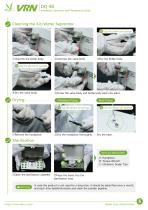
Installation, Operation and Maintenance Guide Cleaning the Air/Water Separator Use the dental air syringe. ①Unscrew the bottle body. ②Unscrew the valve body. ③Dry the bottle body. ④Dry the valve body. ⑤Screw the valve body and bottle body back into place. Handpiece Drying Base Drying ②Dry the handpiece thoroughly. Sterilization Items for Sterilization ①Open the sterilization cassette. A: Handpiece B: Torque Wrench C: Ultrasonic Scaler Tips ②Place the items into the sterilization case. In case the product is not used for a long time, it should be electrified once a month, and each time lastsfor5minutes...
Open the catalog to page 5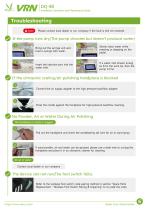
Installation, Operation and Maintenance Guide Troubleshooting Note Please contact local dealer or our company if the fault is still not resolved. If the pump runs dry(The pump vibrates but doesn’t produce water) 1 Bring out the syringe unit and load a syringe with water. Insert the injection port into the water inlet. Slowly inject water while pressing or stepping on the pedal. If a water mist stream emerg es from the work tip, then the pump is fine. If the ultrasonic scaling/air polishing handpiece is blocked 1 Connect the air supply adapter to the high-pressure backflow adapter. 2 Press the...
Open the catalog to page 6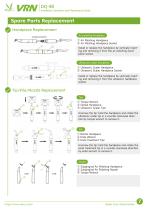
Installation, Operation and Maintenance Guide Spare Parts Replacement Handpiece Replacement Air polishing handpiece ① Air Polishing Handpiece ② Air Polishing Handpiece Socket Install or replace the handpiece by vertically inserting and removing it from the air polishing handpiece socket. Ultrasonic scaler handpiece ① Ultrasonic Scaler Handpiece ② Ultrasonic Scaler Handpiece Socket Install or replace the handpiece by vertically inserting and removing it from the ultrasonic handpiece socket. Tip/File/Nozzle Replacement Tips ① ① Torque Wrench ② Dental Handpiece ③ Ultrasonic Scaler Tips Unscrew the...
Open the catalog to page 7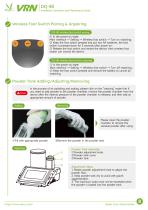
Installation, Operation and Maintenance Guide Wireless Foot Switch Pairing & Unpairing DQ-80 wireless foot switch paring ① In the power-on state: Main interface → Setting → Wireless foot switch → Turn on matching; ② Keep the foot switch pressed and put two AA batteries, the foot switch is pressed down for 3 seconds after power-on; ③ Release the foot switch and restart the device, then wireless foot switch can control the device. DQ-80 wireless foot switch unparing ① In the power-on state: Main interface → Setting → Wireless foot switch → Turn off matching; ② Keep the foot switch pressed and remove...
Open the catalog to page 8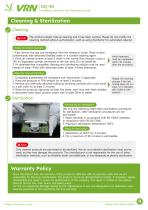
Installation, Operation and Maintenance Guide Cleaning & Sterilization Cleaning Note The product adopts manual cleaning and it has been verified. Please do not modify the cleaning method without authorization, such as using disinfector for automated cleaned. Steps for initial treatment 1. Fully remove the tips and handpiece from the ultrasonic scaler. Rinse surface contaminants with deionized distilled water or a suitable cleaning agent. 2. Flush all internal lumens at least 3 times in the normal flow direction using a ≥50 ml disposable syringe connected to the rear port. Do not backflush. 3....
Open the catalog to page 9All Guilin Veirun Medical Technology catalogs and technical brochures
 VRN製品カタログ_2026.08_日本語版
2 Pages
 VRN PVMTC Oral PreventionProgram
23 Pages
 VRN Prophylaxis Powder
4 Pages
 VRN ENDODONTIC MATERIALS
5 Pages
 VRN catalog
32 Pages
 VRN Medical PRODUCTOVERVIEW
2 Pages
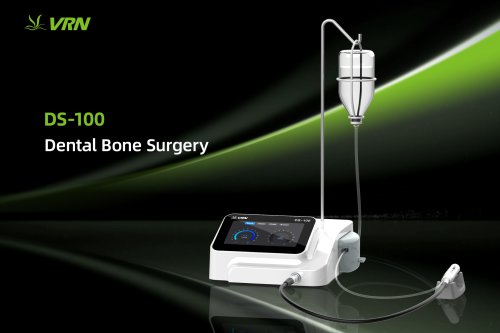 VRN DS-100 Dental Bone Surgery
16 Pages
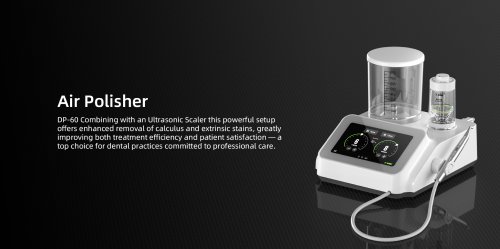 VRN DP-60 Air Polisher
12 Pages
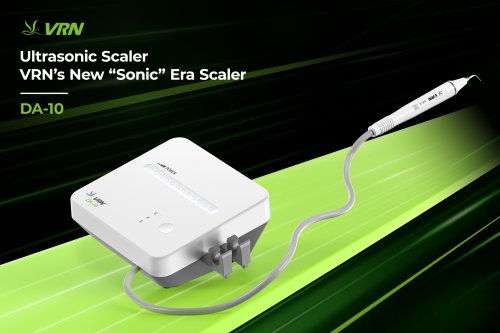 VRN Ultrasonic Scaler
4 Pages
 VRN Medical PRODUCTO VERVIEW
2 Pages




- Medical dolly
- Dental material
- Instrument trolley
- Surgical system
- Cutting electrosurgical system
- Flat panel detector
- Surgical suction pump
- Dental scaler
- Portable flat panel detector
- Electric surgical suction pump
- Dental radiography system
- Curing light
- High-frequency surgical system
- Digital dental radiography system
- Dental office curing light
- 3D scanner
- Ultrasonic dental scaler
- Powder dental material