
- Catalogs
- HANNA Instruments
- HI98103


HI98103
HI98103
Catalog excerpts
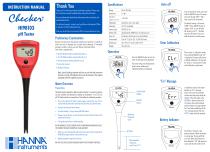
INSTRUCTION MANUAL Thank you for choosing a Hanna Instruments product. Please read this instruction manual carefully before using the instrument. For more information about Hanna Instruments and our products, visit www.hannainst.com. From measurement mode, press and hold the ON/OFF button. The meter will cycle through “OFF,” “CAL,” then current auto-off setting. Battery Type Battery Life approximately 1000 hours of continuous use Preliminary Examination 8 minutes, 60 minutes or can be disabled Remove the meter from the packing material and examine it carefully to make sure that no damage has occurred during shipment. If noticeable damage is evident, contact your local Hanna Instruments Office. Each meter is supplied with: For technical support, contact your local Hanna Instruments Office or email us at [email protected] Find your local Hanna Instruments Office on www.hannainst.com • pH 4.01 Buffer Solution Liquid Sachet (2 pcs.) • pH 7.01 Buffer Solution Liquid Sachet (2 pcs.) • General purpose cleaning solution (2 pcs.) • Instruction manual • Quality Certificate The default setting is 8 minutes (“d08”). Press ON/OFF button to change. “d60” is auto-off after 60 minutes, and “d--” disables the auto-off feature. Press and hold the button to exit the menu. Clear Calibration Place meter in calibration mode. Press and hold ON/OFF until “CLr” is displayed. The meter will now be at default calibration. No tags will be shown in measurement mode until calibration is performed. Press the ON/OFF button to turn the meter on. All tags will be displayed. The meter will go into measurement mode: current reading and calibrated buffers are displayed. Note: Save all packing material until you are sure that the instrument functions correctly. All defective items must be returned in the original packaging with the supplied accessories. Meter Overview Preparation: The pH electrode is shipped dry. Before using the Checker®, remove the protective cap and condition the electrode by soaking the tip (bottom 4 cm (1.5”)) in pH 7.01 buffer solution for several hours. Then follow the calibration procedure. Liquid Crystal Display • Do not be alarmed if white crystals appear around the cap. This is normal with pH electrodes and they dissolve when rinsed with water. ON/OFF Button In calibration mode, if the meter displays an “Err” message when in the correct fresh buffer solution then the probe should be cleaned. Place the probe in the HI700601 cleaning solution for 15 minutes. Rinse with purified water and place in storage solution for 1 hour before calibrating. If the “Err” message persists then the HI1271 probe should be replaced. • Connect the electrode to the meter. • Turn the Checker® on by pressing ON/OFF button. • Remove the protective cap and immerse the tip of the electrode in the sample to be tested. • Stir gently and wait for a stable reading. Maximum Immersion Level Battery Indicator NEVER IMMERSE THE ELECTRODE OVER THE MAXIMUM IMMERSION LEVEL. THE CONNECTOR MUST ALWAYS BE CLEAN AND DRY. • After use, rinse the electrode with water and store it with a few drops of HI70300 storage solution in the protective cap. • Replace protective cap after each use. DO NOT USE DISTILLED OR DEIONIZED WATER FOR STORAGE PURPOSES. Recommended Immersion Level 4 cm (1.5”) The Checker® features a low battery indicator. When the battery is running low, the tag will blink on screen. When the battery has
Open the catalog to page 1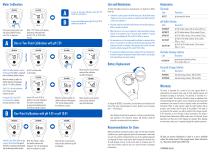
Meter Calibration From measurement mode, press and hold the ON/OFF button until “CAL” is displayed. For one-point calibration using pH 4.01 or pH 10.01 buffer go to procedure B When “7.01” blinks on the display, place the tip of the probe into a pH 4.01, 7.01, or 10.01 buffer solution. To obtain the highest accuracy for measurements it is important to follow these tips: Electrode Code • Calibration is only as good as the buffer being used. The pH buffer values change over time once the sachets are opened. Fresh buffer should be used for each calibration. • The probe should be rinsed with purified...
Open the catalog to page 2All HANNA Instruments catalogs and technical brochures
 HI 3850
1 Page
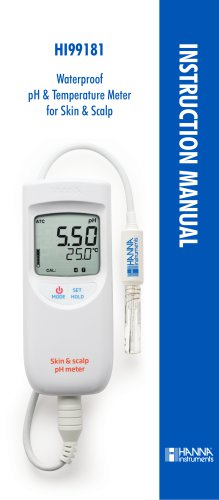 HI99181
20 Pages
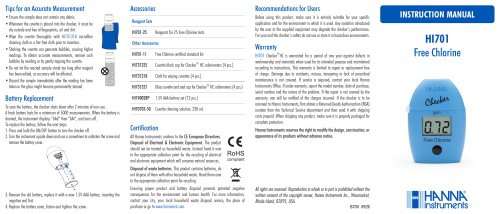 HI701
HI7012 Pages
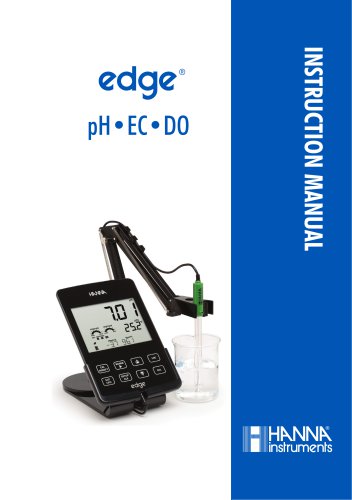 edge® pH•EC•DO
76 Pages
Archived catalogs
 HI 9125N Portable pH Meter
4 Pages
 HI84500
6 Pages
 HI84502
6 Pages
 General Catalog
772 Pages
 HI99151
4 Pages
 HI99191
4 Pages
 edge® dedicated Brochure
8 Pages
 Professional Waterproof Meters
12 Pages
 HI2202 edge blu
8 Pages
 HI5000 Series Benchtop Meters
12 Pages
 Hanna Titration Catalog
40 Pages
 edge pH EC DO Brochure
8 Pages
 HI4114
9 Pages
 HI98129
2 Pages


- Detection kit
- Solvent reagent
- Laboratory reagent
- Thermometer
- Laboratory agitator
- Optical test kit
- Dye reagent kit
- Benchtop laboratory agitator
- Digital thermometer
- Buffer solution reagent
- Quality control reagent
- Laboratory testing system
- Digital laboratory agitator
- Temperature sensor
- Straight electrode
- Research detection kit
- Electrolyte reagent
- Magnetic laboratory shaker
- Gas sensor
- Spectrophotometer