


- Products
- Catalogs
- News & Trends
- Exhibitions
3Dimensions
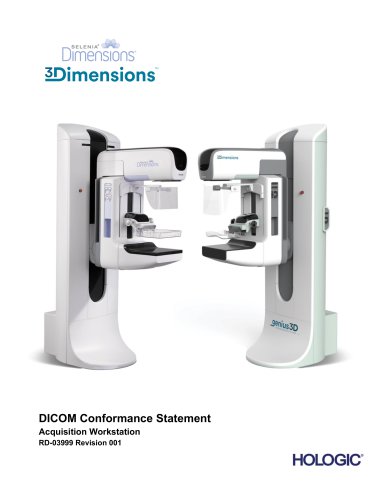
3Dimensions
The document is a DICOM Conformance Statement for the Selenia® Dimensions® and 3Dimensions™ Acquisition Workstation, detailing supported network services and media storage application profiles. It covers capabilities in handling DICOM services like image storage, print management, and workflow management.
The workstation supports multiple SOP classes for user and provider services, including Digital Mammography X-Ray Image Storage, Breast Tomosynthesis Image Storage, and Grayscale Softcopy Presentation State Storage. It also supports CT Image Storage and X-Ray Radiation Dose SR Storage.
The workstation can read and write files on media such as CD-R, DVD-RAM, and USB, supporting general-purpose media storage application profiles.
The workstation can download worklists, send images and reports to networked storage devices, request storage commitments, and query or retrieve prior studies. It supports various image types and structured reports, including those from Hologic's proprietary technologies.
Notes on proprietary data formats and limitations on decoding these formats are included. Some features may not be available in all markets and depend on authorization and enablement.
Details on the implementation model, application data flow, and functional definitions of application entities (AEs) are provided, along with network interfaces, configuration parameters, and AE title/presentation address mapping.
Sections on security and character set support are included, though specific details are not provided in the excerpt.
Annexes cover IOD contents, data dictionary of private attributes, coded terminology, and specialized SOP classes, providing detailed technical specifications for implementation.
The document outlines the DICOM conformance claim for the Acquisition Workstation (AWS), which interfaces with an amorphous selenium X-ray detector for image acquisition. It routes images and information to output devices via DICOM interfaces, using a GUI with a touch screen, keyboard, and monitor.
This document is intended for those connecting the AWS to other DICOM-standard components. It applies to AWS Software version 1.11/2.2 and assumes familiarity with the DICOM standard and PACS components.
The DICOM conformance statement helps determine the suitability of interconnecting digital imaging devices. However, it does not guarantee interoperability, which can only be confirmed through connectivity testing. The document reflects the functionality of commercial AWS versions and may change as the DICOM standard evolves.
Key terms include Amorphous Selenium, AE (Application Entity), AWS (Acquisition Workstation), CAD (Computer-aided detection), DICOM, and others related to imaging and communication standards.
The document references the NEMA PS3 / ISO 12052 DICOM Standard.
Implementation Model
The AWS supports various application entities (AEs) for tasks such as acquiring images, printing, storing, querying, and retrieving images. Each AE has specific roles and functions, such as the Modality Worklist Client AE, which downloads worklists from remote nodes, and the Storage Client AE, which sends images to remote AEs.
Each AE has a defined function, such as:
- Modality Worklist Client AE: Downloads and manages worklists from remote nodes.
- Modality PPS Client AE: Manages MPPS Instances for acquired images.
- Print Client AE: Manages print jobs and interacts with remote printers.
- Storage Client AE: Manages image storage jobs to remote AEs.
- Storage Commitment Client AE: Manages image commitment requests.
- Query/Retrieve Client AE: Manages queries and retrievals of images from remote AEs.
- Storage Server AE: Accepts echo and storage requests.
- Verification Client AE: Provides DICOM troubleshooting tools.
Users initiate DICOM storage or print by selecting output devices and acquiring digital images.
Images can be transmitted immediately or after procedure closure, depending on configuration. Storage Commitment requests are sent for successfully stored images. Users can initiate DICOM storage or print images separately. Errors during transmission are retried if temporary; otherwise, they are stopped, with user notifications provided.
The system supports querying and retrieving patient studies, with the Acquisition Workstation receiving selected studies via the Storage Server AE. The Modality Worklist Client AE provides standard conformance to the Modality Worklist Information Model - FIND SOP Class, supporting user-initiated and automatic updates.
The system initiates one association at a time and does not support asynchronous operations. It uses a configurable query strategy, supporting various matching and return key attributes for both user interactive and automated queries.
This entity provides standard conformance to the Modality Performed Procedure Step SOP Class. It initiates associations for acquiring images and updates the MPPS SOP Instance status based on user actions, such as completing or discontinuing a procedure.
The document includes sequence diagrams for image acquisition, query/retrieve, and storage processes. It also provides tables detailing SOP classes, association policies, matching keys, and return key attributes.
The document emphasizes the importance of correct configuration for efficient operation, including query strategies, matching keys, and handling of communication failures. It also highlights user notifications for errors and the impact of worklist item quality on user efficiency.
The Acquisition Workstation supports unscheduled cases and a 1-to-n relationship between Scheduled and Performed Procedure Steps. It creates new MPPS SOP Instances for additional procedures under the same Accession Number. The Modality PPS Client AE initiates associations with remote MPPS SCP AE for N-CREATE and N-SET requests, ensuring successful N-CREATE requests before proceeding with N-SET requests.
The document details the behavior of the Acquisition Workstation in response to various MPPS N-CREATE or N-SET response statuses, logging failures and allowing users to check job statuses. Communication failures are handled by retrying MPPS jobs based on configuration before reporting errors.
The document specifies the proposed presentation contexts for the Modality PPS Client, including various transfer syntaxes and roles. It also outlines the attributes sent in MPPS N-CREATE and N-SET requests, with specific conditions for when attributes are included or omitted.
The Print Client AE provides standard conformance to several SOP Classes, including Basic Grayscale Print Management Meta and Print Job SOP Class. It initiates one association at a time and does not support asynchronous operations. The Print Client AE's behavior during communication failures is detailed, with specific error messages for timeouts and aborted associations.
The document recommends configuring the Presentation LUT SOP Class on a per-printer basis and outlines the sequence of activities for print jobs, including N-GET, N-CREATE, N-SET, and N-ACTION requests. It emphasizes the importance of handling communication failures and retry configurations to ensure successful print job completion.
The document details supported DIMSE services, attributes, and behaviors for various SOP Classes related to printing and storage in a medical imaging context.
- Supported Operations: N-CREATE (creates film session), N-DELETE (deletes film session).
- Supported Attributes: Number of Copies, Print Priority, Medium Type, Film Destination, Film Session Label.
- Status Handling: Success leads to proceeding to the next step; warnings allow continuation; failures result in aborting the association and logging the error.
- Supported Operations: N-CREATE, N-DELETE, N-ACTION (prints the film box).
- Supported Attributes: Image Display Format, Film Orientation, Film Size ID, Magnification Type, Smoothing Type, Border Density, among others.
- Status Handling: Similar to Film Session SOP Class, with specific codes for existing film boxes.
- Supported Operations: N-SET (updates an image box).
- Supported Attributes: Image Box Position, Polarity, Basic Grayscale Image Sequence attributes.
- Status Handling: Success leads to continuation; failures result in aborting the association.
- Supported Operations: N-EVENT-REPORT (receives status notification), N-GET (retrieves printer instance).
- Status Handling: Success leads to continuation; failures result in aborting the association.
- Supported Operations: N-CREATE (creates a Presentation LUT).
- Supported Attributes: Presentation LUT Shape.
- Status Handling: Similar to other SOP Classes.
- Supported Operations: N-EVENT-REPORT, N-GET.
- Status Handling: Similar to other SOP Classes.
- SOP Classes Supported: Includes Digital Mammography X-Ray Image Storage, Secondary Capture Image Storage, Breast Tomosynthesis Image Storage, among others.
- Association Policies: Up to three associations can be initiated; asynchronous operations are not supported.
- Association Initiation: Images are transmitted to remote storage AEs upon user acceptance or procedure closure, with specific SOP Classes requested for different image types.
- Secondary Capture Image Storage is used for encapsulating Hologic 3D Mammography data.
- Genius AI Detection and ImageChecker CAD results are sent in separate SOP Instances.
The Storage Client establishes an association with a remote storage AE to transmit Grayscale Softcopy Presentation State (GSPS) objects. It uses C-STORE requests to transfer these objects and waits for responses before proceeding. The document lists various presentation contexts and transfer syntaxes used for different image storage types, including Digital Mammography and CT Image Storage.
The document provides a detailed table of C-STORE response status codes and the corresponding actions taken by the Acquisition Workstation. For instance, on success, the process continues, while warnings or errors lead to association abortion and user notifications.
This section describes the SOP Class for the Storage Commitment Client AE, which uses the Storage Commitment Push Model. It details the association policies, including the number of associations and the asynchronous nature of operations. The document also outlines the behavior when encountering status codes in a Storage Commitment N-ACTION response.
The document explains the behavior during communication failures, such as timeouts and aborted associations, and the retry strategies employed before reporting errors to the user.
The Query/Retrieve Client AE provides standard conformance to SOP Classes for querying and retrieving images. It allows users to enter matching keys for querying remote AEs and handles responses with a configurable maximum display limit.
The document includes tables listing SOP Classes, presentation contexts, and transfer syntaxes, along with their UIDs and roles. It also specifies implementation class UIDs and version names for different client AEs.
The Query/Retrieve Client manages C-MOVE and C-FIND requests to remote AEs. It establishes associations for these requests and releases them upon completion. The client supports various presentation contexts for retrieving prior images, including Study Root Query/Retrieve Information Models for FIND and MOVE operations. Error handling is detailed for different service statuses, including success, pending, and failure scenarios.
This entity provides standard conformance to several SOP classes, including Digital Mammography and Breast Tomosynthesis Image Storage. It accepts one association at a time and does not initiate associations. The server stores images and GSPS objects, with configurable behavior for handling duplicate instances. Accepted presentation contexts are specified, with a focus on implicit and explicit VR Little and Big Endian transfer syntaxes.
The Verification Client provides standard conformance to the Verification SOP Class, allowing C-ECHO requests to remote SCPs. It initiates one association at a time and does not support asynchronous operations. The document outlines the proposed presentation contexts for echo requests and the handling of C-ECHO response statuses.
The AWS supports 10-BaseT, 100-BaseT, and 1000-BaseT Ethernet media. No additional protocols are supported.
The document describes the configuration of various DICOM clients during site installation, including AE Title and TCP/IP port mappings. The Verification Client is available as a troubleshooting tool, and the Storage Server acts as a Verification SCP.
- Application Entity Title (Called AE): Supports multiple AEs as Modality Worklist providers.
- Remote Host/IP Address: IP address and hostname for the Modality Worklist provider AE.
- Remote Port Number: Port number for TCP/IP connection, range 1 to 65,535.
- Study Code: Attributes for matching procedures include Requested Procedure Code Sequence and Scheduled Procedure Step Sequence.
- Application Entity Title (Called AE): Supports one AE as an MPPS provider.
- Remote Host/IP Address: IP address and hostname for the MPPS provider AE.
- Remote Port Number: Port number for TCP/IP connection, range 1 to 65,535.
- Transfer Syntax: Options include Implicit VR Little Endian, Explicit VR Little Endian, or Explicit VR Big Endian.
- Application Entity Title (Called AE): Supports multiple AEs as Remote Print SCP.
- Remote Host/IP Address: IP address and hostname for each Remote Print AE.
- Remote Port Number: Port number for TCP/IP connection, range 1 to 65,535.
- Transfer Syntax: Options include Implicit VR Little Endian, Explicit VR Little Endian, or Explicit VR Big Endian.
- Print Job SOP Class: Enable or Disable.
- Presentation LUT Shape: Options include IDENTITY, LINEAR OD, INVERSE.
- Application Entity Title (Called AE): Supports multiple AEs as Remote Storage SCP.
- Remote Host/IP Address: IP address and hostname for each Remote Storage AE.
- Remote Port Number: Port number for TCP/IP connection, range 1 to 65,535.
- Store IOD: Includes various image storage options like Digital Mammography X-Ray Image Storage and CT Image Storage.
- Transfer Syntax: Options include JPEG Lossless, Explicit VR Little Endian, and others.
- Application Entity Title (Called AE): One Remote Storage AE for storage commitment.
- Remote Host/IP Address: IP address and hostname for Remote Storage Commitment AE.
- Port Number: Port number for TCP/IP connection, range 1 to 65,535.
- Application Entity Title (Called AE): Supports one AE as a Query/Retrieve provider.
- Remote Host/IP Address: IP address and hostname for the Query/Retrieve provider AE.
- Port Number: Port number for TCP/IP connection, range 1 to 65,535.
- Transfer Syntax: Options include Implicit VR Little Endian, Explicit VR Little Endian, or Explicit VR Big Endian.
- Query Method: Hierarchical or Relational.
- Information Model: Study Root.
- Response Timeouts: Various timeouts for TCP/IP connections and DIMSE commands.
- Maximum PDU Size: Configurable per local SCU, default 32,768.
- Modality Worklist Client: Polling options and query timeouts.
- Storage Client: Response timeouts and retry settings.
- Implementation Model: Media Server AE exports and imports images using DICOM PS 3.10 format.
- Functional Definition of AEs: Supports various image storage formats and HIPAA-compliant encryption.
- Sequencing of Real World Activities: User interface for exporting and importing images via removable media.
- File Meta Information: Implementation Class UID and Version Name provided.
- Media Server AE Specification: Conformance to DICOM Interchange Option with roles as FSC and FSR for various media profiles.
The Source Application Entity Title in the File Meta Header is 'DCF'.
- User Initiates Media Store: The Media Server AE functions as an FSC using the interchange option to export images to removable media like CD-R, DVD, or USB 2.0. It supports storing DICOM file format images and other objects such as Grayscale Softcopy Presentation State and Mammography CAD SR.
- Media Storage Application Profile: Supports various application profiles including STD-GEN-CD, STD-GEN-DVD-JPEG, and STD-GEN-USB-J2K.
- User Views Image Records: No installation is required to view removable media contents. The Import tool allows viewing and importing of media data.
- User Initiates Image Import: Images can be imported from removable media to the Acquisition Workstation database, excluding certain SOP Classes like CT Image and Mammography CAD SR.
The media output device can be configured to store various SOP Instances, and the Media label is configurable.
The Acquisition Workstation supports multiple character sets including ISO-IR 6, ISO-IR 100, and Unicode in UTF-8.
The workstation does not support specific DICOM security measures but assumes operation within a secured environment with firewall protections and secure network channels.
- IOD Contents: Details on created SOP Instances, including attributes and their sources, are provided. Attributes are configurable and include patient, study, and series information.
The document outlines various SOP Class UIDs for different types of image storage, including digital mammography, breast tomosynthesis, and CT image storage. It also specifies the automatic generation of SOP Instance UIDs and the use of specific character sets like ISO_IR 100 and ISO_IR 192.
The document details the attributes for digital mammography X-ray image modules, including modality, presentation intent type, and referenced procedure steps. It also covers general image module attributes like instance number, patient orientation, and content date/time.
This section specifies attributes related to image pixels, such as samples per pixel, photometric interpretation, and pixel data. It includes details on rows and columns for different paddle sizes and pixel representation.
Attributes related to the detector, such as type, ID, and calibration details, are specified. The positioning module includes view position, distance source to detector, and estimated radiographic magnification factor.
These sections cover attributes like KVP, exposure time, and anode target material. The document specifies the use of manual and automatic exposure control modes.
This module includes attributes like positioner type, image laterality, and organ exposed. It also details view code sequences and biopsy target sequences.
Attributes related to contrast agents used in imaging are specified, applicable to contrast or contrast biopsy images.
This section outlines the attributes for the Softcopy VOI LUT Module, including the Softcopy VOI LUT Sequence, Window Center, Window Width, and VOI LUT Function, all set to 'ALWAYS AUTO'.
The Presentation LUT Shape is set to 'IDENTITY', indicating no transformation is applied to the grayscale values.
This module includes attributes like Specific Character Set, Instance Creation Date and Time, SOP Class UID, and SOP Instance UID, all configured to 'ALWAYS AUTO'.
Lists default attributes for created SOP Instances, which are configurable. It includes modules like Patient, Study, Series, Equipment, Image, and VOI LUT, all marked as 'ALWAYS'.
Details attributes for the General Series Module, General Image Module, CT Image Module, Image Plane Module, and Image Pixel Module, with specific configurations for each attribute, such as Modality, Series Instance UID, Image Type, and Pixel Spacing.
Describes the default attributes for created SOP Instances, including modules like Patient, Study, Series, Equipment, Document, and SOP Common, all marked as 'ALWAYS'.
Provides detailed attributes for the Patient Study Module, SR Document Series Module, SR Document General Module, and SR Document Content Module, with specific configurations for each attribute.
The document includes several tables (e.g., Table 7.4-11, Table 7.5-1) that list attributes, their tags, values, and presence, providing a structured overview of the DICOM configurations.
The document outlines the DICOM conformance for Selenia Dimensions/3Dimensions systems, focusing on mammography CAD (Computer-Aided Detection) systems. It specifies the image orientation for tomosynthesis reconstructions and details the attributes and units used in the system.
The document describes the procedures for processing and summarizing CAD findings. It includes the steps for reporting individual impressions and recommendations based on the success of algorithms used in mammography CAD systems.
Various tables provide detailed information on the standards for CAD impressions and recommendations, including the use of specific DICOM codes and sequences. The document adheres to specific UCUM units and DICOM codes for consistency and accuracy in reporting.
The document recommends including algorithm results in reports if they succeed and are configured to be reported. It also suggests using specific rendering intents for presentation purposes.
- Table 7.8-7: Details the overall impression and recommendation for mammography CAD, including algorithm success and findings.
- Table 7.8-7-1: Provides information on Quantra individual impressions, including breast density categories and algorithm parameters.
- Table 7.8-7-2: Covers ImageChecker CAD and Genius AI Detection individual impressions, detailing algorithm names, versions, and parameters.
- Table 7.8-8: Summarizes the detection outcomes, categorizing them as succeeded, partially succeeded, failed, or not attempted.
The document emphasizes the importance of accurate algorithm configuration and reporting in mammography CAD systems. It highlights the need for precise rendering intents and the inclusion of detailed algorithm parameters and versions in reports.
The document outlines the properties and parameters for ImageChecker CAD, Genius AI Detection, and Quantra algorithms. It specifies the maximum and recommended CAD operating points for 2D and generated 2D images, with units defined in arbitrary units and ranges.
The document details the analysis performed by the algorithms, including spatial collocation and breast composition analysis. It includes algorithm names and versions, and references images processed by the algorithms.
The document is a DICOM conformance statement for AWS, detailing the attributes contained in SOP Instances for Genius AI Detection, ImageChecker CAD, and Quantra. It specifies the modules and attributes required for patient, study, series, equipment, and image data.
Attributes from received IODs must have non-zero length values for successful interpretation. The document provides expected attributes for Grayscale Softcopy Presentation State Instances and mapping rules for Modality Worklist attributes to image and MPPS Instances.
The document includes a data dictionary of private attributes for SOP Instances, detailing proprietary image characteristics and private pixel data for Digital Mammography X-Ray Image and Breast Tomosynthesis Image objects.
Created X-Ray Radiation Dose SR SOP Instances utilize DICOM TID 10001 for Projection X-Ray Radiation Dose, while Mammography CAD SR SOP Instances use DICOM TID 4000. Private codes in Mammography CAD include assessments of breast composition, finding identifiers, and AI detection results with varying complexity and priority levels.
High-resolution monitor display calibration follows the DICOM Grayscale Standard Display Function, ensuring consistent image quality.
- Secondary Capture Image Storage SOP Class: Attributes are defined in Table 7.5.1-1, including parameters like KVP, exposure time, and detector conditions, all set to auto.
- Breast Tomosynthesis Image Storage SOP Class: Attributes are configurable to match user-selected protocols, with details in Table 7.5.2-1.
- CT Image Storage SOP Class: Attributes are copied from source projections, with details in Table 7.5.3-1.
None specified.
Catalog excerpts

DICOM Conformance Statement Acquisition Workstation RD-03999 Revision 001
Open the catalog to page 1
Acquisition Workstation DICOM Conformance Statement For Software Versions 1.11 and 2.2 Part Number RD-03999 Revision 001 November 2020 © 2020 Hologic, Inc. Printed in the USA. This manual was originally written in English. Hologic, 3D Mammography, 3Dimensions, C-View, Dimensions, Genius AI, ImageChecker, Intelligent 2D, Quantra, Selenia, and associated logos are trademarks and/or registered trademarks of Hologic, Inc., and/or its subsidiaries in the United States and/or other countries. All other trademarks, registered trademarks, and product names are the property of their respective owners....
Open the catalog to page 2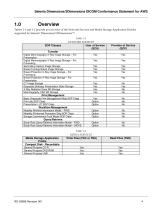
Selenia Dimensions/3Dimensions DICOM Conformance Statement for AWS Tables 1-1 and 1-2 provide an overview of the Network Services and Media Storage Application Profiles supported by Selenia® Dimensions®/3Dimensions™ Table 1-1 NETWORK SERVICES User of Service (SCU) Transfer Digital Mammography X-Ray Image Storage – For Presentation Digital Mammography X-Ray Image Storage – For Processing Secondary Capture Image Storage Breast Tomosynthesis Image Storage Breast Projection X-Ray Image Storage – For Processing Breast Projection X-Ray Image Storage – For Presentation CT Image Storage Grayscale Softcopy...
Open the catalog to page 4
Selenia Dimensions/3Dimensions DICOM Conformance Statement for AWS The family of Hologic® Selenia Dimensions and 3Dimensions Acquisition Workstations implements the necessary DICOM services to: Download work lists from one or more information systems Send the following to a networked storage device or removable media: o Acquired Digital Mammography X-Ray Image Storage - For Processing, Breast Projection X-Ray Image Storage – For Processing and/or Hologic 3D™ Mammography Raw Projections as Secondary Capture Image Storage. X-Ray Radiation Dose structured reports for acquired procedures. Any DICOM-conformant...
Open the catalog to page 5
Selenia Dimensions/3Dimensions DICOM Conformance Statement for AWS Send performed procedure status to a networked device Query for prior or related mammography studies from a networked storage device. Retrieve studies containing the following from a networked storage device or removable media: o o Any DICOM conformant Digital Mammography X-Ray Image Storage - For Presentation. Any DICOM conformant Breast Projection X-Ray Image Storage – For Presentation. Any DICOM conformant Breast Tomosynthesis Image Storage. Hologic 3D Mammography Raw Projections, Processed Projections or Reconstructed Slices...
Open the catalog to page 6
Selenia Dimensions/3Dimensions DICOM Conformance Statement for AWS Table of Contents 5.0 Support of Character Sets ____________________________________________________64 6.0 Security ___________________________________________________________________64
Open the catalog to page 7
Selenia Dimensions/3Dimensions DICOM Conformance Statement for AWS Table of Contents
Open the catalog to page 8
Selenia Dimensions/3Dimensions DICOM Conformance Statement for AWS Introduction Hologic, Inc. develops and markets a full line of mammography products including the family of Selenia Dimensions full-field digital mammography systems with Hologic 3D Mammography option and their Acquisition Workstations. The Acquisition Workstation (AWS) provides an interface to the amorphous selenium X-ray detector as an image acquisition device, routing acquired images and accompanying information to output devices through DICOM interfaces. The Acquisition Workstation uses a graphical user interface (GUI) with...
Open the catalog to page 9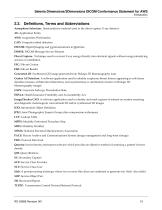
Selenia Dimensions/3Dimensions DICOM Conformance Statement for AWS Introduction 2.3. Definitions, Terms and Abbreviations Amorphous Selenium: Semiconductor material used in the direct capture X-ray detector. AE: Application Entity AWS: Acquisition Workstation CAD: Computer-aided detection DICOM: Digital Imaging and Communications in Medicine DIMSE: DICOM Message Service Element Direct Capture: Technique used to convert X-ray energy directly into electrical signals without using intensifying screens or scintillation. FSC: File-set Creator FSR: File-set Reader Generated 2D: Synthesized 2D image...
Open the catalog to page 10
Selenia Dimensions/3Dimensions DICOM Conformance Statement for AWS Introduction UID: Unique Identifier NEMA PS3 / ISO 12052, Digital Imaging and Communications in Medicine (DICOM) Standard, National Electrical Manufacturers Association, Rosslyn, VA, USA (available free at https://www.dicomstandard.org/)
Open the catalog to page 11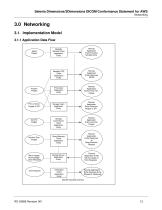
Selenia Dimensions/3Dimensions DICOM Conformance Statement for AWS Networking 3.0 Networking 3.1. Implementation Model 3.1.1 Application Data Flow Modality Worklist Client Application Entity Remote Application Entity Provides Worklist Items Modality PPS Client Application Entity Remote Application Entity Receives MPPS Acquire Images Print Client Application Entity Remote Application Entity Prints Film Sheets Print or Send Images or SR Storage Client Application Entity Remote Application Entity Receives Images or SR Select Patient Commit Images Retrieve Prior Images Store Images, Acknowledge Echo...
Open the catalog to page 12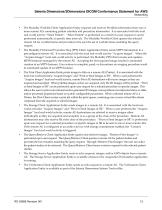
Selenia Dimensions/3Dimensions DICOM Conformance Statement for AWS Networking The Modality Worklist Client Application Entity requests and receives Worklist information from one or more remote AEs containing patient schedule and procedure information. It is associated with the local real-world activity “Select Patient”. “Select Patient” is performed as a result of a user request or can be performed automatically at specific time intervals. The Modality Worklist Client queries the selected remote AE for worklist items and provides to the user the set of worklist items matching the query request....
Open the catalog to page 13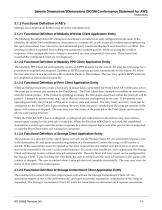
Selenia Dimensions/3Dimensions DICOM Conformance Statement for AWS Networking 3.1.2 Functional Definition of AE’s Multiple local Application Entities may be active simultaneously. 3.1.2.1 Functional Definition of Modality Worklist Client Application Entity The Modality Worklist Client AE attempts to download a worklist from each configured remote node. If the Modality Worklist Client establishes an Association to a remote AE, it will accept all worklist item responses via the open Association. User interactive and automated query results are displayed and stored in a worklist. The resulting worklist...
Open the catalog to page 14All Hologic catalogs and technical brochures
 MammoPad® Breast Cushion
2 Pages
 Affirm™
2 Pages
 SecurView DX
2 Pages

Archived catalogs
 SecurView RT
2 Pages
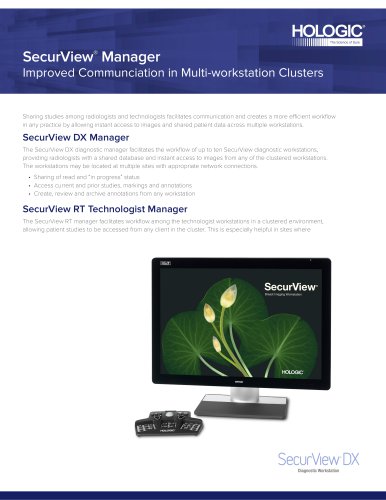 SecurView Manager
2 Pages
 SecurXchange
2 Pages
 The Right Biopsy Solution
12 Pages
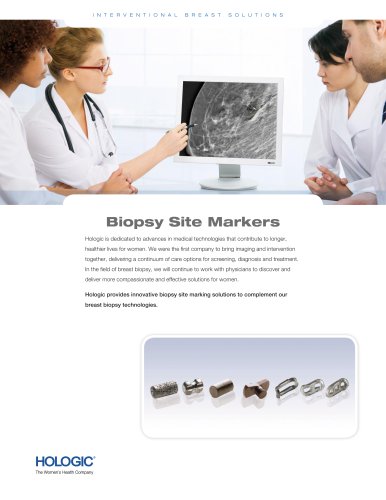 Biopsy Site Markers
4 Pages
 InSight Case Study
2 Pages
 EOL - Mammography Products
11 Pages
 Hologic Product Catalog
108 Pages

- Detection kit
- Blood detection kit
- Serum detection kit
- Plasma detection kit
- Analysis software
- Infectious disease detection kit
- Positioning pillow
- Rapid virus test
- Molecular detection kit
- Respiratory disease assay kit
- Sample tube
- Surgical system
- Clinical detection kit
- Sterile needle
- Sample preparation system
- Radiology software
- Visualization software
- Laboratory test tube
- Automatic sample processor
- Cutting electrosurgical system