- Catalogs
- Icarus Medical Innovations LLC
- T H E I C A R U S M E D I C A L A P P

T H E I C A R U S M E D I C A L A P P
T H E I C A R U S M E D I C A L A P P
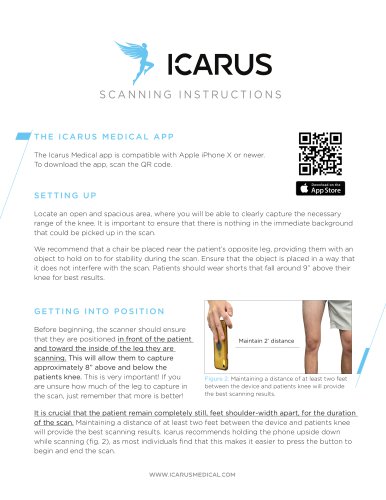
Choose an open area to capture the knee's range without background interference. Place a chair near the patient's opposite leg for stability, ensuring it doesn't obstruct the scan. Patients should wear shorts approximately 9 inches above the knee. The patient must remain still with feet shoulder-width apart, and the device should be at least two feet from the knee. Holding the phone upside down is recommended for ease of use.
Getting Into Position
The scanner should stand in front of the patient, towards the inside of the leg being scanned, capturing 8 inches above and below the knee. More coverage is better.
The Icarus Medical App
The app is compatible with iPhone X or newer. Download via QR code.
Photo Instructions
Mark the knee cap center with an 'X', draw lines 5 ½ inches above and below it, and take a photo ensuring all marks are visible.
Scanning Process
The patient should stand with a straight leg, bearing weight. Start scanning from the inside of the leg, moving the phone in a slow, steady motion to capture at least 270 degrees. End the scan by pressing the button once confident. Save and send the scan to Icarus. Multiple attempts are allowed to ensure quality.
Submission
Complete the form with the patient's name, specify the scanned leg, and provide an email address. A success notification confirms receipt of the scan.
Catalog excerpts
SCANNING INSTRUCTIONS THE ICARUS MEDICAL APP The Icarus Medical app is compatible with Apple iPhone X or newer. To download the app, scan the QR code. SETTING UP Locate an open and spacious area, where you will be able to clearly capture the necessary range of the knee. It is important to ensure that there is nothing in the immediate background that could be picked up in the scan. We recommend that a chair be placed near the patient’s opposite leg, providing them with an object to hold on to for stability during the scan. Ensure that the object is placed in a way that it does not interfere with the scan. Patients should wear shorts that fall around 9” above their knee for best results. G E T T I N G I N TO P OS I T I O N Before beginning, the scanner should ensure that they are positioned in front of the patient and toward the inside of the leg they are scanning. This will allow them to capture approximately 8” above and below the patients knee. This is very important! If you are unsure how much of the leg to capture in the scan, just remember that more is better! Figure 2. Maintaining a distance of at least two feet between the device and patients knee will provide the best scanning results. It is crucial that the patient remain completely still, feet shoulder-width apart, for the duration of the scan. Maintaining a distance of at least two feet between the device and patients knee will provide the best scanning results. Icarus recommends holding the phone upside down while scanning (fig. 2), as most individuals find that this makes it easier to press the button to begin and end the scan. WWW.ICARUSMEDICA
Open the catalog to page 1
SCANNING 1. The patient should stand with their leg straight through the scan. It is important that they are bearing weight on the leg as well. The scan should start from the inside of the leg with the camera angled so that it is capturing the knee in the center of the screen. 8” Above Knee Center 2. Press the circular button located at the bottom of the screen and wait until the countdown has finished before moving the phone around the leg from the inside toward the outside in a slow, steady sweeping motion, keeping the phone level as you go. 3. Ideally, you want to capture a full 360 degrees...
Open the catalog to page 2All Icarus Medical Innovations LLC catalogs and technical brochures
 VOLUME 1
32 Pages
 DYNAMIC DUAL ACTION KAFO
2 Pages
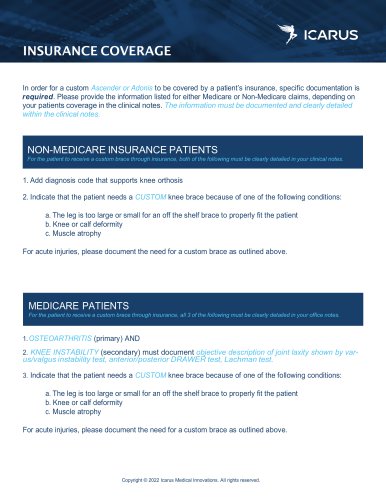 INSURANCE COVERAGE
1 Page
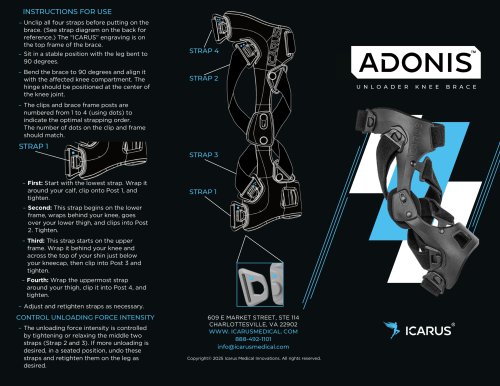 INSTRUCTIONS FOR USE
2 Pages
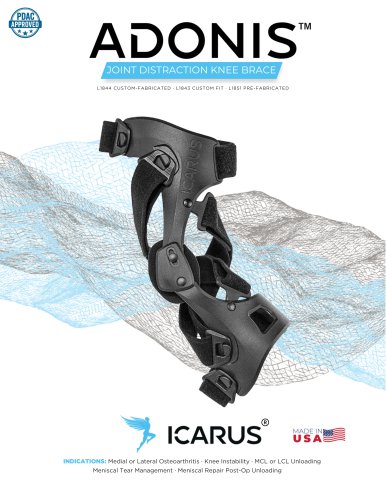 JOINT DISTRACTION KNEE BRACE
2 Pages