- Catalogs
- ICU medical
- Hotline™

Hotline™
Hotline™
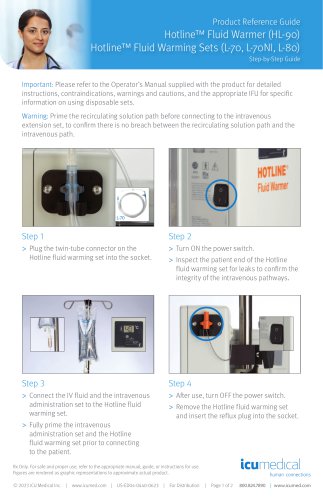
- Step 1: Plug the twin-tube connector of the Hotline fluid warming set into the socket.
- Step 2: Turn ON the power switch and inspect the patient end for leaks to ensure integrity.
- Step 3: Connect the IV fluid and administration set to the Hotline fluid warming set. Fully prime both sets before connecting to the patient.
- Step 4: After use, turn OFF the power switch, remove the warming set, and insert the reflux plug.
- No Power: Ensure the warmer is plugged in and the power switch is ON. Check LED indicators.
- Check Disposables Alarm: Ensure the warming set is installed correctly. Replace if necessary.
- Add Recirculating Solution Alarm: Check reservoir level and add solution if needed.
- Over Temperature Alarm: Check for kinks or air locks. If unresolved, remove from service.
- Electrical Interference: Move the device or use a separate circuit.
Catalog excerpts
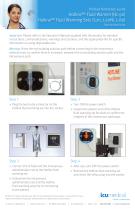
Product Reference Guide Hotline™ Fluid Warmer (HL-90) Hotline™ Fluid Warming Sets (L-70, L-70NI, L-80) Step-by-Step Guide Important: Please refer to the Operator’s Manual supplied with the product for detailed instructions, contraindications, warnings and cautions, and the appropriate IFU for specific information on using disposable sets. Warning: Prime the recirculating solution path before connecting to the intravenous extension set, to confirm there is no breach between the recirculating solution path and the intravenous path. Step 1 > Plug the twin-tube connector on the Hotline fluid warming set into the socket. > Turn ON the power switch. > Inspect the patient end of the Hotline fluid warming set for leaks to confirm the integrity of the intravenous pathways. Rx Only. For safe and proper use, refer to the appropriate manual, guide, or instructions for use. Figures are rendered as graphic representations to approximate actual product. Step 3 > Connect the IV fluid and the intravenous administration set to the Hotline fluid warming set. > Fully prime the intravenous administration set and the Hotline fluid warming set prior to connecting to the patient. > After use, turn OFF the power switch. > Remove the Hotline fluid warming set and insert the reflux plug into the socket. human connections © 2023 ICU Medical Inc. | www.icumed.com | US-ED04-0440-0623 | For Distribution | Page 1 of 2 800.824.7890 | www.icumed.com
Open the catalog to page 1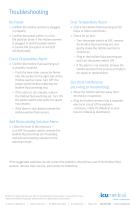
> Confirm the Hotline warmer is plugged in properly. > Confirm the power switch is in the ON position (note: if the Hotline warmer is plugged in and the power switch is turned ON, the green or red LED will illuminate). > Confirm the Hotline fluid warming set is properly installed. - Push the twin-tube connector firmly into the socket on the right side of the Hotline warmer (note: turn OFF the power switch before replacing the Hotline fluid warming set). - If the alarm is not cleared, replace the Hotline fluid warming set. Turn ON the power switch and verify the alarm has cleared. - If the alarm...
Open the catalog to page 2All ICU medical catalogs and technical brochures
 CADD-Solis™
5 Pages