
- Catalogs
- IMAGELEVEL
- Mediadent V6

Mediadent V6

Mediadent V6
This document outlines the enhancements in Mediadent V6 compared to V4, focusing on core application improvements and better support for acquisition devices.
1. Device Support
Mediadent V6 offers improved compatibility with both existing and new acquisition devices, ensuring optimal performance and investment value.
2. Operating System Compatibility
The software is tested with modern Windows systems, including Vista and Windows 7, to ensure seamless integration.
3. Anti-virus Compatibility
Optimized to work with anti-virus products that allow folder exclusions, enhancing security without compromising functionality.
4. Annotation and ROI Enhancements
Includes freehand drawing capabilities and improved Region of Interest (ROI) functionality, maintaining calibration values for detailed analysis.
5. Viewport and Display Improvements
Features customizable Viewport settings, support for 16/9 monitors, and an "Autoset Desktop" option for efficient layout.
6. Patient Library Organization
Automatically organizes patient libraries uniformly, simplifying image browsing.
7. Macro Functions
Allows macros to be assigned to icons for streamlined device switching.
8. Image Filters and Export Options
Special filters for PAN/CEPH images and enhanced export capabilities, including DICOM format with calibration values.
9. Security and User Profiles
User login determines access to modules and desktop presentation, allowing for restricted functionality based on profiles.
10. Reporting and Printing
Includes a built-in word processor for creating reports and improved printer support for various paper sizes.
11. Multilingual and Multimedia Support
Supports over 20 languages and includes movie clip import and playback capabilities.
12. Integration and Networking
Features a bridge module for connecting Windows applications and supports DICOM/PACS and HL7 standards for clinical networks.
13. Update and Subscription Options
Offers various ways to keep the system updated, including a subscription model for continuous access to the latest version.
For a comprehensive list of improvements, visit the ImageLevel website.
Catalog excerpts
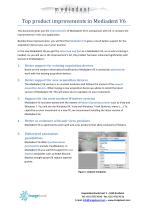
work with confidence Top product improvements in Mediadent V6 This document gives you the improvements of Mediadent V6 in comparison with V4. It contains the improvements in the core application. Besides these improvements, you will find that Mediadent V6 gives a much better support for the acquisition devices you use in your practice. In the new Mediadent V6 you get the same look and feel as in Mediadent V4, so no extra training is needed. As you will see in the improvement's list, the product has been enhanced significantly with 1. Better support for existing acquisition devices Based on the vendors information/modifications Mediadent V6 is constantly optimized to work with the existing acquisition devices. 2. Better support for new acquisition devices The Mediadent V6 version is in constant evolution and follows the market of the newest acquisition devices. When buying a new acquisition device we advise to install the latest version of Mediadent V6. This will allow you to capitalize on your investment. 3. Support for the most modern Windows systems Mediadent V6 has been tested with the newest Windows Operating systems such as Vista and Windows 7. You will see the Windows XP, Vista and Windows 7 look (buttons, menu's, ...).To capitalize on your investment in a new PC, we recommend installing the latest version of 4. Better co-existence with anti-virus products Mediadent V6 is optimized to work with anti-virus products that allow exclusions of folders. Mediadent V6 offers freehand draw functionality (canalis mandibularis). In Mediadent V6 you will find support for new implant templates such as Nobel Biocare, Replace straight groovy & replace tapered Figure 1 Implant templates ^^jjj r Hogenakkerhoekstraat 5 - 9150 Kruibeke
Open the catalog to page 1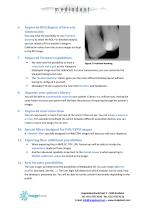
Improved ROI (Region of Interest) functionality You now have the possibility to use Freehand drawing to select the ROI. For detailed analysis, you can reload a ROI in another Viewport. Calibration values from the source images are kept in the ROI image. Improved Viewport capabilities • We now have the possibility to draw a Figure 2 Freehand drawing rules/scale and a grid on the Viewports (displayed image must be calibrated). For your convenience, you can customize the Viewport background color. The “Autoset Desktop” option gives you the most efficient Desktop layout without having to configure...
Open the catalog to page 2
13. Reporting tool Create your letters, reports, templates and add patient images or X-Ray images to your letters. You may print them out or send them in PDF format to your colleagues. The reporting tool has its built in word processor. 14. Improved Printer support The Print Classic module in Mediadent V6 has been elaborated to support more paper sizes. 15. Multi lingual interface Mediadent V6 supports more than 20 different languages. 16. Movie support Import movie clips and store them in your patient file. The streaming video module allows you to play the movies and/or record new sequences....
Open the catalog to page 3All IMAGELEVEL catalogs and technical brochures
 Morita IC5-HD
6 Pages
 The new Mediadent MDX3
1 Page
 Morita 3D Accuitomo 170
17 Pages
 Morita 3D R100
9 Pages
 VistaScan Perio
6 Pages
 VistaScan Combi
8 Pages
 Veraview iX Intraoral X-ray
2 Pages
 VistaCam camera systems
6 Pages
 D.F.O.
1 Page
 Mediadent
2 Pages


