- Catalogs
- Intelligent Hearing Systems
- Video VRA

Video VRA

Video VRA
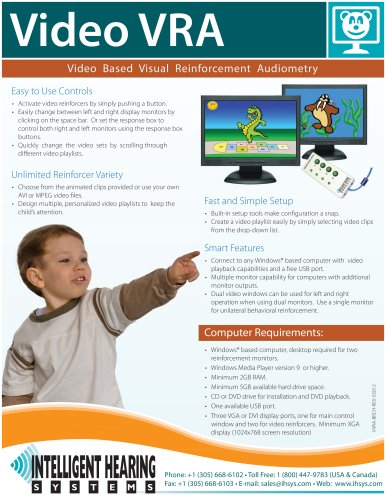
- Video reinforcers can be activated with a simple button press.
- Switch between left and right display monitors using the space bar or configure the response box to control both monitors.
- Video sets can be changed quickly by scrolling through different playlists.
- Options include provided animated clips or personal AVI/MPEG video files.
- Create multiple personalized video playlists to maintain a child's attention.
- Built-in setup tools simplify configuration.
- Create video playlists by selecting clips from a drop-down list.
- Compatible with any Windows® computer with video playback and a USB port.
- Supports multiple monitors for computers with additional outputs.
- Dual video windows for left and right operation with dual monitors, or use a single monitor for unilateral reinforcement.
- Windows® desktop required for two reinforcement monitors.
- Windows Media Player version 9 or higher.
- Minimum 4GB RAM and 5GB available hard drive space.
- One available USB port.
- Three VGA or DVI display ports needed, with a minimum XGA display (1024x768 resolution).
Catalog excerpts

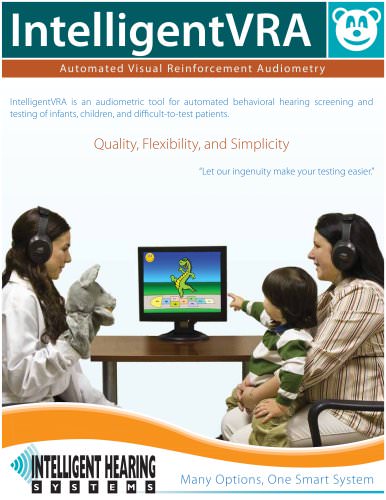
Video VRA Video Based Visual Reinforcement Audiometry Easy to Use Controls • Activate video reinforcers by simply pushing a button. • Easily change between left and right display monitors by clicking on the space bar. Or set the response box to control both right and left monitors using the response box buttons. • Quickly change the video sets by scrolling through dierent video playlists. Unlimited Reinforcer Variety • Choose from the animated clips provided or use your own AVI or MPEG video les. • Design multiple, personalized video playlists to keep the child’s attention. Fast and Simple Setup • Built-in setup tools make conguration a snap. • Create a video playlist easily by simply selecting video clips from the drop-down list. Smart Features • Connect to any Windows® based computer with video playback capabilities and a free USB port. • Multiple monitor capability for computers with additional monitor outputs. • Dual video windows can be used for left and right operation when using dual monitors. Use a single monitor for unilateral behavioral reinforcement. • Windows® based computer, desktop required for two reinforcement monitors. • Windows Media Player version 9 or higher. • Minimum 4GB RAM. • Minimum 5GB available hard drive space. • One available USB port. • Three VGA or DVI display ports, one for main control window and two for video reinforcers. Minimum XGA display (1024x768 screen resolution) Computer Requirements: Phone: +1 (305) 668-6102 • Toll Free: 1 (800) 447-9783 (USA & Canada) Fax: +1 (305) 668-6103 • E-mail: [email protected] • Web: www.ihsys.com
Open the catalog to page 1All Intelligent Hearing Systems catalogs and technical brochures
 SmartEP-ASSR
2 Pages
 SmartScreener-Plus 2
4 Pages
 SmartEP
1 Page
 SmartEP
4 Pages
 LIPP
LIPP4 Pages
 SmartAud
1 Page
 VRA Product Brochure
1 Page
 VRA Product Brochure
1 Page
 SmartOAE
4 Pages
 PetScreener
2 Pages