

VideoStation
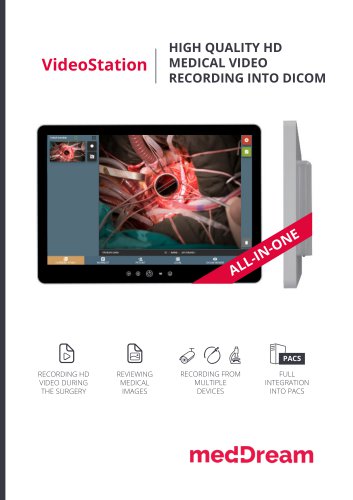
VideoStation
- Intuitive user interface controlled via touchscreen Medical Panel PC.
- Storage capacity for over 125 hours of HD videos and up to 100,000 still images.
- Supports MPEG2 and MPEG-4 AVC/H.264 compression for DICOM video recording.
- Simultaneous recording, streaming, and snapshot capabilities.
- Integration with multiple devices such as cameras, scopes, and microscopes.
- Flexible patient data management and DICOM worklist support.
- Video trimming and local or PACS storage options.
- Custom video settings and multi-language support.
- Full integration with hospital PACS and modality worklist support.
- Ultra-slim, fanless panel-PC with a 21.5” touchscreen display.
- Intel Core i5 CPU, 4GB RAM, and 500GB SATA HDD.
- Multiple video input options including DVI, HDMI, SDI, and S-Video.
- CE Medical Device certified with DIN EN 60601-1 and 60601-1-2 standards.
- Operating temperature: 5°C to 35°C; storage temperature: 0°C to 60°C.
- Relative humidity: 10% to 80% in operation, non-condensing.
- Dimensions: 530 x 376 x 60 mm; Weight: 9.6 kg.
- Optional foot pedals for recording control.
- Various mounting solutions including wall and ceiling mounts.
- Multiple USB ports, LAN, and HDMI connections.
- Customizable interface panel for additional inputs.
Catalog excerpts
HIGH QUALITY HD MEDICAL VIDEO RECORDING INTO DICOM PACS VIDEO DURING MEDICAL RECORDING FROM MULTIPLE DEVICES INTEGRATION INTO PACS
Open the catalog to page 1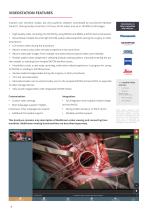
Intuitive user interface, simple, but very powerful software controllable by touchscreen Medical Panel PC. Storing locally more than 125 hours of HD videos and up to 100.000 of still images. VideoStation is fully compatible with devices: • High-quality video recording into DICOM by using MPEG2 and MPEG-4 AVC/H.264 compression; • Record/take multiple low and high (full HD) quality video/snapshots during the surgery or other procedures; • Live stream video during the procedure; • Record, stream, play video and take snapshots at the same time; • Record video/take images from multiple connected devices...
Open the catalog to page 2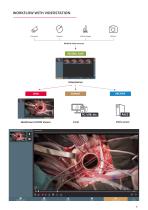
Medical video sources MedDream DICOM Viewer i.hiw-ni srirnr
Open the catalog to page 3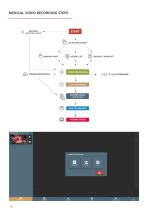
SELECTING PATIENT SELECTING PATIENT MANUAL INPUT PATIENT LIST MODALITY WORKLIST START RECORDING STOP RECORDING PATIENT DATA VIEWING VIDEO
Open the catalog to page 4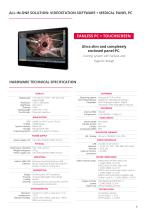
ALL-IN-ONE SOLUTION: VIDEOSTATION SOFTWARE + MEDICAL PANEL PC FANLESS PC + TOUCHSCREEN Ultra slim and completely enclosed panel-PC. Cooling system with fanless and hygienic design HARDWARE TECHNICAL SPECIFICATION DISPLAY Display type 21,5” (54,52 cm) TFT - with all-round viewing angle Resolution 1920 x 1080 pixels Brightness 250 cd/m2 Contrast 1000:1 Viewing angle (H/V) 178° / 178° Touchscreen Projected capacitive Operating system Windows 8 /10 Pro 64 bit Recording software MedDream VideoStation Software Languages Multi languages support: English, Lithuanian, other languages by request. RECORDING...
Open the catalog to page 5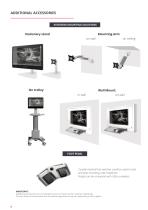
ADDITIONAL ACCESSORIES EXTENSIVE MOUNTING SOLUTIONS Stationary stand Wall Mount: on wall FOOT PEDAL 2-pedal medical foot switches could be used to start and stop recording, take snapshots. Pedals can be connected with USB or wireless. IMPORTANT: Additional accessories are not mandatory and are chosen by the customer individually. Pictures shown are associative and accessories appearance may vary depending on the supplier.
Open the catalog to page 6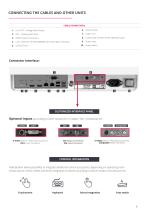
CABLE CONNECTIONS Customized Interface Panel: Optional Inputs Power Input Power Switch Line OUT - Analog Audio Output 6 MIC - Analog Audio Input 7. HDMI Output Connectors 8. LAN - Ethernet 10/100/1000MBit ports with RJ45 connection 9. CUSTOMIZED INTERFACE PANEL S-Video (YCbCr / AVS) Input Connector DVI-I Input Connector SDI Output Connector S-Video (YCbCr / AVS) Input Connector SDI Input Connector Composite Video Connector CONTROL INTEGRATION Direct Integration Foot switch
Open the catalog to page 7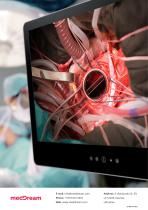
All MEDDREAM catalogs and technical brochures
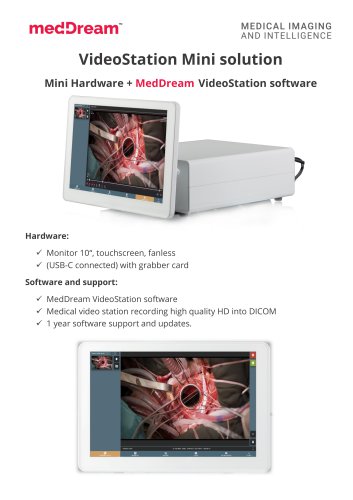 VideoStation Mini solution
2 Pages
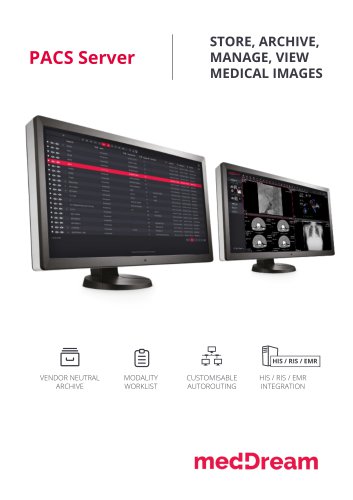 PACS Server
4 Pages


Archived catalogs
 Video Station
8 Pages
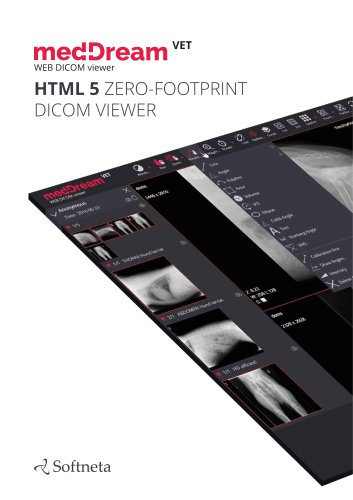 MedDream VET DICOM Viewer
10 Pages
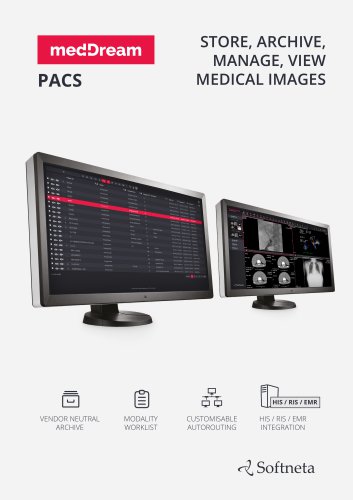 MedDream PACS
4 Pages
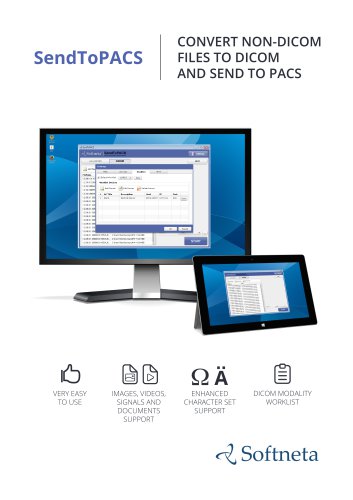 SendToPACS
4 Pages
 Surgery Workstation
8 Pages
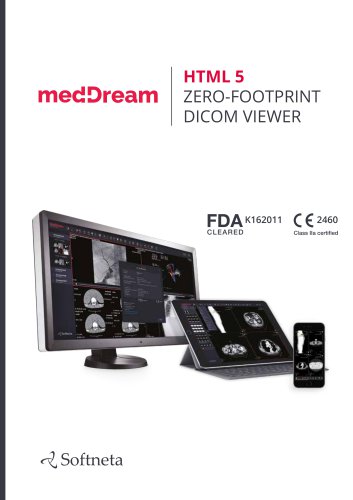
 MedDream WEB DICOM Viewer
12 Pages
 PACS
PACS4 Pages
 MedDreamX
2 Pages
- Analysis software
- Radiology software
- Visualization software
- Tablet computer software
- Tablet PC software
- Reporting software
- Windows software
- Diagnostic software
- Cloud-based software
- Hospital software
- Design software
- Measurement software
- Web-based software
- Sharing software
- Medical software on site
- Server-based software
- Image analysis software
- Smartphone software
- Veterinary software