

DICOM Converter

DICOM Converter
Catalog excerpts

ULTIMA DICOM CONVERTER The easy way to bring non-DICOM formats into your PACS Ultima DICOM Converter is a powerful and user-friendly software application that enables you to easily convert images, scanned documents, digitized medical films and video captures to DICOM format and send them to PACS for inclusion with the patient records. Thanks to its ‘search tool’, Ultima DICOM Converter will automatically populate patient demographic information with interfaces to the RIS worklist and PACS. Bring non-DICOM images and documents into your PACS in 4 easy steps Create new studies by entering the patient’s demographics manually or retrieving them by querying a DICOM server (PACS, Workstation, etc.) or a DICOM worklist. Select and edit desired images Import: · Images stored locally (JPG, BMP, PNG files) · Scanned documents with TWAIN scanner · DirectShow capture of analog video frame · Scanned medical films with VIDAR digitizer Send to DICOM destination (PACS, etc.)
Open the catalog to page 1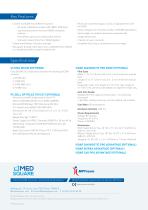
Key Features · Convert to DICOM from different sources: - All kinds of Windows images (JPG, BMP, PNG files) · Reconcile converted images, scans, or digitized films with the PACS - Scanned documents from any TWAIN-compliant scanner · Easily configure an unlimited number of DICOM destinations · Send images to a default destination automatically - DirectShow captures of analog video frames · Image edition tools - Scanned medical films from VIDAR digitizer · Creation of users’ accounts · Create new Patients / Studies manually · Complete Audit Log of converted and sent images · Get patient & study...
Open the catalog to page 2All Medsquare catalogs and technical brochures
 ULTIMA DICOM CONVERTER
2 Pages
 ULTIMA B700
2 Pages
 ULTIMA B300
2 Pages
 ULTIMA B100
2 Pages
 ULTIMA TERABOX
2 Pages
 ULTIMA TERABOX LIGHT
2 Pages
 ULTIMA DIGITAL ILLUMINATOR
2 Pages
 ULTIMA MEDIA IMPORTER
2 Pages
 ULTIMA B050
2 Pages
 RDM
RDM6 Pages
 Media Importer
2 Pages
 Ultima Quality Control
2 Pages

