
- Catalogs
- Megagen Implant
- R2GATE Service Guide

R2GATE Service Guide

R2GATE Service Guide
R2GATE is a sophisticated implant planning software that enhances implant positioning by integrating prosthetic design, skeletal information, gingival form, and occlusal relationships. It includes Digital-eye™ for bone morphology analysis and offers a ONE-DAY IMPLANT service with 3D printed surgical guides and zirconia customized abutments.
The R2GATE system improves patient comfort by reducing operation time and recovery period through computer-guided, flapless surgery. It allows for immediate placement of temporary crowns, making it suitable for patients apprehensive about surgery.
Zirconia is favored for its high compatibility, aesthetics, and long-term maintenance benefits. It reduces infection risks, provides a metal-free appearance, and simplifies the prosthesis process with supra margins.
This involves using an R2 Tray for alginate impressions and CBCT capturing, creating stone casts, and sending them to the DDX center for customized tray production.
The R2 Tray is essential for edentulous patients but may not be necessary for implants surrounded by natural teeth unless metal prosthetics are involved.
CT data is extracted, compressed, and uploaded to a designated webhard for processing, with folders created for hospital and patient information to facilitate data management.
Project files include diagnosis files, model data, bite data, and diagnosis wax-up, used for confirming implant positioning and requiring re-sending if revisions are made.
The system supports digital diagnosis and virtual surgery, providing optimal implant positioning and bone analysis, enhancing surgical precision and patient outcomes.
Zirconia customized abutments and temporary crowns are used to check directions of buccal, lingual, mesial, and distal. The R2 Stent is a key component, with two stents provided for wide diameter fixtures. Regular and wide size guide stents are used with corresponding drills.
- Stent Sterilization: Soak the stent in chlorhexidine or other sterilizing materials 30 minutes before surgery.
- R2GATE Surgery Sequence: Attach the R2 Stent to neighboring teeth or use an anchor pin if no neighboring teeth are present. Follow a precise drilling sequence to ensure secure drill pass.
- Bone Profiling: Required if there is interference from crestal bone, using a bone profiler controlled by the stent stopper.
- Fixture Placement: Use a hand ratchet connector for initial placement, then a handpiece connector to finish with recommended torque.
- Apico-coronal and Hex Control: Adjust the fixture depth and hex direction using a torque wrench.
- ZrGen Abutment Connection: Connect the ZrGen customized abutment and deliver the temporary crown to complete the surgery.
For ONE-DAY IMPLANT and immediate loading, ensure an insertion torque value of at least 45 Ncm and an ISQ value of 70 or more. If these conditions are not met, consider delayed loading or occlusal adjustment.
Use an anchor pin and tissue support for seating. Position the R2 stent and seating jig in the oral cavity, fix with dentures if necessary, and tighten the anchor pin.
This feature provides color-coded analysis of bone morphology to identify invisible structures and predict optimal drilling sequences for strong implant stability.
Catalog excerpts

Turning imagination into reality
Open the catalog to page 1
Turning imagination into reality CHAIR SIDE PREPARATION P.10-11 Should I have to use the R2 tray all the time? P.12-13 R2 Stent Surgery and Preparation P.22 R2 ONE-DAY IMPLANT® Surgery Sequence P.23-29 R2 Stent Seating of edentulous patients P.32
Open the catalog to page 3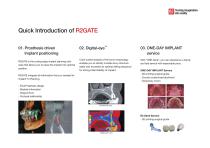
Turning imagination into reality Quick Introduction of R2GATE 01. Prosthesis driven Implant positioning R2GATE is the cutting edge implant planning software that allows you to place the implant into optimal position. 03. ONE-DAY IMPLANT service Color-coded analysis of the bone morphology enables you to identify invisible bony structure easily and to predict an optimal drilling sequence for strong initial stability of implant. With “ONE-Click”, you can experience a handy and fast service with reasonable price. R2GATE integrate all information that you needed for implant Tx.Planning. ONE-DAY IMPLANT...
Open the catalog to page 5
Patients will be comfortable with safe cutting edge 3D computer guided implant surgery! TREATMENT COUNSEL Have your patients feel comfortable who is afraid of implant surgery. Reduce the operation time with more sophisticated computer guided surgery! Faster recovery by less pain flapless surgery! New teeth on the day of implant surgery!
Open the catalog to page 6
Turning imagination into reality R2GATE Consulting Guide(Q&A) Q. What’s R2GATE? Q. What’s 3D printing surgery guide? R2GATE is cutting edge program to produce sophisticated hybrid image by layering CT data and scan data of plaster model. We can place the implant in the one of the best positions by making a decision with final prosthesis appliance which guarantees long-term safety. We can produce R2 stent(guided appliance for the surgery) by 3D printing with the diagnosis and simulation results extracted from the R2 stent is produced by sophisticated 3D printing machine with accurate and high-strength...
Open the catalog to page 7
Long beauty, less treatment More accurate surgery, less surgery time through 3D computer guided surgery! Faster recovery, less pain by flapless surgery More natural and healthy neighboring teeth with computer customized abutment! Bring the beauty to your life on right that day of the implant surgery!
Open the catalog to page 8
Turning imagination into reality period through Computer Guided Surgery" Detailed 3D diagnosis with CT and Scan data We can make almost same condition of oral cavity by layering CT and scanned 3D model image. Pre-simulation makes us spend less time to surgery and realize risk elements in advance through discovering implant diameter, length, positioning site, angle and depth. Flapless surgery with computer navigation guide [Implants surgery simulation] We can operate the surgery with guided stent to do a surgery exactly same to the simulation. Flapless surgery make the patient recover faster,...
Open the catalog to page 9
Turning imagination into reality 3. Convenient, long-term maintenance - Zirconia > Titanium > Gold - Supra margin Many articles report the high-compatibility of zirconia. It is guaranteed long-term safety by maintaining neighboring teeth healthily, minimalizing infection. It’s highly esthetic because all the materials are made from Zirconia, not be seen metal part except the connection part. Prosthesis process will be more convenient by reducing chair time. All margins can be shaped as Supra margin which makes prep and impression process easy. - Don’t worry about gingival recession! After loading...
Open the catalog to page 11
CHAIR SIDE PREPARATION Data matching & initial diagnosis service C.T. Send Project file CBCT Taking STONE CAST 1. R2 Tray preparation Please be prepared R2 Tray received from DDX center. Please be noted that it’s for single-use. 1. Take Alginate impression Take the alginate impression by using tray you have. Please take both of implant area and antagonist impression for the accurate result.
Open the catalog to page 12
Turning imagination into reality ONE-DAY IMPLANT R2 STENT Service Order Confirmed Project file 2. Put the bite impression materials into the tray. Please put the bite impression materials evenly. Materials should be bite impression materials or heavy body. It should be checked that it’s radiation penetrable before putting into the tray. Have your patients to bite R2 Tray to implant surgery site. Record the CT image with impression materials hardened. After the CT capturing, please get rid of R2 Tray from the patients and clean it through flowing water with model. Please pour the materials into...
Open the catalog to page 13
Should I have to use the R2 tray all the time? In case of full edentulous patients In the case of edentulous patients, deliver the patient’s model in advance (denture use), the individual R2 Tray will be produced and delivered. Please send the CT data taken with this Tray.
Open the catalog to page 14
Turning imagination into reality 1. Implant around natural teeth In case of the natural tooth around the implant placement site, it is allow not using the R2 Tray. In the case of teeth around the implant placement site is metal prosthetic teeth, use the R2 Tray as there can be affected to matching operation by scattering of the metal when CT image taking. 2. Customized Gothic Arch Tray 3. Gothic Arch Tracing In the case of edentulous patient, take alginate impression for individual R2 Tray production and then produce stone cast to be delivered to DDX center. DDX center will send you customized...
Open the catalog to page 15
1. Extract the CT data by viewer program provided each CT manufacturer. 1. Visiting the webhard : Please visit our webhard site for DDX use only (http://minec.webhard.co.kr) online. • Each CT data will be saved as “the name of the patient” folder to desktop or pass specified. (It also can be saved as Zip file) • CT data is composed of 150~250 files in the folder of “the name of the patient”. The number of the files can be different depends on CT’s FOV value. 2. Copy to CT data folder to “R2DATA” folder, and then compress the files to send. 2. Creating New folder : If you’re visiting this webhard...
Open the catalog to page 16
Turning imagination into reality 4. Creating patient’s folder : Click the newly created folder, and create another folder as “The name of the patient”. You can add requests from the patients by memo icon. CLICK ❷ CLICK ❸ Move into the patient’s folder. CLICK ❶ CLICK ❷ Please add the patient’s information and requests, and then click the register button. CLICK ❸ Input the name of the patient ❶ Please click the Upload button and then select the ‘faster upload’ to upload the files. ❷ Click ‘Start’ button after you find the patient’s CT files. CLICK ❶ Click the ‘Upload’ and select the ‘faster upload’...
Open the catalog to page 17All Megagen Implant catalogs and technical brochures
 R2 Service
38 Pages
 Product Line up
63 Pages
 R2 CT
R2 CT12 Pages
 DDX
DDX23 Pages
 AnyRidge
80 Pages
 AnyOne
48 Pages
 Regeneration
62 Pages
 MiNi
MiNi12 Pages
 M'PAD
M'PAD6 Pages
 Rescue Internal
8 Pages
 Rescue External
8 Pages
 EZ Plus Internal
11 Pages
 ExFeel Internal
8 Pages
 ExFeel External
8 Pages
 EUREKA R2 catalogue
24 Pages
 CleanPlant catalogue
2 Pages
 911 Kit
6 Pages
 M'DID
M'DID12 Pages
 Overdenture system
6 Pages
 Product Lineup
63 Pages
 Instrument & Meterial
13 Pages

- Dental material
- Implant abutment
- Titanium implant abutment
- Syringe
- Straight implant abutment
- Dental surgery instrument kit
- Dental burr
- Dental implant
- Titanium dental implant
- Internal implant abutment
- Modeling dental material
- Oil-free vacuum pump
- Conical dental implant
- Dental implant surgery instrument kit
- Dental software
- Bone substitute
- Dental radiography system
- Design software
- Screw implant abutment