
- Catalogs
- NDS Surgical Imaging
- Dome Dashboard

Dome Dashboard

Dome Dashboard
Catalog excerpts

Dome Dashboard™ Remote Enterprise Display Systems Management Dome Dashboard is a client-server application deployed within the hospital that manages a network of medical-imaging display systems running the Dome CXtra software, from a central location. REPORTING Dome Dashboard manages all your clinical and diagnostic workstations through single or multiple clients within the hospital, collecting and summarizing data into easy-tounderstand reports such as display conformance, asset management, and estimated budgetary lifetime. COMPLIANCE With Dome Dashboard’s extensive data collection and reporting system, maintaining regulatory compliance is effortless. RELIABILITY Dome Dashboard’s comprehensive software design provides event alerts such as noncompliance in display performance. Access Dome Dashboard remotely, securely, globally DomeAccess™ is a remote PACS systems management software tool, providing a secure portal into the Dome Dashboard server from anywhere in the world. Featuring an intuitive web user interface, DomeAccess offers complete webbased remote systems control, is monitored for speedy bandwidth, and accessible through any standard web browser.
Open the catalog to page 1
Specifications Memory Dashboard server and client – 2 GB or greater Hard Drive Dashboard server and client – 50 GB or greater Operating System All client and server* machines require one of these operating systems: • Windows 8 • Windows 7 (x86 or x64) • Windows XP Professional (x86 or x64) Service Pack 3 or higher • Windows Server 2012 • Windows Server 2008 R2 (x64 only) • Windows Server 2003 (x86 or x64) Service Pack 2 or higher Dome Dashboard server software includes Microsoft SQL Server 2008 Express Edition, which supports a maximum database of 10GB (approximately 50 workstations of data for...
Open the catalog to page 2All NDS Surgical Imaging catalogs and technical brochures
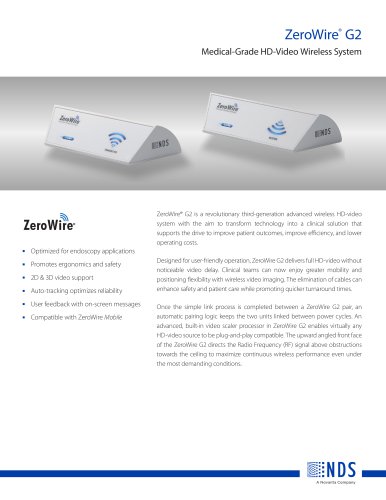 ZeroWire® G2
2 Pages
 EndoVue® 32”
2 Pages
 EndoVue® 21”
2 Pages
 EndoVue®24”
2 Pages
 RADIANCE® ULTRA 27”
2 Pages
 Endoscopy Solutions Catalog
48 Pages
 DOME S3c LED
2 Pages
 ZEROWIRE ULTRA
2 Pages
 Radiance Ultra
2 Pages
 LIFEVUE SERIES
2 Pages
 Dome E5
2 Pages
 Dome GX2MP Plus
2 Pages
 Dome E3c High-Bright
2 Pages
 Dome S6c LED
2 Pages
 32" RADIANCE ® FULL MMI?
1 Page
 55" RADIANCE ® G2
2 Pages
 26? RADIANCE ® G2 HB
2 Pages
 24? RADIANCE ® G2
2 Pages
 Dome E2 Grayscale Display
2 Pages
 Dome E3
2 Pages
 Dome S10 Grayscale Display
2 Pages
 Dome S3
2 Pages
 Dome GX4MP
2 Pages
 Simple Monitor Math
1 Page
 Dome S3C Color Display
4 Pages
 Radiance with Touch
1 Page
 Radiance G2 HB Display
1 Page
 Radiance With Full MMI
1 Page


Archived catalogs
 Dome Dashboard
2 Pages
- Medical dolly
- HDMI display
- Medical imaging display
- DisplayPort display
- DVI display
- Surgical display
- Full HD monitor
- 16:9 display
- VGA display
- 4K UHD display
- Endoscopy cart
- Endoscopy display
- High-brightness display
- OR display
- Endoscopy video processor
- 3G-SDI display
- 27" display
- 24" display
- Wall-mounted display
- Biosignal acquisition system