

MARS

MARS
- Automated Mode: Automatically produces discs when images are received from imaging modalities and diagnostic workstations.
- Web Mode: Allows users to manually select images for recording through PACS queries.
- Information System Control: Automatically searches for images and records discs upon receiving orders from the RIS.
- User Interface: Enables monitoring, aborting, duplicating, and prioritizing recording jobs.
- Multi-user Access: Users can initiate recording jobs from any computer within the institution.
- Administrator Interface: Offers configuration and customization of content and recording workflows.
- Unified web interface for local and remote use.
- Automatic recording from any DICOM node on the network.
- Manual content creation for CDs by querying ACETIAM MARS or PACS.
- Handling of large studies with compression or splitting over multiple discs.
- Study routing to PACS server post-recording.
- Association of radiology reports in DICOM or non-DICOM formats.
- Automated study archiving on DVD.
- Logging of web sessions in compliance with HIPAA.
- ACETIAM-Connect: Advanced telemedicine solution.
- ACETIAM PRI: For printing patient booklets.
- ACETIAM Print-in: Virtual printer for converting documents to DICOM.
- Flexibility through manual and automatic publishing modes.
- Automatic detection and printing of significant images.
- Robust multilingual viewer included on discs.
- Interfaces with institution LDAP for secure user access.
- Cost reduction and productivity increase compared to radiology films.
- ACETIAM MARS 16s: Low volume production, approx. 40 discs/day, 80 GB storage.
- ACETIAM MARS 21s: High volume production, approx. 80 discs/day, 250 GB storage.
- ACETIAM MARS 40s: Network publishing, 80 to 400 discs/day, 450 GB storage.
Catalog excerpts

CD/DVD Burning Automated CD/DVD Production for Medical Imaging Distribute and archive your imaging studies on CD and DVD ACETIAM MARS is especially designed for distributing patient CDs and automatically archiving your images on DVD. Three complementary use modes: —— Automated mode (DICOM): ACETIAM MARS automatically produces discs as soon as images are received from imaging modalities and diagnostic workstations. —— Web mode: Users select the images they want to record manually through queries to the PACS (Query and Retrieve). —— Control through an information system: Upon receiving orders or documents from the RIS, ACETIAM MARS automatically searches for associated images and records a disc. The user interface makes it possible, among other things, to monitor the progress of recording jobs, abort, duplicate and prioritize jobs. With the multi-user Web mode, users can launch CD or DVD recording jobs from any computer within the institution. The administrator’s interface offers extended content workflow configuration and customization capabilities. ACETIAM MARS is a multimodality solution. It supports formats such as CT, MR, CR, multiframe (angiography) and ultrasound, and also motion video (endoscopy, operating room camera, ophthalmology, dermatology, anatomopathology…). When a recorded disc is inserted, key images and the report automatically display in ACETIAM Viewer Lite.
Open the catalog to page 1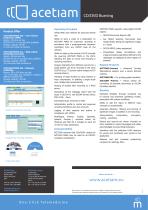
CD/DVD Burning Operating Principles Product Offer ACETIAM MARS 16s – Low volume production (IRM) Approx. 40 discs per day EPSON PP-50 (1 recorder) disc publisher Storage capacity: 80 GB 5 concurrent Web connections ACETIAM MARS 21s – High volume production (scanner) Approx. 80 discs per day EPSON PP-100 (2 recorders) disc publisher Storage capacity: 250 GB 10 concurrent Web connections ACETIAM MARS 40s – Network publishing Approx. 80 to 400 discs per day 1 to 5 PP-100N disc publishers located in different departments Storage capacity: 450 GB 10 concurrent Web connections Unified Web user interface...
Open the catalog to page 2All NEHS DIGITAL catalogs and technical brochures
 Web Diffusion
2 Pages
 CD import
2 Pages
 Worklist
2 Pages
 PRI
PRI2 Pages
 Teleradiology
2 Pages
- Analysis software
- Radiology software
- Visualization software
- Monitoring software
- Diagnostic software
- Cloud-based software
- Planning software
- Hospital software
- Traceability software
- Web-based software
- Sharing software
- Import software
- Server-based software
- Printing software
- CT software
- Radiology software
- Telehealth software
- Surgery unit software
- Universal software
- Operating room software