
- Catalogs
- NORAV Medical
- NEMS-Q


NEMS-Q
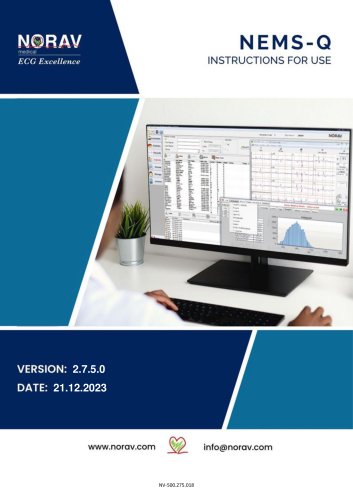
NEMS-Q
The document provides instructions for using the NEMS-Q software version 2.7.5.0, designed for medical professionals. It emphasizes that the software is a decision support system and should not be the sole basis for clinical decisions.
Norav Medical GmbH, based in Mainz-Kastel, Germany, is the manufacturer. Contact details for support are provided.
The system is intended for trained medical personnel. Norav offers a one-year warranty against manufacturing defects, excluding expendable items.
Warnings, cautions, and notes are used to highlight important information, potential hazards, and additional performance tips.
The NEMS-Q software manages medical records and tests, integrates with EHR systems, and supports various medical devices.
The package includes installation media, a software key, and instructions. Recommended PC specifications are provided.
The software is compatible with Windows 10/11. Installation instructions are detailed in the NEMS-Q Installation Guide.
- .NET Framework v4.72
- Installed Drivers: HMS ABPM device, NBP One device, Norav driver, Sentinel driver, Norav printer driver
- Database: SQL 2019 and later
- Additional Software: SQL Management Studio, HMS IEM ABPM, PDF Viewer
- Patient and records management
- Advanced search engine
- Holter devices management
- HL7 and DICOM® support
- User access levels: Administrator, Physician, Report Viewer, Technician
- Multisite support and data statistics
- Back-office management for users, groups, sites, and physicians
Users log in with credentials provided by the system administrator. The main screen allows operations such as importing records and accessing various modules.
Allows attaching tests to physicians for review, typically used in scanning centers.
Displays data statistics about test types, status, and confirmation, filterable by site or reporting physician.
Enables searching and managing records with various filters, including barcode scanning.
Manages patient information and allows actions on tests such as viewing and reviewing.
Allows physicians to review test files and write conclusions using the Rest or Stress applications.
- Manage Tab: Administrators can manage users, groups, sites, and test categories.
- User Group Permissions: Different roles have specific permissions for accessing and managing data.
- Devices Tab: Allows scanning and downloading patient tests from Holter Recorders.
- Work List Tab: Displays pending patient tests and allows initiation of tests.
- Setup: Instructions for setting up NEMS-Q, including database configuration.
- GDT Tab: Describes the communication protocol for transferring test results.
- Settings Tab: Details SQL server connection settings for integration with EMR.
- NH-301 Holter Analysis System: Instructions for preparing and downloading ECG recordings.
- PC-ECG 1200 System: Steps for starting and reviewing ECG tests.
- ABPM Module: Describes connecting to ABPM devices and reviewing results.
- Max. Pressure: Sets the maximum inflation pressure for BP measurements.
- Display Results: Allows immediate viewing of results post-measurement.
- Manual Readings: Enables unscheduled measurements.
- Day/Night Button: Allows patients to start Awake/Asleep periods early.
- Audible Alerts: Sounds alerts during Awake periods.
- Retry Attempts: Automatically retries failed measurements.
- Patient File Access: Opens patient files automatically after data retrieval.
- ABP Data: Includes measurement data and graphs.
- Patient Info: Contains demographic and medical information.
- Clinic Info: Provides clinical site information.
- Statistics: Offers statistical analysis of the study.
- Summary: Provides interpretative summary settings and results.
Users can set BP limits for individual patients, affecting graph and report calculations.
Data can be exported in CSV, PDF, and NBP formats. The system supports HL7 connectivity.
Global thresholds for systolic and diastolic BP can be set, following European Society for Hypertension guidelines.
Users can customize report headers, footers, and endorsements, with options for digital signatures.
Involves filling out an onscreen form or using a template to set study parameters.
Users can modify medical history and medications.
Instructions are provided for downloading recordings and reviewing results.
Various report types are available, including detailed BP and heart rate graphs.
The document outlines methods for exchanging information with Hospital Information Systems using HL7 and GDT interfaces.
Catalog excerpts
NEMS-Q Instructions for Use For software version: 2.7.5.0 Copyright © Norav, January 2024 All rights reserved. This manual contains proprietary information, which is protected by copyright, all rights reserved. Reproduction, adaptation, or translation without prior written permission is prohibited, except as allowed under the copyright laws (e.g., educational purposes). United Kingdom [UK Representative]: The Old Malt House Willow Street Shropshire, SY11 1AJ United Kingdom Tel: (+44) 1691 676496 Mail: [email protected] Norav Medical GmbH Christof-Ruthof-Weg 10 55252 Mainz-Kastel Germany E-Mail: [email protected]...
Open the catalog to page 2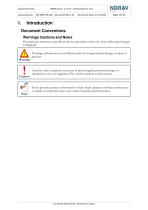
1. IntroductionDocument ConventionsWarnings Cautions and Notes Pay particular attention to specific points in a procedure when one of the following messages is displayed: f |\ Warnings call attention to possible hazards involving potential damage or injury to persons. Cautions refer to practices necessary to protect against potential damage to equipment or loss of equipment. Pay careful attention to instructions. Notes provide pertinent information to help obtain optimum software performance or signify an important step or procedure requiring special attention.
Open the catalog to page 4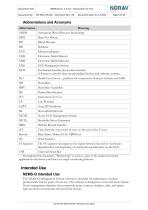
1 — Throughout this document, "Monitoring" is used as a part of the names for certain applications and devices and does not imply monitoring features. The NEMS-Q Management System software is intended for marketing to medical professionals and for point-of-care use. The software is designed to work with local/remote Norav management database that commonly stores, retrieves, displays, edits, and prints high-resolution records data received from devices.
Open the catalog to page 5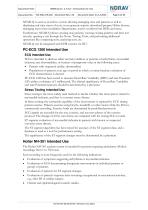
NEMS-Q is used as an archive system allowing managing tests and patients as well as displaying real-time status of tests, it can generate reports, download/prepare Holter devices, managing users/sites/modalities/departments, receive worklist from HER, and more. Furthermore, NEMS-Q allows creating new patients, viewing existing patients and their test records, opening a test through the Norav Testing Tools, and performing additional operations like comparing tests, analyzing tests, etc. NEMS-Q can be integrated with EHR systems via HL7. ECG is intended to disclose either normal condition or patterns...
Open the catalog to page 6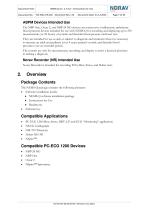
The NBP One, Oscar 2, and NBP-24 NG devices are noninvasive oscillometric ambulatory blood pressure devices intended for use with NEMS-Q for recording and displaying up to 250 measurements (or 24 hours) of systolic and diastolic blood pressure and heart rate. They are intended for use as aids or adjunct to diagnosis and treatment when it is necessary to measure an adult and pediatric (over 4 years) patient's systolic and diastolic blood pressures over an extended period. The systems are only for measurement, recording, and display to assist a licensed physician in making a diagnosis. Norav Recorder...
Open the catalog to page 7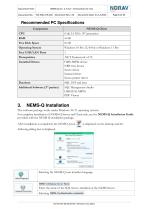
The software package works under Windows 10/11 operating systems. For complete installation of NEMS-Q Server and Client side, see the NEMS-Q Installation Guide provided with the NEMS-Q installation package. After installation is completed, the NEMS-Q icon following dialog box is displayed. Select Language
Open the catalog to page 8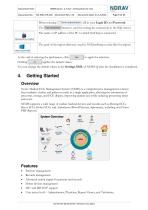
You can change the default values in the Settings.XML of NEMS-Q after the installation is completed. Norav Medical ECG Management System (NEMS) is a comprehensive management solution that combines studies and patient records in a single application, allowing the automation of processes, storage, and ECG display, improving patient care while reducing processing times and costs. NEMS supports a wide range of cardiac medical devices and records such as Resting ECG, Stress ECG, Holter ECG, and Ambulatory Blood Pressure, Spirometry, including non-Norav PDF Reports. Features • Patients' management...
Open the catalog to page 9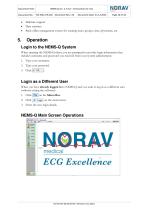
• Multisite support • Data statistics • Back-office management system for creating users, groups, sites, physicians, etc. When opening the NEMS-Q client, you are prompted to provide login information that includes username and password you received from your system administrator. Type your username. Type your password. Click y OK When you have already logged in to NEMS-Q and you want to log in as a different user (without exiting the software): 3. Enter the new login details.
Open the catalog to page 10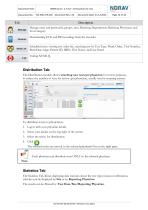
To distribute test(s) to physician(s): 1. Log in with your physician details. 2. Select your details on the top right of the screen. 3. Select the test(s) for distribution. The selected test(s) are moved to the selected physician's list on the right pane. Each physician can distribute tests ONLY to the selected physician. The Statistics Tab allows displaying data statistics about the test types/status/confirmation, statistics can be displayed by Site or by Reporting Physician. The results can be filtered by: Test Date/Site/Reporting Physician.
Open the catalog to page 12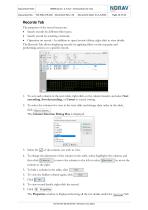
The purposes of the record screen are: • Search records by different filter types. • Search record by scanning a barcode. • Operation on record — In addition to open/review/delete, right-click to view details. The Records Tab allows displaying records by applying filters on the top pane and performing actions on a specific record. 1. To sort each column in the tests table, right-click on the column header, and select Sort ascending, Sort descending, or Unsort to cancel sorting. 2. To select the columns for view in the tests table and change their order in the table, cllckSelect Columns... ■ The...
Open the catalog to page 13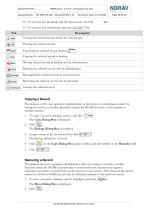
The purpose of the copy operation (administrator or physician) is to reproduce records for backup, for review by another physician outside the NEMS-Q system, or for transfer to another location. To copy a record to backup, select it, and click The Copy Dialog Box is displayed. The Backup Dialog Box is displayed. Assign a name to the record and then click The Backup dialog box is closed. on the Copy Dialog Box, select a folder, and add remarks in the Remarks field. Removing a Record The purpose the move operation (administrator only) is to remove a record to another location outside the NEMS-Q...
Open the catalog to page 14All NORAV Medical catalogs and technical brochures
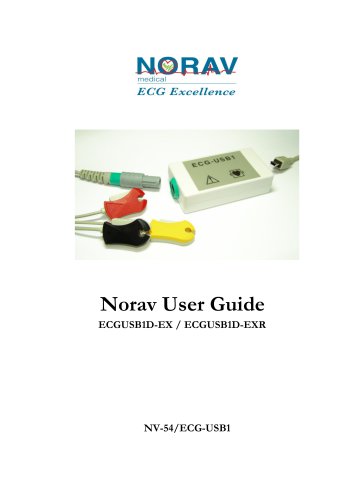 Norav User Guide
12 Pages
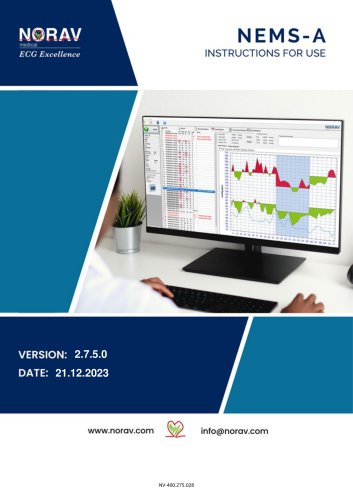 NEMS-A
33 Pages
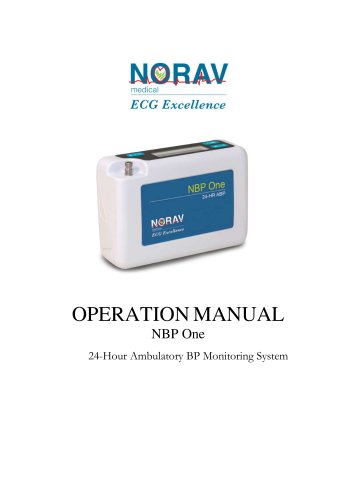 NBP One Ambulatory Blood Pressure
35 Pages
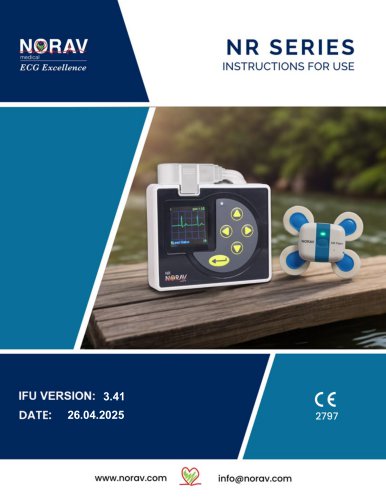 NR SERIES
40 Pages
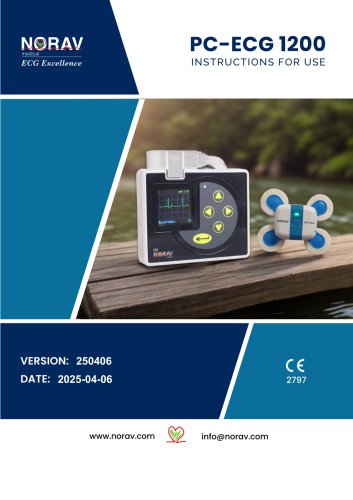 PC-ECG1200
143 Pages
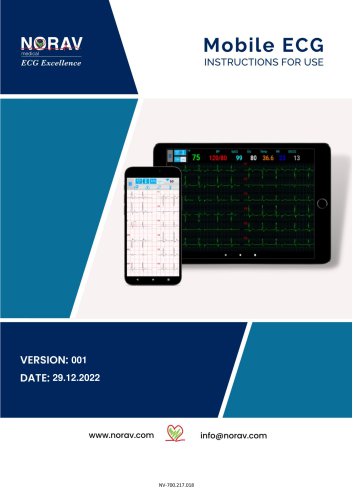 Mobile ECG
91 Pages
 NECG SE-1200 Pro
81 Pages
 NECG SE-301
69 Pages
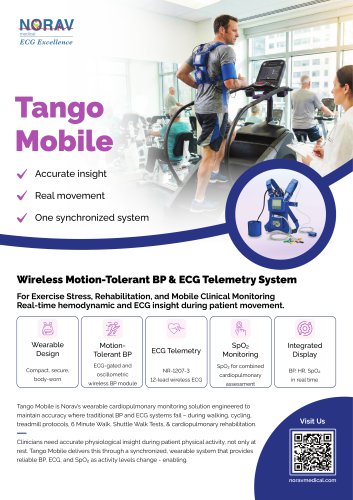 Telemetry Tango Mobile
4 Pages
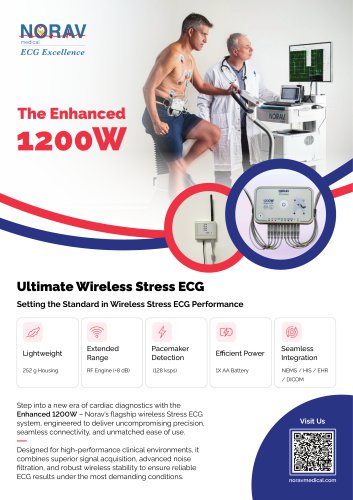 Enhanced 1200W
4 Pages
 Telemetry
30 Pages
Archived catalogs
 Stress Test ECG
4 Pages
 Resting ECG
6 Pages
 Holter
4 Pages
 ECG Management System
2 Pages
 Thermal Printers
4 Pages
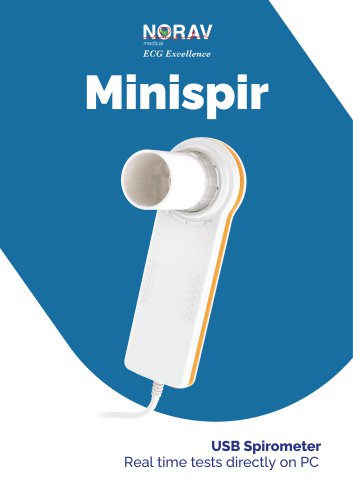 System Spirometer Minispir
6 Pages

- Medical dolly
- Hospital trolley
- Medical device trolley
- Anodized aluminum trolley
- Analysis software
- Plastic trolley
- Patient monitor
- SpO2 monitor
- Visualization software
- Equipment trolley
- Tablet computer software
- Tablet PC software
- Reporting software
- Medical pulse oximeter
- Windows software
- Height-adjustable trolley
- Blood pressure patient monitor
- NORAV digital electrocardiograph
- NORAV electrocardiograph
- Compact trolley