
- Catalogs
- NORAV Medical
- Telemetry


Telemetry
Telemetry
- Battery and Cable Care: Remove batteries if storing the device for over a week. Avoid excessive bending of ECG cables.
- Device Handling: Only open the battery compartment. Prevent liquids from entering the device.
- Accessory Use: Use only approved accessories.
- Pacemaker Interference: Maintain a minimum distance of 15 cm from pacemakers.
- Power Supply: Use recommended battery type and remove batteries when not in use.
- Inspection: Perform daily inspections for damage and secure components.
- Cleaning: Use mild detergent and water. Avoid solvents or abrasive agents.
- Calibration: The device does not require calibration.
- Ensure all Norav software applications are closed before installation.
- Compatible with Windows 10/11.
- Follow on-screen instructions and restart the PC upon completion.
- Bluetooth Adapter: Connect via USB and ensure driver installation.
- Device Pairing: Use specific passkeys for pairing ECG devices and SpO2 oximeters.
- Telemetry System Registration: Follow steps to register devices.
- Includes applications for real-time ECG acquisition and viewing.
- Operational instructions cover menu navigation, ECG recording, and session management.
- Includes filter settings, data directory configuration, and auto-save features.
- Data can be exported in FDA XML format for 12-Lead ECG sessions.
- Measurement Standard: Default is Metric, adjustable.
- Display Options: Screen size and printout options, including color and graph paper settings.
- Sample Rate: Indicates ECG recording rate.
- Alarm Limits: Default and adjustable limits for HR, SpO2, and ST alarms.
- Password Protection: Mute alarm function can be password protected.
- Menu Operations: Includes file management, report customization, and printing options.
- View Options: Toolbar and status bar visibility, zoom, patient data management, and ECG trace inversion.
- Setup Preferences: Printing, saving, installation, and GDT/BDT settings.
- Save Options: Auto-save settings and directory management for ECG recordings and PDF reports.
- Display and Filters: Adjust display size, graph colors, and select filters for ECG traces.
- Report Management: Options for report format, printing sequence, and automatic PDF generation.
- Patient Preparation: Ensures good electrical contact by shaving hair, using special shirts, and high-quality electrodes.
- ECG Recording: Steps for telemetry ECG recording, including device pairing and session management.
- Session Features: Alarm display, SpO2 registration, session history review, and blood pressure value insertion.
- Types of Alarms: Medical, Technical, and Patient alarms with specific conditions like Asystole and Ventricular Tachycardia.
- Alarm Priority: Alarms are categorized into High, Medium, and Low priority, with specific visual and audible indications.
- Various alarm conditions are indicated by blinking text on different colored backgrounds, with corresponding audible alerts.
- Technical alarms such as ECG Battery Low and ECG Lead Off have high priority with specific blinking text and sound patterns.
- To open data files, use the ECG Viewer application. Summary reports can be reviewed and printed using toolbar options.
- Patient data can be edited, and heart rate trends viewed using specific toolbar commands.
- Events can be viewed, marked, and annotated. New events can be specified, and existing events redefined or deleted.
- Histograms and maximum/minimum heart rates can be viewed and adjusted.
- ECG traces can be previewed in 6-Lead or 3-Lead formats, with options to print, toggle view modes, and apply filters for noise reduction.
- Comments can be entered and included in summary reports. Studies can be emailed directly from the application, and final reports can be printed or saved as PDF files.
Catalog excerpts

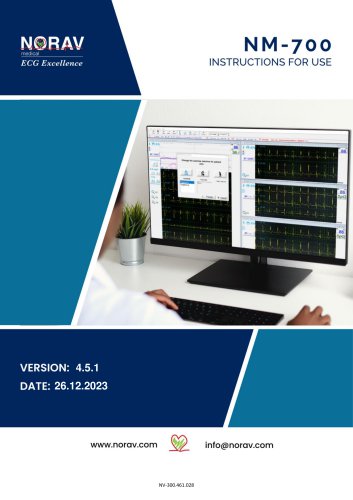
NM-700 Instructions for Use For software version: 4.51 Copyright © Norav, January 2024 All rights reserved. This manual contains proprietary information, which is protected by copyright, all rights reserved. Reproduction, adaptation, or translation without prior written permission is prohibited, except as allowed under the copyright laws (e.g., educational purposes). United Kingdom [UK Representative]: The Old Malt House Willow Street Shropshire, SY11 1AJ United Kingdom Tel: (+44) 1691 676496 Mail: [email protected] Norav Medical GmbH Christof-Ruthof-Weg 10 55252 Mainz-Kastel Germany E-Mail: [email protected]...
Open the catalog to page 2
Standards Compliance The software complies with Standards for Analysis of Ventricular Late Potentials Using High Resolution or Signal Averaged Electrocardiography, published in 1991 by the Task Force Committee of the European Society of Cardiology, the American Heart Association, and the American College of Cardiology. The NR ECG device is tested and certified for the following standards: Defibrillation protection: Built in for ECG cable lead wires with "Banana" and "Clip" ends. US Federal Law restricts this device to sale by, or on the order of, a physician
Open the catalog to page 3
1. Introduction Document ConventionsWarnings Cautions and Notes Pay particular attention to specific points in a procedure when one of the following messages is displayed: 11 \ Warnings call attention to possible hazards involving potential damage or injury to Cautions refer to practices necessary to protect against potential damage to equipment or loss of equipment. Pay careful attention to instructions. Notes provide pertinent information to help obtain optimum software performance or signify an important step or procedure requiring special attention. Abbreviations and Acronyms Abbreviation
Open the catalog to page 6
NM-700 is a PC-based ECG tracing system for up to 7 patients. ECG is intended to disclose either normal condition or patterns of arrhythmia, myocardial ischemia, rate abnormalities, or features of prognostic value in the following cases: • Patients with suspected cardiac abnormalities • Populations of patients at an age or period in which a routine baseline evaluation of ECG characteristics is desired. The NR ECG device is intended for recording ECG Tests. The device has no contraindications or adverse events.
Open the catalog to page 7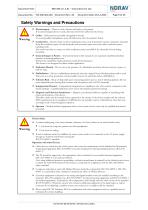
Safety Warnings and Precautions Warning ^ Electrosurgery — There is a risk of burns and injury to the patient. If an electrosurgical device is used, disconnect the ECG cable from the device. ^ Cables - Cables present a possible strangulation hazard. To avoid possible strangulation, route all cables away from the patient’s throat. ^ Conductivity — Electric shock or device malfunction may occur if electrodes contact conductive materials. Keep the conductive parts of lead electrodes and associated parts away from other conductive parts, including earth. Also make sure that no contact to other conductive...
Open the catalog to page 9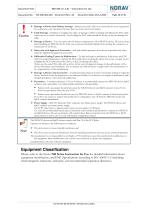
^ Damage to Device from Battery Leakage — Batteries may leak if left in an unused device for a long period. If you intend to store the device for more than one week, remove the battery. ^ Cable Damage — Bending or wrapping the cable can damage it. When attaching and affixing the ECG cable, make sure not to bend it excessively. Avoid coiling the ECG cable around the device, as this can damage the cable. ^ Damage to Device — You may open only the battery compartment of the NR ECG device. Do not use force when handling the NR ECG device. Take care to prevent chemicals/liquids from entering the connectors...
Open the catalog to page 10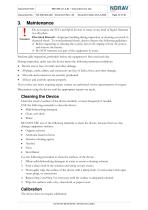
Do not expose the ECG and SpO2 devices to water or any kind of liquid. Maintain in a dry place. Electrical Hazard — Improper handling during inspection or cleaning can result in electrical shock. To avoid potential shock, always observe the following guidelines: > Before inspecting or cleaning the system, turn it off, unplug it from AC power, and remove the battery. > Do NOT immerse any part of the equipment in water. Perform daily inspection, preferably before the equipment is first used each day. During inspection, make sure the device meets the following minimum conditions: • Device case is...
Open the catalog to page 11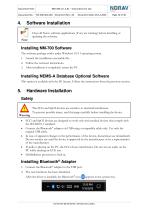
Close all Norav software applications (if any are running) before installing or updating the software. The software package works under Windows 10/11 operating system. 1. Launch the installation executable file. 2. Follow the onscreen instructions. 3. After installation is completed, restart the PC. This option is available with the D1 license. Follow the instructions from the previous section. X|\ The ECG and Sp02 devices are sensitive to electrical interference. To prevent possible injury, read this page carefully before installing the device. • ECG and SpO2 devices are designed to work only...
Open the catalog to page 12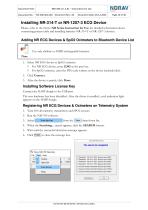
Installing NR-314-T or NR-1207-3 ECG Device Please, refer to the Norav NR Series Instruction for Use for detailed information about connecting patient cable and installing batteries NR-314-T or NR-1207-3 devices. Use only alkaline or NiMH rechargeable batteries. 1. Select NR ECG device or SpO2 oximeter. ◊ For NR ECG device, enter 12345 as the pass key. ◊ For SpO2 oximeter, enter the PIN code written on the device backside label. 3. After the device is paired, click Done. Connect the HASP dongle to the USB port. The new hardware has been identified. After the driver is installed, a red indication...
Open the catalog to page 13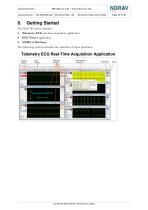
• Telemetry ECG real-time acquisition application • NEMS-A Database The following sections describe the operation of these interfaces.
Open the catalog to page 14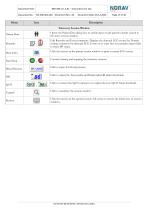
Telemetry Session Window Patient Data Print ECG Opens the Patient Data dialog box to enable input or edit patient's details viewed in the active session window. Edit Remarks and Event comments. Displays the detected ECG events list. Permits writing comments for detected ECG Events or to write free text remarks; input fields to insert BP values. Click the button on the patient session window to print a current ECG screen. Controls starting and stopping the telemetry sessions. Blood Pressure Click to input the blood pressure. HR Click to adjust the Tachycardia and Bradycardia HR alarm thresholds....
Open the catalog to page 17All NORAV Medical catalogs and technical brochures
 Norav User Guide
12 Pages
 NEMS-Q
44 Pages
 NEMS-A
33 Pages
 NBP One Ambulatory Blood Pressure
35 Pages
 NR SERIES
40 Pages
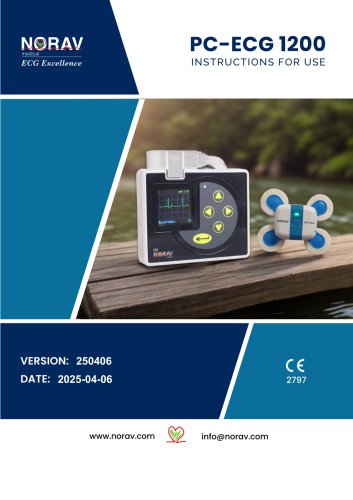 PC-ECG1200
143 Pages
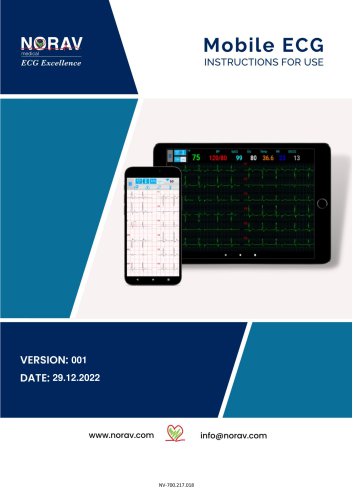 Mobile ECG
91 Pages
 NECG SE-1200 Pro
81 Pages
 NECG SE-301
69 Pages
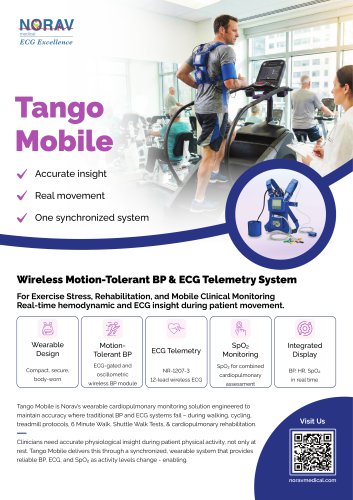 Telemetry Tango Mobile
4 Pages
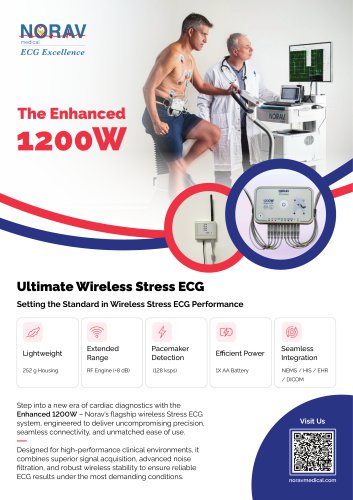 Enhanced 1200W
4 Pages
Archived catalogs
 Stress Test ECG
4 Pages
 Resting ECG
6 Pages
 Holter
4 Pages
 ECG Management System
2 Pages
 Thermal Printers
4 Pages
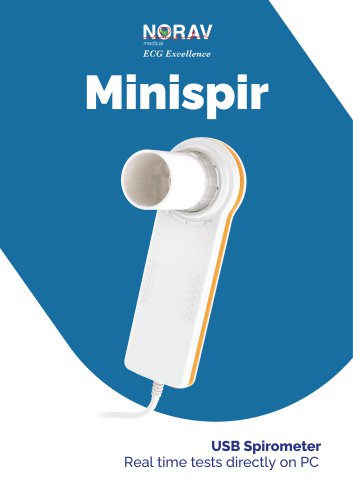 System Spirometer Minispir
6 Pages

- Medical dolly
- Hospital trolley
- Medical device trolley
- Anodized aluminum trolley
- Analysis software
- Plastic trolley
- Patient monitor
- SpO2 monitor
- Visualization software
- Equipment trolley
- Tablet computer software
- Tablet PC software
- Reporting software
- Medical pulse oximeter
- Windows software
- Height-adjustable trolley
- Blood pressure patient monitor
- NORAV digital electrocardiograph
- NORAV electrocardiograph
- Compact trolley