- Catalogs
- OPELAIII Cx
- OPELAIII Cx Instructions Manual


OPELAIII Cx Instructions Manual

OPELAIII Cx Instructions Manual
This section emphasizes the importance of adhering to safety measures when using the wearable surgical lighting system. It categorizes warnings into 'Warning' for risks of death or serious injury, and 'Caution' for risks of mild or moderate injury or product malfunction. Key precautions include avoiding use in flammable gas environments, limiting prolonged use at high intensity, and ensuring the device is undamaged to prevent electric shock.
The product includes a main unit with a COOLMAX® inner pad, battery units, a charging stand, an AC adaptor, an attached belt, a storage case, and a shoulder belt. COOLMAX® fabric is noted for its moisture control and comfort.
This section provides comprehensive instructions on charging the battery, conducting pre-use inspections, wearing the device, and supplying power. It stresses using only included accessories and ensuring a proper fit for comfort. Instructions for adjusting the light beam angle and spot size are also included.
Guidance is offered for resolving issues such as battery errors or non-responsiveness, with steps to reinsert the battery or consult troubleshooting if problems persist.
The product specifications include power input and output details, with a table of symbols used in the documentation. The main unit is classified as internally powered with a battery and Class II with an AC adaptor. It is unsuitable for high oxygen concentration environments or sterilization. The device has a rated input of 6V, 8W with a battery and 12V, 8W with an AC adaptor. Dimensions are approximately W200 x H115 x D245-300 mm, and it weighs about 310 g. The rechargeable battery is a nickel hydride type.
Before use, ensure the battery is charged using the charging stand. Inspect the device for abnormal sounds or loose dials. During use, it can be powered by a charged battery or AC adaptor. Light intensity and size adjustments are made via dials. Post-use, clean the device with ethanol and store it in a ventilated area away from direct sunlight.
Consumable parts like the battery unit and COOLMAX® pads should be replaced as needed. Regular maintenance by the manufacturer is recommended every two years. Disposal should comply with local regulations.
Common issues include the light not turning on, possibly due to the dimmer dial set to 0 or low battery power. If the light flickers, charging the battery is advised. Adjusting the beam angle may resolve spot size issues. Heating of the battery unit or AC adaptor during charging is normal.
The product includes a one-year warranty covering defects or failures under normal use. It excludes damages from incorrect use, natural disasters, or consumable parts.
Catalog excerpts
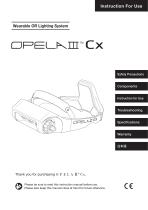
Wearable OR Lighting System Safety Precautions Please be sure to read this instruction manual before use. Please also keep this manual close at hand for future referen
Open the catalog to page 1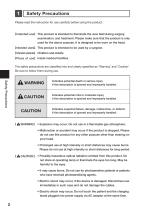
[Intended users] [Intended patients] [Place of use] Safety Precautions Please read the instruction for use carefully before using the product. This product is intended to illuminate the view field during surgery, examination, and treatment. Please make sure that the product is only used for the above purpose. It is designed to be worn on the head. This product is intended to be used by a surgeon. Children and Adults Inside medical facilities The safety precautions are classified into and clearly specified as "Warning” and "Caution”. Be sure to follow them during use. Safety Precautions [A WARNING]...
Open the catalog to page 2
In the event of any serious incident occurring in connection with the device, it must be notified to the manufacturer and the relevant authority of the member state in which the user and/or patient is based.
Open the catalog to page 3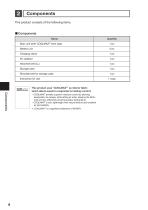
This product consists of the following items. This product uses "COOLMAX®" as interior fabric which allows sweat to evaporate for lasting comfort. • COOLMAX® exhibits superior moisture control by allowing perspiration to escape, while letting air enter, keeping the fabric cool and dry, effectively lowering surface temperature. • COOLMAX® is soft, lightweight with natural texture and excellent air permeability. ^ COOLMAX® is a registered trademark of INVISTA.
Open the catalog to page 4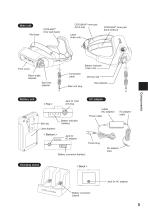
Main unit COOLMAX Inner pad (back) ® COOLMAX® inner pad (front-top) COOLMAX® inner pad (front-bottom) Label (main unit) Battery indicator (main unit) Front cover Connection cable Beam angle adjuster Spot size adjuster Size adjuster Main unit plug Jack for main unit plug Labels (AC adaptor) Power cable Belt clip Battery unit Dimmer dial Battery indicator (battery) Label (battery) Jack for AC adaptor Power plug AC adaptor plug Battery connector (battery) Charging stand Battery connecto
Open the catalog to page 5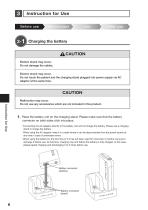
3 - 1 Charging the battery Before use CAUTION Electric shock may occur. Do not damage the cables. Electric shock may occur. Do not touch the patient and the charging stand plugged into power supply via AC adaptor at the same time. Malfunction may occur. Do not use any accessories which are not included in this product. 1. Place the battery unit on the charging stand. Please make sure that the battery connector on both sides click into place. *Connecting the AC adaptor directly to the battery unit will not charge the battery. Please use a charging stand to charge the battery. *When using the AC...
Open the catalog to page 6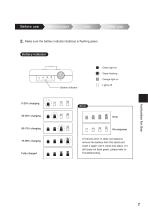
Make sure the battery indicator (battery) is flashing green. After : Green light on use Battery indicator : Green flashing : Orange light on Fully charged Wear and Battery adjustindicator If it shows error or does not respond, remove the battery from the stand and insert it again until it clicks into place. If it still does not flash green, please refer to Troubl
Open the catalog to page 7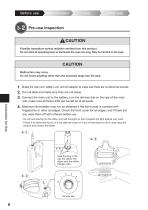
3 - 2 Pre-use inspection Before use CAUTION Possibly hazardous optical radiation emitted from this product. Do not stareuse at operating lampand or illuminate to theuse eyes. Before Ulong. s e May be harmful Wear adjust the eyes too After CAUTION Malfunction may occur. Before use Use Wear and adjust Do not insert anything other than the enclosed plugs into the jack. 1. Shake the main unit, battery unit, and AC adaptor to make sure there are no abnormal sounds. 2. Turn all dials and make sure they are not loose. 3. Connect the main unit to the battery, turn the dimmer dial on the rear of the main...
Open the catalog to page 8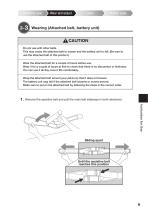
3 - 3 Wearing (Attached belt, battery unit) Before use CAUTION Do not use with other belts. This may cause the attached belt to loosen and the battery unit to fall. (Be sure to Before use U se Wear and adjust After use use the attached belt of this product.) Wear the attached belt for a couple of hours before use. Wear it for a couple of hours at first to check that there is no discomfort or itchiness. You can use it all day once it fits comfortably. Wrap the attached belt around your pelvis so that it does not loosen. The battery unit may fall if the attached belt loosens or moves around. Make...
Open the catalog to page 9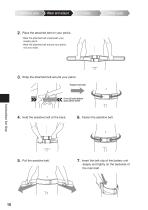
Place theuse attached belt your pelvis. 2.Before Wearonand adjust *Wear the attached belt underneath your surgery gown. *Wear the attached belt around your pelvis, not your waist. Wrap the attached belt around your pelvis. Fasten the belt. 5 cm (2 inch) below your pelvic bone Hold the assistive belt at the back. Fasten the assistive belt. Pull the assistive belt. Insert the belt clip of the battery unit deeply and tightly on the backside of the main belt.
Open the catalog to page 10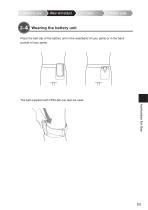
3 - 4 Wearing the battery unit Before use Place the belt clip of the battery unit in the waistband of your pants or in the back pocket of your pants. The belt supplied with OPELAIII can also be used.
Open the catalog to page 11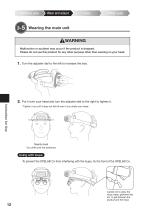
3 - 5 Wearing the main unit Before use WARNING Malfunction or accident may occur if the product is dropped. Please do not product foradjust any other purposeUother on youruse head. Before useuse this Wear s e than wearingAfter and 1. Turn the adjuster dial to the left to increase the size. 2. Put it over your head and turn the adjuster dial to the right to tighten it. Instruction for Use *Tighten it up until it does not fall off even if you shake your head. Nearly level Go a little over the eyebrows Using with loupe To prevent the OPELAIII Cx from interfering with the loupe, fix the front of...
Open the catalog to page 12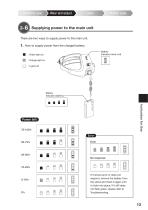
Supplying power to the main unit There are two ways to supply power to the main unit. 1. How to supply power from the charged battery. If it shows error or does not respond, remove the battery from the stand and insert it again until it clicks into place. If it still does not flash green, please refer to Troubleshooting.
Open the catalog to page 13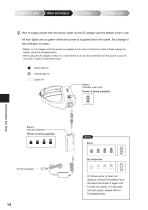
How to supply from the outlet via the AC adaptor and the battery in use. 2.Before andpower adjust use power Wear Us e Afterwhile use All four lights are on green while the power is supplied from the outlet. No change in the indicator is made. *Battery is not charged while the power is supplied to the main unit from the outlet. Please charge the battery using the charging stand. Before use Wear and adjust *When using the AC adaptor, keep it in a state where it can be disconnected from the power source at any time in case of unforeseen event. : Green light on : Orange light on : Lights off Battery...
Open the catalog to page 14All OPELAIII Cx catalogs and technical brochures
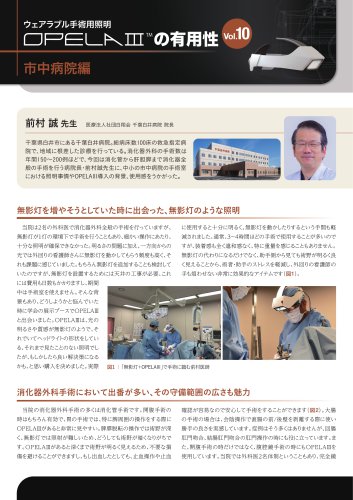 OPELAⅢの有用性vol10市中病院編
2 Pages
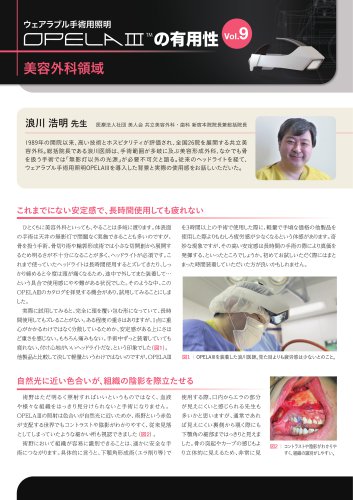 OPELAⅢの有用性vol9美容外科領域
2 Pages
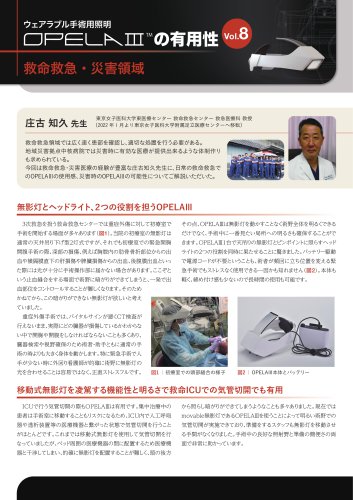 OPELAⅢの有用性vol8救命救急・災害領域
2 Pages
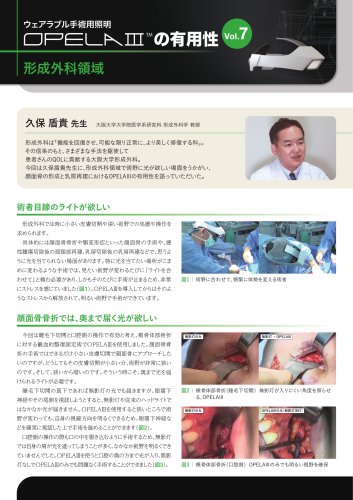 OPELAⅢの有用性vol7形成外科領域
2 Pages
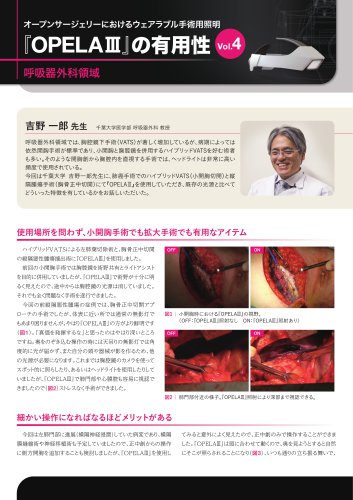 OPELAⅢの有用性vol4呼吸器外科領域
2 Pages
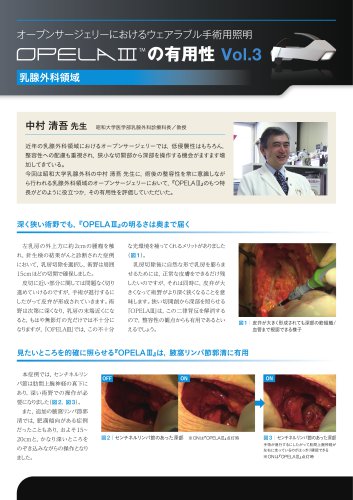 OPELAⅢの有用性vol3乳腺外科領域
2 Pages
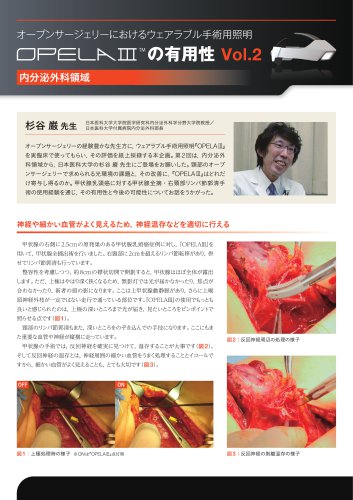 OPELAⅢの有用性vol2内分泌外科領域
2 Pages
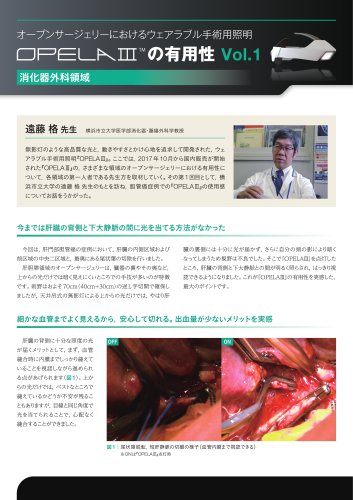 OPELAⅢの有用性vol1消化器外科領域
2 Pages
 OPELAIII Instructions Manual
32 Pages
 OPELAⅢ_Catalog_EN
2 Pages