MatrixPaging
MatrixPaging
- Hand the pager to the customer, who then waits in a designated area.
- When ready, a staff member selects the message number and the pager number to activate, then presses the SEND button.
- The pager displays the message with an (E) prefix, prompting the user to check the key for the requested action.
- The user proceeds to the requested area or performs the specified task.
Catalog excerpts
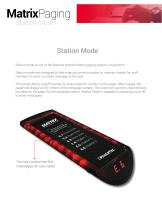
MatrixPaging Station Mode Station Mode Station mode is one of the features that the Matrix paging system can perform. Station mode was designed to help improve communication by making it easier for staff members to send a number message to the user. This mode allows a staff memebr to send a specific number to the pager. When paged, the pager will display an (E) in front of the message number. The customer can then check the key provided on the pager for the requested action. Station Mode is capable of displaying up to 99 number messages. You can customize the messages on your label.
Open the catalog to page 2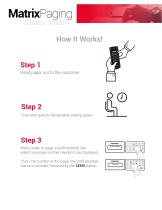
MatrixPaging Station Mode How It Works! Step 1 Hand pager out to the customer. Step 2 Customer goes to designated waiting space. Step 3 When ready to page, a staff member can select message number needed to be displayed. Then, the number of the pager the staff member wants to activate, followed by the SEND button . STATION NUMBER
Open the catalog to page 3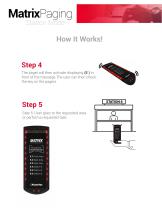
MatrixPaging Station Mode How It Works!Step 4 The pager will then activate displaying (E ) in front of the message.The user can then check the key on the pagers. Step 5: User goes to the requested area or performs reguested task. Guest Paging System Please go to the area requested when pager is activated. E.l: Front Area E.2: Back Area E.3: Rest Area E.4: Station 4 E.S: Station 5 E.6: Station 6
Open the catalog to page 4All Pagertec catalogs and technical brochures
 CUBBY
CUBBY2 Pages
 OREAD 8 BAY LOCKER BROCHURE
2 Pages
 Simple Alert Coaster
4 Pages
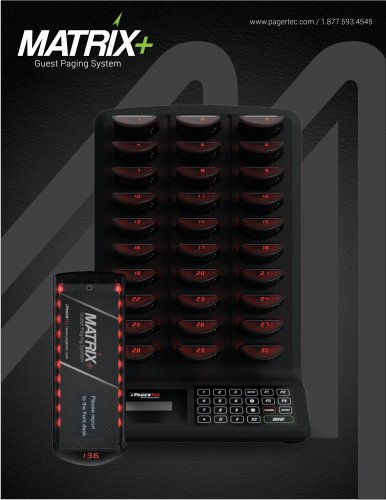 Matrix+
5 Pages
 Smart Stack STO
3 Pages
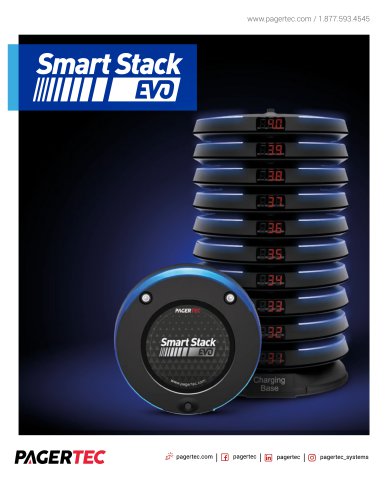 Smart Stack EVO
7 Pages