
- Catalogs
- Panoramic Corporation
- Panoramic Envision™


Panoramic Envision™
1 /1Page
Panoramic Envision™
1 /1Page
Catalog excerpts
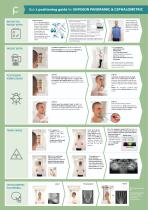
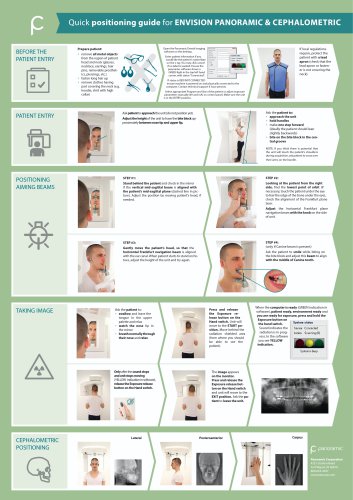
BEFORE THE PATIENT ENTRY Prepare patient: • remove all metal objects from the region of patient head and neck (glasses, necklace, earrings, hair pins, removable prosthetics, piercings, etc.) • fasten long hair up • remove clothes having part covering the neck (e.g. hoodie, shirt with high collar) Open the Panoramic Dental Imaging software on the desktop. Enter patient information if you would like the patient's name/date on the x-ray. You may click cancel if no label is wanted. Ensure the panoramic software shows a GREEN light in the top left hand corner, with status "Connected". Patient information Patient nfcrr-atoi System status Sensor Connected Action Idle (3) If status is RED/NOT CONNECTED ensure machine is powered on and physically connected to the computer. Contact technical support if issue persists. Select appropriate Program and Size of the patient or adjust exposure parameters manually (kV and mA) on control panel. Make sure the unit is in the ENTRY position. If local regulations require, protect the patient with a lead apron (check that the lead apron or fastener is not covering the neck). PATIENT ENTRY Ask patient to approach the unit (do not position yet). Adjust the height of the unit to have the bite block approximately between nose tip and upper lip. • hold handles • make one step forward (ideally the patient should lean slightly backwards) • bite on the bite block in the central groove NOTE: If you think there is potential that the unit will touch the patient's shoulders during acquisition, ask patient to cross over their arms on the handle. POSITIONING AIMING BEAMS Stand behind the patient and check in the mirror if the vertical mid-sagittal beam is aligned with the patient's mid-sagittal plane (dashed line in picture). Adjust the position by moving patient's head, if needed. Looking at the patient from the right side, find the lowest point of orbit (if necessary, touch the patient underthe eye to feel the edge of the bone underthe eye), check the alignment of the Frankfurt plane laser. Adjust the horizontal Frankfurt plane navigation beam with the knob on the side of unit. • swallow and leave the tongue in the upper palette and relax • breath normally through Press and release the Exposure release button on the Hand switch. Unit will move to the START position. Move behind the radiation shielded area (from where you should be able to see the patient). Sound indicates the radiation is in progress. In the software The image appears on the monitor. Press and release the Exposure release button on the Hand switch and unit will move to the EXIT position. Ask the patient to leave the unit. Panoramic Corporation 4321 Goshen Road Fort Wayne, IN 46818 800-654-2027 www.pancorp.com
Open the catalog to page 1All Panoramic Corporation catalogs and technical brochures
 Encompass
12 Pages
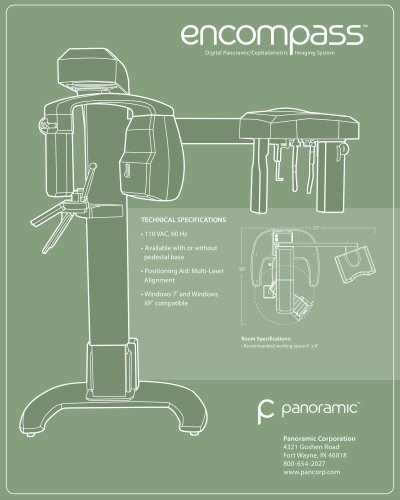 Encompass (Dual Sensor)
1 Page
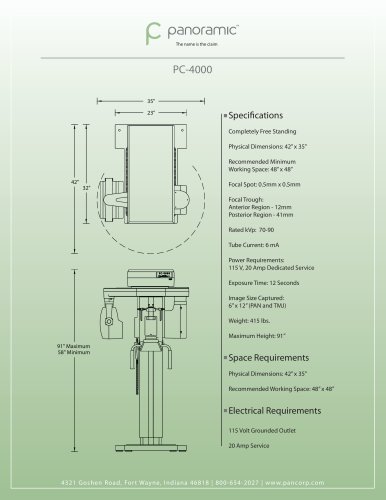 PC-4000
1 Page
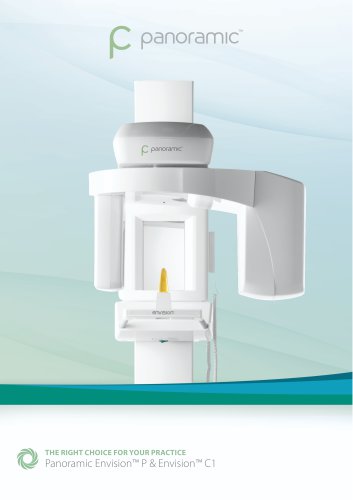
- Dental radiography system
- Digital dental radiography system
- Panoramic X-ray system
- Digital panoramic X-ray system
- Cephalometric X-ray system
- 70 kV dental radiography
- Panoramic X-ray system with cephalometric X-ray
- 85 kV dental radiography
- 90 kV dental radiography
- 85 kV panoramic X-ray system
- 70 kV panoramic X-ray system
- 90 kV panoramic X-ray system