
- Catalogs
- PHC Europe
- MCO Cleaning Brochure

MCO Cleaning Brochure
MCO Cleaning Brochure
Cell culture incubators are essential for maintaining a controlled environment for cell growth, typically at 37°C with regulated CO2 and O2 levels to maintain pH balance. Humidification is crucial to prevent media desiccation, and contamination control is vital to prevent bacteria, molds, and viruses from affecting cultures.
Incubators should be installed in low-traffic, clean areas away from windows and HVAC systems to minimize contamination. They should be elevated to reduce exposure to airborne bacteria and kept away from vibration and heat sources.
Regular cleaning with diluted ethanol is recommended to prevent contamination. Additional sterilization methods include dry heat and hydrogen peroxide vapor systems. All equipment and labware must be sterilized before use in the incubator.
Routine maintenance involves turning off the power, cleaning interior components with neutral detergent and distilled water, and disinfecting with ethanol. Special attention should be given to the inner door gasket to prevent air leaks and condensation.
Proper laboratory techniques, such as using a biological safety cabinet and maintaining positive pressure, are essential to minimize contamination risks. Equipment should be free of contaminants before being placed in the incubator.
Methods include 24-hour UV exposure, hydrogen peroxide vapor, heat sterilization, and UV-LED disinfection. Rust prevention and management are also discussed.
Adhering to best practices, such as using rubber gloves during cleaning and ensuring all surfaces are thoroughly disinfected, is crucial for maintaining a contamination-free environment.
- Inner Door Gasket: Ensure proper placement to maintain chamber humidity and prevent condensation.
- Disinfection: Use ethanol for cleaning interior surfaces, avoiding sensitive areas like the CO2 density measurement port.
- Component Replacement: Follow a specific order for removing and replacing components such as the fan, humidifying tray, and shelves.
- Drying: Allow the unit to dry with the door ajar before restarting to prevent sensor damage.
- Humidifying Water Tank: Instructions for removing, draining, and cleaning the tank and supply tube are provided, emphasizing the use of sterile distilled water.
- Regular Cleaning: Clean the humidifying tray weekly with neutral detergent and ethanol, ensuring no residual moisture remains.
- UV Decontamination: For certain models, a 24-hour UV sterilization process is recommended to eliminate contamination.
- Increase cleaning frequency and replace humidifying water weekly.
- Locate incubators in clean, low-traffic areas to reduce contamination risks.
- Use Biocidal ZF spray for additional protection against microbial contamination.
- Avoid using ultrapure water in the humidifying tray to prevent rust-like particles.
- Always wear rubber gloves during cleaning to prevent injury.
- Avoid using harsh chemicals that could damage the incubator.
- Ensure all components are dry and free from alcohol smell before restarting the unit.
UV Lamp Activation: Activate the UV lamp for 24 hours to decontaminate chambers. This may trigger temperature alarms due to rising chamber temperatures.
H2O2 Decontamination: Use hydrogen peroxide vapor for a 6 log reduction of contaminants. The process includes system checks, temperature elevation, and vapor circulation.
Heat Sterilization: For the MCO-171AICD series, heat sterilization involves heating the chamber to 180°C for 60 minutes.
UV-LED Disinfection: Used for sterilizing water in the humidifying tray, with automatic cycling to minimize temperature impact.
Discusses the removal of the CO2 sensor and the use of hydrogen peroxide vapor for decontamination, which is safe and environmentally friendly.
Features a humidity regulation function through heat evaporation, maintaining levels between 80-90% to protect cultures from drying out.
Uses Copper Enriched Stainless Steel, known as inCu-saFe®, which is a germicidal barrier preventing organism growth.
The SafeCell UV™ system uses UV-C light to destroy DNA of contaminants in the airflow system and on surfaces.
Emphasizes both active and passive decontamination methods, including manual cleaning and design features that inhibit contaminants.
Mentions ULT and cryogenic refrigeration compressors, integrated shelves, and FrostLess technology.
Catalog excerpts
CELL CULTURE INCUBATORS CLEANING AND DECONTAMINATION METHODS Basic care for optimal performance and care in case of contamination. Includes tips to minimize contamination, proper laboratory techniques and information about active vs. passive decontamination. PHC Europe A Member of PHC Group www.phchd.com/eu/biomedical
Open the catalog to page 1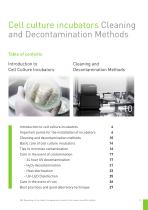
Decontamination Methods Introduction toCell Culture Incubators Introduction to cell culture incubators 4 Important points for the installation of incubators 6 Cleaning and decontamination methods 10 Basic care of cell culture incubators 14 Tips to minimize contamination 16 Care in the event of contamination 17 Care in the event of rust 26 Best practices and good laboratory technique 27 NB: Depending on the model, the appearance of parts in the manual may differ slightly.
Open the catalog to page 3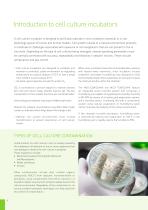
A cell culture incubator is designed to artificially replicate in vitro conditions essential to in vivo physiology typical of human and animal models. Cell growth outside of a natural environment presents a multitude of challenges associated with exposure to microorganisms that are not present in the in vivo state. Depending on the type of cell cultures being managed, several operating parameters must be carefully controlled with accuracy, repeatability and flexibility in setpoint choices. These include temperature and gas control. • Cell culture incubators are designed to establish and maintain...
Open the catalog to page 4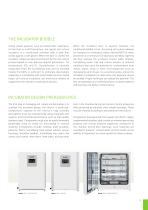
THE INCUBATOR BUBBLE Unlike closed systems, such as hollow-fiber substrates, stirred tank or airlift bioreactors, the typical cell culture incubator is a conditioned chamber with a door that closes against a soft gasket. When the door is closed, the incubator creates an ideal environment for the cell culture process based on user defined setpoint parameters for temperature, CO2 and O2. Humidification is naturally evaporative from the humidifying tray, and an elevated relative humidity is sufficient to eliminate desiccation, especially in microplates with small media volumes. Some larger cell...
Open the catalog to page 5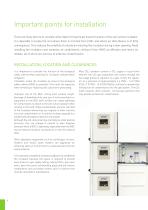
Important points for installation There are many factors to consider when determining the permanent location of the cell culture incubator. It is desirable to locate the unit where there is minimal foot traffic and where air disturbance is of little consequence. This reduces the volatility of outside air entering the incubator during a door opening. Avoid installing the incubator near windows, air conditioners, ceiling or floor HVAC air diffusers and return air intakes, all of which are sources of airborne contamination. INSTALLATION, LOCATION AND CLEARANCES It is important to consider the function...
Open the catalog to page 6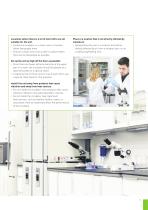
• Locate the incubator in a clean room or location where few people enter • Choose a clean room that is safe or a place where there are as few people as possible. • Since there are fewer airborne bacteria in the upper part of a room, the incubator should be placed on a laboratory table or a special stand. • If stacking two or three units on top of each other, use a special roller base for that purpose. vibration and away from heat sources • Do not install the incubator near products that cause vibration. Vibration may adversely affect cultures. • Do not install the incubator near significant...
Open the catalog to page 7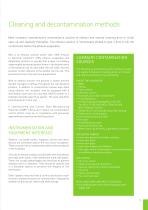
Most incubator manufacturers recommend a solution of ethanol and manual cleaning prior to initial start-up and regularly thereafter. The ethanol solution is intentionally diluted to give it time to kill the contaminant before the ethanol evaporates. Why is an ethanol solution better than 100% ethanol in bacterial inhibition? 100% ethanol coagulates and dehydrates proteins so quickly that a layer of relatively impermeable denatured protein forms in the exterior parts of the bacterial cell (in and under the cell wall), and this prevents further diffusion of the alcohol into the cell. This protects...
Open the catalog to page 9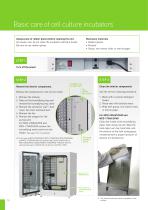
Basic care of cell culture incubators Always puts on rubber gloves before cleaning the unit. As a basic rule, do not clean the incubator with bare hands. Be sure to use rubber gloves. Necessary materials • Rubber gloves • Ethanol • Gauze, non-woven cloth, or sterile paper STEP 1 Turn off the power STEP 2 Remove the interior components. Stopper for access port Remove the components in the correct order. Clean the interior components Fan (under fan cover) Use the correct cleaning procedure. 1. Wash with a neutral detergent (soap). 2. Rinse well with distilled water. 3. Wipe with gauze, non-woven...
Open the catalog to page 10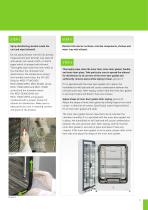
Spray disinfecting alcohol inside the unit and wipe (ethanol). Disinfect all interior surfaces, internal components, shelves and water tray with ethanol. Do not spray ethanol into the CO2 density measurement port directly! Just wipe off with gauze, non-woven cloth, or sterile paper which is sprayed with ethanol. Thoroughly wipe clean the inner walls of the chamber, the removed inner attachments, the temperature sensor, the humidity control bar, the UV-LED (Only for MCO-171AICUVD/ MCO-233AICUVHX, MCO-233AIC series, MCO-173AICUVHX and MCO-173AIC series) and the humidity sensor (for MCO-233AICUVHX...
Open the catalog to page 11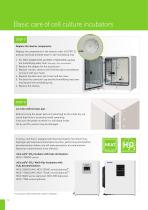
Basic care of cell culture incubators STEP 7 Replace the interior components. Replace the components in the reverse order of [STEP 2], and put sterilised distilled water in the humidifying tray. 1. For MCO-233AICUVHX and MCO-173AICUVHX,compressor replace the humidifying water tank. (See page 13 for more details) 2. Replace the stopper for the access port. 3. Replace the fan, check to see if the fan spins smoothly by turning it with your hand. 4. Replace the back duct, duct cover and fan cover. 58345 5. Put back the connector cap and the humidifying tray cover and replace the humidifying tray....
Open the catalog to page 12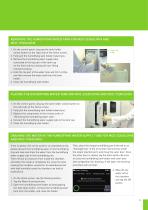
1. On the control panel, tong tap the tank holder unlock button on the right side of the Home screen. 2. Fully pull the humidifying tank holder toward you. 3. Remove the humidifying water supply tube connected to the top part of the tank cap on the front side by rotating the luer fitting counterclockwise. 4. Hold the top part of the water tank and tilt it a little, and then remove the water tank from the tank holder. 5. Close the humidifying tank holder. 1. On the control panel, long tap the tank holder unlock button on the right side of the Home screen. 2. Fully pull the humidifying tank holder...
Open the catalog to page 13All PHC Europe catalogs and technical brochures
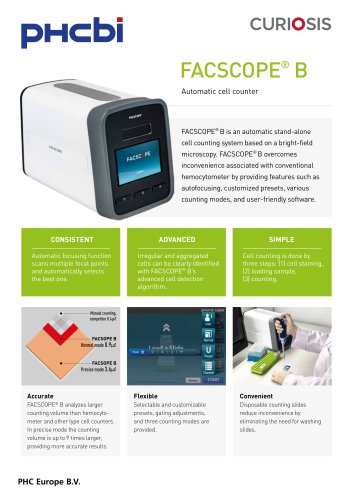 FACSCOPE® B - CUR-CRFCB-01
2 Pages
 Racks Brochure
16 Pages
 Cold Chain Brochure
16 Pages
 MIR Brochure
6 Pages
 Incusafe Brochure
36 Pages
 MPR Brochure
20 Pages
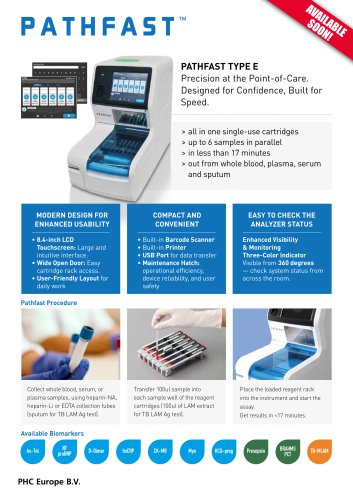 PATHFAST™ TYPE E
2 Pages
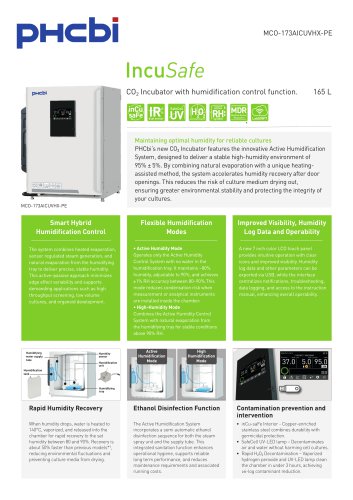 MCO-173AICUVHX-PE
3 Pages
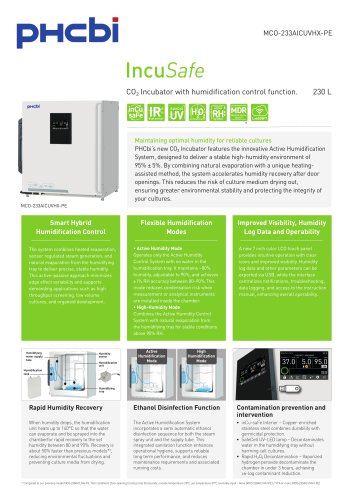 MCO-233AICUVHX-PE
2 Pages
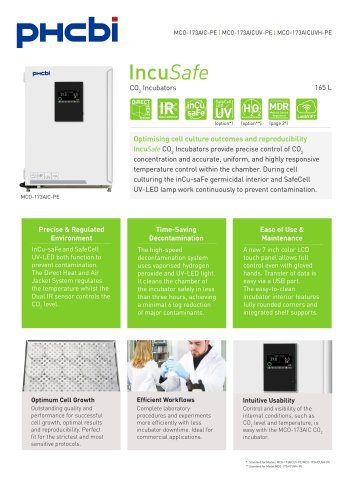 MCO-173AIC(UV)H)-PE
2 Pages
 MDF-DU303VXH-PE
2 Pages
 ULT Brochure
52 Pages
 MDF-DU703VXH-PE Productsheet
2 Pages
 MDF-DU503VXH-PE Productsheet
2 Pages
 ProteoSave™ Brochure
2 Pages
 STEMFULL™ Brochure
2 Pages
 Cryogenic Vials Brochure
2 Pages
 PATHFAST™ Presepsin
6 Pages
 MCO-50AIC-PE CO2 Incubators
2 Pages
 MCO-50M-PE CO2 Incubators
2 Pages
 Cleanroom Classification
4 Pages
 MIR-554-PE Cooled Incubator
2 Pages
 MDF-DU901VHL-PE
2 Pages
 MPR-S150H-PE & MPR-S300H-PE
2 Pages
 MPR-N450FHD-PE
2 Pages
 Commitment to PHC Quality
32 Pages
 PRIMESURFACE®
4 Pages
 MPR-1014R-PE
2 Pages
 MPR-N450FH-PE
2 Pages
 MDF-U731M-PE -30°C Freezer
2 Pages
 MCO-170AIC-PE CO2 Incubators
2 Pages
 MLR-352-PE Climate Chamber
2 Pages
 MIR-554 Cooled Incubator
2 Pages
 MCO-170AC-PE CO2 Incubators
2 Pages
 MCO-230AIC-PE CO2 Incubators
2 Pages
 MCO-80IC-PE CO2 Incubator
2 Pages






Archived catalogs
 MCO-50AICL-PE Co2 Incubator
2 Pages
 MCO-5AC-PE CO2 Incubators
2 Pages
 MLS
MLS2 Pages
 ULTRA LOW TEMPERATURE FREEZERS
16 Pages
 Biomedical Freezers
4 Pages
 MIR-162/262
2 Pages
 Autoclaves MLS-2420/3020
2 Pages
 MPR-S163-PE & MPR-S313-PE
2 Pages
 Bloodbank Refrigerators
4 Pages
 MIR-H163-H263
2 Pages
 MBR Blood Bank refrigerators
2 Pages
 MIR Cooled Incubators
4 Pages
 Biomedical Freezer MDF-U731M
2 Pages
 MDF-U731M-PE
2 Pages
 MDF-U5412-PE
2 Pages
 MDF-U3386S-PE
2 Pages
 MDF-U4186S-PE
2 Pages
 MDF-U5386S-PE
2 Pages
 Cooled Incubators
4 Pages
 TwinGuard ULT Freezers brochure
12 Pages
 Biological Safety Cabinet
2 Pages
 MDF-DU302VX-PE
2 Pages
 Panasonic - Cryopreservation
28 Pages
 Incubateurs multigaz
2 Pages
 MDF-U700VX-PE
2 Pages
 MDF-U500VX-PE
2 Pages
 TwinGuard -86 chest freezers
2 Pages





- PHC Europe test kit
- PHC Europe blood test kit
- Serum detection kit
- Sterilizer
- PHC Europe immunoassay test kit
- PHC Europe cabinet refrigerator
- PHC Europe plasma test kit
- Immunoassay rapid diagnostic test
- Steam sterilizer
- Infectious disease detection kit
- PHC Europe laboratory freezer
- 1-door refrigerator
- PHC Europe laboratory refrigerator
- PHC Europe 1-door freezer
- Electric refrigerator
- PHC Europe laboratory incubator
- PHC Europe refrigerator with glass door
- PHC Europe whole blood test kit
- Stainless steel sterilizer
- PHC Europe pharmacy refrigerator