
- Catalogs
- Richardson Electronics - Healthcare
- Richardson Healthcare Surgical Imaging Display Solutions

Richardson Healthcare Surgical Imaging Display Solutions

Richardson Healthcare Surgical Imaging Display Solutions
Richardson Healthcare provides comprehensive solutions for implementing PACS (Picture Archiving and Communication System) in operating rooms (ORs). Their approach involves a 5-step implementation process tailored to meet specific surgical suite imaging requirements.
- Understand Installation Variables: Consider the unique challenges of each surgical suite and develop a plan to meet specific objectives.
- Choose Display & Mounting Configurations: Evaluate different configurations such as mobile, wall mount, and boom to match the best solution to your needs.
- Meet Agency Regulations: Ensure compliance with regulations like IEC 60601-1, considering factors such as patient vicinity and device classification.
- Train Surgeons & Staff: Provide a combination of formal and informal training to ensure successful software adoption.
- Change Workflow Processes: Facilitate open discussions with surgeons and staff to improve processes and productivity.
- Display Options: Choose between different formats, colors, and sizes, considering the need for mobile or fixed displays.
- Regulation Requirements: Determine if displays need to be Class I Medical devices and comply with fluid ingress protection.
- System Configurations: Consider protective panels, touch and privacy screens, and ruggedized chassis for durability and functionality.
- Surgeons can access images without leaving the patient, enhancing efficiency.
- Real-time consulting with other physicians is possible, improving collaboration.
- Additional tools like 3D reconstruction and magnification are available for enhanced imaging capabilities.
Richardson Healthcare offers comprehensive support through TekLink®, providing 24x7 online service and on-site support. Their Hot Swap warranty ensures quick replacement of defective parts or products.
Richardson Healthcare's expertise in surgical imaging solutions offers tailored, efficient, and compliant PACS implementations for healthcare facilities of all sizes.
Catalog excerpts
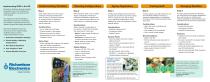
Understanding Variables Choosing Configurations Agency Regulations Training Staff Changing Workflow Our engineers use their knowledge of Operating Room equipment, procedures and workflow to help meet even the most restrictive surgical suite imaging requirements. Richardson Healthcare's team can help you solve your surgical imaging challenges using our proven 5-Step Implementation Process: 1. Understand Installation Variables 2. Choose Display & Mounting Configurations 3. Meet Agency Regulations 4. Train Surgeons & Staff 5. Change Workflow Processes Each surgical suite has its own unique challenges. Richardson Healthcare's team can help you through the process of “thinking out loud” to develop an implementation plan to meet your specific objectives. Most institutions utilize a mix of multiple display configurations. Richardson Healthcare's installation engineers can help you match the best solution to your needs, based on a Workload Analysis. Deciding which displays will be used in the surgical suite and which ones will be needed within or outside the open field is critical to your OR PACS implementation. Some displays may need to be equipped as Class I Medical devices*. Training surgeons and staff members to use the new PACS software is the key to a successful implementation. A combination of formal and informal learning opportunities works best. A properly planned OR PACS implementation, with the help of Richardson Healthcare's team, will provide your institution with solutions designed for optimal efficiency and customized to meet your exact requirements. Before choosing a configuration for your system, consider the advantages and requirements of each type: • How to get users comfortable with PACS software • How images will be manipulated • How to handle outside images • Process Improvements • Productivity Increases • Capability Enhancements • Surgeon never has to leave the patient to look at films. • No need to courier film and patient charts to and from the OR • Additional real-time tools: Window & Leveling, Magnification and even 3D Reconstruction • Real-time consulting with other physicians, viewing the same image Left vs. Right side of the table Physical location of the surgeon Distance away from the display Requirements for Neuro, Vascular and Orthopedic Suites Action Steps • Set up meetings with surgeons, their support staff, and facilities management • Facilitate open discussions on desired configuration requirements • Discuss the PACS software capabilities and how it will meet their needs • Mobile: Smaller budget, Flexible use, Shared resource • Wall Mount: Customize to room, Conserve procedure room space • Boom: Ideal for smaller spaces, Keeps floor space clear Display Options • • • • • • Format: 1UP, 2UP, 3UP or 4/4 Color vs. Monochrome Large vs. Small Screen Mobile vs. Fixed System Crash Contingency Plan Clone Mode “At first, the [PACS] workstations were a novelty…but once [the surgeons] used them during a case, they were extremely impressed with image quality and the flexibility the workstations provided. This project has been an instant success!” Project Manager, Information Systems SMDC Health Systems Duluth, MN Considerations • Regulation Requirements • Compliance Options • Display Choices Decision Points • Does the display need to be a Class I Medical device*? • Does it need to be equipped to stop the ingress of fluids? • Will it be within the 6 foot sterile field of the Patient? • Do other devices need to follow IEC60601-1 or isolated via a Medically Certified isolation transformer? IEC 606001-1 Regulation 2.12.20DV D2 Addition Patient Vicinity: In areas in which patients are normally cared for, the patient vicinity is the space with surfaces likely to be contacted by the patient or an attendant who can touch the patient. This encloses a space with the room 1.83m (6 feet) beyond the perimeter of the bed (examination table, dental chair, treatment booth, etc.) in its intended location, and extending vertically 2.29m (7 ½ feet) above the floor. *Monitors can not leak more than 100 micro amps. • Stage a Pilot Run • Roll out software several weeks prior to “go live” • Place workstations in accessible areas, so users can get familiar with software tools • Deploy system trainers in the OR during “go live” “Richardson Healthcare’ s display solution expertise has benefited us in multiple areas: from our Radiologist’s PACS diagnostic workstations, to clinical display monitors, to the large-screen LCDs in every one of
Open the catalog to page 1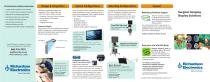
Design & Integration The Richardson Healthcare Advantage • Largest product selection in the industry • Over 10 years display systems experience • Solutions for all imaging applications • International sales and support team • 24x7 phone and Internet support • Best-of-Class warranty and protection/replacement plan • Partnerships with the leading manufacturers: Protective, Touch and Privacy Screens Custom Bezels & Enclosures High-Bright Ruggedized Chassis Protective Panels Large screen LCDs are equipped with protective shields, installed with a rubber gasket beneath the bezel to facilitate proper...
Open the catalog to page 2All Richardson Electronics - Healthcare catalogs and technical brochures
 FSL3201D
2 Pages
 FSL5501D
2 Pages
 FSP2603D
2 Pages
 FSP2602D
2 Pages
 FSP2601D
2 Pages
 Surgical LCD Matrix
1 Page
 FSL1901D
2 Pages
 Image Systems FP4202-MED
2 Pages
 Pixium 4600
4 Pages
 Artpix EZ2GO
2 Pages
 ArtPix
2 Pages
 Image Systems FP1900MBNC
2 Pages
 Series Brochure
4 Pages
 Systems XLED6MP
2 Pages


- Monitor support arm
- Computing cart
- Medical imaging display
- Articulated support arm
- Monitoring software
- Height-adjustable laptop cart
- Surgical display
- Full HD monitor
- 4K UHD display
- Web-based software
- Test software
- High-brightness display
- Diagnostic display
- 24" display
- Multi-touch display
- Surgical support arm
- 32" display
- Medical web application
- 21.5" display
- Radiology display