
- Catalogs
- smart optics Sensortechnik GmbH
- Operating manual Vinyl series

Operating manual Vinyl series
Operating manual Vinyl series
Catalog excerpts

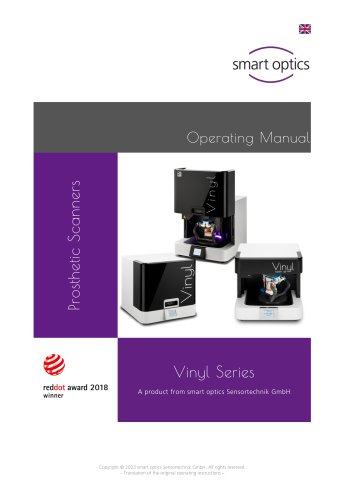
Prosthetic Scanners Operating Manual Vinyl Series A product from smart optics Sensortechnik GmbH Copyright © 2023 smart optics Sensortechnik GmbH. All rights reserved. – Translation of the original operating instructions
Open the catalog to page 1
Legal Notice Dear customer, Thank you for choosing a product from smart optics! If you require additional information or if you have any questions about the device, please contact your smart optics reseller. Our trained resellers around the world provide first-level support as well as training and service for all applications. We wish you much joy with your scanner! Your smart optics team PRIZES AND AWARDS In 2018, Vinyl received the Red Dot Design Award in the category “Industrial Equipment, Machinery and Automation”: www.red-dot.org/de/project/vinyl-24269 CHANGES AND SERVICE We reserve the...
Open the catalog to page 2
Vinyl Series Operation 7.4. Fastening gingiva, squeeze bites, scanbodies or wax-ups .. 54 8.2. Fastening of an occlusion model with an occlusion clamp. 57 Document Version: 08-2023 Table of Contents Page 13
Open the catalog to page 3
Vinyl Series Operation Document Version: 08-2023 Table of Contents Page 4
Open the catalog to page 4
Vinyl Series Operation About this manual Please read through this operating manual carefully. Keep the operating manual in a safe place. If you pass on the product to somebody else, please make sure that you hand them this operating manual as well. smart optics accepts no liability for damages due to failure to comply with the operating manual. Introduction The scanners of the “Vinyl” product family are 3D desktop scanners primarily used to digitize jaw models. Dental laboratories benefit from the precision, speed, durability and great functionality of these devices. Their outstanding technical...
Open the catalog to page 5
Vinyl Series Operation Users of the Universal Mode can limit the reading of this manual to chapters 1 – 6 and 12 – 20. What operating manuals are available? Generally there are several manuals for smart optics scanners: Operating manual This manual contains the description of the device components, the general notes on safety and the technical data. They will tell you how to operate the scanner and how to handle the accessories. Installation manual Here you will find out how to install the dental Scan scanner software for the first time and how to receive and install updates at a later date....
Open the catalog to page 6
Vinyl Series Operation Cross-references to other manuals are highlighted with a symbol for the type of manual: a scanner for the operating manual, a software package for the installation manual and a user on the PC for the dental Scan user manual. The signpost shows a selection of topics related to your current issue. This icon points towards functions or modules that are not included in the standard scope of delivery and that can be purchased separately. Variants in operation and functionality which do not apply to this scanner type are marked with this symbol. Standard settings specified by...
Open the catalog to page 7
Vinyl Series Operation Software controls The software controls are highlighted as follows: OK| Names of buttons in the software are shown with a colored Name Names of fields in the software are highlighted in bold type. File | New Names of menus and menu options are separated by a vertical line. Name .txt File and path names are shown in Courier font. In this manual the numbers are given according to the decimal system with decimal places. Units of measurement comply with the legal units in Germany as well as the international system of units (SI). Further information as well as measurement converters...
Open the catalog to page 8
Vinyl Series Operation Measurement Unit Abbreviation Electrical frequency Hertz Hz Electrical current Ampere A Protection class International Protection IP 1st digit: solids protection; 2nd digit: fluids protection Temperature Degree Celsius ° Memory (PC) Random-Access Memory RAM Data volume Megabyte MB CAD data format Polygon file format PLY Standard Triangulation STL Language American Standard Code ASCII for Information Interchange Point Cloud Measurement MSH Picture element Document Version: 08-2023 About this manual Page 9
Open the catalog to page 9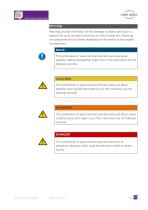
Vinyl Series Operation Warnings Warnings provide information on how damage to objects and injury to persons can occur and give instructions on how to avoid risks. Warnings are categorized into four levels depending on the severity of the possible consequences. NOTE This combination of signal word and symbol warns you about possible material damage that might occur if the instructions are not followed correctly. CAUTION This combination of signal word and symbol warns you about possible minor injuries that might occur if the instructions are not followed correctly. WARNING This combination of...
Open the catalog to page 10
Vinyl Series Operation Use in dental technology The proper use of the “smart optics Vinyl Series” scanners is the optical three-dimensional measurement of human jaw models. The scanners can be used in the field of orthodontics and prosthetics for all kinds of reconstructions, as well as for archiving purposes. Jaw models in occlusal relationship can be scanned with reference to cephalic presentation, as well as dental registrations (bite registrations) and dental casts (wax-up), and also reference bodies (scan bodies) screwretained in the model. Use as a universal scanner The proper use of the...
Open the catalog to page 11
Vinyl Series Operation Improper use The scanners of the Vinyl series are not designed to scan models made of transparent materials, models of non-dimensionally stable or unstable materials or living organisms. The scanners of the Vinyl series are not suitable for use in an environment heavily burdened by emissions (e.g. dust or paint). Their use in a private environment is also excluded. smart optics strongly advises to avoid any other than the proper use. smart optics assumes no liability for damages due to an improper use of the scanner and/or non-observance of the safety instructions indicated...
Open the catalog to page 12
Vinyl Series Operation Electric shock and short c i rcuit Magnetic fields Protection against injuries Despite the protective measures included in the design, some residual risks that might lead to injuries cannot be excluded. In this section you will learn what measures you can take to protect yourself and other people. Risk of injury due to electric shock Fire hazard due to short circuit A technical defect of the cable or of individual components of the scanner can cause an electric shock or a short circuit. This can result in a fire. ► Make sure that no electrical equipment can come into contact...
Open the catalog to page 13All Smart optics Sensortechnik GmbH catalogs and technical brochures
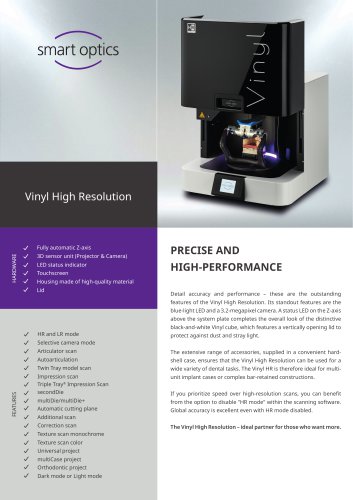 Flyer Vinyl High Resolution
2 Pages
 smart optics mini
2 Pages
 Vinyl High Resolution
3 Pages
 Vinyl UXD
2 Pages
Archived catalogs
 Audiology
22 Pages
 AUDIOLOGY CATALOGUE
24 Pages
 scanBox pro
1 Page
 Activity Scanner
8 Pages
 duo scan
4 Pages
 ds Production
4 Pages
 mono Scan
4 Pages
 Activity 710
1 Page
 software dentprogress 2015
6 Pages
 Activity 300
1 Page
 Activity 885 Mark 2
1 Page
 scanBox
1 Page
- Visualization software
- Windows software
- Dental software
- Design software
- Capture software
- Smart optics 3D scanner
- 3D dental scanner
- Server-based software
- 3D software
- CAD software
- Smart optics STL 3D scanner
- Smart optics benchtop 3D scanner
- Smart optics LED 3D scanner
- Smart optics PLY 3D scanner
- Orthodontic software
- Dental laboratory software
- Color 3D scanner
- Structured light 3D scanner
- Medical industry 3D scanner
- High-resolution 3D scanner