
- Catalogs
- Soehnle Industrial Solutions
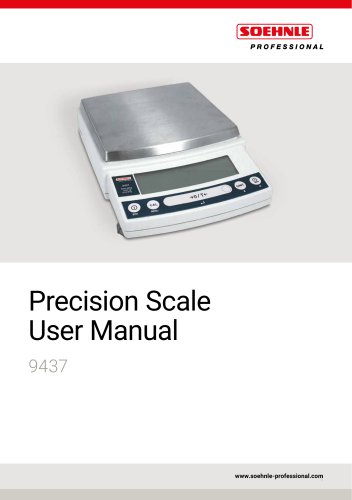
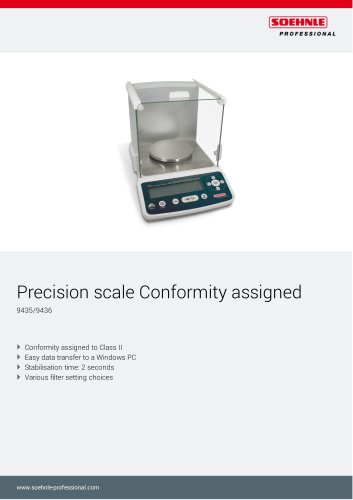
- Precision scale Conformity assigned 9437

Precision scale Conformity assigned 9437
Precision scale Conformity assigned 9437
- Span Calibration: Ensure the scale is in mass display mode and the pan is empty. Press the [CAL] key to display "i-tESt". Change the "d" value to zero for span calibration by pressing the [CAL] key, then press the [O/T] key. If "i-tESt" is not displayed, return to mass display and select menu item 2.
- External Weights: For span calibration using external weights, press the [CAL] key to display "E-CAL", load the indicated calibration mass, and press the [O/T] key. Unload the weight and press the [O/T] key again to complete the calibration.
- PSC Full-automatic Calibration: This function performs span calibration automatically using the built-in weight when a temperature change is detected. It can be turned on or off via menu items 5 and 6.
- Clock-CAL: Allows automatic span calibration at up to three preset times daily. Set times using menu items 7, 8, and 9.
- PCAL: Calibrates the built-in weight to a standard calibration weight. This procedure is password protected, with the default password set to "9999".
- Calibration Report: Can be turned on or off for GLP, GMP, or ISO9000 compliance using menu items 68 and 69.
- Scale ID: A four-digit ID number can be added to the calibration report using menu item 70.
- Stability and Response: Five modes are available to match stability and response to specific applications or environments, including Auto, Pouring, Standard, Anti-vibration, and Anti-wind modes.
- Tracking: Maintains the current displayed value as long as possible. Can be turned on or off using menu items 34 and 35.
- Stability Detection Band: Settings range from 1 to 64 counts, affecting how stability is determined.
- Units other than "g" can be displayed. The scale supports various units, including grams, percent, and piece counting. Set desired units using menu items 54 to 62.
- Percent Conversion: Allows displaying weights as a percentage of a reference sample weight. Set using menu item 56.
Catalog excerpts
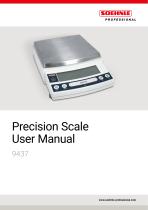
Precision Scale User Manual 9437 www.soehnle-professional.com
Open the catalog to page 1
This instruction manual uses the following notation conventions to indicate Safety Precautions and additional Information. Other conventions used in this manual include: Item Description [ ] Taste Indicates the operation key on the scale. Indicates that the scale is in the weighing mode and mass is displayed in one of the weighing units. These sections include Information to make using the scale more convenient. Indicates the menu item to be selected. The number in Q the is the number of the menu item on the Menu Map. See ► 7.2 Menu Map Tips on using verified scales as legitimate measurement...
Open the catalog to page 2
To ensure safe and proper operation of the scale, observe the following precautions. ► Do not use the scale in hazardous areas. This includes areas where the scale is expose to dust or flammable gases and liquids. ► Use the AC adapter specified by Soehnle Professional. To prevent electric shock, never disassemble the AC adapter. The AC adapter is designed for indoor use. Do not use the AC adapter in exterior environments or where it may be splashed by water. Ensure that the power supply voltage meets the indicated range of the AC adapter. ► Handle the scale carefully. The scale is a precision...
Open the catalog to page 3
Soehnle Industrial Solutions GmbH declares that the following products: 9437 series Electronic Scales conform to the following directives.
Open the catalog to page 4
Compatibility Soehnle Professional Scales and 21 CFR Part 11 21 CFR Part 11 21 CFR Part 11, Electronic Records, Electronic Signatures, Final Rule (often referred to as Part 11) is the United States Food and Drug Administration (FDA) regulation affecting computer resources and electronic records that are used for any document that is required to be kept and maintained by FDA regulations. Requirements concerning computer resources security are key elements in Part 11. The controls implemented as a result of security related requirements are intended to result in trusted records. Soehnle Professional...
Open the catalog to page 5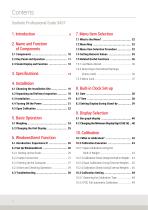
7.5.2 Returning to the Default Settings 8. Built-in Clock Set-up 10.2.1 Span Calibration Using the 10.2.2 alibration Check Using the Built-in Weight ... 44 C 10.2.4 alibration Check Using External Weights ... 46 C
Open the catalog to page 6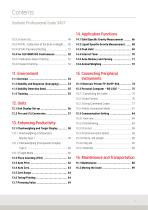
15. onnecting Peripheral C Instruments
Open the catalog to page 7
Thank you for purchasing a Soehnle Professional electronic precision scale. The 9437 series models are high performance electronic scales that we confidently recommend based on many years of precision scale manufacturing. While these models are of course capable of fast and accurate weighing, the 9437 models all use the OneBloc cell that improve the reliability of the scales still further. These scales also feature a variety of other functions that make it more convenient for customers to use them for their own applications, including the Windows-Direct communication function, which enables measuring...
Open the catalog to page 9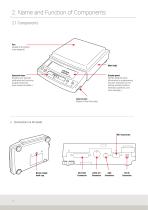
2. Name and Function of Components 2.1 Components Pan (Supports the object to be weighed.) Operation keys (Used to tare, execute calibration and functions, program functions, input numerical values.) Display panel (Shows weighed result, Information on programming function, indicates current setting, working function, necessary operation, and error message.) Level screws (Adjust to level the scale.)
Open the catalog to page 10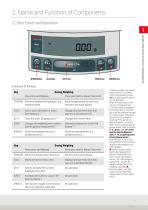
NAME AND FUNCTION OF COMPONENTS Functions of the keys Key During Weighing Press Once and Release Press and Hold for About 3 Seconds [POWER] Switches between the operation and Exits the application function and standby modes. returns to the mass display. [CAL] Enters span calibration or menu Displays the last menu item that item selection. *1 was set. (Last menu recall) [O/T] Tares the scale. (Displays zero.)*2 *5 Displays the Pretare value.*6 [UNIT] Changes the weighing unit or selects Switches between the 1d and 10d [PRINT] Sends the displayed value...
Open the catalog to page 11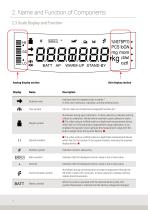
2. Name and Function of Components 2.3 Scale Display and Function WARM-UP STAND-BY Analog display section Display %NETBPTG PCS lbGN mg mom ctdwt oztl Unit display section Stability mark Indicates that the weighed value is stable.*1 In menu item selection, indicates currently selected item. Tare symbol Gibt an, dass ein Vortarierwert eingestellt worden ist.*2 Weight symbol Illuminates during span calibration. In menu selection, indicates setting related to calibration. Blinks before automatic span calibration starts. ■ Tip: when using a verified scale as a legitimate measurement device within...
Open the catalog to page 12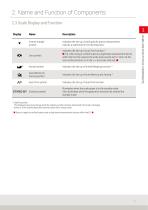
NAME AND FUNCTION OF COMPONENTS Stability symbol The displayed value may change while the stability symbol remains illuminated if the load is changing slowly or if the stability detection band has been set to a large value. ■ Does not apply to verified scales used as legitimate measurement devices within the EU. ■
Open the catalog to page 13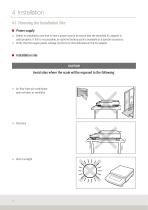
4. Installation s 4.1 Choosing the Installation Site ■ Power supply ► Select an installation site that is near a power source to ensure that the attached AC adapter is used properly. If this is not possible, an optional battery pack is available as a special accessory. ► Verify that the supply power voltage conforms to that indicated on the AC adapter. ► Air flow from air-conditioner, open window, or ventilator
Open the catalog to page 16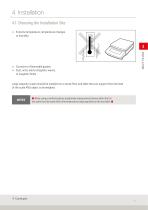
4. Installation 4.1 Choosing the Installation Site Extreme temperature, temperature changes ff or humidity Corrosive or flammable gasses ff Dust, wind, electromagnetic waves, ff or magnetic fields Large capacity scales should be installed on a sturdy floor and table that can support the total load of the scale AND object to be weighed. ■ When using a verified scale as a legitimate measurement device within the EU: the scale must be used within the temperature range specified on the test label. ■
Open the catalog to page 17
Scale main body 1 1 Protective in-use cover 1 1 Explanatory operation sheet 1 1
Open the catalog to page 18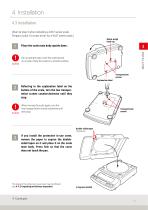
4. Installation 4.3 Installation (Start at step 3 when installing a 9437 series scale. Prepare a plus (+) screw driver for a 9437 series scale.) Below-weigh hook cap Place the scale main body upside down. Do not operate step 2 with the scale placed on its side. Place the scale on a smooth surface. Transportation screws Explanation label Referring to the explanation label on the bottom of the scale, turn the two transportation screws counterclockwise until they stop. When moving the scale again, turn the two transportation screws clockwise until they stop. Transportation screws Double-sided tapes...
Open the catalog to page 19All Soehnle Industrial Solutions catalogs and technical brochures
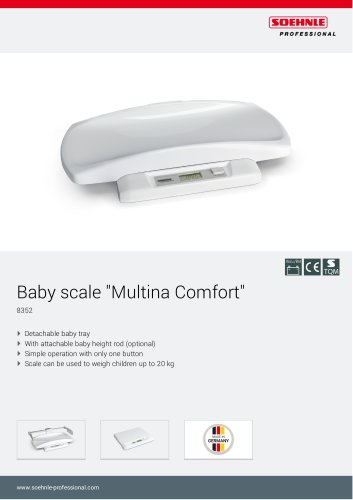
 Baby scale "Multina Comfort"
3 Pages
 Compact scale
3 Pages
 8310.01
3 Pages
 7857
78572 Pages
 6858
68582 Pages
 9202/9203
3 Pages
 8320
83203 Pages
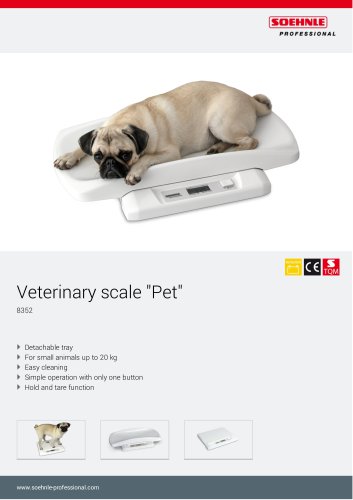 8352 Veterinary scale "Pet"
3 Pages
 6958
69583 Pages
 5005
50052 Pages
 5002.02
2 Pages
 5002.01
2 Pages
 7763, 2823
3 Pages
 7787, 2817
3 Pages
 7786, 2816
3 Pages
 7708.88
3 Pages
 7808
78083 Pages
 6808
68083 Pages
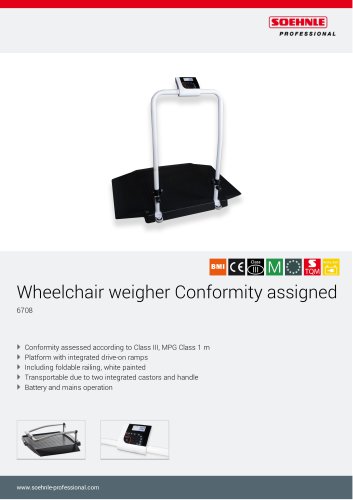 6708
67082 Pages
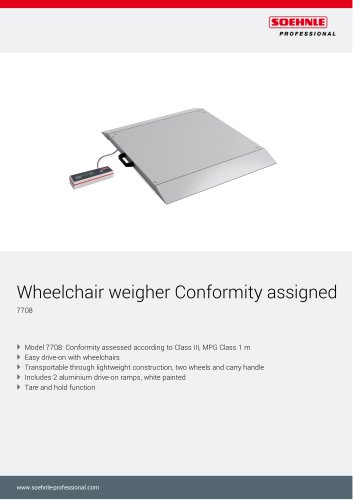 7708
77083 Pages
 7802
78022 Pages
 7702
77022 Pages
 6702
67022 Pages
 6831
68313 Pages
 6803
68033 Pages
 7850 Fitness scale
3 Pages
 6731
67312 Pages
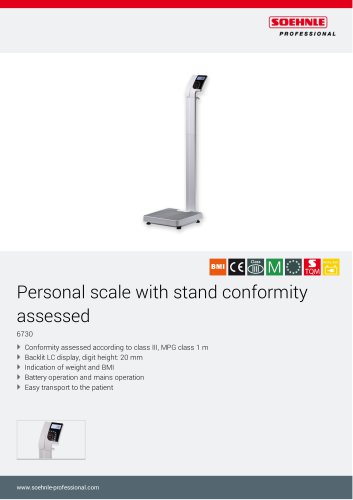 6730
67302 Pages
 7835
78353 Pages
 6163
61632 Pages
 Neo 6752
2 Pages
 7752.01.001
3 Pages
 Baby scale "Cosy" 8310.02
3 Pages
 8310.01 Baby scale "Home"
3 Pages
 Baby scale "Easy"
3 Pages
 Floor scale 7786, 2816
3 Pages
 Digital personal scale 7810
2 Pages
 Floor scale 7787, 2817
3 Pages


Archived catalogs
 7730
77303 Pages
 7731
77313 Pages
 5003
50032 Pages
 3025
30254 Pages
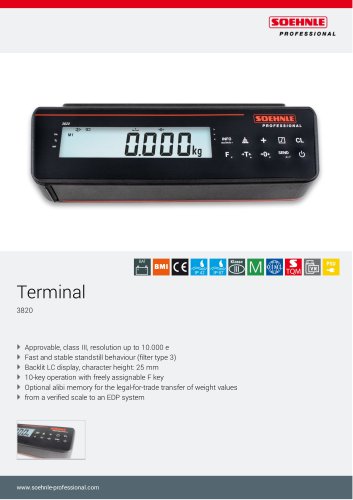 3820
38204 Pages
 5850
58502 Pages
 2021 Medical catalogue
76 Pages
 7801.70.002, 7801.75.002
3 Pages
 Precision scale
170 Pages
 Moisture Analyser
3 Pages
 transport & logistics
8 Pages
 Food industry
8 Pages
 catalogue medical
68 Pages
 Accessories
2 Pages
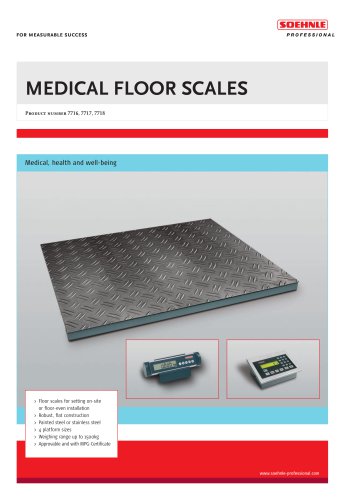 MEDICAL FLOOR SCALES
6 Pages
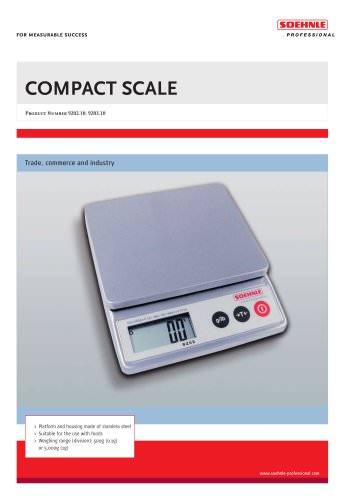 COMPACT SCALE
2 Pages
 Veterinary scales
2 Pages
 7710 Bed scale approved
2 Pages
 Product portfolio 2014/2015
152 Pages
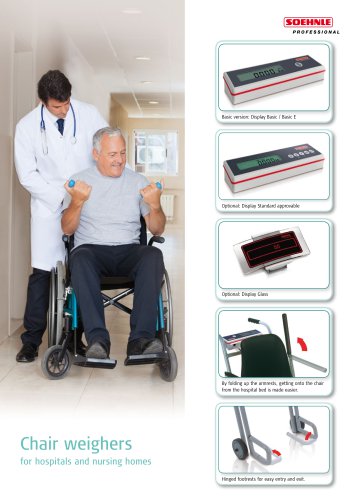
 7871 Chair weigher "Comfort"
2 Pages
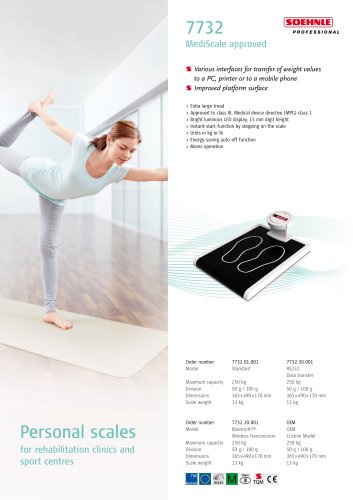 7732 MediScale, approved
1 Page
 7830 Stand scale
2 Pages
 7730 Stand scale, approved
2 Pages
 7710 Bed scale, approved
2 Pages
 BABY HEIGHT ROD
2 Pages
 HEIGHT ROD
2 Pages
 STANDARD TERMINAL
6 Pages
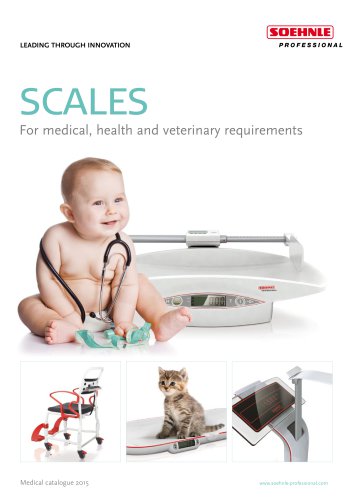 Product portfolio 2015
36 Pages
 7711
77112 Pages
 7702 Chair weigher, approved
2 Pages
 7725 Baby scale, approved
2 Pages
 7808 Multifunction scale
2 Pages







- Examination couch
- Height-adjustable examination couch
- Electric examination couch
- Automatic balance
- Gray treatment table
- Patient scale
- Electronic patient scale
- Platform patient weighing scale
- 1-section treatment table
- Patient weighing scale with digital display
- Platform scale
- Electronic platform scale
- Battery-powered patient scale
- Patient weighing scale with BMI calculation
- Patient weighing scale with LCD display
- Veterinary examination table
- Baby scale
- Platform scale with digital display
- Electronic baby scale
- Compact printer