
- Catalogs
- Soehnle Industrial Solutions
- Precision scale

Precision scale

Precision scale
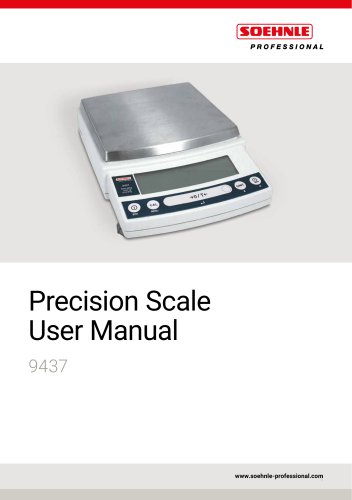
The manual introduces the Soehnle Professional electronic precision scales models 9434, 9435, and 9436, emphasizing their high performance and reliability. Models 9435 and 9436 use OneBloc cells, while model 9434 features robust load cells. These scales offer user-friendly operation keys and a WindowsDirect communication function for easy data transfer to PCs.
Users should provide the manual to subsequent users and contact Soehnle representatives for installation or adjustments. The manual content is subject to change without notice, and reproduction without permission is prohibited.
Safety precautions emphasize correct usage to avoid injury or equipment damage. Users are cautioned against disassembling the product, using it outdoors, or exposing it to extreme conditions.
The scales offer functions such as continuous output, auto print, and WindowsDirect communication for seamless data transfer. Users can perform tasks like piece counting, percentage weighing, and formulation mixing.
Instructions for span calibration, sensitivity checks, and recording calibration are provided to ensure accurate measurements.
The scales comply with 21 CFR Part 11 for electronic records and signatures. Users are encouraged to contact Soehnle for equipment disposal to reduce environmental impact.
This section covers the initial setup of the scales, including unpacking, delivery inspection, component installation, leveling, and powering on. The importance of warming up the scale and performing span calibration is highlighted.
Instructions for weighing, outputting weight readings, selecting display options, switching units, and ending weighing are provided, emphasizing the importance of correct display settings for accurate measurements.
This part explains the menu structure and operations, including entering and changing numerical values, resetting to default settings, and locking menu settings to prevent unauthorized changes.
Detailed procedures for span calibration, calibration checks, and recording calibration results are outlined, with specific instructions for the 9436 model's internal weight calibration.
Describes functions related to taring, such as zero tracking, auto zero, and auto tare functions, which help maintain accuracy during weighing.
Guidance on selecting weighing modes and adjusting response and stability settings to ensure precise measurements is provided.
Instructions for selecting and setting display units, including user-specified units and conversion factors, are detailed.
Covers advanced functions like piece counting and percentage weighing, including preparation and execution steps.
Explains the target and checkweighing modes, which are used for comparing weights against set targets.
Details on connecting the scale to peripheral devices, including PCs and printers, and using communication functions like WindowsDirect are provided.
Provides maintenance guidelines, including daily and periodic inspections, and information on weight types and selection.
Offers solutions for common issues and error messages encountered during scale operation.
Includes details on power management, password changes, and GLP output functions. Specifications for each scale model are also listed.
The document outlines various symbols used in weighing scales, indicating different modes and statuses, particularly in models with EC Type Approval for legal use in the EU.
Emphasizes the importance of choosing an appropriate site for the scale to ensure accurate measurements, advising against placing the scale in areas with explosive gases, extreme temperatures, vibrations, direct sunlight, or electromagnetic interference.
Provides detailed instructions for unpacking and assembling different models of scales, listing components included in the package and describing the process of fitting parts like the pan, pan ring, and protective cover.
Instructions for adjusting the level of the scale using level screws are provided, ensuring the air bubble in the level indicator is centered for accurate weighing.
Explains how to power on the scale, including using an AC adapter or batteries for certain models, and covers the warming-up process necessary before calibration.
Includes warnings such as avoiding the removal of the pan ring and not opening sealed covers, stressing the importance of using the correct power supply and maintaining the scale in a stable environment.
Outlines procedures for using a scale, including placing a container on the pan, inserting a sample, and ensuring the display stabilizes before reading the weight.
The calibration process involves placing a calibration weight on the pan and ensuring the glass door is shut. The scale will display 'END' once calibration is complete, returning to weighing mode.
To establish weighing mode, users must ensure the scale is on and stable, avoiding temperature differences and direct contact with samples.
The scale can output weight readings to a PC or printer, with the GLP output function providing additional information such as manufacturer name, model, and serial number.
Users can switch units and adjust the number of displayed digits, with advice on selecting the decimal point display symbol.
Explains how to turn off the scale and enter standby mode, conserving power while keeping the scale ready for immediate use.
The menu is divided into groups for application functions, calibration, zero/tare settings, data output, and unit settings, with navigation instructions provided.
Describes how to reset the menu to default settings and enter numerical values for calibration weights and other functions.
- Menu Lock: The menu settings can be locked to prevent unauthorized changes, with a default password of '9999'.
- Outputting Menu Settings: Menu settings can be output to a PC or printer for record-keeping.
- Types of Calibration: Describes 'span calibration' and 'calibration check', both performed using internal or external weights.
- Span Calibration: Adjusts the scale's sensitivity using internal or external weights.
- Calibration Check: Checks for sensitivity drift using internal or external weights.
- Error Handling: Provides guidance on responding to error messages like 'ERR C' and 'ERR H'.
- Handling Precautions: Avoid touching samples with bare hands and ensure the glass door is fully shut when using models with a windbreak.
- Routine Calibration: Regular calibration is recommended, especially after moving the scale or significant temperature changes.
Outlines calibration procedures for the 9434, 9435, and 9436 series scales, including steps for adjusting sensitivity drift.
The 9436 series has a built-in calibration weight, which can be recalibrated using external weights.
Calibration records can be output to a PC or printer, including details like the type of calibration, scale model, serial number, and weight used.
Describes functions related to zeroing and taring, including zero tracking, auto zero, and auto tare functions.
The scales offer two weighing modes: general and pouring, with guidance on adjusting response and stability.
Provides detailed instructions on the operation and settings of the 9434/9435/9436 series scales, focusing on adjusting response and stability, selecting units, and utilizing application function modes.
Allows for easy adjustment of response and stability to suit different environments and applications.
The scales can display weights in various units beyond grams, with conversion factors provided for each unit.
Offers three application function modes: piece counting, percentage weighing, and formulation, with detailed procedures for each.
- Adjust response and stability settings based on the weighing environment and application needs.
- Register and select the appropriate units for your weighing tasks.
- Utilize application function modes to enhance efficiency and accuracy in specific weighing scenarios.
Outlines the procedure for counting pieces by weight using a scale.
To change or add a new unit weight, enter the piece counting mode and select the item number.
This mode converts the sample weight to a percentage of a reference weight.
Used for mixing components by weight according to a formula.
Compares the weight reading to a reference or target value, indicating the status with symbols.
Provides detailed instructions on setting and using various functions of a weighing scale, including target mode, comparator function, checkweighing mode, and communication with peripheral devices.
Involves setting a target value and a tolerance range, with stability marks indicating stability.
Helps determine if a sample's weight is within the acceptable range.
Allows users to set upper and lower limit values for pass and checkweighing ranges.
Describes functions for outputting weight data to a PC or printer.
Enables direct data transfer from the scale to a Windows application without additional software.
- Double-check all entered values, especially when updating settings.
- Ensure stability marks for accurate data output.
- Provides troubleshooting tips for communication issues.
Provides detailed instructions for connecting and configuring peripheral devices with a scale using RS-232C ports.
Allows automatic data transfer from the scale to applications like Excel.
Addresses common issues with the WindowsDirect communication function.
Outlines the data format for communication and lists command codes for various functions.
Instructions for connecting the scale to electronic printers using the WindowsDirect Communication Function.
- Ensure proper cable connections and settings for RS-232C ports.
- Use authorized parts for communication cables.
- Reassign COM port numbers if necessary.
- Disable power-saving settings that affect RS-232C ports.
- Follow specific command codes for desired operations.
When turning off the power, ensure the printer is turned off before the scale.
Outlines the communication settings for connecting the scale to peripheral devices.
The scale can be set to output data immediately or after stability is detected.
Regular maintenance involves cleaning the scale's components and conducting inspections to ensure accuracy and functionality.
Proper weights must be used for calibration and inspection to maintain the scale's performance.
Outlines the specifications for various scale models, including weighing capacity, accuracy class, response time, ambient operating temperature, and power requirements.
Calibration procedures emphasize using weights close to the scale's capacity to maintain accuracy.
Guidelines include troubleshooting common issues such as display problems and inaccurate weighing results.
Provides a comprehensive troubleshooting section addressing various error messages.
Describes additional features such as the auto power-off function and GLP output function.
Lists maintenance parts for the 9435/9436 series, detailing part names, numbers, and specific uses.
Optional parts include electronic printers, RS-232C cables, USB-serial conversion kits, and protective covers.
A table outlines the compatibility of various application functions, comparator functions, and output functions.
Provides a graphical representation of menu options for easy navigation.
Details settings for data output, including handshake options and data format.
Allows selection of measurement units and includes options for span calibration and calibration checks.
Includes functions for zero tracking, auto tare, and zero/tare timing changes.
Concludes with contact information for Soehnle Industrial Solutions GmbH.
Catalog excerpts
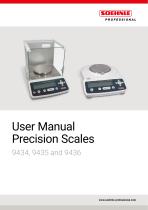
User Manual Precision Scales 9434, 9435 and 9436
Open the catalog to page 1
Requests & Notices Model 9434, 9435 and 9436 Requests Provide this manual to the next user in the event that the instrument is ff transferred. To ff ensure safe operation, contact your Soehnle Professional scale representative for installation, adjustment, or reinstallation after moving the instrument to a different site. Notices The ff content of this manual is subject, without notice, to modifications for the sake of improvement. Every effort has been made to ensure that the content of this manual was ff correct at the time of creation. However, in the event that any mistakes or omissions are...
Open the catalog to page 2
O Where can I find a dealer close to me? Based on ZIP codes you can search on our Webpage www.soehnle-professional.com for a dealer in your area. Thank you for purchasing a Soehnle Professional electronic precision scale. The 9434, 9435 and 9436 series models are high performance electronic scales that we confidently recommend based on many years of precision scale manufacturing. While these models are of course capable of fast and accurate weighing, the 9435 and 9436 models all use the OneBloc cells and the 9434 models use our unique, newly developed and robust load cells, improving the reliability...
Open the catalog to page 3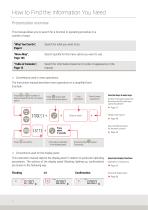
How to Find the Information You Need Presentation overview This manual allows you to search for a function or operating procedure in a number of ways. “What You Can Do”, Page 6 Search for what you want to do. Search quickly for the menu option you want to use. “Table of Contents”, Page 12 Search for information based on its order of appearance in the manual. Conventions used in menu operations ff The instruction manual describes menu operations in a simplified form. Example: a number of Press or times to search for the next menu option. to proceed Press to the next menu option. User operations...
Open the catalog to page 4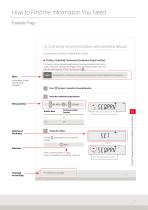
Convenient Functions Relating to Output■ Printing / Outputting Continuously (Continuous Output Function) This function allows displayed weight readings to be automatically output continuously in the same timing as the display refresh cycle (approximately 100 msec intervals) while weighing, without having to press . Information to help use the scale correctly. Not applicable to a verified scale as a legal measuring instrument in the EU: Model with EC Type Approval Press for about 3 seconds in the weighing mode. Menu operation-► Select the continuous output function. [flR..PAW] ^ ^ [SEQ. PAW]...
Open the catalog to page 5
Methods & functions This section lets you search for a method you would like to try or a function you want to know about. Zero point, and taring
Open the catalog to page 6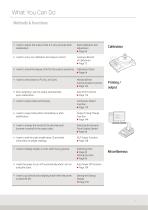
Printing / output
Open the catalog to page 7
Safety Precautions To be strictly observed To ensure that you use the scale safely and correctly, read the following precautions carefully and observe them. The levels of danger and damage that will arise if the scale is used incorrectly are classified and indicated as shown below. Indicates a potentially hazardous situation which, if not avoided, may result in minor to moderate injury or equipment damage. Precautions are classified and explained by using one of the symbols below, depending on the nature of the precaution. Indicates an action that must be performed. Indicates an action that must...
Open the catalog to page 8
Do not connect anything other than peripheral devices specified by Soehnle Professional to the scale's connector. Prohibitions Do not use the scale anywhere exposed to explosive, combustible or corrosive gases, Prohibitions If you do, the scale may stop working normally. Thjs cou|d cause f|re or troub|e. In order to avoid trouble, always connect peripheral devices in accordance with the directions in this manual. Avoid locations where the scale will be exposed to any of the following. Prohibitions You may not be able to obtain correct weight readings. ► Air flow from an air conditioner, ventilator,...
Open the catalog to page 9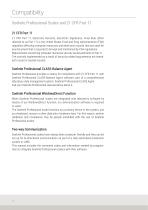
Compatibility Soehnle Professional Scales and 21 CFR Part 11 21 CFR Part 11 21 CFR Part 11, Electronic Records, Electronic Signatures, Final Rule (often referred to as Part 11) is the United States Food and Drug Administration (FDA) regulation affecting computer resources and electronic records that are used for any document that is required to be kept and maintained by FDA regulations. Requirements concerning computer resources security are key elements in Part 11. The controls implemented as a result of security related requirements are intended to result in trusted records. Soehnle Professional...
Open the catalog to page 10
Action for Environment (WEEE) To all of Soehnle Professional equipment in the European Union: Equipment marked with this symbol indicates that it was sold on or after 13th August 2005, which means it should not be disposed of with general household waste. Note that our equipment is for industrial/professional use only. Contact Soehnle Professional service representative when the equipment has reached the end of its life. They will advise you regarding the equipment take-back. With your co-operation we are aiming to reduce contamination from waste electronic and electrical equipment and preserve...
Open the catalog to page 11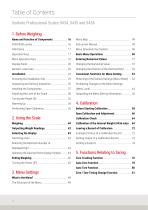
Prohibiting Changes to the Menu Settings Calibration of the Internal Weight (9436 only) ... 69 Selecting the Minimum Number of 5. Functions Relating to Taring
Open the catalog to page 12
Table of Contents Soehnle Professional Scales 9434, 9435 and 9436 6. Adjusting Response and Stability with Peripheral Devices Printing / Outputting Automatically Units that can be Displayed and Conversion What Is the WindowsDirect Communication 8. Application Function Mode Preparation for Piece Counting Changing a Unit Weight, or Adding a New
Open the catalog to page 13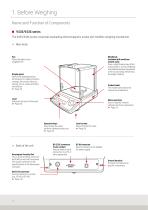
1. Before Weighing Name and Function of Components 9435/9436 series The 9435/9436 series comprises toploading electromagnetic scales with OneBloc weighing mechanism. Main body ff Windbreak (included with small pan models only) Even a slight breeze may affect measurement, so the windbreak is provided to avoid air movements in the surroundings influencing the weight reading. Pan Place the object to be weighed here. Display panel Shows the weighing results, information for making function settings, the current function setting, errors, codes and other information. Page ff 20 Product label The model...
Open the catalog to page 16All Soehnle Industrial Solutions catalogs and technical brochures
 Baby scale "Multina Comfort"
3 Pages
 Compact scale
3 Pages
 8310.01
3 Pages
 7857
78572 Pages
 6858
68582 Pages
 9202/9203
3 Pages
 8320
83203 Pages
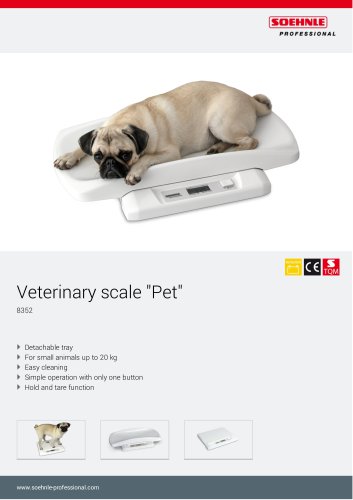 8352 Veterinary scale "Pet"
3 Pages
 6958
69583 Pages
 5005
50052 Pages
 5002.02
2 Pages
 5002.01
2 Pages
 7763, 2823
3 Pages
 7787, 2817
3 Pages
 7786, 2816
3 Pages
 7708.88
3 Pages
 7808
78083 Pages
 6808
68083 Pages
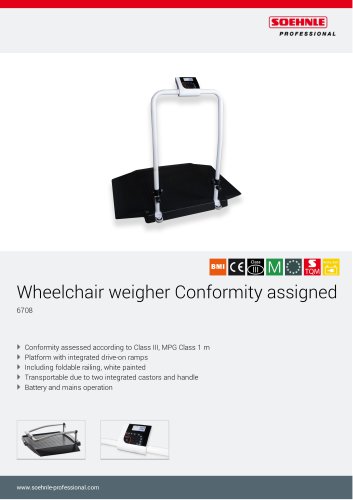 6708
67082 Pages
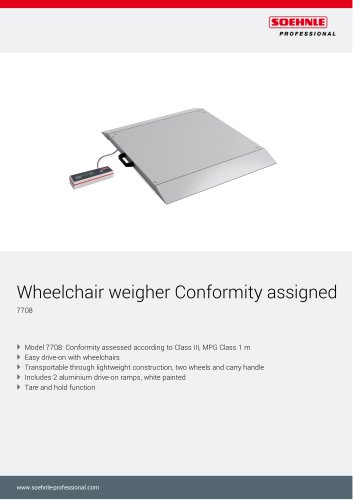 7708
77083 Pages
 7802
78022 Pages
 7702
77022 Pages
 6702
67022 Pages
 6831
68313 Pages
 6803
68033 Pages
 7850 Fitness scale
3 Pages
 6731
67312 Pages
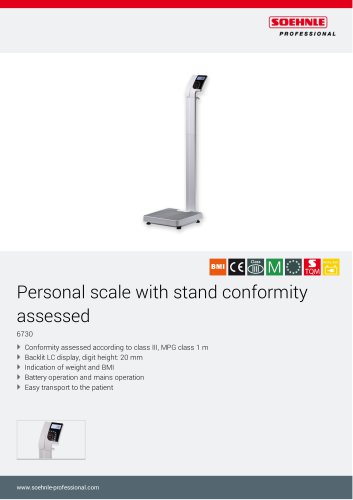 6730
67302 Pages
 7835
78353 Pages
 6163
61632 Pages
 Neo 6752
2 Pages
 7752.01.001
3 Pages
 Baby scale "Cosy" 8310.02
3 Pages
 8310.01 Baby scale "Home"
3 Pages
 Baby scale "Easy"
3 Pages
 Floor scale 7786, 2816
3 Pages
 Digital personal scale 7810
2 Pages
 Floor scale 7787, 2817
3 Pages


Archived catalogs
 7730
77303 Pages
 7731
77313 Pages
 5003
50032 Pages
 3025
30254 Pages
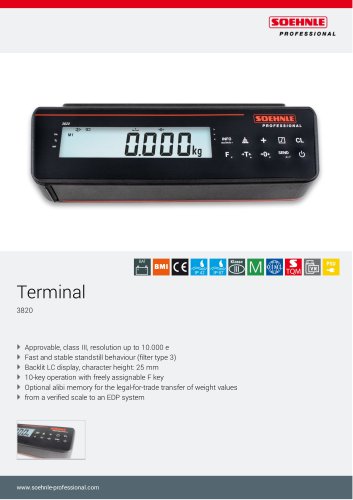 3820
38204 Pages
 5850
58502 Pages
 2021 Medical catalogue
76 Pages
 7801.70.002, 7801.75.002
3 Pages
 Moisture Analyser
3 Pages
 transport & logistics
8 Pages
 Food industry
8 Pages
 catalogue medical
68 Pages
 Accessories
2 Pages
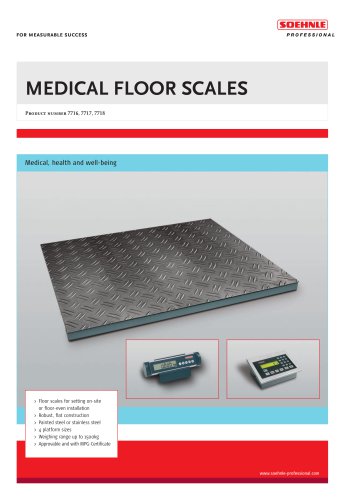 MEDICAL FLOOR SCALES
6 Pages
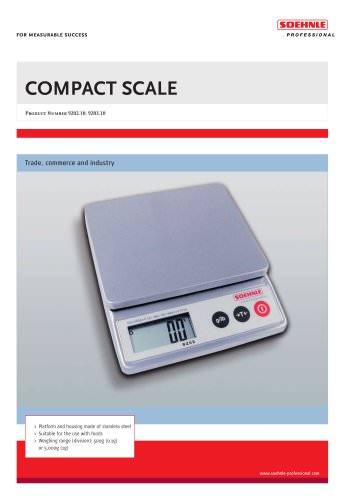 COMPACT SCALE
2 Pages
 Veterinary scales
2 Pages
 7710 Bed scale approved
2 Pages
 Product portfolio 2014/2015
152 Pages
 7871 Chair weigher "Comfort"
2 Pages
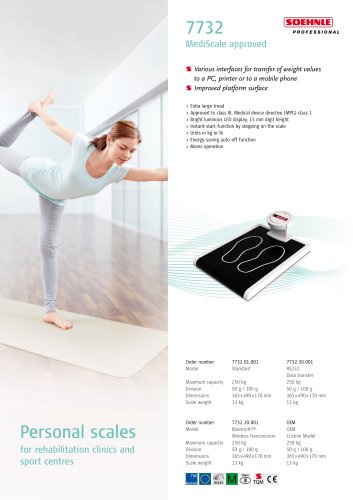 7732 MediScale, approved
1 Page
 7830 Stand scale
2 Pages
 7730 Stand scale, approved
2 Pages
 7710 Bed scale, approved
2 Pages
 BABY HEIGHT ROD
2 Pages
 HEIGHT ROD
2 Pages
 STANDARD TERMINAL
6 Pages
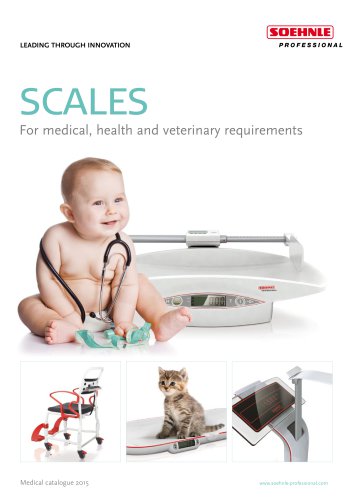 Product portfolio 2015
36 Pages
 7711
77112 Pages
 7702 Chair weigher, approved
2 Pages
 7725 Baby scale, approved
2 Pages
 7808 Multifunction scale
2 Pages


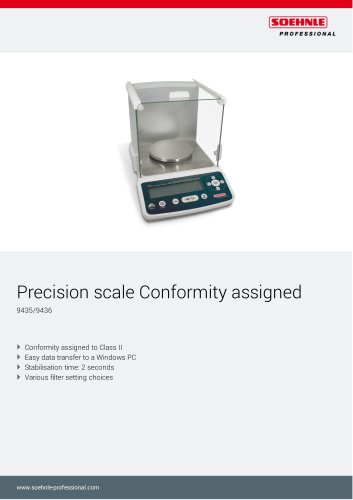





- Examination couch
- Height-adjustable examination couch
- Electric examination couch
- Automatic balance
- Gray treatment table
- Patient scale
- Electronic patient scale
- Platform patient weighing scale
- 1-section treatment table
- Patient weighing scale with digital display
- Platform scale
- Electronic platform scale
- Battery-powered patient scale
- Patient weighing scale with BMI calculation
- Patient weighing scale with LCD display
- Veterinary examination table
- Baby scale
- Platform scale with digital display
- Electronic baby scale
- Compact printer