
- Catalogs
- Tanita Europe
- BC-401

BC-401

BC-401
The manual provides guidance for using the Tanita BC-401 Body Composition Monitor, emphasizing careful reading and retention for future reference.
Users with electronic medical implants, such as pacemakers, should avoid using the monitor due to its electrical signals. Pregnant women should only use the weight function. The device is suitable for adults and children aged 5-17 with inactive to moderately active lifestyles, and adults with athletic body types, but not for professional athletes or bodybuilders.
Warnings include avoiding stepping on the platform's edge, not using the monitor on slippery surfaces, and not mixing old and new batteries. The monitor should not be disassembled or submerged in water and is intended for home use only.
The monitor features a weight mode button, automatic shut-down, and unit conversion. It requires AAA batteries and should be placed on a hard, flat surface for accuracy.
Ensure the monitor is on a stable surface and batteries are correctly inserted. Avoid using it near electromagnetic waves.
Readings should be taken under consistent hydration conditions and at the same time daily. Feet should be clean, and the user should stand correctly on the platform.
Setup can be done via the My Tanita app or directly on the monitor, involving registration, pairing, and setting location, date, and time.
Measurements can be taken via the app or directly on the monitor, with consistent use recommended for tracking changes.
The manual provides solutions for common issues like incorrect readings or device malfunctions.
The BC-401 has a weight capacity of 150 kg (330 lb) and measures in 0.1 kg increments. It is suitable for users aged 5 to 99 years for body fat percentage and 18 to 99 years for other metrics. It uses Bluetooth Low Energy and operates on 4 AAA batteries.
Users must program personal data into one of five memory slots. The device recognizes personal data automatically and stores measurements, sending them to a smartphone when connected. Users should remain still during measurement for accuracy.
Adults training 12 hours or more weekly or professional athletes should use Athlete Mode. The device is not for individuals with pacemakers. For children aged 5-17, only weight, BMI, and body fat percentage are displayed.
Ensure Bluetooth is on and within range for connection issues. Replace batteries if low power is indicated. Check personal data programming and foot placement if readings are not obtained.
The device should be disposed of as electronic waste per local regulations and complies with EU Directives 2014/53/EU and 2011/65/EU. Used batteries should be returned to designated collection points.
Catalog excerpts

Body Composition Monitor Instruction Manual Images in this manual are for illustration purposes only. Read this Instruction Manual carefully and keep it for future reference.
Open the catalog to page 1
Table of Contents Introduction ……………………………………………………………………… 3 For Your Safety ………………………………………………………………… 4 Features and Functions ………………………………………………………… 6 Preparations Before Use ………………………………………………………… 6 Changing the Weight Mode ……………………………………………………… 7 Automatic Shut-down Function ………………………………………………… 7 Getting Accurate Readings ……………………………………………………… 7 Initial Setup (Type 1) Setup via Smartphone …………………………………… 8 Initial Setup (Type 2) from Body Composition Monitor ……………………… 10 Taking Measurements ………………………
Open the catalog to page 2
Introduction Thank you for selecting a Tanita Body Composition Monitor. This monitor is one in a wide range of home healthcare products produced by Tanita. This Instruction Manual will guide you through the setup procedures and outline the key features. Please keep it handy for future reference. Additional information on healthy living can be found on our website www.tanita.com. Tanita products incorporate the latest clinical research and technological innovations. All data is monitored by our Tanita Medical Advisory Board to ensure accuracy. Note: Read this Instruction Manual carefully and keep...
Open the catalog to page 3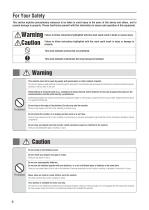
For Your Safety This section explains precautionary measures to be taken to avoid injury to the users of this device and others, and to prevent damage to property. Please familiarise yourself with this information to ensure safe operation of this equipment. Warning Caution Failure to follow instructions highlighted with this mark could result in death or severe injury. Failure to follow instructions highlighted with this mark could result in injury or damage to property. This mark indicates actions that are prohibited. This mark indicates instructions that must always be followed. Required Warning...
Open the catalog to page 4
Place the monitor on a hard, flat surface where there is minimal vibration to ensure safe and accurate measurement. Avoid excessive impact or vibration to the monitor. Doing so may damage the monitor or cause it to malfunction,or may cause setting to be erased. Do not use or store this monitor in the following locations. ·Locations that are exposed to direct sunlight, near to heaters, or exposed directly to air from air conditioning units, etc. ·Locations where there are severe temperature changes or a large amount of vibration. ·Locations with high levels of humidity or moisture. Doing so may...
Open the catalog to page 5
Features and Functions Front Ball-of-Foot Electrodes Display Screen Weight Mode Button Heel Electrodes SET/PAIRING Button Down/RESULT Up/USER Button Button OFF/Weight-Only Button Battery Cover Accessories Location Code Instruction Manual Preparations Before Use Inserting the Batteries Open the battery cover on the back of the measuring platform. Insert the supplied AAA-batteries as indicated. Note: Be sure that the polarity of the batteries is set properly. If the batteries are incorrectly positioned the fluid may leak and damage floors. If you do not intend to use this unit for a long period...
Open the catalog to page 6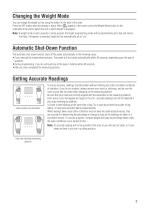
Changing the Weight Mode You can change the weight unit by using the button on the back of the scale. Press the OFF button when the display is blank. When appears in the screen, press the Weight Mode button on the underside of the unit to switch the unit in which weight is displayed. Note: If weight mode is set to pounds or stone-pounds, the height programming mode will be automatically set to feet and inches. Similarly, if kilograms is selected, height will be automatically set to “cm”. Automatic Shut-Down Function The automatic shut-down function shuts off the power automatically in the following...
Open the catalog to page 7
Initial Setup (Type 1) Setup via Smartphone 1. Turn the Bluetooth setting on, and use the URL to download the My Tanita app. www.tanita.eu Note: If you are not using an app, enter settings manually in the Body Composition Monitor (P.10) before using. If you purchase a new smartphone, be sure to adjust the registration of your Body Composition Monitor accordingly. Approximate signal range: 5 m in areas without obstructions 2. Launch the app. You need to register as a member to use the My Tanita app. After registering, login with your registered details. 3. Select "Input Data", then select "Input...
Open the catalog to page 8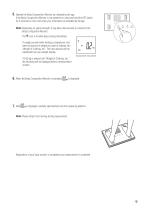
5. Operate the Body Composition Monitor as indicated by the app. If the Body Composition Monitor is not powered on, press and hold the SET button for 3 seconds or more, then enter your information as indicated by the app. Note: Depending on signal strength, it may take a few seconds to connect to the Body Composition Monitor. The icon is lit while data is being transmitted. To weigh yourself while holding a smartphone, first enter the amount of weight you want to subtract into “Weight of Clothing, etc.” The input amount will be subtracted from your weight display. If 0.20 kg is entered into “Weight...
Open the catalog to page 9All Tanita Europe catalogs and technical brochures
Archived catalogs
 AM-120
1 Page
 HC 212
1 Page
 HC 214
1 Page
 Professional Catalogue 2014
36 Pages
 BC 545N
1 Page
 BC 601
1 Page
 HD 394
1 Page
 WB 380
1 Page
 BC 351
1 Page
 MINI SCALE Brochure
2 Pages
 WB-100P MA
1 Page
 WB-150 MA
1 Page
 GMON PROFESSIONAL
1 Page
 HC-214 ALCOHOL SENSOR
1 Page
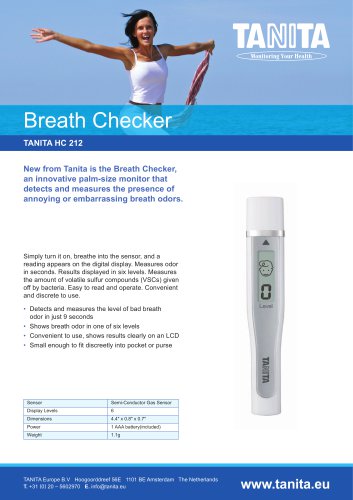 HC-212 BREATH CHECKER
1 Page
 BC-1000
1 Page
 WB 3000
1 Page
 introducing MC780
2 Pages
 MC 980
4 Pages
 Consumer Catalogue
15 Pages
 Professional Products
15 Pages
 2017 Professional Product Guide
26 Pages
 2018 Professional Product Guide
36 Pages
 BC-545N
84 Pages
 BC601
BC60188 Pages
 210811_RD-545EU
31 Pages
 BC-731
46 Pages
 Professional Product Guide
45 Pages
 AM-180
2 Pages
 MC780 brochure
8 Pages


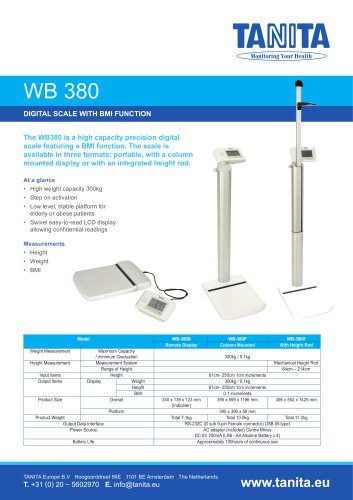


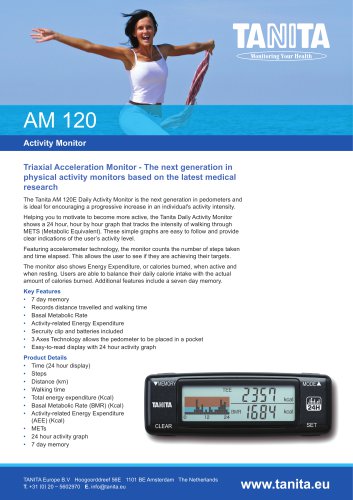
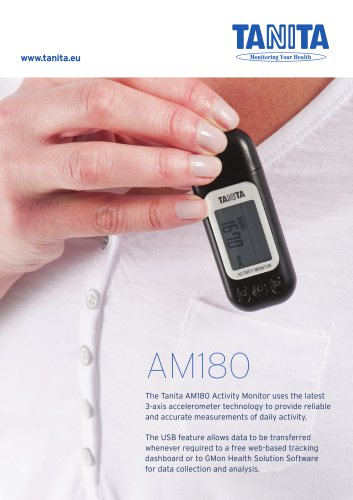


- Analysis software
- Tablet computer software
- Tablet PC software
- Automatic balance
- Reporting software
- Windows software
- Patient scale
- Electronic patient scale
- Platform patient weighing scale
- Training software
- Medical device bag
- Patient weighing scale with digital display
- Thermal printer
- Body composition analyzer
- Battery-powered patient scale
- Weighing system with printer
- Bio-impedancemetry body composition analyzer
- Patient weighing scale with LCD display
- Body composition analyzer with BMI calculation
- Baby scale