
- Catalogs
- Tanita Europe
- BC-731

BC-731

BC-731
This document serves as the instruction manual for the Tanita BC-731 Body Composition Monitor, detailing setup procedures, key features, and safety precautions. It is recommended for users to read and retain the manual for future reference.
The monitor should not be used by individuals with electronic medical implants, such as pacemakers, due to the low-level electrical signal it emits. Pregnant women should only use the weight function. The device is suitable for adults and children aged 5-17 with inactive to moderately active lifestyles, and adults with athletic body types.
The monitor includes automatic shut-down, weight mode change, and personal data memory storage. It provides readings for weight, body fat percentage, BMI, visceral fat, muscle mass, physique rating, total body water percentage, metabolic age, BMR, and bone mass.
Users should insert AAA batteries correctly and place the monitor on a hard, flat surface. Proper handling is necessary to maintain precision.
Measurements should be taken under consistent hydration conditions, ideally three hours after rising, eating, or exercising. Feet should be clean and properly aligned on the platform.
Users must program personal data into the monitor's memory, including age, gender, and height, to operate the unit.
After programming personal data, users can take readings by selecting their personal data number and stepping onto the platform. The monitor displays various readings sequentially.
Guest mode allows one-time use without storing personal data. Users follow similar steps as personal data programming to obtain readings.
The manual provides solutions for common issues such as incorrect weight format, low battery, and error messages during measurement.
The BC-731 has a weight capacity of 150 kg (330 lb) with increments of 0.1 kg. It measures body fat in increments of 0.1% and can store personal data for up to 5 users. It operates on 4 AAA batteries with a power consumption of 30 mA and uses a measuring current of 50 kHz, 6.25 kHz, and 100 µA. The device complies with the EMC Directive 2004/108/EC and the RoHS Directive 2011/65/EU.
To measure weight only, press the weight-only button and step onto the scale when "0.0" is displayed. For body fat measurement, personal data must be programmed first. Users can select their personal data number, set age, user mode (male, female, athletic), and height before stepping on the scale.
The device should not be used by individuals with electronic medical implants like pacemakers. Pregnant women should only use the weight function. The device should be placed on a hard, flat surface to ensure accurate measurements. Users are advised to weigh themselves under consistent conditions, ideally without clothing and at the same time of day.
Batteries should not be mixed with consumer waste and must be returned to designated collection points. The device includes symbols indicating the presence of lead (Pb), cadmium (Cd), and mercury (Hg) in batteries.
The device includes a guest mode for one-time use without storing personal data. It also has an automatic shut-off feature to conserve battery life. Users can change the weight unit between kg, lb, and st lb.
Common issues include incorrect weight format display, low battery indication, and error messages during measurement. Solutions involve changing the weighing mode, replacing batteries, and ensuring proper standing position on the scale.
Maximum weighing capacity is 150 kg with 0.1 kg increments. The device uses 4 AAA batteries and emits a current of 50 kHz, 6.25 kHz, 100 µA. It complies with EMC Directive 2004/108/EC and RoHS Directive 2011/65/EU.
Do not mix batteries with household waste. Dispose of used batteries at designated collection points. If disposing of the entire device, remove batteries first.
This device complies with EMC Directive 2004/108/EC and RoHS Directive 2011/65/EU.
Press the 'WEIGHT' button and step on the scale when '0.0' appears. The weight will display for approximately 20 seconds before the device powers off automatically.
Tanita Europe B.V., Amsterdam, Netherlands; Tanita Health Equipment H.K. Ltd., Hong Kong; TANITA India Private Limited, Mumbai, India; Manufacturer: Tanita Corporation, Tokyo, Japan.
Catalog excerpts

Body Composition Monitor Model: BC-731 Instruction Manual Read this Instruction Manual carefully and keep it for future reference. Lesen Sie sich diese Bedienungsanleitung bitte sorgfältig durch und bewahren Sie sie zum späteren Nachschlagen auf. Mode d’emploi A lire attentivement et à garder en cas de besoin. Deze handleiding aandachtig lezen en voor naslagdoeleinden bewaren. Leggere attentamente questo manuale di istruzioni e conservarlo per consultazioni future. Lea detenidamente este manual de instrucciones y guárdelo para futura referencia. Внимательно прочтите данную инстру
Open the catalog to page 1
INTRODUCTION Thank you for selecting a Tanita Body Composition Monitor. This monitor is one in a wide range of home healthcare products produced by Tanita. This Instruction Manual will guide you through the setup procedures and outline the key features. Please keep it handy for future reference. Additional information on healthy living can be found on our website www.tanita.com. Tanita products incorporate the latest clinical research and technological innovations. All data is monitored by our Tanita Medical Advisory Board to ensure accuracy. Note: Read this Instruction Manual carefully and keep...
Open the catalog to page 3
FEATURES AND FUNCTIONS Front Ball-of-Foot Electrodes Display Screen Weight Mode Button Battery Cover Heel Electrodes Battery Box Down/USER Button SET/PAST Button Up/RESULT Button OFF/Weight-Only Button Accessories AAA-Size Batteries (4) PREPARATIONS BEFORE USE Inserting the Batteries Open the battery cover on the back of the measuring platform. Insert the supplied AAA-batteries as indicated. Note: e sure that the polarity of the batteries is set properly. If the batteries are B incorrectly positioned the fluid may leak and damage floors. If you do not intend to use this unit for a long period...
Open the catalog to page 4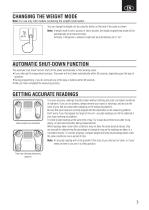
CHANGING THE WEIGHT MODE Note: For use only with models containing the weight mode button You can change the weight unit by using the button on the back of the scale as shown. kg lb st lb Note: f weight mode is set to pounds or stone-pounds, the height programming mode will be I automatically set to feet and inches. Similarly, if kilograms is selected, height will be automatically set to “cm”. AUTOMATIC SHUT-DOWN FUNCTION The automatic shut-down function shuts off the power automatically in the following cases: • If you interrupt the measurement process. The power will shut down automatically...
Open the catalog to page 5
SETTING AND STORING PERSONAL DATA IN MEMORY The unit can be operated only if data has been programmed into one of the personal data memories. 1. Turn on the Power Press the SET button to turn on the unit. 2. Select a Personal data Number Personal data numbers store your personal data. Press the Up/Down buttons to select a personal data number. Press the SET button. 3. Set Age Press the Up/Down buttons to select age. Press the SET button. 4. Select Female or Male Press the Up/Down buttons to select Female ( ), Male ( ) or Male/Athlete ( ). Female/Athlete ( Press the SET button. 5. Specify the...
Open the catalog to page 6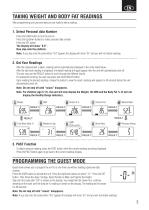
TAKING WEIGHT AND BODY FAT READINGS After programming your personal data you are ready to take a reading. 1. Select Personal data Number Press the USER button to turn the unit on. Press the Up/Down buttons to select personal data number. Press the SET button. The display will show “0.0”. Now step onto the platform. Note: f you step onto the scale before “0.0” appears the display will show “Err” and you will not obtain readings. I 2. Get Your Readings After the measurement is taken, readings will be automatically displayed in the order listed below. After the last result reading is displayed,...
Open the catalog to page 7
TAKING WEIGHT MEASUREMENT ONLY Press the Weight-only button. Step onto the scale after “0.0” is shown on the display. The body weight value will appear. The display will light for about 20 seconds, and then the power will automatically turn off. TROUBLESHOOTING If the following problems occur …then… • A wrong weight format appears followed by kg, lb, or st-lb. Refer to “Changing the weight mode” on p. 3. • “Lo” appears on the display, or all the data appears and immediately disappears. Batteries are low. When this message appears, be sure to replace the batteries immediately, since weak batteries...
Open the catalog to page 8
EINLEITUNG Wir bedanken uns für Ihren Kauf einer Tanita-Körperfettanalysewaage. Dieses Gerät gehört zu einer breiten Palette an Tanita-Produkten für die Gesundheitspflege zu Hause. Die Bedienungsanleitung begleitet Sie durch die Installationsabläufe und erklärt die wichtigsten Funktionen. Bitte bewahren Sie diese Anleitung für zukünftige Fragen gut erreichbar auf. Zusätzliche Informationen über einen gesunden Lebensstil finden Sie auf unserer Website www.tanita.eu. Tanita-Produkte verbinden die neuesten klinischen Forschungserkenntnisse mit technologischen Innovationen. Alle Daten werden vom...
Open the catalog to page 9
MERKMALE UND FUNKTIONEN Vorderseite Batteriedeckel Fersen-Elektroden Batteriefach Abwärts/USERTaste Aufwärts/RESULT- OFF/Nur-GewichtTaste Taste Zubehör 4 x AAA-Batterien (Mignonzellen) VORBEREITUNGEN VOR GEBRAUCH Einlegen der Batterien Öffnen Sie das Batteriefach auf der Unterseite des Geräts und legen Sie die mitgelieferten AAA-Batterien wie abgebildet ein. Anmerkung: Achten Sie darauf, dass die Batteriepole richtig herum eingelegt sind. Werden die Batterien falsch eingelegt, kann Flüssigkeit austreten und den Fußboden beschädigen. Wenn Sie das Gerät längere Zeit nicht benutzen, sollten Sie...
Open the catalog to page 10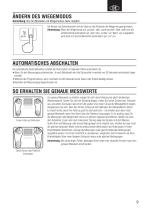
Anmerkung: Nur bei Modellen mit Wiegemodus-Taste möglich. Sie können die Gewichtseinheit mit der Taste an der Rückseite der Waage wie gezeigt ändern. Anmerkung: Wenn der Wiegemodus auf „pounds“ oder „stone-pounds“ steht, stellt sich die Größeneinheit automatisch auf „feet“ oder „inches“ um. Wenn „kg“ ausgewählt wird stellt sich die Größeneinheit automatisch auf „cm“ um. AUTOMATISCHES ABSCHALTEN Die automatische Abschaltfunktion schaltet die Stromzufuhr in folgenden Fällen automatisch ab: • Wenn Sie den Messvorgang unterbrechen. Je nach Betriebsart wird die Stromzufuhr innerhalb von 30 Sekunden...
Open the catalog to page 11All Tanita Europe catalogs and technical brochures
Archived catalogs
 AM-120
1 Page
 HC 212
1 Page
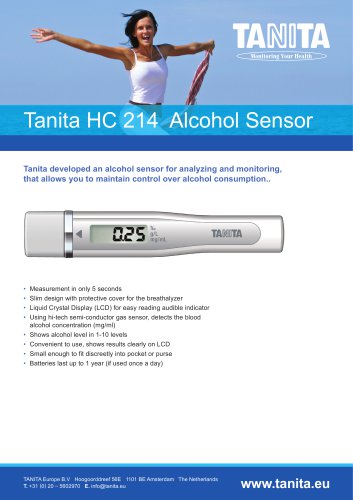 HC 214
1 Page
 Professional Catalogue 2014
36 Pages
 BC 545N
1 Page
 BC 601
1 Page
 HD 394
1 Page
 WB 380
1 Page
 BC 351
1 Page
 MINI SCALE Brochure
2 Pages
 WB-100P MA
1 Page
 WB-150 MA
1 Page
 GMON PROFESSIONAL
1 Page
 HC-214 ALCOHOL SENSOR
1 Page
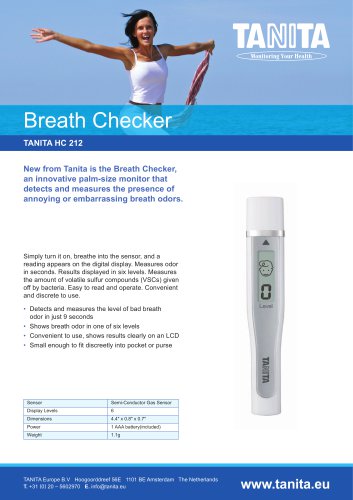 HC-212 BREATH CHECKER
1 Page
 BC-1000
1 Page
 WB 3000
1 Page
 introducing MC780
2 Pages
 MC 980
4 Pages
 Consumer Catalogue
15 Pages
 Professional Products
15 Pages
 2017 Professional Product Guide
26 Pages
 2018 Professional Product Guide
36 Pages
 BC-545N
84 Pages
 BC601
BC60188 Pages
 210811_RD-545EU
31 Pages
 BC-401
20 Pages
 Professional Product Guide
45 Pages
 AM-180
2 Pages
 MC780 brochure
8 Pages


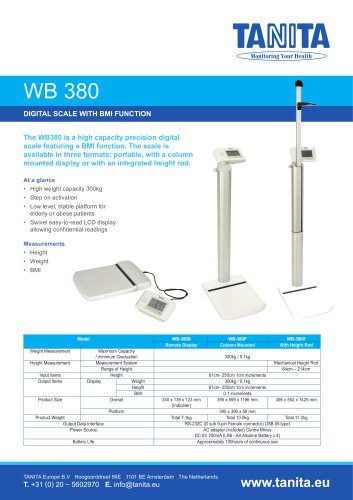


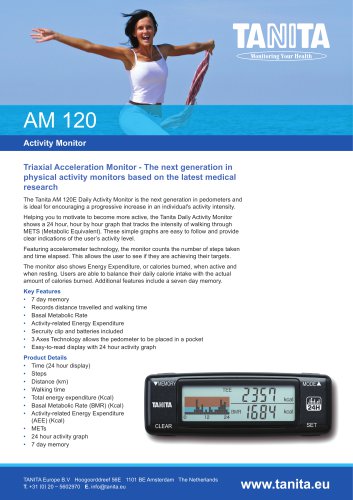


- Analysis software
- Tablet computer software
- Tablet PC software
- Automatic balance
- Reporting software
- Windows software
- Patient scale
- Electronic patient scale
- Platform patient weighing scale
- Training software
- Medical device bag
- Patient weighing scale with digital display
- Thermal printer
- Body composition analyzer
- Battery-powered patient scale
- Weighing system with printer
- Bio-impedancemetry body composition analyzer
- Patient weighing scale with LCD display
- Body composition analyzer with BMI calculation
- Baby scale