
- Catalogs
- Thermo Scientific
- MaxQ 6000


MaxQ 6000

MaxQ 6000
This document serves as the user manual for the Thermo Scientific MaxQ 6000 Stackable Incubated and Refrigerated Shakers, detailing operating instructions, safety information, specifications, and maintenance guidelines.
The MaxQ 6000 Shaker prioritizes safety, requiring adherence to local electrical codes and safety instructions to prevent electrical shock and injury. Key measures include using grounded outlets, disconnecting power before maintenance, and avoiding flammable materials.
The shaker measures 33 x 27.5 x 40.5 inches, with an optional 18 x 18-inch platform. It operates from 10°C above ambient to 80°C, with a speed range of 15 to 500 rpm unstacked. Electrical configurations include 120V and 240V options.
The MaxQ 6000 supports vertical stacking, continuous or timed operation, over-temperature protection, and RS232 communication.
Installation involves unpacking, setting up the platform, and connecting to power. Operation includes setting speed, temperature, and using the timer for shaking.
Regular maintenance includes replacing the platform mounting plate and cleaning the condenser filter. Troubleshooting guides address heating and shaking errors.
The product complies with the EU's WEEE Directive and contains fluorinated greenhouse gases. Leaks must be repaired promptly.
Users can contact Thermo Scientific for assistance via phone, fax, or email, with international customers advised to contact local distributors.
The document provides detailed specifications, features, and operational instructions for the MaxQ 6000 Shaker, including control panel, unpacking, installation, and operational guidelines.
- LED displays for temperature, time, and speed with 1/2 inch character height.
- Solid-state brushless DC motor with soft start feature.
- RS232 interface for monitoring via computer.
- Temperature monitoring output for external recorders.
- Maximum shelf load of 20 lbs and platform load of 35 lbs.
- PID microprocessor-based controller for precise control.
- Refrigerated units use CFC-free insulation and coolant.
- Non-volatile memory retains settings during power interruptions.
- UL, cUL, and CE certified.
- Alarms can be silenced for 1 hour.
- Audible and visual alarms for deviations.
- Shaking halts when the door is open.
- User-settable over-temperature control.
- Control panel with keys and indicators for settings.
- Inspect shipping carton for damage.
- Verify all parts are present before discarding packaging.
- Place near an appropriate outlet with 4 inches clearance.
- Ensure electrical requirements match specifications.
- Install platforms securely to avoid unbalanced loads.
- Level the unit and adjust feet as necessary.
- Use power switch to turn on/off.
- Set speed and temperature using control panel keys.
- Adjust over-temperature protection with a screwdriver.
- Unit resumes settings after power loss.
- Calibration requires independent devices.
- Set timer with audible alarm for cycle end.
Set the timer for continuous shaking using the HOURS/MINUTES key and start with SPEED ON/OFF. Timer counts up until stopped.
Requires a computer with Windows 98 or newer. Configure HyperTerminal with specific COM1 properties.
Adjust low-limit control for chamber temperature, ensuring correct status lamp indication.
Activates with a 2-minute delay. Defrost cycle occurs every 12 hours for 30 seconds.
Control interior chamber light and outlet via control panel.
Regular cleaning and screw adjustment for platform mounting plate. Internal repairs by qualified personnel.
Common issues include power supply, motor, and heating errors. Error codes indicate specific faults.
Outlines error codes and implications. Non-critical errors clear automatically; critical errors require manual intervention.
List of replacement parts with part numbers. Contact Thermo Scientific for parts and service.
Warranty covers parts and labor for 24 months, parts only for three additional years. Warranty void if altered without authorization.
Contact Thermo Fisher Scientific's Technical Services Department for service and warranty inquiries.
Catalog excerpts

User Manual MaxQ 6000 Stackable Incubated and Refrigerated Shakers Operating Manual and Parts List LT2120X1 (7004352) Rev. 12 Visit us online to register your warranty www.thermoscientific.com/labwarranty
Open the catalog to page 1
Models covered in this manual Model number Clarified Setting timer section, pg 5-5 Added F-Gas statement, removed Declaration of conformity Updated warranty information Updated Setting Timer for Continuous Shaking Step 3 - pg 5-5 Removed warranty card from page 4-1 and expanded clearance on page 4-2 New fuses, connector power entry and fuse drawer for UL (pgs 8-2, 9-1 & 9-2 list) ccs Added note to hyperterminal information on pg 5-5 Thermo Scientific
Open the catalog to page 2
CAUTION Contains Parts and Assemblies Susceptible to Damage by Electrostatic Discharge (ESD) Important Read this instruction manual. Failure to read, understand and follow the instructions in this manual may result in damage to the unit, injury to operating personnel, and poor equipment performance. s Caution All internal adjustments and maintenance must be performed by qualified service personnel. s Material in this manual is for information purposes only. The contents and the product it describes are subject to change without notice. Thermo Fisher Scientific makes no representations or warranties...
Open the catalog to page 3
Important operating and/or maintenance instructions. Read the accompanying text carefully. Potential electrical hazards. Only qualified persons should perform procedures associated with this symbol. Equipment being maintained or serviced must be turned off and locked off to prevent possible injury. Hot surface(s) present which may cause burns to unprotected skin, or to materials which may be damaged by elevated temperatures. Marking of electrical and electronic equipment, which applies to electrical and electronic equipment falling under the Directive 2002/96/EC (WEEE) and the equipment that...
Open the catalog to page 4
Do You Need Information or Assistance on Thermo Scientific Products? If you do, please contact us 8:00 a.m. to 6:00 p.m. (Eastern Time) at: 1-740-373-4763 1-800-438-4851 1-877-213-8051 http://www.thermofisher.com [email protected] www.unitylabservices.com Direct Toll Free, U.S. and Canada FAX Internet Worldwide Web Home Page Tech Support Email Address Certified Service Web Page Our Sales Support staff can provide information on pricing and give you quotations. We can take your order and provide delivery information on major equipment items or make arrangements to have your...
Open the catalog to page 5
Table of Contents Section 1 Section 2 Features . . . . . . . . . . . . . . . . . . . . . . . . . . . . . . . . . . . . . . . . . . . . . . . . . . . . .3-1 Control Panel Features . . . . . . . . . . . . . . . . . . . . . . . . . . . . . . . . . . . .3-2 Alarms . . . . . . . . . . . . . . . . . . . . . . . . . . . . . . . . . . . . . . . . . . . . . . . . 3-2 Unpacking and Installation . . . . . . . . . . . . . . . . . . . . . . . . . . . . . . . . . . . . 4-1 Unpacking . . . . . . . . . . . . . . . . . . . . . . . . . . . . . . . . . . . . . . . . . . . . . 4-1 Location . . . . . . . . . . ....
Open the catalog to page 6
Troubleshooting . . . . . . . . . . . . . . . . . . . . . . . . . . . . . . . . . . . . . . . . . . . . . .7-1 Heating Error Codes . . . . . . . . . . . . . . . . . . . . . . . . . . . . . . . . . . . . . 7-2 General Error Codes . . . . . . . . . . . . . . . . . . . . . . . . . . . . . . . . . . . . . 7-3 Shaking Error Codes . . . . . . . . . . . . . . . . . . . . . . . . . . . . . . . . . . . . . 7-3 Notes . . . . . . . . . . . . . . . . . . . . . . . . . . . . . . . . . . . . . . . . . . . . . . . . . 7-4 Maintenance . . . . . . . . . . . . . . . . . . . . . . . . . . . . . . . . . . . . ....
Open the catalog to page 7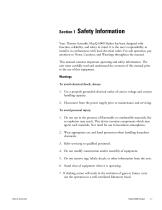
Safety Information Your Thermo Scientific MaxQ 6000 Shaker has been designed with function, reliability, and safety in mind. It is the user’s responsibility to install it in conformance with local electrical codes. For safe operation, pay attention to Notes, Cautions, and Warnings throughout the manual. This manual contains important operating and safety information. The user must carefully read and understand the contents of this manual prior to the use of this equipment. Warnings To avoid electrical shock, always: 1. Use a properly grounded electrical outlet of correct voltage and current handling...
Open the catalog to page 8
Section 1 Safety Information To avoid personal injury (continued) 8. Use equipment only for its intended purpose. Use only the accessories and attachments that are shipped with the equipment or are specified for it. Substituting other attachments or accessories can produce hazards or make the unit inoperative. 9. Perform regular maintenance service as specified in this manual and keep unit in good repair. Do not operate with known defects. 10. Do not use the shaker to mix flammable materials or where the transfer of mechanical energy to glass could cause glass breakage. Thermo Scientific
Open the catalog to page 9
Dimensions (L x W x H) . . . . . . . . . .33 x 27.5 x 40.5 inches (83.8 x 69.8 x 102.8 cm) Optional Universal Platform (30110): . . .18 x 18 inches (45.7 x 45.7 cm) Inner Chamber: . . . 22 x 21 x 27 inches (55.9 x 53.3 x 68.6 cm) Temperature Range and Accuracy SHKE6000: . . . . 10°C above ambient to 80°C, ±0.1°C at 37°C in flask SHKE6000-1CE:. 10°C above ambient to 80°C, ±0.1°C at 37°C in flask SHKE6000-7: . . .15°C below ambient to 80°C, ±0.1°C at 37°C in flask (Minimum setpoint is 4°C on refrigerated model.) SHKE6000-8CE:. 15°C below ambient to 80°C, ±0.1°C at 37°C in flask (Minimum setpoint...
Open the catalog to page 10
Electrical SHKE6000: . . . . . . . .120V, 60Hz, 8.0 amps, 1100 watts SHKE6000-1CE: . . . .240V, 50/60Hz, 5.0 amps, 1200 watts SHKE6000-7: . . . . . 120V, 60Hz, 11 amps, 1300 watts SHKE6000-8CE: . . . 240V, 50Hz, 6.3 amps, 1500 watts Max Load Shelf: . . . . . . . . . . . . . . . . . . . . .20 lbs. (9.1 kg) each Platform: . . . . . . . . . . . . . . . . . . . . .35 lbs. (15.9 kg) Environmental Operating Conditions Pollution Degree** . . . . . . . . . . . . . . . . . . . . . . . . . 2 Installation Category** . . . . . . . . . . . . . . . . . . . . . .II Altitude . . . . . . 2000 meters MSL (Mean...
Open the catalog to page 11All Thermo Scientific catalogs and technical brochures
 Nunc Cell Factory systems
12 Pages
 CryoStar NX50
2 Pages
 MSC-Advantage BSC
54 Pages
 Multifuge
58 Pages
 Thermo Scientific Pico 17 / 21
52 Pages
 CO2 Incubator HERAcell 150 i / 240 i
196 Pages
 Revco® Blood Bank Refrigerators
37 Pages
 Multidrop Combi nL
4 Pages
 Forma Environmental Chambers
25 Pages
 Multi Tube Rotator
13 Pages
 picoSpin Spectrometer
6 Pages
 1300 Series A2
76 Pages
 CO2 Incubator Family
28 Pages
 CO2 incubators
7 Pages
 MaxQ Mini 4450 Shaker
40 Pages
 E1-ClipTip Electronic Pipette
108 Pages
 Varioskan™ LUX
54 Pages
 ISQ Series Mass Spectrometers
412 Pages
 Q Exactive™ BioPharma
16 Pages
 Q Exactive Plus
4 Pages
 LTQ XL™
4 Pages
 Platinum DNA polymerases
6 Pages
 -80°C Benchtop Freezer
2 Pages
 Nicolet iS10 FT-IR Spectrometer
12 Pages
 Ion S5 and Ion S5 XL Systems
2 Pages
 SureTect Range
4 Pages
 QuantStudio™ 3
8 Pages
 Furnaces
2 Pages
 Nunc Serological Pipettes
3 Pages
![Vanquish Duo UHPLC System [ZH]](https://img.medicalexpo.com/pdf/repository_me/78678/vanquish-duo-uhplc-system-zh-191145_1mg.jpg) Vanquish Duo UHPLC System [ZH]
Vanquish Duo UHPLC System [ZH]12 Pages
 native MS
16 Pages
 Compound Discoverer Software
12 Pages
 Vanquish Horizon UHPLC System
16 Pages
 Thermo Scientific TSQ Duo
9 Pages
 Thermo Scientific TSQ 8000 Evo
16 Pages
 Heraeus Labofuge 300
2 Pages
 Heraeus Cryofuge 5500i
8 Pages
 Heraeus Clinifuge Centrifuge
2 Pages
 Vials and Closures Catalog 2014-2015
128 Pages
 RM 200 EG
4 Pages
 Darwin LIMS
2 Pages
 Immunohistory Solutions
292 Pages
 Process Water Products Catalog
68 Pages
 Technical Training Catalog
15 Pages
 FBS Alternatives
8 Pages
 Pierce Magnetic Beads
16 Pages
 interactive catalog today
222 Pages
 HERAGUARD HPH clean benches
2 Pages
 MBC 240 Bench Top Analyzer
4 Pages
 Konelab 20
2 Pages
 Indiko
6 Pages




![ISQ 7000 Single Quadrupole GC-MS System VPI [ZH]](https://img.medicalexpo.com/pdf/repository_me/78678/isq-7000-single-quadrupole-gc-ms-system-vpi-zh-191148_1mg.jpg)
![ISQ 7000 Single Quadrupole GC-MS System [ZH]](https://img.medicalexpo.com/pdf/repository_me/78678/isq-7000-single-quadrupole-gc-ms-system-zh-191147_1mg.jpg)


![Thermo Scientific Herasafe KS and KSP Class II Biological Safety Cabinets [EN]](https://img.medicalexpo.com/pdf/repository_me/78678/thermo-scientific-herasafe-ks-ksp-class-ii-biological-safety-cabinets-en-85081_1mg.jpg)


Archived catalogs
 Nunc Cell Factory systems
8 Pages
- Vertical refrigerator
- 1-door refrigerator
- Laboratory refrigerator
- Automatic defrost refrigerator
- Electric refrigerator
- Laboratory incubator
- Refrigerator with glass door
- Laboratory centrifuge
- Benchtop centrifuge
- Laboratory agitator
- Stainless steel refrigerator
- Sample tube
- Blood centrifuge
- Sample preparation system
- Laboratory test tube
- Automatic sample processor
- Clinical chemistry analyzer
- Temperature-control laboratory incubator
- Laboratory oven
- Heating oven