
- Catalogs
- Vacu Activ
- Bodyshape V2


- Company
- Products
- Catalogs
- News & Trends
- Exhibitions
Bodyshape V2
1 /58Pages
Bodyshape V2
1 /58Pages
Catalog excerpts
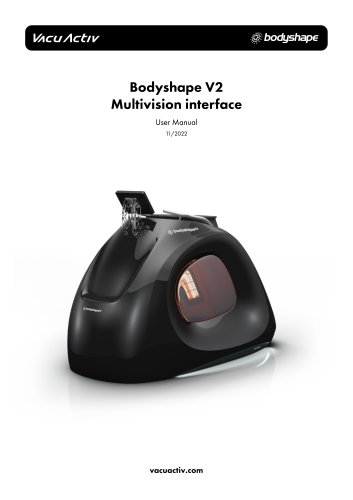
Bodyshape V2 Multivision interface
Open the catalog to page 1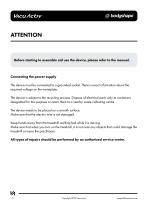
Hie device must be connected to a grounded socket. "There is exact information about the required voltage on the nameplate. The device is subject to the recycling process. Dispose of electrical parts only to containers designated for this purpose or return them to a nearby waste collecting centre. The device needs to be placed on a smooth surface. Make sure that the electric wire is not damaged. Keep hands away from the treadmill walking belt while it is moving. Make sure that when you turn on the treadmill, it is not near any objects that could damage the treadmill or injure the practitioner....
Open the catalog to page 2
[email protected] Copyright 2022 Vacu Activ 3
Open the catalog to page 3
4 Copyright 2022 Vacu Activ [email protected]
Open the catalog to page 4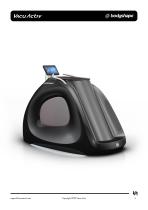
Copyright 2022 Vacu Activ
Open the catalog to page 5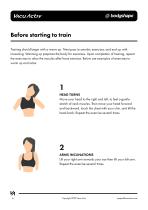
Before starting to train Training should begin with a warm-up. Next pass to aerobic exercises, and end up with loosening. Warming up prepares the body for exercises. Upon completion of training, repeat the exercises to relax the muscles after force exercise. Below are examples of exercises to warm up and relax: 1HEAD TURNS Move your head to the right and left, to feel a gentle stretch of neck muscles. Then move your head forward and backward, touch the chest with your chin, and tilt the head back. Repeat the exercise several times. Lift your right arm towards your ear then lift your left arm....
Open the catalog to page 6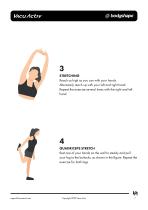
3STRETCHING Reach as high as you can with your hands. Alternately reach up with your left and right hand. Repeat the exercise several times with the right and left hand. Rest one of your hands on the wall to steady and pull your leg to the buttocks, as shown in the figure. Repeat the exercise for both legs. [email protected] Copyright 2022 Vacu Activ 7
Open the catalog to page 7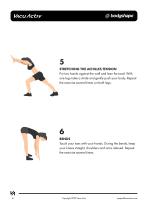
5STRETCHING THE ACHILLES TENDON Put two hands against the wall and lean forward. With one leg make a stride and gently push your body. Repeat the exercise several times on both legs. Touch your toes with your hands. During the bends, keep your knees straight, shoulders and arms relaxed. Repeat the exercise several times. 8 Copyright 2022 Vacu Activ [email protected]
Open the catalog to page 8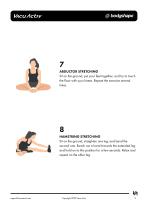
7ABDUCTOR STRETCHING Sit on the ground, put your feet together, and try to touch the floor with your knees. Repeat the exercise several times. Sit on the ground, straighten one leg, and bend the second one. Reach out a hand towards the extended leg and hold on to this position for a few seconds. Relax and repeat on the other leg. [email protected] Copyright 2022 Vacu Activ 9
Open the catalog to page 9
Vacu Activ Body Shape Multivision is a new, unique slimming device. It allows to exercise on a treadmill, benefiting from vacuum and infrared at the same time. The device was designed to meet expectations of both beginners and advanced users. When designing and implementing the Body Shape Multivision, Vacu Activ focused on the requirements of the customers. From the very beginning, our intention was to develop a device meeting the fundamental expectations: functionality, results, ease of use and modern design. Body Shape Multivision meets all these expectations. The technologies employed in Body...
Open the catalog to page 10
Hie operation of the Body Shape Multivision is simplified to the maximum and its menu is intuitive. You only need to use it once to learn how to operate it. Operation requires no qualified personnel. Our rich experience in design of slimming capsules allowed us to create a product with a futuristic design, capable of drawing attention of any customer. Additional movable elements of the device serve aesthetic purposes and distinguish the Body Shape Multivision from other models available on the market. [email protected] Copyright 2022 Vacu Activ 11
Open the catalog to page 11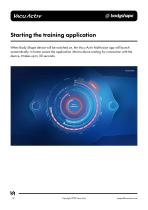
Starting the training application When Body Shape device will be switched on, the Vacu Activ Multivision app will launch automatically. In home screen the application informs about waiting for connection with the device. It takes up to 30 seconds. 12 Copyright 2022 Vacu Activ [email protected]
Open the catalog to page 12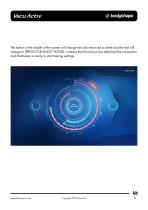
0bodyshape The button in the middle of the screen will change the color from red to white and the text will change to (PRESS FOR SELECT MODE), it means that the device has stabilized the connection and Multivision is ready to start training settings. va [email protected] Copyright 2022 Vacu Activ 13
Open the catalog to page 13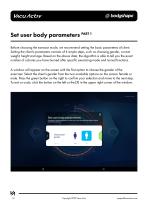
Set user body parameters PART1 Before choosing the exercise mode, we recommend setting the basic parameters of client Setting the clients parameters consists of 4 simple steps, such as choosing gender, current weight, height and age. Based on the above data, the algorithm is able to tell you the exact number of calories you have burned after specific exercising mode and turned functions. A window will appear on the screen with the first option to choose the gender of the exerciser. Select the client's gender from the two available options on the screen: female or male. Press the green button...
Open the catalog to page 14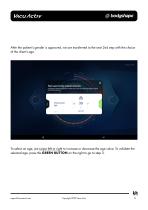
0bodyshape After the patient's gender is approved, we are transferred to the next 2nd step with the choice of the client's age. Set user body parameters Providing The following parameters will allow you to more accurately calculate the calories burned during session To select an age, just swipe left or right to increase or decrease the age value. To validate the selected age, press the GREEN BUTTON on the right to go to step 3. [email protected] Copyright 2022 Vacu Activ 15
Open the catalog to page 15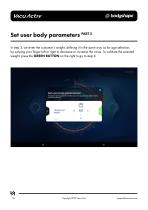
Set user body parameters PART2 In step 3, we enter the customer's weight, defining it in the same way as for age selection, by swiping your finger left or right to decrease or increase the value. To validate the selected weight, press the GREEN BUTTON on the right to go to step 4. Set user body parameters Prowling the following parameters wilt allow you lomore accurately calculate the calories burned during session Choose your weight 16 Copyright 2022 Vacu Activ [email protected]
Open the catalog to page 16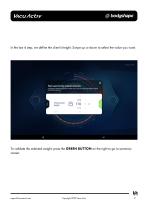
0bodyshape In the last 4 step, we define the client's height. Swipe up or down to select the value you want. Set user body parameters Providing The following parameters will allow you to more accurately calculate the calories burned during session Choose your height To validate the selected weight, press the GREEN BUTTON on the right to go to summary screen. [email protected] Copyright 2022 Vacu Activ 17
Open the catalog to page 17All Vacu Activ catalogs and technical brochures
 Activ Aqua Bed
30 Pages
 Vibrashape
18 Pages
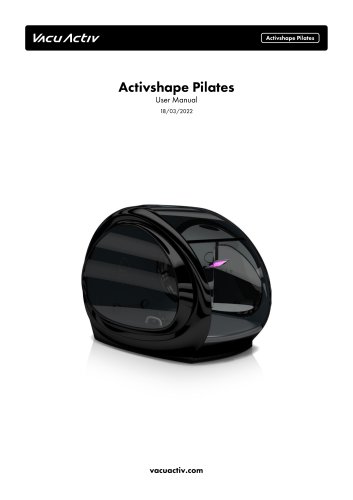 Activshape Pilates
36 Pages
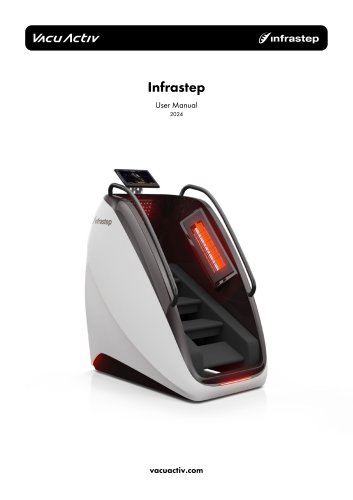 Infrastep
24 Pages
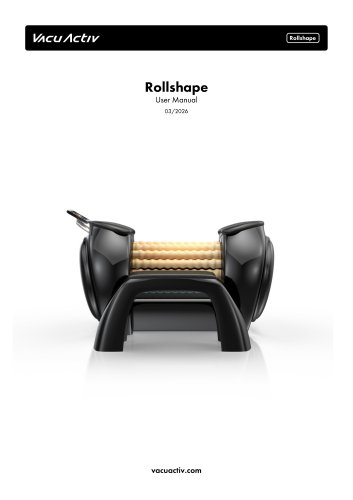 Rollshape
46 Pages
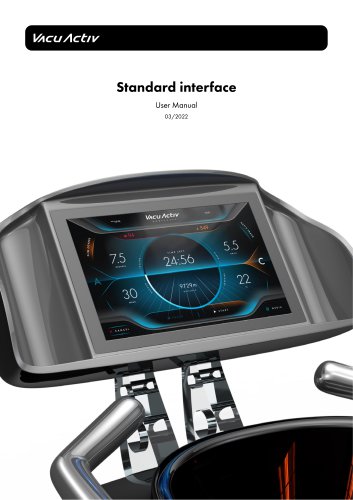 Standard interface
28 Pages
 Cryotherapy devices
6 Pages
 Furniture Catalog
8 Pages
 Innovative Slimming Equipment
15 Pages


- Handisport
- Hydromassage bathtub
- Treadmill with incline
- Holistic medicine
- Cryotherapy unit
- Cryotherapy cabin
- Cryosurgery unit
- Hand-held cryosurgery unit
- Flotation bed
- Hygiene station
- Hydromassage bathtub with chromotherapy lamps
- Hydromassage table with water jet
- Stair climber
- Wellness lounger
- Dermatologic surgery cryosurgery unit
- Recumbent bicycle
- Lower limbs hydromassage bathtub
- Adult recumbent bicycle
- Light therapy lamp