
- Catalogs
- Vacu Activ
- Standard interface


- Company
- Products
- Catalogs
- News & Trends
- Exhibitions
Standard interface
1 /28Pages
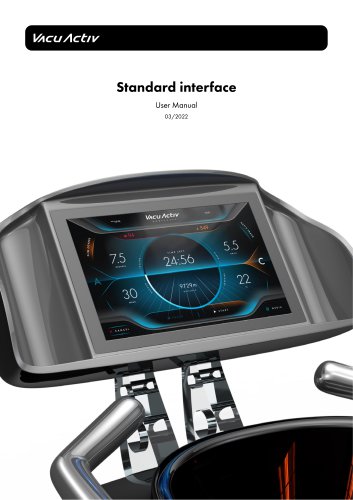
Standard interface
1 /28Pages
Catalog excerpts
Standard interface User Manual
Open the catalog to page 1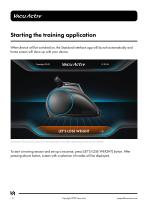
When device will be switched on, the Standard interface app will launch automatically and home screen will show up with your device. To start a training session and set up a excerise, press [LET'S LOSE WEIGHT] button. After pressing above button, screen with a selection of modes will be displayed. i Copyright 2022 Vacu Activ [email protected]
Open the catalog to page 2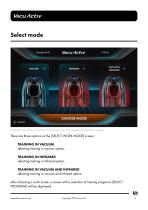
VACUUM & INFRARED CHOOSE MODE Screenshot: The preview screen from the application may differ depending on the device ordered. There are three options on the [SELECT WORK MODE] screen: TRAINING IN VACUUM selecting training in vacuum option, TRAINING IN INFRARED selecting training in infrared option, TRAINING IN VACUUM AND INFRARED selecting training in vacuum and infrared option, after choosing a work mode, a screen with a selection of training programs [SELECT PROGRAM] will be displayed. [email protected] Copyright 2022 Vacu Activ 3
Open the catalog to page 3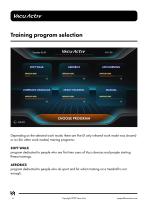
Depending on the selected work mode, there are five (if only infrared work mode was chosen) or six (for other work modes) training programs: program dedicated to people who are first time users of Vacu devices and people starting fitness trainings, program dedicated to people who do sport and for whom training on a treadmill is not enough. 4 Copyright 2022 Vacu Activ [email protected]
Open the catalog to page 4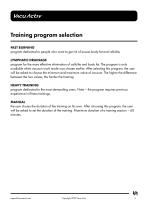
program dedicated to people who want to get rid of excess body fat and cellulite, program for the more effective elimination of cellulite and body fat. The program is only available when vacuum work mode was chosen earlier. After selecting this program, the user will be asked to choose the minimum and maximum value of vacuum. TTie higher the difference between the two values, the harder the training. program dedicated to the most demanding users. Note - the program requires previous experience in fitness trainings, the user choses the duration of the training on his own. After choosing this program,...
Open the catalog to page 5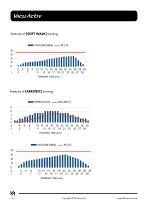
Features of [AEROBIC] training: 1^ SPEED [km/h] _INCLINE [°] 6 Copyright 2022 Vacu Activ [email protected]
Open the catalog to page 6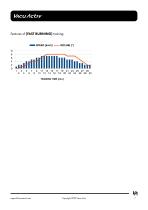
[email protected] Copyright 2022 Vacu Activ 7
Open the catalog to page 7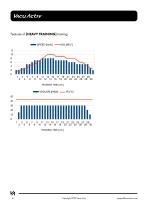
8 Copyright 2022 Vacu Activ [email protected]
Open the catalog to page 8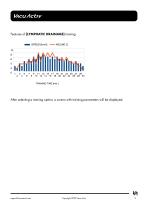
Features of [LYMPHATIC DRAINAGE] training: After selecting a training option, a screen with training parameters will be displayed. [email protected] Copyright 2022 Vacu Activ 9
Open the catalog to page 9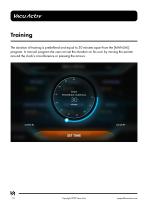
The duration of training is predefined and equal to 30 minutes apart from the [MANUAL] program. In manual program the user can set the duration on his own by moving the pointer around the clock's circumference or pressing the arrows. 10 Copyright 2022 Vacu Activ [email protected]
Open the catalog to page 10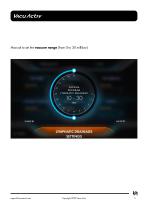
Manual to set the vacuum range (from 0 to 30 millibar) va [email protected] Copyright 2022 Vacu Activ 11
Open the catalog to page 11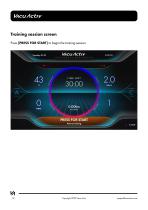
Press [PRESS FOR START] to begin the training session. 12 Copyright 2022 Vacu Activ [email protected]
Open the catalog to page 12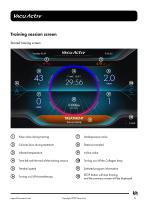
Pulse value during training Calories burn during treatment Infrared temperature Time left until the end of the training session Turning on/off Aromatherapy Underpressure value Distance traveled Incline value Turning on/off the Collagen lamp Selected program information STOP button will stop training and the summary screen will be displayed [email protected] Copyright 2022 Vacu Activ 13
Open the catalog to page 13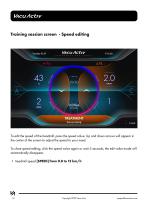
To edit the speed of the treadmill, press the speed value. Up and down arrows will appear in the center of the screen to adjust the speed to your need. To close speed editing, click the speed value again or wait 5 seconds, the edit value mode will automatically disappear. • treadmill speed [SPEED] from 0.8 to 12 km/h 14 Copyright 2022 Vacu Activ [email protected]
Open the catalog to page 14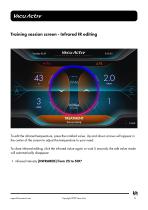
To edit the infrared temperature/ press the inrafred value. Up and down arrows will appear in the center of the screen to adjust the temperature to your need. To close infrared editing/ click the infrared value again or wait 5 seconds, the edit value mode will automatically disappear. • infrared intensity [INFRARED] from 25 to 50C° [email protected] Copyright 2022 Vacu Activ 15
Open the catalog to page 15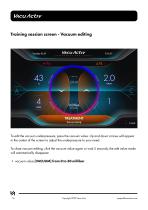
To edit the vacuum underpressure, press the vacuum value. Up and down arrows will appear in the center of the screen to adjust the underpressure to your need. To close vacuum editing, click the vacuum value again or wait 5 seconds, the edit value mode will automatically disappear. • vacuum value [VACUUM] from 0 to 30 millibar 16 Copyright 2022 Vacu Activ [email protected]
Open the catalog to page 16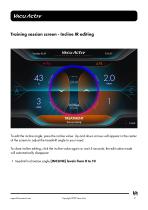
To edit the incline angle, press the incline value. Up and down arrows will appear in the center of the screen to adjust the treadmill angle to your need. To close incline editing, click the incline value again or wait 5 seconds, the edit value mode will automatically disappear. • treadmill inclination angle [INCLINE] levels from Oto 10 [email protected] Copyright 2022 Vacu Activ 17
Open the catalog to page 17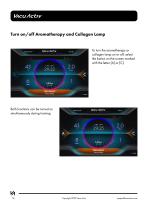
To turn the aromatherapy or collagen lamp on or off, select the button on the screen marked with the letter [A] or [C]. Both functions can be turned on simultaneously during training 18 Copyright 2022 Vacu Activ [email protected]
Open the catalog to page 18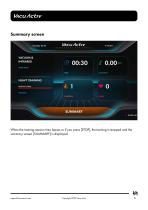
VACUUM & INFRARED WORK MODE HEAVY TRAINING When the training session time lapses or if you press [STOP], the training is stopped and the summary screen [SUMMARY] is displayed. [email protected] Copyright 2022 Vacu Activ 19
Open the catalog to page 19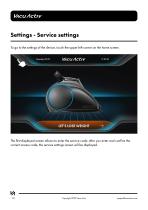
The first displayed screen allows to enter the service code; after you enter and confirm the correct access code, the service settings screen will be displayed. 20 Copyright 2022 Vacu Activ [email protected]
Open the catalog to page 20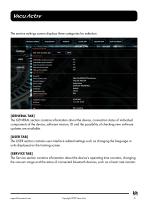
The service settings screen displays three categories for selection. USB-CANbus module connected: USB-CANbus synchronization: Heart rate monitor connected: Wifi network connected: M BASIC DEVICE INFO REMOVE ADMIN [GENERAL TAB] The GENERAL section contains information about the device, connection status of individual components of the device, software version, ID and the possibility of checking new software updates are available. [USER TAB] The USER section contains user interface related settings such as changing the language or units displayed on the training screen. [SERVICE TAB] The Service...
Open the catalog to page 21All Vacu Activ catalogs and technical brochures
 Activ Aqua Bed
30 Pages
 Vibrashape
18 Pages
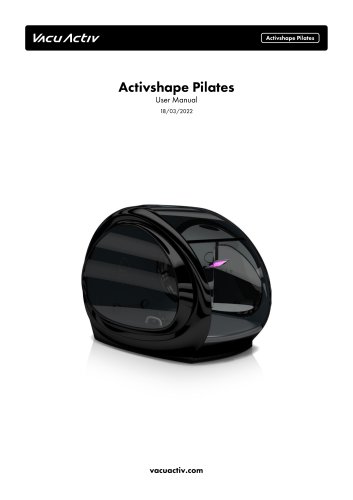 Activshape Pilates
36 Pages
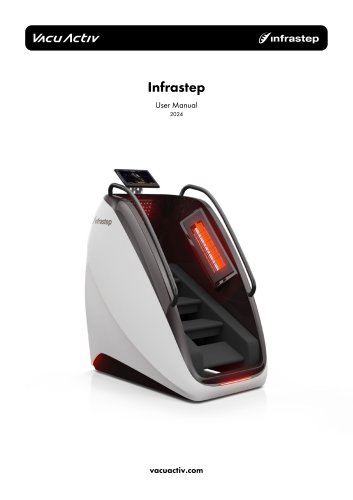 Infrastep
24 Pages
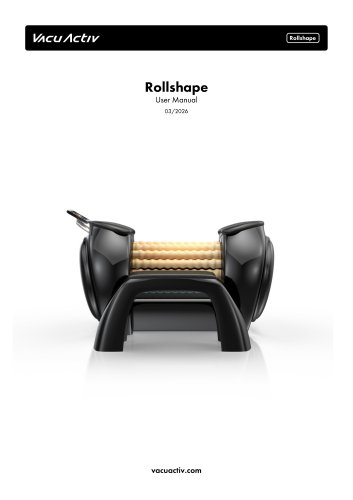 Rollshape
46 Pages
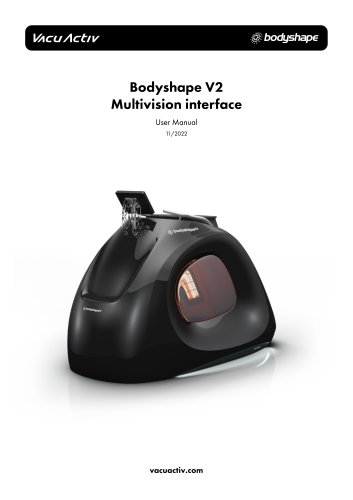 Bodyshape V2
58 Pages
 Cryotherapy devices
6 Pages
 Furniture Catalog
8 Pages
 Innovative Slimming Equipment
15 Pages


- Handisport
- Hydromassage bathtub
- Treadmill with incline
- Holistic medicine
- Cryotherapy unit
- Cryotherapy cabin
- Cryosurgery unit
- Hand-held cryosurgery unit
- Flotation bed
- Hygiene station
- Hydromassage bathtub with chromotherapy lamps
- Hydromassage table with water jet
- Stair climber
- Wellness lounger
- Dermatologic surgery cryosurgery unit
- Recumbent bicycle
- Lower limbs hydromassage bathtub
- Adult recumbent bicycle
- Light therapy lamp